hi
I will ask our suite team. we will reply you asap
We also use auth-server.pfx not openiddict.pfx. But there is some confusion. Is that can cause the issue?
What do you mean by this? Please share your code or screenshots.
Hi
There is not project creation count limited. So you can create a new project and copy the code then delete the project.
hi
You can create a new paid template project and copy the code from appsettings.secrets.json
Thanks. I will check it.
hi
Can you try to add /libs/datatables.net/js/dataTables.min.js file?
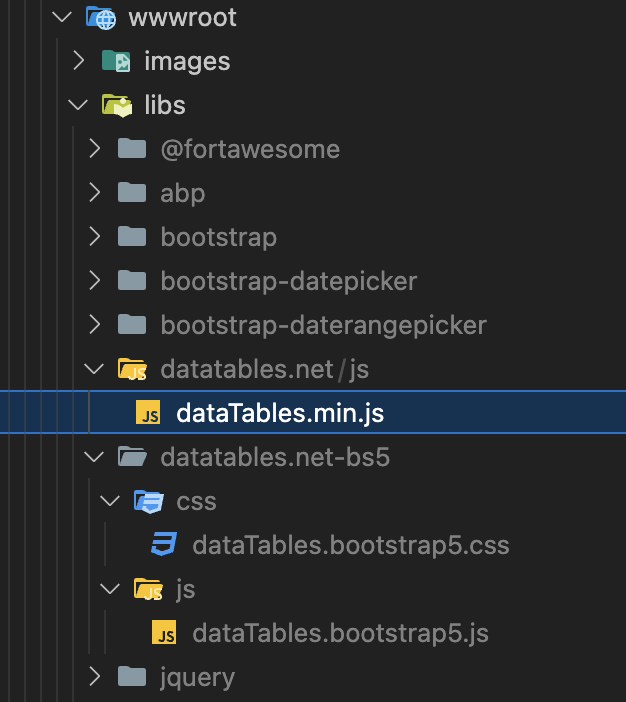
https://we.tl/t-2XaEpWwcz7
If still not working, Can you share a test project?
liming.ma@volosoft.com
Thanks
This is weird, we keep using pfx files generated this way
This is my pfx file, and I verified the password(00000000-0000-0000-0000-000000000000).
You can move it to C:\inetpub\wwwroot\PayosGate\PayosGateApi
https://we.tl/t-VCNULyhjCy
> openssl pkcs12 -in openiddict.pfx -noout
Enter Import Password: 00000000-0000-0000-0000-000000000000
If still not working, you can use a different certificate for encryption/signing
https://github.com/abpframework/abp/issues/13507#issuecomment-1202035746
This error is related to NET 9 SDK.
You can use a specific SDK version in a folder to install the abp suite.
> dotnet --list-sdks
8.0.401 [/usr/local/share/dotnet/sdk]
9.0.100-rc.2.24474.11 [/usr/local/share/dotnet/sdk]

> cd TestFolder
TestFolder > dotnet new globaljson --sdk-version 8.0.401

TestFolder > dotnet --version
8.0.401

TestFolder > abp suite
Update:
Please use latest official NET 9 SDK to solve this issue,
hi
Can you try to remove all files from C:\inetpub\wwwroot\PayosGate\PayosGateApi and re-publish the website to IIS again?
and regenerate the pfx by dotnet dev-certs https -v -ep openiddict.pfx -p 00000000-0000-0000-0000-000000000000
Make sure the 00000000-0000-0000-0000-000000000000 password in the code is applied.
Thanks. I will check the error logs. Please wait.




