hi
You can download the Account.Pro module to check the code. we have implemented the 2FA login on the commercial side.
https://docs.abp.io/en/commercial/latest/modules/account#two-factor-authentication https://support.abp.io/QA/Questions/632/How-can-I-download-the-source-code-of-the-framework-Angular-packages-theme-and-pro-modules
abp get-source Volo.Account.Pro
hi
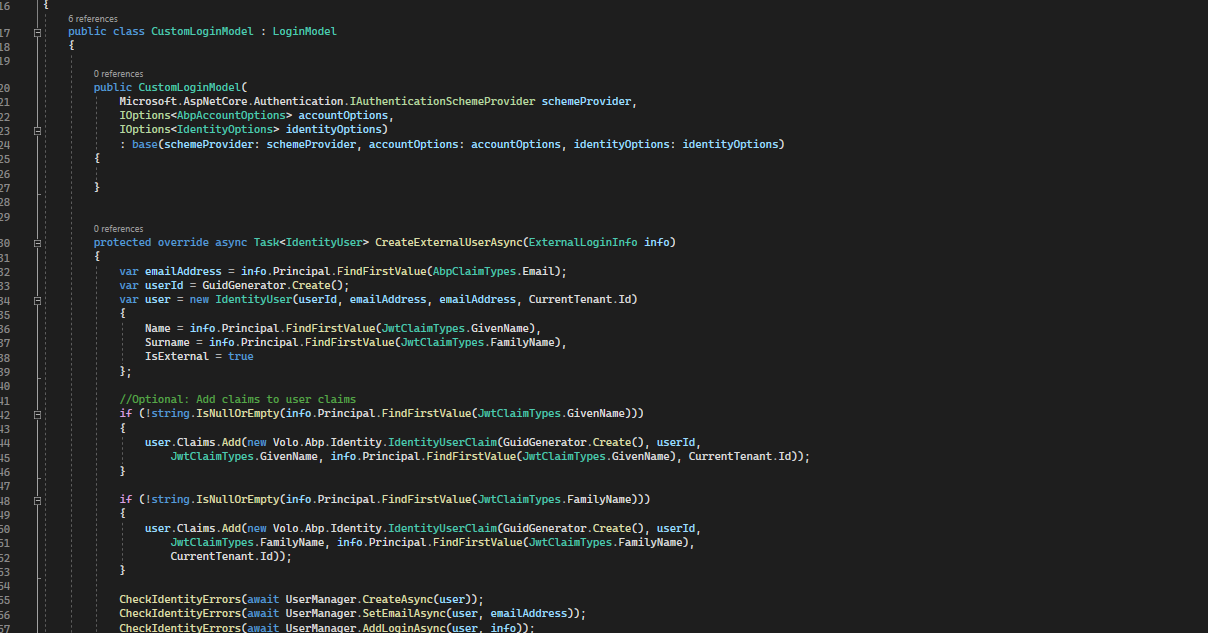
I said:you can override the base methods to add your custom code in CustomLoginModel
Login has nothing to do with AccountController
hi
You can override the base methods to add your custom code.
hi
The AccountController will not call during the login process.
You have to add your custom code to YourLoginModel
hi
You can change the current and query all the entities of the tenant and create new for new tenant.
https://docs.abp.io/en/abp/latest/Multi-Tenancy#change-the-current-tenant
ok. Can you share your project?
liming.ma@volosoft.com
hi
You can download this project to test.
https://github.com/abpframework/abp-samples/tree/master/Authentication-Customization https://github.com/abpframework/abp-samples/tree/master/Authentication-Customization/src/Acme.BookStore.Web/Pages/Account
hi
https://support.abp.io/QA/Questions/160/How-to-customize-an-ABP-project
https://community.abp.io/posts/how-to-customize-the-login-page-for-mvc-razor-page-applications-9a40f3cd https://gist.github.com/ebicoglu/ce0f0425bab806d0ee1a87d0073af96b
hi
You have to override the code from Volo.Abp.Account.Public.Web.Pages.Account.LoginModel
Volo.Abp.Account.Pro.Public.Web/Pages/Account/Login.cshtml
Volo.Abp.Account.Pro.Public.Web/Pages/Account/Login.cshtml.cs
Because the LoginModel handles the login request.
Volo.Abp.Account.Pro.Public.Web/Pages/Account/Login.cshtml
Volo.Abp.Account.Pro.Public.Web/Pages/Account/Login.cshtml.cs









