hi
You can try to configure the forwarding header.
https://docs.microsoft.com/en-us/aspnet/core/host-and-deploy/proxy-load-balancer?view=aspnetcore-6.0 https://blog.sinenie.cl/blog/forwarded-headers/
hi
Blazor wasm or Blazor server?
hi
Can you try the test code in the latest template?
If still slow please share the project with me liming.ma@volosoft.com
hi
How do I enable the new service to use an isolated database on microservice template?
https://docs.abp.io/en/commercial/5.3/startup-templates/microservice/infrastructure#hosting
hi
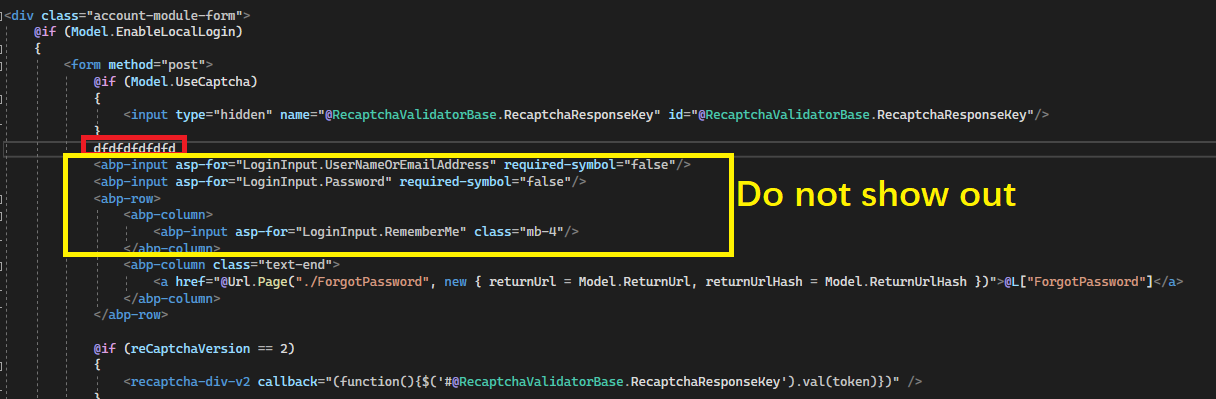
Can you add the addTagHelper code to the project that contains this code? If still does not work. Please share a minimum project. liming.ma@volosoft.com
hi @alexander
Unfortunately, I cannot share the source code
Please use the template project to reproduce the problem and share it liming.ma@volosoft.com
hi
Can you check your NuGet.Config file?
"C:\Users\username\AppData\Roaming\NuGet\NuGet.Config"
<?xml version="1.0" encoding="utf-8"?>
<configuration>
  <packageSources>
    <add key="nuget" value="https://api.nuget.org/v3/index.json" />
  </packageSources>
</configuration>
hi
dotnet tool install --global Volo.Abp.Cli --add-source https://api.nuget.org/v3/index.json
Also try this.
Configure<AbpClaimsServiceOptions>(options =>
{
    options.RequestedClaims.AddRange(new[]{ "SocialSecurityNumber" });
});









