hi
I think the spa redirect is what's stopping the "Log in with this user" from working. Can you confirm?
You can remove the spa redirect to confirm this problem.
Or you can share a website link and username & password, and I can confirm it online. liming.ma@volosoft.com
hi
https://support.abp.io/QA/Questions/632/How-can-I-download-the-source-code-of-the-framework-Angular-packages-theme-and-pro-modules
hi
I will check it asap. Thanks
hi
The error is beacuse principal.Identities.Count() != 1
Please follow this example
public class SocialSecurityNumberClaimsPrincipalContributor : IAbpClaimsPrincipalContributor, ITransientDependency
{
    public async Task ContributeAsync(AbpClaimsPrincipalContributorContext context)
    {
        var identity = context.ClaimsPrincipal.Identities.FirstOrDefault();
        var userId = identity?.FindUserId();
        if (userId.HasValue)
        {
            var userService = context.ServiceProvider.GetRequiredService<IUserService>(); //Your custom service
            var socialSecurityNumber = await userService.GetSocialSecurityNumberAsync(userId.Value);
            if (socialSecurityNumber != null)
            {
                identity.AddClaim(new Claim("SocialSecurityNumber", socialSecurityNumber));
            }
        }
    }
}
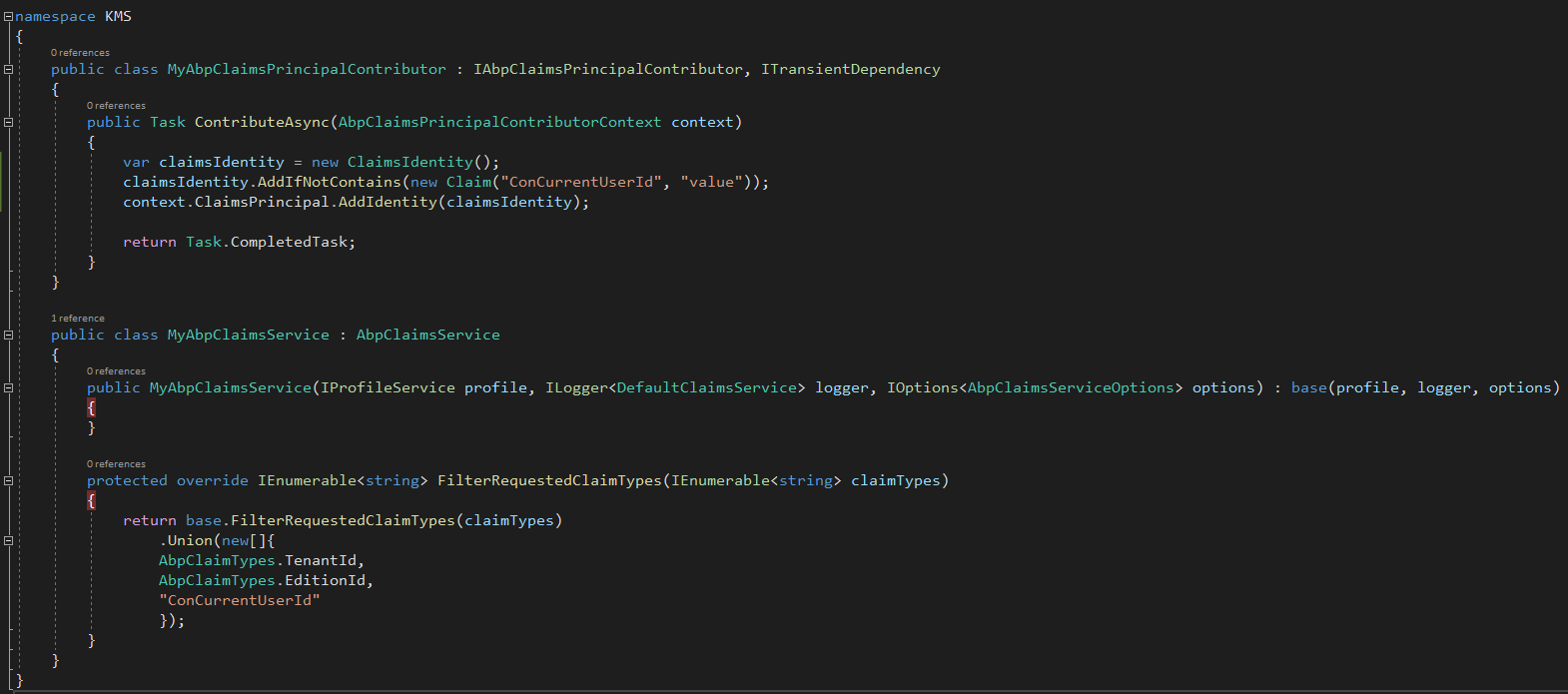
You just need to add it to your blazor project. That's it.
then copy all code form TenantAppService to your CustomTenantAppService
 [Dependency(ReplaceServices = true)]
[ExposeServices(typeof(ITenantAppService))]
public class CustomTenantAppService : ITenantAppService
hi
The framework will automatically get and send the bearer token when you inject the Application Service in Blazor.
So use IRemoteStreamContent in your app service and inject it in your blazor
You can try to add the code to your Identity Server project. Update the RootUrl of the Client, or update the identity server's data tables.
You can migrate the demo project to check the identity server's data tables.
https://github.com/abpframework/abp-samples/blob/master/DomainTenantResolver/MVC-TIERED/src/Acme.BookStore.DbMigrator/appsettings.json#L10
context.Services.AddAbpStrictRedirectUriValidator();
context.Services.AddAbpClientConfigurationValidator();
context.Services.AddAbpWildcardSubdomainCorsPolicyService();
Configure<AbpTenantResolveOptions>(options =>
{
    options.AddDomainTenantResolver("{0}.test.mydomain.com");
});
Refunded : )
public async Task ApplyDatabaseMigrationsAsync(Guid id)
Where is the override keyword?
If you can give advice me on adding 3 new string properties in SaasTenantCreateDto which I want to Insert into SaasTenantConnectionStrings table.
You can consider adding the source code of Saas to your project. Or use Object Extensions https://docs.abp.io/en/abp/latest/Object-Extensions
SaasTenantCreateDto has implemented ExtensibleObject









