






- ABP Framework version: v2.8
- UI type: MVC
- Steps to reproduce the issue:
Like Implement multitenancy on microservice demo。I want to determine current tenant by subdomain (like mytenant1.mydomain.com)
AuthServer.Host: eg: Url:https://auth.mydomain.com BackendAdminApp.Host: eg: Url: https://mytenant1.mydomain.com. Use grand type : hybrid, So It shoud rediret https://auth.mydomain.com to authorize.( URL like this)
https://auth.mydomain.com/Account/Login?ReturnUrl=/connect/authorize/callback?client_id=backend-admin-app-client&redirect_uri=https%3A%2F%2Fmytenant1.mydomain.com%2Fsignin-oidc&response_type=code%20id_token&scope=openid%20profile%20role%20email%20phone%20BackendAdminAppGateway%20BloggingService&response_mode=form_post&nonce=637265604833820866.ZmZmYmU1Y2MtZjYzYy00Y2EyLThjMjMtM2ZkMmRjNTc1MmE1MTEwZTIyNTItOGMwZi00ZjJiLWEzZTktMTk2Y2EzNWZmY2Jl&state=CfDJ8FBiEkjnLbtOocsDyjId0Ep4MGShJ8B4iLZh6IMSzjsGspUwtgsajROLsv9jNa21KkoRLQbE3PAFAz-BIb4KIz_doawnqvBA78QQ1Pi4lSD9F8gMtqPMrauxySvfQbemHlXYk7GdcqXoYJRJDhguJDU4Tt82M1_csl-rc4Yvrf55o5o_upgznyzXMYFxs_gc-1yXr8q8PEqPIoY-UYku3sBZgtShgo9OH6UHDt-1obDP75K2aFQ7SSkxTF85ZpFwBPe_yahuUq1naXCqdE9-0p_CBO9V6WjtdW_iXlul026CmYTkP4dFTazSa2tPX7Xl1A&x-client-SKU=ID_NETSTANDARD2_0&x-client-ver=5.5.0.0
where shoud I Add AddDomainTenantResolver like this.
options.AddDomainTenantResolver("{0}.mydomain.com");
In BackendAdminApp.Host project. It Pass token (include tenantId) to Api.** through header. So I Shoud Add this DomainTenantResolver to AuthServer.Host Project so that I can get token include tenantId. But AuthServer.Host's URL is https://auth.mydomain.com. But It Canot Work. I Shoult add MyCustomTenantResolveContributor? But I don't know how to do. Can you give me some suggestions?
12 Answer(s)
-
0
Hi,
If you want to resolve tenants from subdomain first,You can add
DomainTenantResolveContributoras the first priority, like this:Configure<AbpTenantResolveOptions>(option => { option.TenantResolvers.AddFirst(new DomainTenantResolveContributor("{0}.mydomain.com")); });Markdown supported.Copy, paste, or drag & drop images and files (max 100 MB per file, 100 MB total per post) -
0
If I put it in AuthServer.Host project. It can get submain. It is not tenant what I want, But It's in redirect_url. it is hard to format.
What I want the tenant in the BackendAdminApp.Host‘S URL。IF I put it in BackendAdminApp.Host, It does not work. I may change grand type like Password. but I also have no idea
Markdown supported.Copy, paste, or drag & drop images and files (max 100 MB per file, 100 MB total per post) -
0
Hi,
The auth server will call back to your website and set cookie, BackendAdminApp.Host can determine the current tenant from the cookie.
Markdown supported.Copy, paste, or drag & drop images and files (max 100 MB per file, 100 MB total per post) -
0
The auth server "/Account/Login" Page ,then Need Click Change Tenant modal button, The tenant name needs to be re-entered manually.and set cookie. call back to your website.yes, It is OK
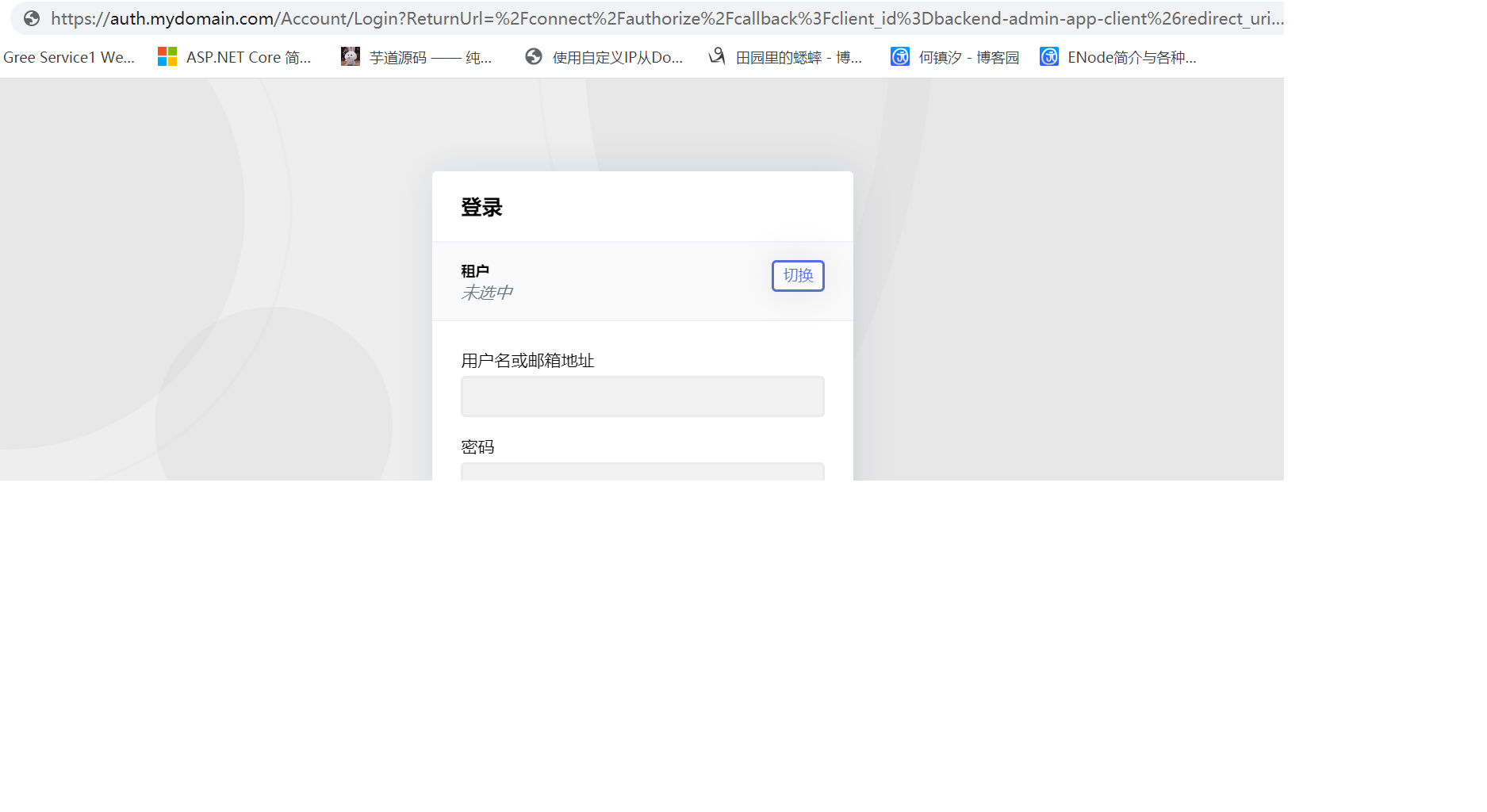 but BackendAdminApp MVC WebSite URL likes "{0}.mydomain.com" Contains tenant. I don't want to re-enter tenant.Markdown supported.Copy, paste, or drag & drop images and files (max 100 MB per file, 100 MB total per post)
 -
0
I will check it out.
Markdown supported.Copy, paste, or drag & drop images and files (max 100 MB per file, 100 MB total per post) -
0
Hi,
This seems to be a browser limitation,for 302 redirect, when the browser sends the request again, the host in the request header is not the current website. So, can't use subdomain determine current tenant.
We can add the current tenant to the querystring when redirecting, like this:
context.Services.AddAuthentication(options =>
{
    options.DefaultScheme = "Cookies";
    options.DefaultChallengeScheme = "oidc";
})
.AddCookie("Cookies", options =>
{
    options.ExpireTimeSpan = TimeSpan.FromDays(365);
})
.AddOpenIdConnect("oidc", options =>
{
    options.Authority = configuration["AuthServer:Authority"];
    options.ClientId = configuration["AuthServer:ClientId"];
    options.ClientSecret = configuration["AuthServer:ClientSecret"];
    options.RequireHttpsMetadata = false;
    options.ResponseType = OpenIdConnectResponseType.CodeIdToken;
    options.SaveTokens = true;
    options.GetClaimsFromUserInfoEndpoint = true;
    options.Scope.Add("role");
    options.Scope.Add("email");
    options.Scope.Add("phone");
    options.Scope.Add("BackendAdminAppGateway");
    options.Scope.Add("IdentityService");
    options.Scope.Add("ProductService");
    options.Scope.Add("TenantManagementService");
    options.ClaimActions.MapAbpClaimTypes();

    // Add the following code
    options.Events.OnRedirectToIdentityProvider = redirectContext =>
    {
        var currentTenant = redirectContext.HttpContext.RequestServices.GetService<ICurrentTenant>();
        if (currentTenant.Id.HasValue)
        {
            var multiTenancyOptions = redirectContext.HttpContext.RequestServices.GetService<IOptions<AbpAspNetCoreMultiTenancyOptions>>().Value;
            redirectContext.ProtocolMessage.IssuerAddress += $"?{multiTenancyOptions.TenantKey}="+currentTenant.Id.Value;
        }
        return Task.CompletedTask;
    };
});
Markdown supported.Copy, paste, or drag & drop images and files (max 100 MB per file, 100 MB total per post) -
0
Thanks, it might be another way. redirecting to auth server,the url querystring contain __tenant. But It doesn't work,But I refresh the browser page, The tenant box can be displayed normally.
At first, it seems that the querystring does not work, but after refreshing, the cookies are written and work. I changed the domain name of other tenants, and it is still the previous one unless I refresh again。Can be optimized again without refreshing?
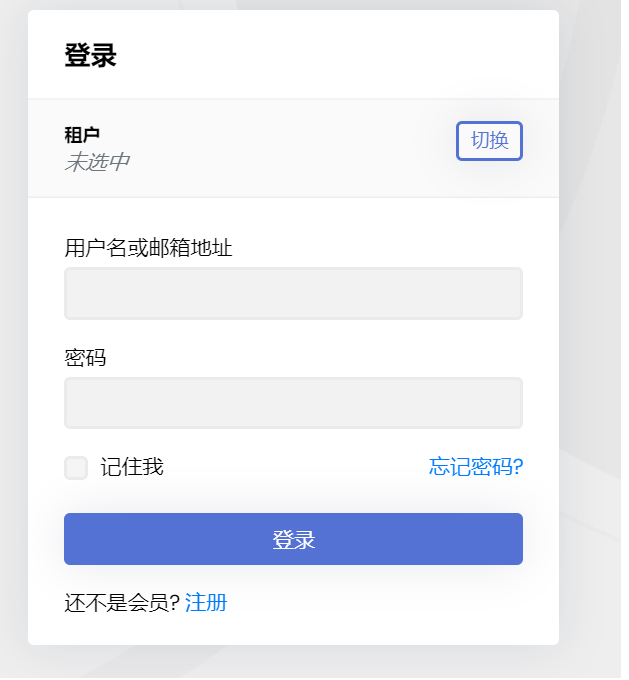 refresh after
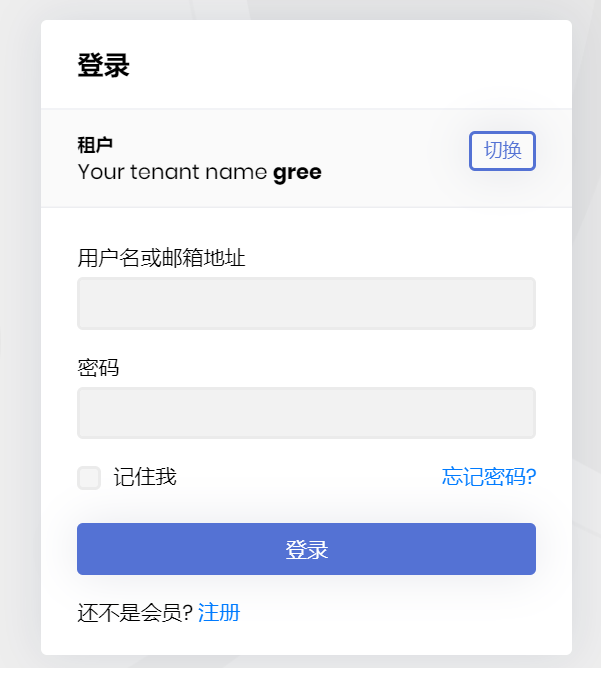
the redirect url
https://auth.***.***/Account/Login?ReturnUrl=/connect/authorize/callback?**__tenant=cee65354-71d7-9773-a293-39f5672d1da0**&client_id=backend-admin-app-client&redirect_uri=https%3A%2F%2Fgree.****.****%2Fsignin-oidc&response_type=code%20id_token&scope=openid%20profile%20role%20email%20phone%20BackendAdminAppGateway%20BloggingService&response_mode=form_post&nonce=637266918513104558.NzgxYTUxZjQtMWI3Mi00ZTA5LTg1NmUtMGIxZDc5YjllNTYyZDA0ODk2YWQtZTdhMC00YWUzLTk2OWMtNTYxMjE0YWEwYTAy&state=CfDJ8FBiEkjnLbtOocsDyjId0EpHNi_2bYFwLl7Zjlzb5sYzSaRdF1Y6LkqI9qcGBCryDbyMRGNnIoPvBB-5lk1QsMQ0tRpCyfpDmZMv6oCgUwt0NvD23pQTk0qo1U7kb0aTvI89gev410x2gRKS7Jd56tpyeb9d6DvEJ3EGwYkqG0hpMUwhd0bTFsO1JntHcY5zXt1fzlxU13MxBcgo93HHmdDBb5i3HAeA-dBvN3F_22HXlMOUAmbx-OaJ1qlEMbq0I2aLI3aTuTXpa58fqT6Tdp_wBmvCYU9cyV5FsCJrI5ztNJCREcX93O1T1CrEjzio9A&x-client-SKU=ID_NETSTANDARD2_0&x-client-ver=5.5.0.0Markdown supported.Copy, paste, or drag & drop images and files (max 100 MB per file, 100 MB total per post) -
0
Hi,
I can't reproduce this problem,no need to refresh again. You need to remove the
DomainTenantResolveContributorin authserver.Markdown supported.Copy, paste, or drag & drop images and files (max 100 MB per file, 100 MB total per post) -
0
I did not add DomainTenantResolveContributor in authserver In priority,
CurrentUser>QueryString>RouteTenant>HeaderTenant>Cookie. If QueryString resolves to the tenant, the tenant switching box will not be displayed. It means that QueryString is not effective. Moreover, the callback url includes many strange characters, and the encodeURIComponent cannot be parsed, but it starts with/Account/Login?ReturnUrl=/connect/authorize/callback?__tenant=ea4a820e-9555-7f83-60c7-39f586e7efe0&client_id=backend-admin-app- client&redirect_uri=Markdown supported.Copy, paste, or drag & drop images and files (max 100 MB per file, 100 MB total per post) -
0
Hi,
Display problem only,You can continue to login as a tenant users.
Markdown supported.Copy, paste, or drag & drop images and files (max 100 MB per file, 100 MB total per post) -
0
Add
IdentityServerTenantResolveContributorclass to your project.public class IdentityServerTenantResolveContributor : HttpTenantResolveContributorBase { public override string Name => "IdentityServer"; protected override string GetTenantIdOrNameFromHttpContextOrNull(ITenantResolveContext context, HttpContext httpContext) { if (httpContext.Request.Path == "/Account/Login" && httpContext.Request.Query.ContainsKey("ReturnUrl")) { var interaction = httpContext.RequestServices.GetService<IIdentityServerInteractionService>(); var authorizationContext = AsyncHelper.RunSync(() => interaction.GetAuthorizationContextAsync(httpContext.Request.Query["ReturnUrl"])); if (context != null) { //TODO: Reference AspNetCore MultiTenancy module and use options to get the tenant key! var tenantIdOrName = authorizationContext.Parameters[context.GetAbpAspNetCoreMultiTenancyOptions().TenantKey]; return tenantIdOrName; } } return null; } }Then configure
AbpTenantResolveOptionsoptions to addIdentityServerTenantResolveContributorinAuthServerHostModule.Configure<AbpTenantResolveOptions>(opt => { opt.TenantResolvers.Add(new IdentityServerTenantResolveContributor()); });Markdown supported.Copy, paste, or drag & drop images and files (max 100 MB per file, 100 MB total per post) -
0
Thanks for your patience to answer, my problem has been solved. **BackendAdminApp.Host **project adds tenant resolution based on second-level domain and Querystring ` Configure
           options.TenantResolvers.InsertAfter(
           r => r is CurrentUserTenantResolveContributor,
           new CustomDomainTenantResolveContributor("{0}.mydomain.com")
       );
        });

         .AddOpenIdConnect("oidc", options =>
            {
                options.Authority = configuration["AuthServer:Authority"];
                options.ClientId = configuration["AuthServer:ClientId"];
                options.ClientSecret = configuration["AuthServer:ClientSecret"];
                options.RequireHttpsMetadata = false;
                options.ResponseType = OpenIdConnectResponseType.CodeIdToken;
                options.SaveTokens = true;
                options.GetClaimsFromUserInfoEndpoint = true;
                options.Scope.Add("profile");
                options.Scope.Add("role");
                options.Scope.Add("email");
                options.Scope.Add("phone");
                options.Scope.Add("BackendAdminAppGateway");
                options.Scope.Add("BloggingService");
                options.ClaimActions.MapAbpClaimTypes();

                //// Add the following code
                options.Events.OnRedirectToIdentityProvider = redirectContext =>
                {
                    var currentTenant = redirectContext.HttpContext.RequestServices.GetService<ICurrentTenant>();
                    if (currentTenant.Id.HasValue)
                    {
                        var multiTenancyOptions = redirectContext.HttpContext.RequestServices.GetService<IOptions<AbpAspNetCoreMultiTenancyOptions>>().Value;
                        redirectContext.ProtocolMessage.IssuerAddress += $"?{multiTenancyOptions.TenantKey}=" + currentTenant.Id.Value;
                    }
                    return Task.CompletedTask;
                };


            });

        `
AuthServer.Host Add IdentityServerTenantResolveContributor class
        `  Configure<AbpTenantResolveOptions>(opt =>
        {
            //opt.TenantResolvers.Add(new IdentityServerTenantResolveContributor());

            opt.TenantResolvers.InsertAfter(
         r => r is CurrentUserTenantResolveContributor,
         new IdentityServerTenantResolveContributor()
        );
        });


         public class IdentityServerTenantResolveContributor : HttpTenantResolveContributorBase
{
    public override string Name => "IdentityServer";

    protected override string GetTenantIdOrNameFromHttpContextOrNull(ITenantResolveContext context,
        HttpContext httpContext)
    {
        if (httpContext.Request.Path == "/Account/Login" && httpContext.Request.Query.ContainsKey("ReturnUrl"))
        {
            var interaction = httpContext.RequestServices.GetService<IIdentityServerInteractionService>();
            var authorizationContext = AsyncHelper.RunSync(() =>
                interaction.GetAuthorizationContextAsync(httpContext.Request.Query["ReturnUrl"]));

            if (context != null)
            {
                //TODO: Reference AspNetCore MultiTenancy module and use options to get the tenant key!
                var tenantIdOrName = authorizationContext.Parameters[context.GetAbpAspNetCoreMultiTenancyOptions().TenantKey];

                return tenantIdOrName;
            }
        }

        return null;
    }
}

        `
Markdown supported.Copy, paste, or drag & drop images and files (max 100 MB per file, 100 MB total per post)


