

Open Closed

check 2 factor is enabled #2656


User avatar
0
shobhit created
  • ABP Framework version: v4.2.2
  • UI type: Angular
  • DB provider: EF Core
  • Tiered (MVC) or Identity Server Separated (Angular): yes
  • Exception message and stack trace:
  • Steps to reproduce the issue:"
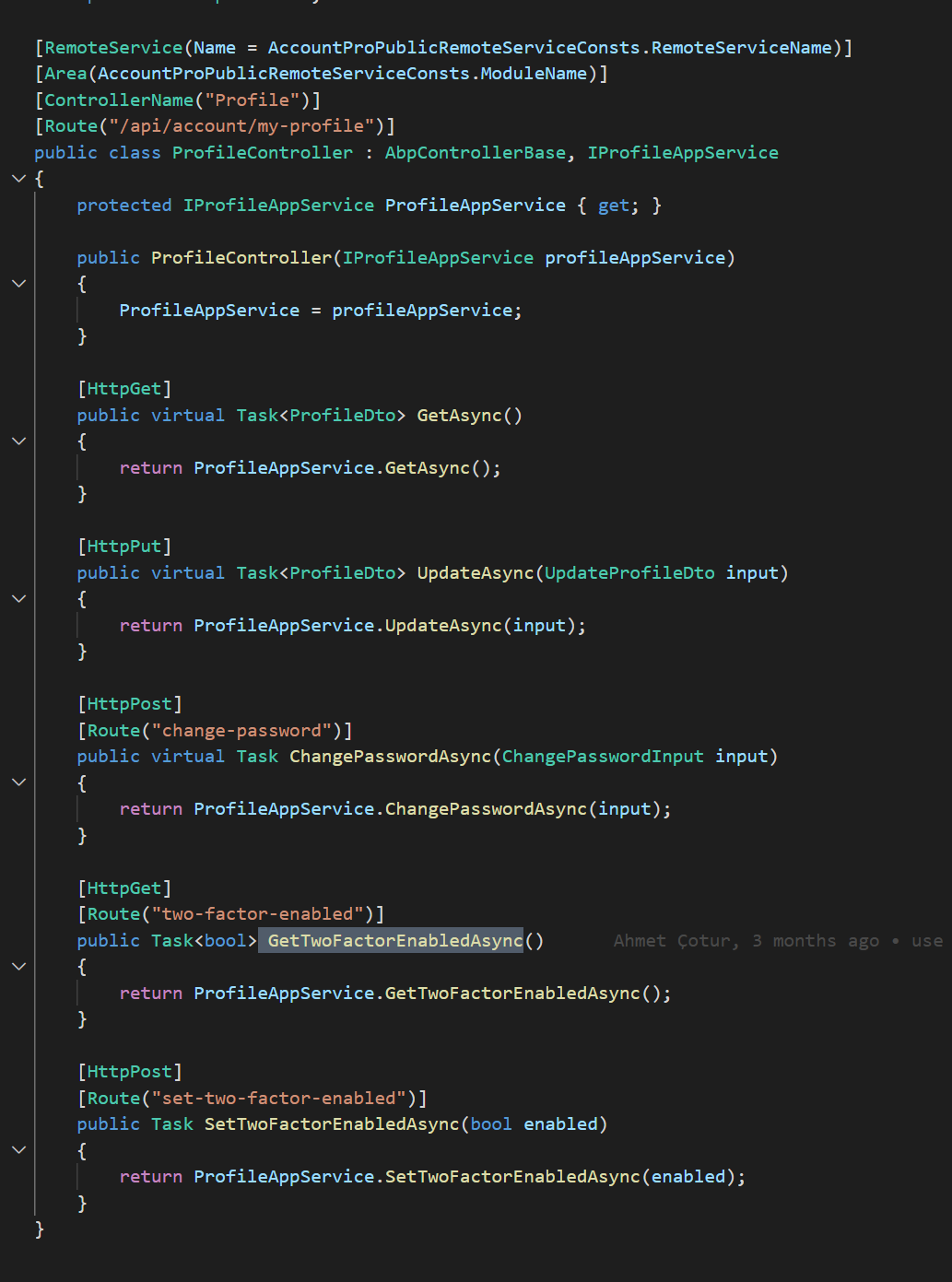
  • Which api endpoint i can use to find if 2 factor is enabled
Markdown supported.
Copy, paste, or drag & drop images and files (max 100 MB per file, 100 MB total per post)

12 Answer(s)
  • User Avatar
    0
    maliming created
    Support Team Fullstack Developer

    hi

    Markdown supported.
    Copy, paste, or drag & drop images and files (max 100 MB per file, 100 MB total per post)
  • User Avatar
    0
    shobhit created

    Thanks @Maliming

    Markdown supported.
    Copy, paste, or drag & drop images and files (max 100 MB per file, 100 MB total per post)

  • User Avatar
    0
    maliming created
    Support Team Fullstack Developer

    : )

    Markdown supported.
    Copy, paste, or drag & drop images and files (max 100 MB per file, 100 MB total per post)

  • User Avatar
    0
    shobhit created

    Hello Maliming, We need 2 answers:

    1. Which api we can use to get the 2 factor authentication provider
    2. which api we can use to generate and confirm the 2 factor auth token
    Markdown supported.
    Copy, paste, or drag & drop images and files (max 100 MB per file, 100 MB total per post)
  • User Avatar
    0
    maliming created
    Support Team Fullstack Developer

    hi

    account\src\Volo.Abp.Account.Pro.Public.HttpApi\Volo\Abp\Account\AccountController.cs

    [HttpGet]
    [Route("two-factor-providers")]
    public virtual Task<List<string>> GetTwoFactorProvidersAsync(GetTwoFactorProvidersInput input)
    {
        return AccountAppService.GetTwoFactorProvidersAsync(input);
    }
    
    [HttpPost]
    [Route("send-two-factor-code")]
    public virtual Task SendTwoFactorCodeAsync(SendTwoFactorCodeInput input)
    {
        return AccountAppService.SendTwoFactorCodeAsync(input);
    }
    
    Markdown supported.
    Copy, paste, or drag & drop images and files (max 100 MB per file, 100 MB total per post)
  • User Avatar
    0
    shobhit created

    Hello Maliming, I am bit confused. i am using 4.2.2 and could not found both methods. i tried to implement it in seperate class but IAppService don't have such implementation. Please guide.

    Markdown supported.
    Copy, paste, or drag & drop images and files (max 100 MB per file, 100 MB total per post)
  • User Avatar
    0
    maliming created
    Support Team Fullstack Developer

    Sorry, the screenshot that I shared was the latest(5.1.x)

    You can get the account and identity module source code then copy it to your project.

    Markdown supported.
    Copy, paste, or drag & drop images and files (max 100 MB per file, 100 MB total per post)
  • User Avatar
    0
    shobhit created

    copy it to your project. you mean in API project or identity project?

    Markdown supported.
    Copy, paste, or drag & drop images and files (max 100 MB per file, 100 MB total per post)
  • User Avatar
    0
    maliming created
    Support Team Fullstack Developer

    hi

    You can choose to upgrade to the latest or copy the latest 2fa code of account and identity to your project.

    Markdown supported.
    Copy, paste, or drag & drop images and files (max 100 MB per file, 100 MB total per post)
  • User Avatar
    0
    shobhit created

    Hello maliming, I have copied account code for getting providers and getting 2 factor code. How i can verify the code? what is the api point

    Markdown supported.
    Copy, paste, or drag & drop images and files (max 100 MB per file, 100 MB total per post)
  • User Avatar
    0
    maliming created
    Support Team Fullstack Developer

    hi

    await UserManager.VerifyTwoFactorTokenAsync(user, provider, code)
    
    Markdown supported.
    Copy, paste, or drag & drop images and files (max 100 MB per file, 100 MB total per post)
  • User Avatar
    0
    shobhit created

    Thanks. it works

    Markdown supported.
    Copy, paste, or drag & drop images and files (max 100 MB per file, 100 MB total per post)
Boost Your Development
ABP Live Training
Packages
See Trainings
Mastering ABP Framework Book
The Official Guide
Mastering
ABP Framework
Learn More
Mastering ABP Framework Book
Made with ❤️ on ABP v10.8.0-preview. Updated on September 28, 2026, 11:44
1
ABP Assistant
🔐 You need to be logged in to use the chatbot. Please log in first.