






- ABP Framework version: v7.0.0
- UI type: MVC
- DB provider: EF Core / MongoDB
- Tiered (MVC) or Identity Server Separated (Angular): no
Hi Support.
We have senario self-registeration tenant.
We want to SignIn tenant Immediately after self-registeration.
We set configure for DomainTenantResolver as below:
  Configure<AbpTenantResolveOptions>(options =>
      {
             options.AddDomainTenantResolver("{0}.MyDomain.com");
      });
and here our method to achive self-registeration and SignIn Immediately to MyDomain.com as below:
   public  async Task<IActionResult> OnPostAsync()
        {
            ValidateModel();

            var input = ObjectMapper.Map<TenantSignUpViewModel, SaasTenantCreateDto>(ViewModel);
            try
            {
                await SetUseCaptchaAsync();

                var tenantDto = await CustomeTenantAppService.CreateAsync(input,IsInitialData);
                using (CurrentTenant.Change(tenantDto.Id))
                {
                    var user = await UserManager.FindByEmailAsync(input.AdminEmailAddress);
                    await SignInManager.SignInAsync(user, isPersistent: true);
                }
            }
            catch (BusinessException e)
            {
                Alerts.Danger(GetLocalizeExceptionMessage(e));
                return Page();
            }

            return RedirectSafely("/");

        }
But we need to SignIn to sub-domain like T1.MyDomain.com.
How we can to achive that please :)
13 Answer(s)
-
0
hi
You cannot do this by default due to browser limitations.
However, you can configure cookies to be shared between the main domain and subdomains. Please decide according to the actual situation.
Markdown supported.Copy, paste, or drag & drop images and files (max 100 MB per file, 100 MB total per post) -
0
Hi maliming.
We decided to use this situation, how we can to do it please.
we set cookie option like this :
var cookieOption = new CookieOptions
            {
                Path = "/",
                Domain = ".MyDomain.com"
            };

      Response.Cookies.Append(key,value, cookieOption);
method Append require three parameter (key,value,options)
what we can to set key and value ?
Markdown supported.Copy, paste, or drag & drop images and files (max 100 MB per file, 100 MB total per post) -
0
context.Services.ConfigureShareCookies();


app.UseCookiePolicy();
public static class ShareCookiesServiceCollectionExtensions { public static IServiceCollection ConfigureShareCookies(this IServiceCollection services) { services.Configure<CookiePolicyOptions>(options => { var previousOnAppendCookie = options.OnAppendCookie; options.OnAppendCookie = cookieContext => { SetCookieDomain(cookieContext, null); previousOnAppendCookie?.Invoke(cookieContext); }; var previousOnDeleteCookie = options.OnDeleteCookie; options.OnDeleteCookie = cookieContext => { SetCookieDomain(null, cookieContext); previousOnDeleteCookie?.Invoke(cookieContext); }; }); return services; } private static void SetCookieDomain(AppendCookieContext appendCookieContext, DeleteCookieContext deleteCookieContext) { if (appendCookieContext != null) { appendCookieContext.CookieOptions.Domain = ".abp.io"; } if (deleteCookieContext != null) { deleteCookieContext.CookieOptions.Domain = ".abp.io"; } } }similar https://community.abp.io/posts/patch-for-chrome-login-issue-identityserver4-samesite-cookie-problem-weypwp3n
Markdown supported.Copy, paste, or drag & drop images and files (max 100 MB per file, 100 MB total per post) -
0
I used Identity only not IdentityServer4
Markdown supported.Copy, paste, or drag & drop images and files (max 100 MB per file, 100 MB total per post) -
0
It gave me this error when login for any tenant or host or self-registeration for tenant :
Skipping the execution of current filter as its not the most effective filter implementing the policy Microsoft.AspNetCore.Mvc.ViewFeatures.IAntiforgeryPolicy [06:21:05 INF] Antiforgery token validation failed. The required antiforgery cookie ".AspNetCore.Antiforgery.K9piT2qMXl8" is not present. Microsoft.AspNetCore.Antiforgery.AntiforgeryValidationException: The required antiforgery cookie ".AspNetCore.Antiforgery.K9piT2qMXl8" is not present. at Microsoft.AspNetCore.Antiforgery.DefaultAntiforgery.ValidateRequestAsync(HttpContext httpContext) at Microsoft.AspNetCore.Mvc.ViewFeatures.Filters.ValidateAntiforgeryTokenAuthorizationFilter.OnAuthorizationAsync(AuthorizationFilterContext context) [06:21:05 INF] Authorization failed for the request at filter 'Microsoft.AspNetCore.Mvc.ViewFeatures.Filters.AutoValidateAntiforgeryTokenAuthorizationFilter'. [06:21:05 INF] Executing StatusCodeResult, setting HTTP status code 400 [06:21:05 INF] Executed page /TenantSignUp in 8.5959ms [06:21:05 INF] Executed endpoint '/TenantSignUp'
Markdown supported.Copy, paste, or drag & drop images and files (max 100 MB per file, 100 MB total per post) -
0
no any error in console , but on get method in header gave me this warning
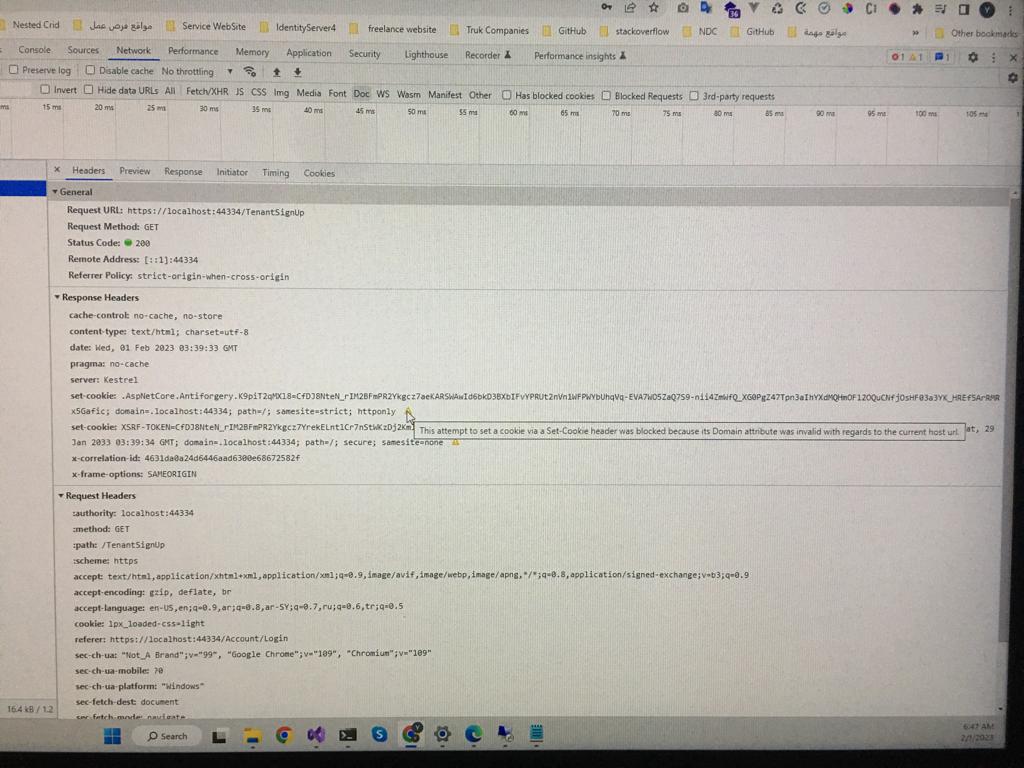 .
.and this on post method :
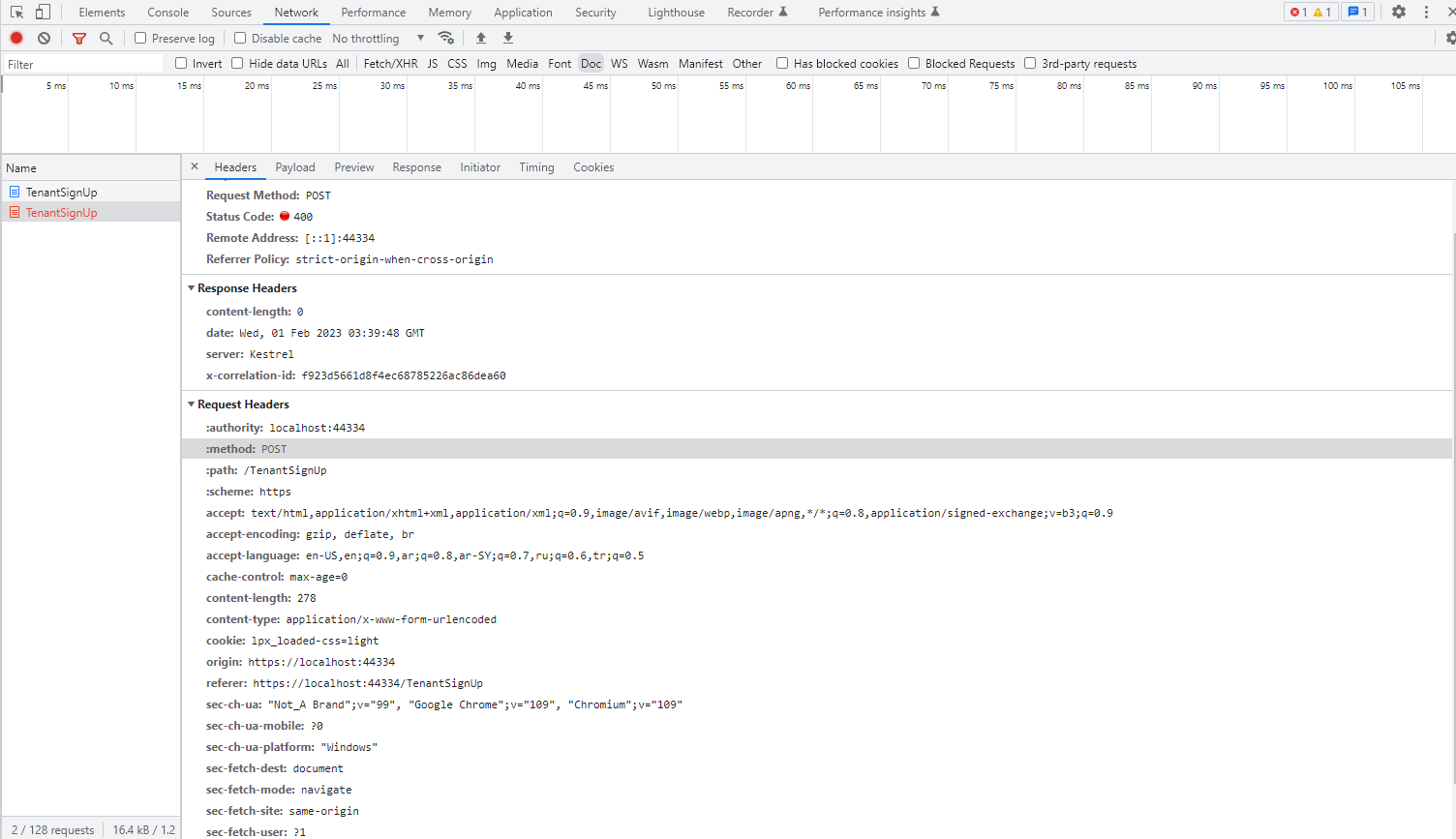 Markdown supported.Copy, paste, or drag & drop images and files (max 100 MB per file, 100 MB total per post)
 -
0
hi
Cookies do not provide isolation by portPlease use
.localhost.I used
.localhostit gave me the same errorMarkdown supported.Copy, paste, or drag & drop images and files (max 100 MB per file, 100 MB total per post) -
0
hi
Maybe localhost does not support sub-domain names, you can try a domain name like
https://readme.localtest.me/.hi
how can I use it please , I didn't see any usage example in google search
Markdown supported.Copy, paste, or drag & drop images and files (max 100 MB per file, 100 MB total per post) -
0
hi
You can bind the
127.0.0.1then use thehttp://localtest.meandhttp://t1.localtest.mehttps://github.com/abpframework/abp-samples/blob/master/DomainTenantResolver/MVC/src/BookStore.Web/Program.cs#L53
Markdown supported.Copy, paste, or drag & drop images and files (max 100 MB per file, 100 MB total per post)


