If you're creating a bug/problem report, please include followings:
- ABP Framework version: v7.0.1
- UI type: Blazor
- DB provider: EF Core / MongoDB
- **Tiered (MVC)
- Exception message and stack trace:
- Steps to reproduce the issue:"
I randomly get strange behavior when running my project on my development machine. Everything starts up fine, but nothing displays on the left hand menu. I'm able to view my account profile and login history. If I go to the dashboard by manually typing in the url it only show the refresh row. I've tried restarting Redis and Postgres and clearing my browser cache. After about 5 minutes I can refresh the browser and everything shows up.
23 Answer(s)
-
0
Here is the possible issue from the terminal output, but I'm not changing anything when it does work.
[10:55:55 INF] Authorization failed. These requirements were not met: PermissionRequirement: SettingManagement.Emailing [10:55:55 INF] Authorization failed. These requirements were not met: PermissionRequirement: AbpAccount.SettingManagement [10:55:55 INF] Authorization failed. These requirements were not met: PermissionRequirement: AbpIdentity.SettingManagement [10:55:55 INF] Authorization failed. These requirements were not met: PermissionRequirement: FeatureManagement.ManageHostFeatures
Markdown supported.Copy, paste, or drag & drop images and files (max 100 MB per file, 100 MB total per post) -
0
I'm also seeing this in the AuthServer terminal.
[11:14:30 INF] The authentication demand was rejected because the token was expired. [11:14:30 DBG] The event OpenIddict.Validation.OpenIddictValidationEvents+ValidateTokenContext was successfully processed by OpenIddict.Validation.OpenIddictValidationHandlers+Protection+ValidateExpirationDate. [11:14:30 DBG] The event OpenIddict.Validation.OpenIddictValidationEvents+ValidateTokenContext was marked as rejected by OpenIddict.Validation.OpenIddictValidationHandlers+Protection+ValidateExpirationDate. [11:14:30 DBG] The event OpenIddict.Validation.OpenIddictValidationEvents+ProcessAuthenticationContext was successfully processed by OpenIddict.Validation.OpenIddictValidationHandlers+ValidateAccessToken. [11:14:30 DBG] The event OpenIddict.Validation.OpenIddictValidationEvents+ProcessAuthenticationContext was marked as rejected by OpenIddict.Validation.OpenIddictValidationHandlers+ValidateAccessToken. [11:14:30 INF] OpenIddict.Validation.AspNetCore was not authenticated. Failure message: An error occurred while authenticating the current request. [11:14:30 INF] OpenIddict.Validation.AspNetCore was not authenticated. Failure message: An error occurred while authenticating the current request. [11:14:30 INF] Executing endpoint 'Volo.Abp.Account.AccountController.GetProfilePictureFileAsync (Volo.Abp.Account.Pro.Public.HttpApi)' [11:14:30 INF] Route matched with {area = "account", action = "GetProfilePictureFile", controller = "Account", page = ""}. Executing controller action with signature System.Threading.Tasks.Task`1[Volo.Abp.Content.IRemoteStreamC ontent] GetProfilePictureFileAsync(System.Guid) on controller Volo.Abp.Account.AccountController (Volo.Abp.Account.Pro.Public.HttpApi). [11:14:30 INF] Executing ObjectResult, writing value of type 'Volo.Abp.Content.RemoteStreamContent'. [11:14:30 INF] Executed action Volo.Abp.Account.AccountController.GetProfilePictureFileAsync (Volo.Abp.Account.Pro.Public.HttpApi) in 4.7523ms [11:14:30 INF] Executed endpoint 'Volo.Abp.Account.AccountController.GetProfilePictureFileAsync (Volo.Abp.Account.Pro.Public.HttpApi)'
Markdown supported.Copy, paste, or drag & drop images and files (max 100 MB per file, 100 MB total per post) -
0
Here is the terminal output for the ApiHost server:
[11:19:38 DBG] Getting not cache granted permissions from the repository for this provider name,key: R,admin [11:19:38 DBG] Setting the cache items. Count: 91 [11:19:38 DBG] Finished setting the cache items. Count: 91 [11:19:38 DBG] PermissionStore.GetCacheItemAsync: pn:C,pk:ControlCenter_BlazorServerTiered,n:AbpIdentity.UserLookup [11:19:38 DBG] Not found in the cache: pn:C,pk:ControlCenter_BlazorServerTiered,n:AbpIdentity.UserLookup [11:19:38 DBG] Getting all granted permissions from the repository for this provider name,key: C,ControlCenter_BlazorServerTiered [11:19:38 DBG] Setting the cache items. Count: 138 [11:19:38 DBG] Finished setting the cache items. Count: 138 [11:19:38 DBG] Executed AbpApplicationConfigurationAppService.GetAsync(). [11:19:38 DBG] Added 0 entity changes to the current audit log
Markdown supported.Copy, paste, or drag & drop images and files (max 100 MB per file, 100 MB total per post) -
0
After I waited about 5 minutes after logging out and logging back it...the page updated. Here is the new output of the Blazor project terminal.
[11:23:45 INF] Request starting HTTP/1.1 GET https://localhost:44369/api/account/profile-picture-file/3a095f24-ad00-19e9-f711-dbdf65903d48?api-version=1.0 - - [11:23:45 DBG] The event OpenIddict.Validation.OpenIddictValidationEvents+ProcessRequestContext was successfully processed by OpenIddict.Validation.AspNetCore.OpenIddictValidationAspNetCoreHandlers+ResolveRequestUri. [11:23:45 DBG] The event OpenIddict.Server.OpenIddictServerEvents+ProcessRequestContext was successfully processed by OpenIddict.Server.AspNetCore.OpenIddictServerAspNetCoreHandlers+ResolveRequestUri. [11:23:45 DBG] The event OpenIddict.Server.OpenIddictServerEvents+ProcessRequestContext was successfully processed by OpenIddict.Server.OpenIddictServerHandlers+InferEndpointType. [11:23:45 DBG] The event OpenIddict.Server.OpenIddictServerEvents+ProcessRequestContext was successfully processed by Volo.Abp.Account.Web.Pages.Account.OpenIddictImpersonateInferEndpointType. [11:23:45 DBG] The event OpenIddict.Server.OpenIddictServerEvents+ProcessRequestContext was successfully processed by OpenIddict.Server.AspNetCore.OpenIddictServerAspNetCoreHandlers+ValidateTransportSecurityRequirement. [11:23:45 DBG] The event OpenIddict.Server.OpenIddictServerEvents+ProcessRequestContext was successfully processed by OpenIddict.Server.AspNetCore.OpenIddictServerAspNetCoreHandlers+ValidateHostHeader. [11:23:45 DBG] The event OpenIddict.Validation.OpenIddictValidationEvents+ProcessAuthenticationContext was successfully processed by OpenIddict.Validation.AspNetCore.OpenIddictValidationAspNetCoreHandlers+ValidateHostHeader. [11:23:45 DBG] The event OpenIddict.Validation.OpenIddictValidationEvents+ProcessAuthenticationContext was successfully processed by OpenIddict.Validation.OpenIddictValidationHandlers+ResolveServerConfiguration. [11:23:45 DBG] The event OpenIddict.Validation.OpenIddictValidationEvents+ProcessAuthenticationContext was successfully processed by OpenIddict.Validation.OpenIddictValidationHandlers+EvaluateValidatedTokens. [11:23:45 DBG] The event OpenIddict.Validation.OpenIddictValidationEvents+ProcessAuthenticationContext was successfully processed by OpenIddict.Validation.AspNetCore.OpenIddictValidationAspNetCoreHandlers+ExtractAccessTokenFrom AuthorizationHeader. [11:23:45 DBG] The event OpenIddict.Validation.OpenIddictValidationEvents+ProcessAuthenticationContext was successfully processed by OpenIddict.Validation.AspNetCore.OpenIddictValidationAspNetCoreHandlers+ExtractAccessTokenFrom BodyForm. [11:23:45 DBG] The event OpenIddict.Validation.OpenIddictValidationEvents+ProcessAuthenticationContext was successfully processed by OpenIddict.Validation.AspNetCore.OpenIddictValidationAspNetCoreHandlers+ExtractAccessTokenFrom QueryString. [11:23:45 DBG] The event OpenIddict.Validation.OpenIddictValidationEvents+ProcessAuthenticationContext was successfully processed by OpenIddict.Validation.OpenIddictValidationHandlers+ValidateRequiredTokens. [11:23:45 DBG] The event OpenIddict.Validation.OpenIddictValidationEvents+ValidateTokenContext was successfully processed by OpenIddict.Validation.OpenIddictValidationHandlers+Protection+ResolveTokenValidationParameters. [11:23:45 DBG] The event OpenIddict.Validation.OpenIddictValidationEvents+ValidateTokenContext was successfully processed by OpenIddict.Validation.OpenIddictValidationHandlers+Protection+ValidateIdentityModelToken. [11:23:45 DBG] The event OpenIddict.Validation.OpenIddictValidationEvents+ValidateTokenContext was successfully processed by OpenIddict.Validation.OpenIddictValidationHandlers+Protection+NormalizeScopeClaims. [11:23:45 DBG] The event OpenIddict.Validation.OpenIddictValidationEvents+ValidateTokenContext was successfully processed by OpenIddict.Validation.OpenIddictValidationHandlers+Protection+MapInternalClaims. [11:23:45 DBG] The event OpenIddict.Validation.OpenIddictValidationEvents+ValidateTokenContext was successfully processed by OpenIddict.Validation.OpenIddictValidationHandlers+Protection+ValidatePrincipal. [11:23:45 DBG] The event OpenIddict.Validation.OpenIddictValidationEvents+ValidateTokenContext was successfully processed by OpenIddict.Validation.OpenIddictValidationHandlers+Protection+ValidateExpirationDate. [11:23:45 DBG] The event OpenIddict.Validation.OpenIddictValidationEvents+ValidateTokenContext was successfully processed by OpenIddict.Validation.OpenIddictValidationHandlers+Protection+ValidateAudience. [11:23:45 DBG] The event OpenIddict.Validation.OpenIddictValidationEvents+ProcessAuthenticationContext was successfully processed by OpenIddict.Validation.OpenIddictValidationHandlers+ValidateAccessToken. [11:23:45 DBG] AuthenticationScheme: OpenIddict.Validation.AspNetCore was successfully authenticated. [11:23:45 INF] Executing endpoint 'Volo.Abp.Account.AccountController.GetProfilePictureFileAsync (Volo.Abp.Account.Pro.Public.HttpApi)' [11:23:45 INF] Route matched with {area = "account", action = "GetProfilePictureFile", controller = "Account", page = ""}. Executing controller action with signature System.Threading.Tasks.Task`1[Volo.Abp.Content.IRemoteStreamC ontent] GetProfilePictureFileAsync(System.Guid) on controller Volo.Abp.Account.AccountController (Volo.Abp.Account.Pro.Public.HttpApi). [11:23:45 INF] Executing ObjectResult, writing value of type 'Volo.Abp.Content.RemoteStreamContent'. [11:23:45 INF] Executed action Volo.Abp.Account.AccountController.GetProfilePictureFileAsync (Volo.Abp.Account.Pro.Public.HttpApi) in 3.6278ms [11:23:45 INF] Executed endpoint 'Volo.Abp.Account.AccountController.GetProfilePictureFileAsync (Volo.Abp.Account.Pro.Public.HttpApi)' [11:23:45 INF] Request finished HTTP/1.1 GET https://localhost:44369/api/account/profile-picture-file/3a095f24-ad00-19e9-f711-dbdf65903d48?api-version=1.0 - - - 200 1370 image/jpeg 6.3834ms
Markdown supported.Copy, paste, or drag & drop images and files (max 100 MB per file, 100 MB total per post) -
0
I think the issue is that the OpenIdDict token is not being flushed properly. Just my thoughts.
Markdown supported.Copy, paste, or drag & drop images and files (max 100 MB per file, 100 MB total per post) -
0
Lepton X
Markdown supported.Copy, paste, or drag & drop images and files (max 100 MB per file, 100 MB total per post) -
0
Same results
Markdown supported.Copy, paste, or drag & drop images and files (max 100 MB per file, 100 MB total per post) -
0
This is a template project. app-pro -tiered -blazor-server -ef -postgres
I'm sending shiwei.liang@volosoft.com a copy of my project for another issue. Do you want me to send it to you also?
Markdown supported.Copy, paste, or drag & drop images and files (max 100 MB per file, 100 MB total per post) -
0
My project was created using your tools. I did not add anything additional. How can it be complex?
Markdown supported.Copy, paste, or drag & drop images and files (max 100 MB per file, 100 MB total per post) -
0
I'm not building from source. Do you have a nuget package update? or post a new DLL in the project folder I shared with you?
Markdown supported.Copy, paste, or drag & drop images and files (max 100 MB per file, 100 MB total per post) -
0
Hi,
Any updates on this?
I'm experiencing the same issue. As suggested above, I updated Volo.Abp.AspNetCore.Components.Server.LeptonXTheme and Volo.Abp.AspNetCore.Mvc.UI.Theme.LeptonX to 2.2.0-preview20230224, and the rest of Volo packages to 7.1.0-rc.2 and the issue is still there.
My solution was generated with ABP Suite (Blazor Server / EF Core / SQL Server / Tiered). The only thing that temporarily makes permissions work is clearing cookies and flushing Redis cache.
Other users experience the same problem: https://github.com/abpframework/abp/issues/14068 https://support.abp.io/QA/Questions/4348/Permission-get-lost-during-application-running
Markdown supported.Copy, paste, or drag & drop images and files (max 100 MB per file, 100 MB total per post) -
0
Sounds good. Please let me know, as I am currently trying to release a version of my product to a customer and this is holding me up.
Markdown supported.Copy, paste, or drag & drop images and files (max 100 MB per file, 100 MB total per post) -
0
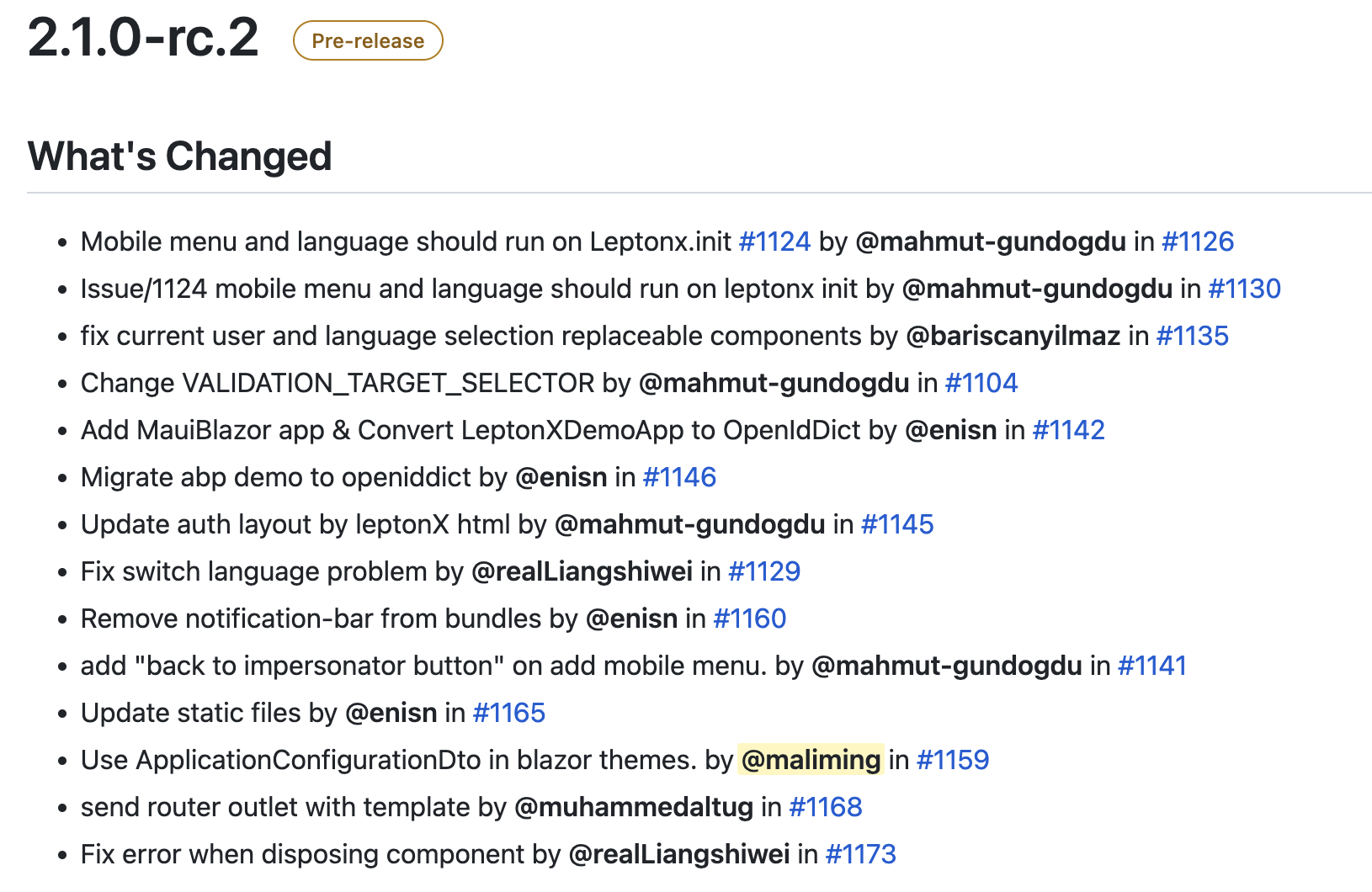
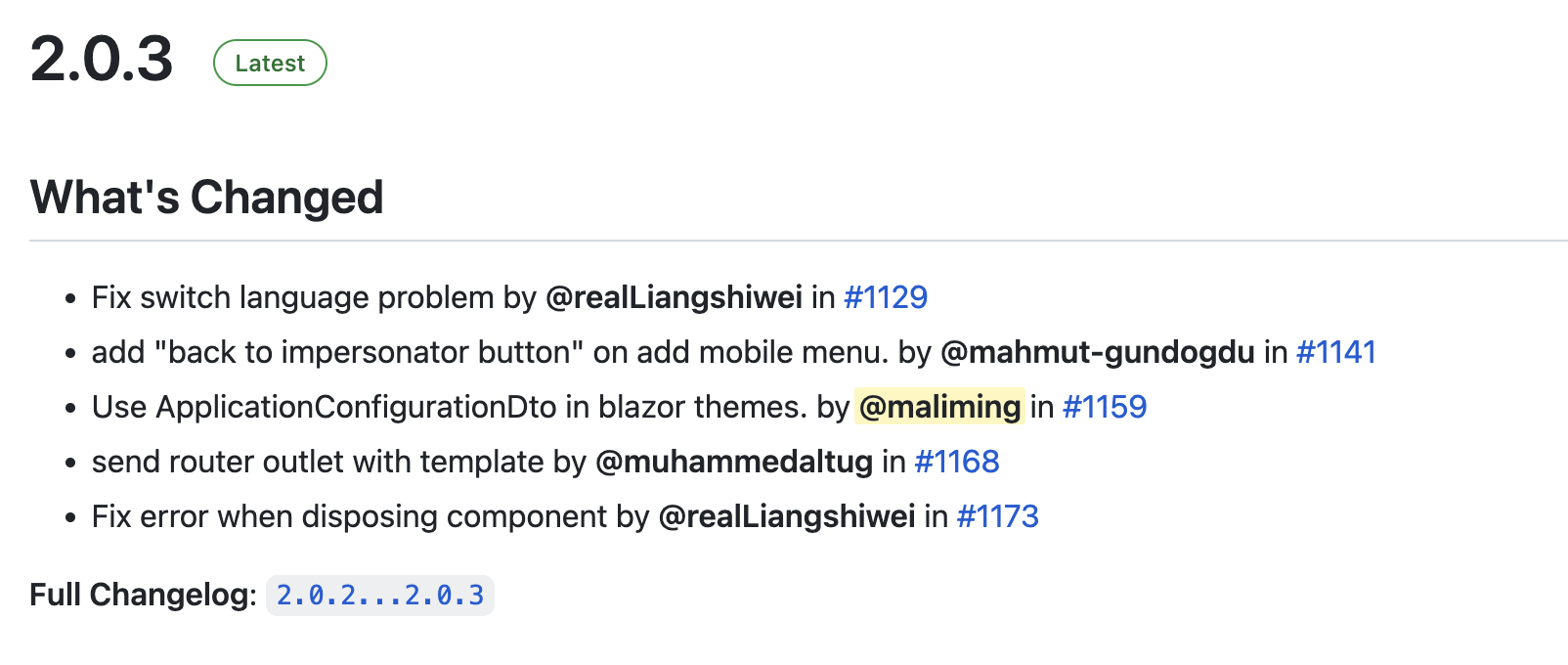
Which version has this fix been released? 2.0.3?
Markdown supported.Copy, paste, or drag & drop images and files (max 100 MB per file, 100 MB total per post)