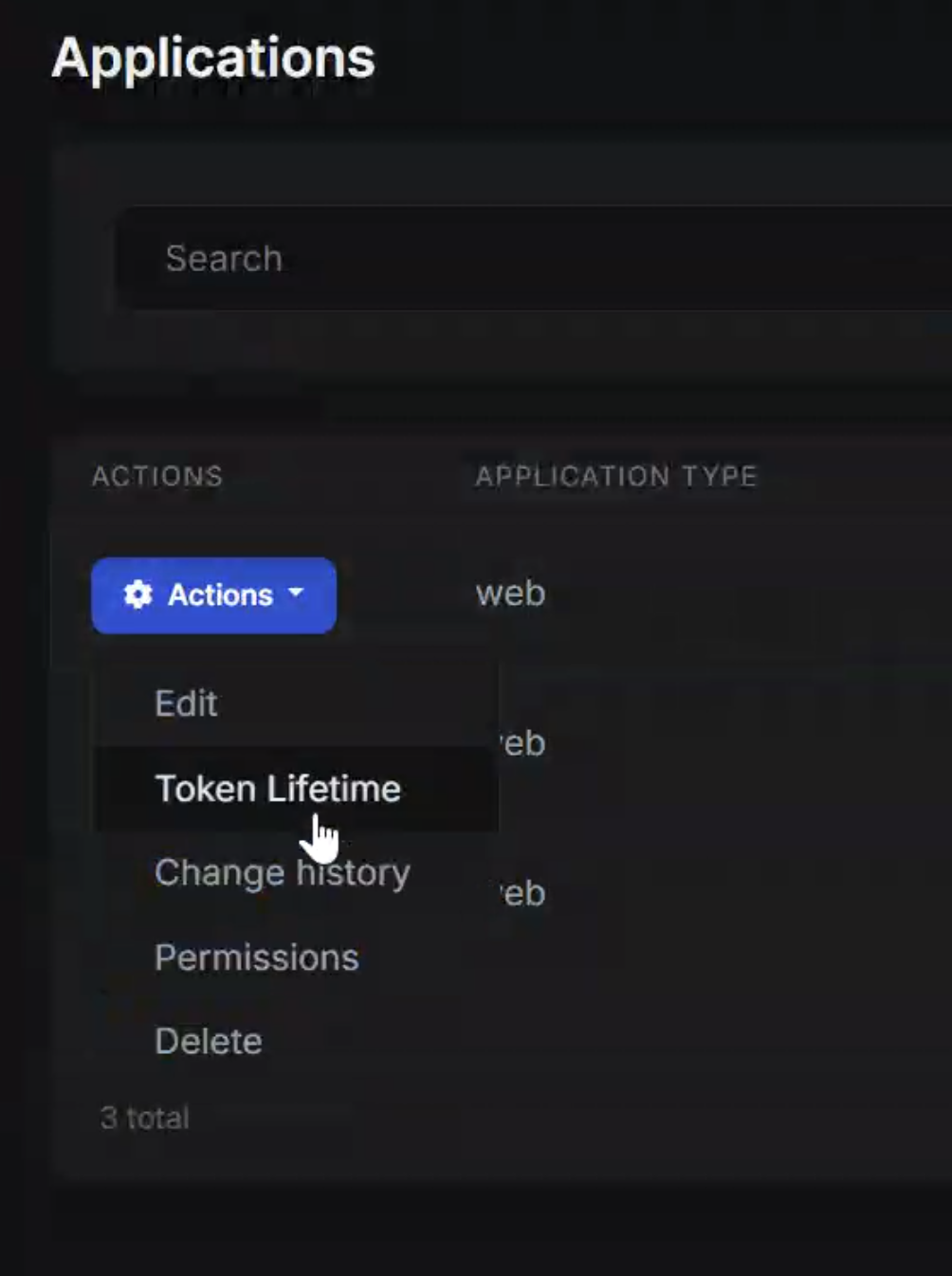
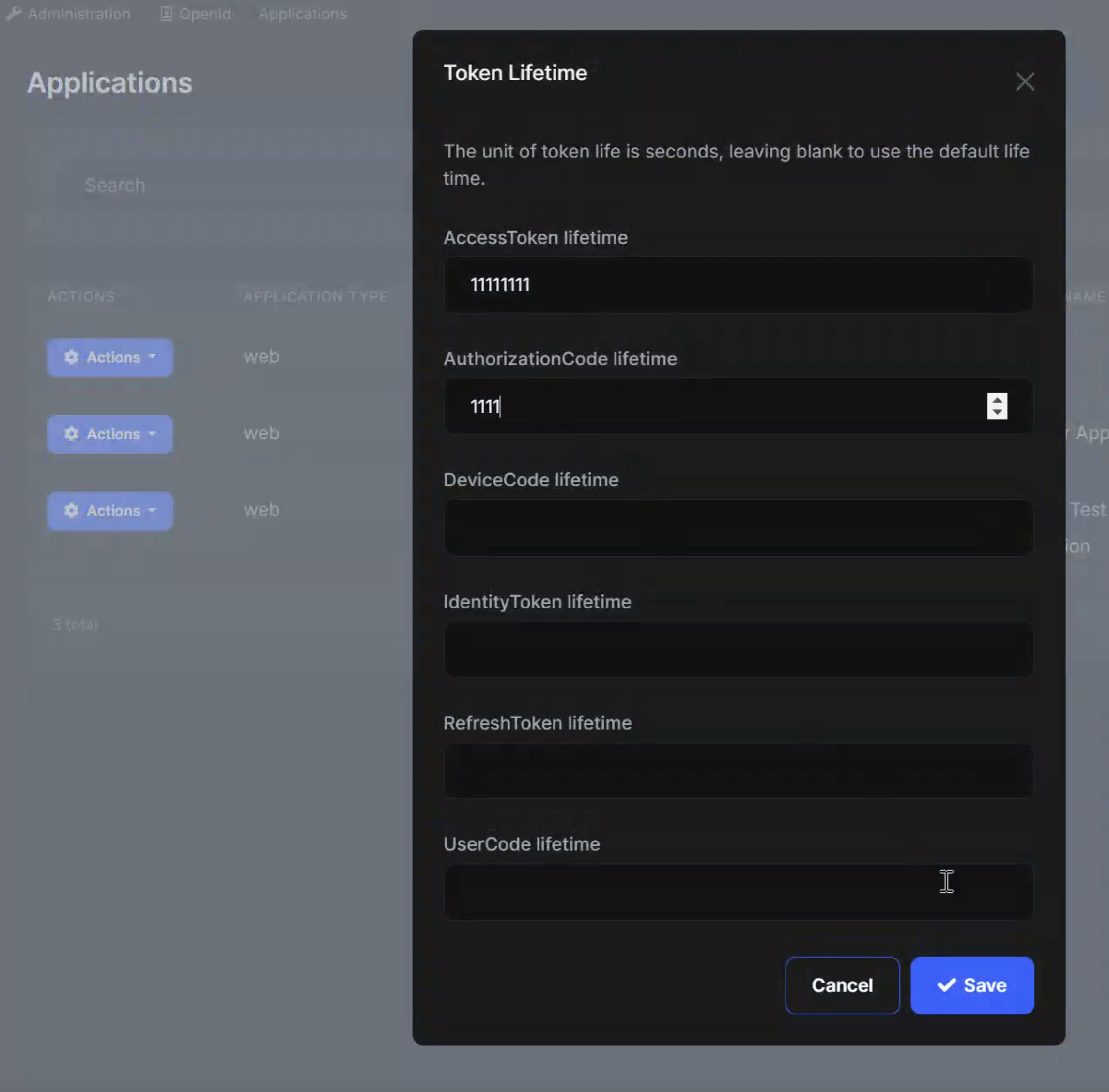
Hello!
We are currently using your OpenIdDict module in our AuthServer. I want to set the access token lifetime differently for my web application and app.
I see in you you can set the lifetime globally like this: (https://abp.io/docs/latest/modules/openiddict#setting-tokens-lifetime)
PreConfigure(builder =>
{
    builder.SetAuthorizationCodeLifetime(TimeSpan.FromMinutes(30));
    builder.SetAccessTokenLifetime(TimeSpan.FromMinutes(30));
    builder.SetIdentityTokenLifetime(TimeSpan.FromMinutes(30));
});
I found this issue: https://github.com/abpframework/abp/issues/16529
However, the post is two years old and I am wondering whether ABP's OpenIdDict module now offers a an out-of-the-box way to set access token lifetime differently per client?
Best regards, Magnus
5 Answer(s)
-
0
Great, thanks for the quick response!
May I ask where I access the Openiddict Application page? Is it available at a spesific endpoint of the hosted auth server?
Markdown supported.Copy, paste, or drag & drop images and files (max 100 MB per file, 100 MB total per post) -
1
hi
The page in
OpenIddict.Promodule.Package names:
Volo.Abp.OpenIddict.Pro.Blazor.ServerVolo.Abp.OpenIddict.Pro.Blazor.WebAssemblyModule names:
AbpOpenIddictProBlazorServerModuleAbpOpenIddictProBlazorWebAssemblyModulePage URL is
/openiddict/applicationsMarkdown supported.Copy, paste, or drag & drop images and files (max 100 MB per file, 100 MB total per post) -
0
Alright great, thanks!
Markdown supported.Copy, paste, or drag & drop images and files (max 100 MB per file, 100 MB total per post)