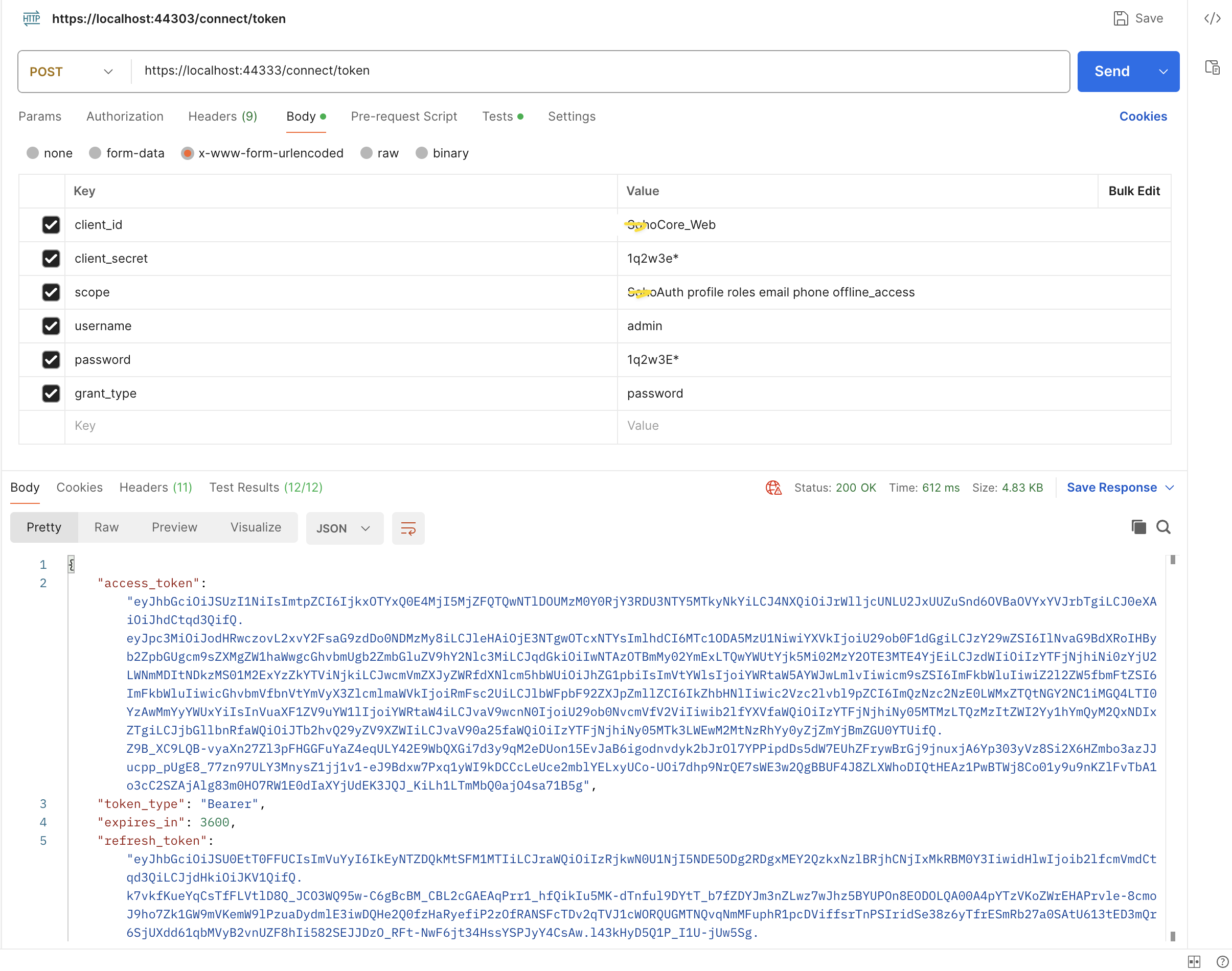
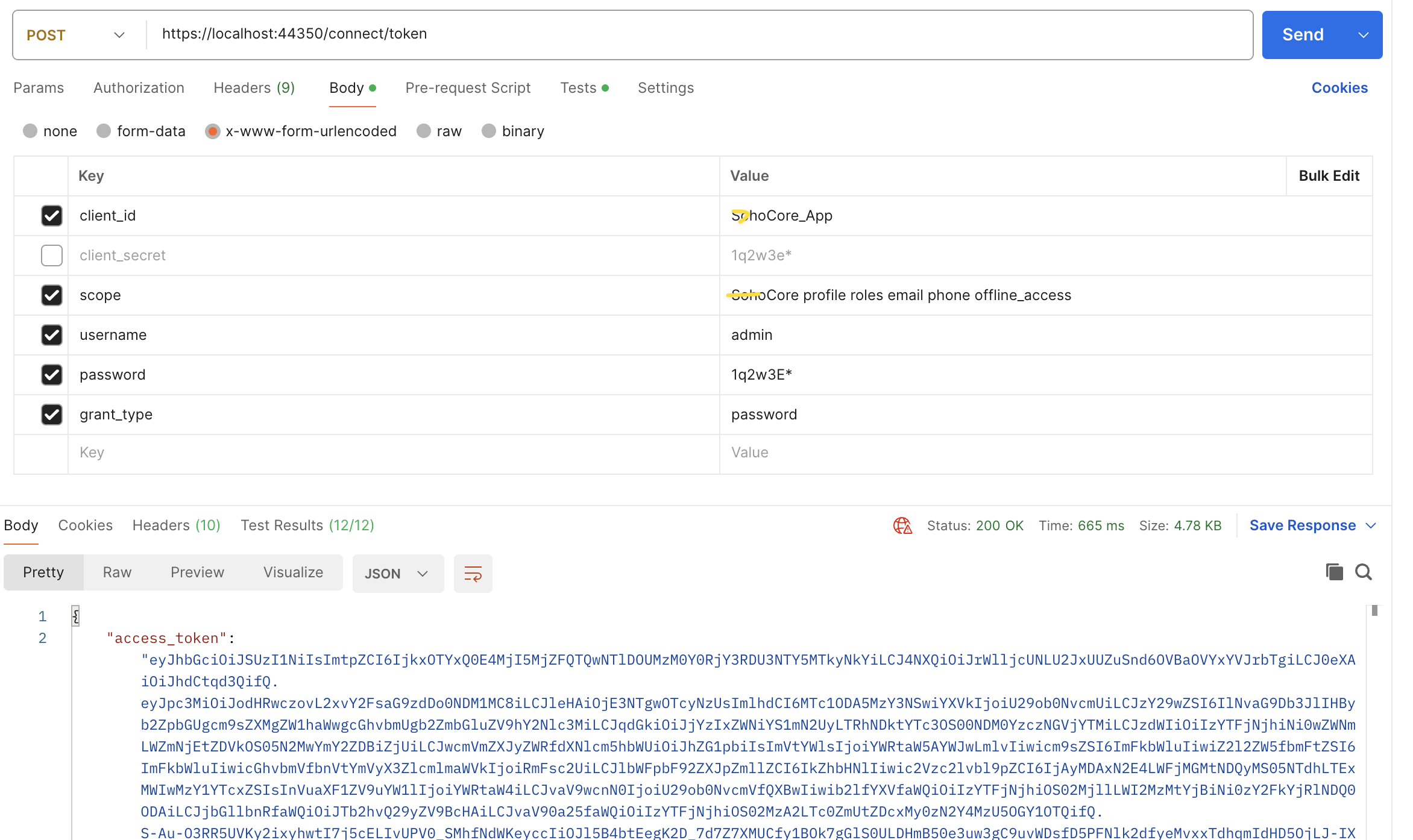
Hello; I have opened multiple MVC+Postgresql+Tiered projects. Their tasks are:
- Auth Server (A)
- Lab Management (L)
- n+
I want all applications to use the Auth Server for authentication and authorization. I filled in the AuthServer section in appsettings.json in the projects (web and host). I added the relevant project names to the AuthServer openiddict tables. I even disabled DynamicClaims. However, the clients' web applications cannot obtain permissions from the AuthServer.
Is there an article, video, or sample client/server project that explains this topic from the beginning?
52 Answer(s)
-
0
Hello
I tried a few things. After I put them together, I'll upload them to GitHub and add you to the project.
Markdown supported.Copy, paste, or drag & drop images and files (max 100 MB per file, 100 MB total per post) -
0
Hi
I sent a mail about project structure schemes, service images and github links. Please check your emails.
Thanks.
Markdown supported.Copy, paste, or drag & drop images and files (max 100 MB per file, 100 MB total per post) -
0
hi
I did some changes to your XXXAuth and XXXCore
https://github.com/demirburak/.XXXAuth/pull/1 https://github.com/demirburak/.XXXCore/pull/1
XXXAuthis like a Google website.XXXCore.HttpApi.Hostis your AuthServer, and it supports XXXAuth/Google loginXXXCore.Weblogin flow is:XXXCore.Weblogin => redirect toAuthServer(XXXCore.HttpApi.Host) login page.- Select XXXAuth/Google login in
AuthServer(XXXCore.HttpApi.Host) login page. - Redirect to
XXXAuth/Googlewebsite - Sign in with the account of
XXXAuth/Googlewebsite - Redirect to
AuthServer(XXXCore.HttpApi.Host)and it will create a new user, all user info coming fromXXXAuth/Googlewebsite - Also singined in
AuthServer(XXXCore.HttpApi.Host) - Redirect to
XXXCore.Web
The user info in
XXXCore.WebandAuthServer(XXXCore.HttpApi.Host)is the same user. And it exists inXXXCoredatabase.At the same time, the same user also exists in your XXXAuth/Google database.
If you want to auto-login by
XXXAuth/Googleaccount in theAuthServer(XXXCore.HttpApi.Host)login page. You can override the Login pageOnGetAsyncmethod and call:public override async Task<IActionResult> OnGetAsync() { return Challenge("oidc"); }Thanks.
Markdown supported.Copy, paste, or drag & drop images and files (max 100 MB per file, 100 MB total per post) -
0
Hi
Thanks for your detailed answer.
I have some questions.
1.) The sign-up button is inactive. Actually, is there a parameter for automatic registration, as if this button didn't exist? In other words, if identity verification is successful, can it automatically register locally?
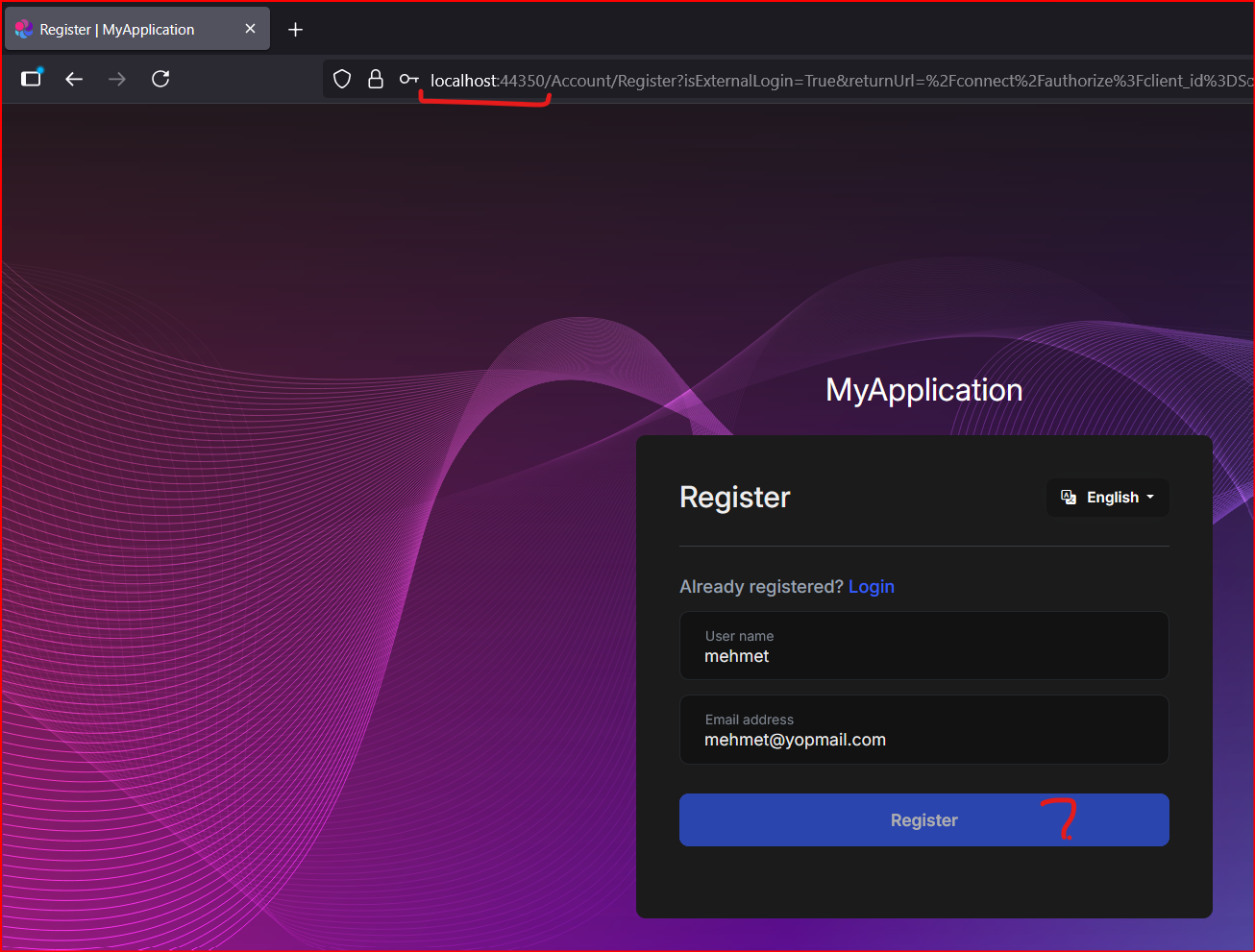
2.) The login page comes from the Account module. How can I customize it? I would appreciate a link explaining this section. Because I created Pages/Account/Login.cshtml in the Host layer and added the relevant code to the OnGetAsync method. Since it was redirecting incorrectly, I deleted it all and reverted it.
Markdown supported.Copy, paste, or drag & drop images and files (max 100 MB per file, 100 MB total per post) -
0
hi
1.) The sign-up button is inactive. Actually, is there a parameter for automatic registration, as if this button didn't exist? In other words, if identity verification is successful, can it automatically register locally?
Please try to run
abp install-libscommand in yourXXXCore.HttpApi.Hostproject. And re-run the app.Markdown supported.Copy, paste, or drag & drop images and files (max 100 MB per file, 100 MB total per post) -
0
hi
2.) The login page comes from the Account module. How can I customize it? I would appreciate a link explaining this section. Because I created Pages/Account/Login.cshtml in the Host layer and added the relevant code to the OnGetAsync method. Since it was redirecting incorrectly, I deleted it all and reverted it.
I pushed new code.
see https://github.com/demirburak/xxx/pull/1/commits/9d38ecac1b024f2f34c3dc1f39c1090d3190e265
Markdown supported.Copy, paste, or drag & drop images and files (max 100 MB per file, 100 MB total per post) -
0
Hi
That's a great example. I didn't know about these Abp services. In my version, I could get a token using
/connect/tokento send requests to the API endpoints on theXXXCoreside. In this new configuration, which endpoint can I use to get a token?Markdown supported.Copy, paste, or drag & drop images and files (max 100 MB per file, 100 MB total per post) -
0
Hi
It is normal for the user's password not to be in the core database. Do you think this request is looking at its own database?
{
    "error": "invalid_grant",
    "error_description": "Invalid username or password!",
    "error_uri": "https://documentation.openiddict.com/errors/ID2024"
}
Markdown supported.Copy, paste, or drag & drop images and files (max 100 MB per file, 100 MB total per post) -
0
XXXCoreandXXXAuthare both auth servers.So you can use a username and password to get an access token from them.
But the user has to exist in their database.
Markdown supported.Copy, paste, or drag & drop images and files (max 100 MB per file, 100 MB total per post) -
0
[maliming] said:
XXXCoreandXXXAuthare both auth servers.So you can use a username and password to get an access token from them.
But the user has to exist in their database.
Users are stored in both the Auth and Core application databases. I sent screenshots of the user information login attempts via email on Postman. Can you take a look?
Markdown supported.Copy, paste, or drag & drop images and files (max 100 MB per file, 100 MB total per post) -
0
Hi,
I was able to obtain a token using the admin user from the 44333-Auth and 44350-Core systems. When I made a request to an endpoint with the token provided by Auth, it returned unauthorized. The Core token worked as admin.
However, for a normal user other than admin, the Auth system provided a token and returned unauthorized. The Core system does not provide a token, instead returning a user or password error. Could the Core system be checking the local database when requesting a token? The password naturally appears blank there.
Markdown supported.Copy, paste, or drag & drop images and files (max 100 MB per file, 100 MB total per post) -
0
hi
Even though the user is the same in core and auth, but they are actually different. So you can't use the core token to request auth, vice versa
They are different auth servers.
Markdown supported.Copy, paste, or drag & drop images and files (max 100 MB per file, 100 MB total per post) -
0
hi
The web interface is working exactly as we want it to. It handles authentication via Auth and retrieves permissions based on the role in the Core system. Similarly, which token should I use to obtain permissions based on the role in the Core system?
Markdown supported.Copy, paste, or drag & drop images and files (max 100 MB per file, 100 MB total per post) -
0
[maliming] said: The auth website is just like Google
You should obtain a token from the core website.
I will clean the database and try to obtain a token from Core using a normal user again. Perhaps there is something missing in the database. Thanks.
Markdown supported.Copy, paste, or drag & drop images and files (max 100 MB per file, 100 MB total per post) -
0
Hi
I reset the database and recreated the users. When I create a user on the XXXAuth side and access this user via XXXCore, the Sign Up option creates a user record in the local database, and the password field for this record is naturally left blank. When I request a token for a normal user from the /connect/token endpoint for XXXCore, I naturally get a username or password error. I even tried copying the admin user's password to a normal user in the database, and it worked.
Is there any endpoint, definition, or parameter for obtaining a token via the API?
Alternatively, if the incoming user information passes verification on the XXXAuth side, would it be feasible to generate and return a new token for XXXCore by following the article at the link below? https://abp.io/community/articles/how-to-add-a-custom-grant-type-in-openiddict.-6v0df94z#gsc.tab=0
Markdown supported.Copy, paste, or drag & drop images and files (max 100 MB per file, 100 MB total per post) -
0
hi
When I create a user on the XXXAuth side and access this user via XXXCore, the Sign Up option creates a user record in the local database, and the password field for this record is naturally left blank
You can change your new user password in Core websites.
https://corewebsite/Account/Manage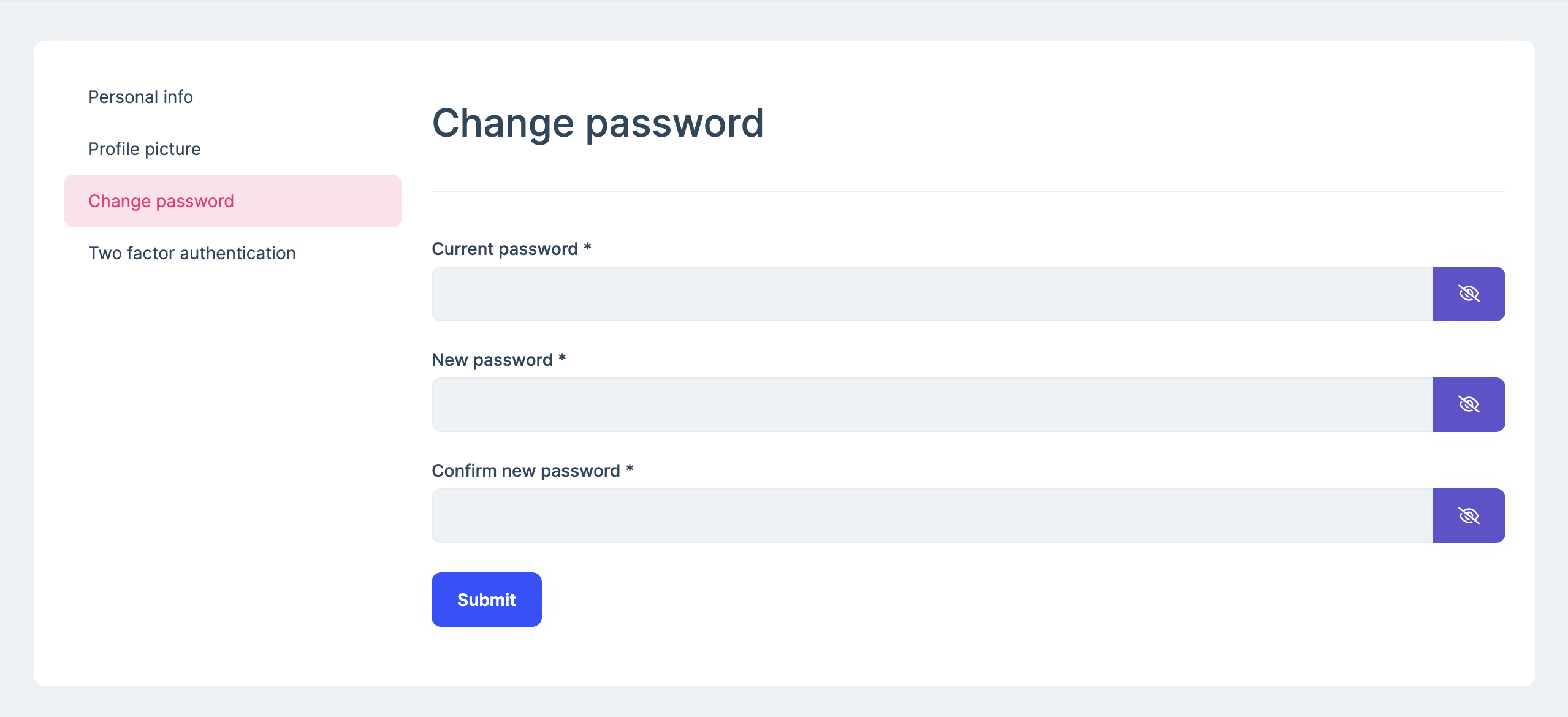
Is there any endpoint, definition, or parameter for obtaining a token via the API?
You should use the
connect/tokenendpoint, this is recommended.
The custom grant type also uses
connect/tokenendpoint, and it will work.https://abp.io/community/articles/how-to-add-a-custom-grant-type-in-openiddict.-6v0df94z#gsc.tab=0
Markdown supported.Copy, paste, or drag & drop images and files (max 100 MB per file, 100 MB total per post) -
0
Hello,
I reviewed the code in your article and created a TokenExtensionGrant class. Within this class, I used HttpClient to handle SSO and generated a token for the Core system. This code is currently working. I updated the code on GitHub. Should I have taken a different approach?
Thank you
Markdown supported.Copy, paste, or drag & drop images and files (max 100 MB per file, 100 MB total per post)