hi
public DbSet<IdentityUserDelegation> UserDelegations { get; }
/* Add DbSet properties for your Aggregate Roots / Entities here. */

#region Entities from the modules

/* Notice: We only implemented IIdentityProDbContext and ISaasDbContext
 * and replaced them for this DbContext. This allows you to perform JOIN
 * queries for the entities of these modules over the repositories easily. You
 * typically don't need that for other modules. But, if you need, you can
 * implement the DbContext interface of the needed module and use ReplaceDbContext
 * attribute just like IIdentityProDbContext and ISaasDbContext.
 *
 * More info: Replacing a DbContext of a module ensures that the related module
 * uses this DbContext on runtime. Otherwise, it will use its own DbContext class.
 */

// Identity
public DbSet<IdentityUser> Users { get; set; }
public DbSet<IdentityRole> Roles { get; set; }
public DbSet<IdentityClaimType> ClaimTypes { get; set; }
public DbSet<OrganizationUnit> OrganizationUnits { get; set; }
public DbSet<IdentitySecurityLog> SecurityLogs { get; set; }
public DbSet<IdentityLinkUser> LinkUsers { get; set; }
public DbSet<IdentityUserDelegation> UserDelegations { get; }

// SaaS
public DbSet<Tenant> Tenants { get; set; }
public DbSet<Edition> Editions { get; set; }
public DbSet<TenantConnectionString> TenantConnectionStrings { get; set; }

#endregion
You can create a project which not separate dbcontext and copy the code.
hi
You can run the dotnet ef migrations script command on the EF Core project to see the scripts.
https://learn.microsoft.com/en-us/ef/core/managing-schemas/migrations/applying?tabs=dotnet-core-cli#sql-scripts
hi
Log.Logger = new LoggerConfiguration()
#if DEBUG
    .MinimumLevel.Debug()
#else
    .MinimumLevel.Information()
#endif
    .MinimumLevel.Override("Microsoft", LogEventLevel.Information)
    .Enrich.FromLogContext()
    .WriteTo.Async(c => c.File("Logs/logs.txt"))
    .WriteTo.Async(c => c.Console())
    .WriteTo.Async(c =>
        c.MSSqlServer(
            connectionString: "Server=localhost;Database=MyProjectName;User Id=sa;Password=1q2w3E***;TrustServerCertificate=True",
            sinkOptions: new MSSqlServerSinkOptions
            {
                TableName = "Logs",
            }))
    .CreateLogger();
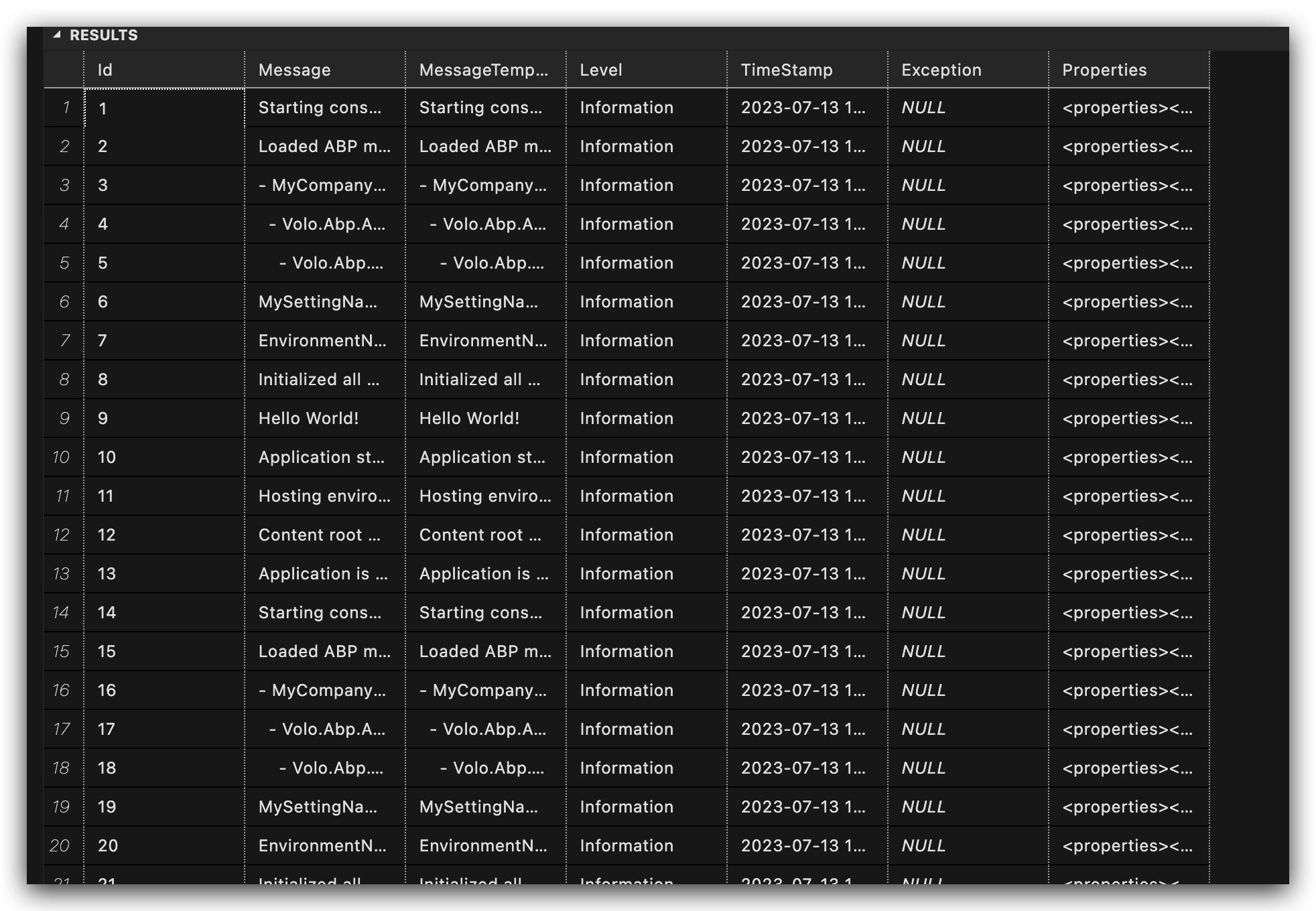
hi
Make your method async, and call GetListAsync by await
ok
hi
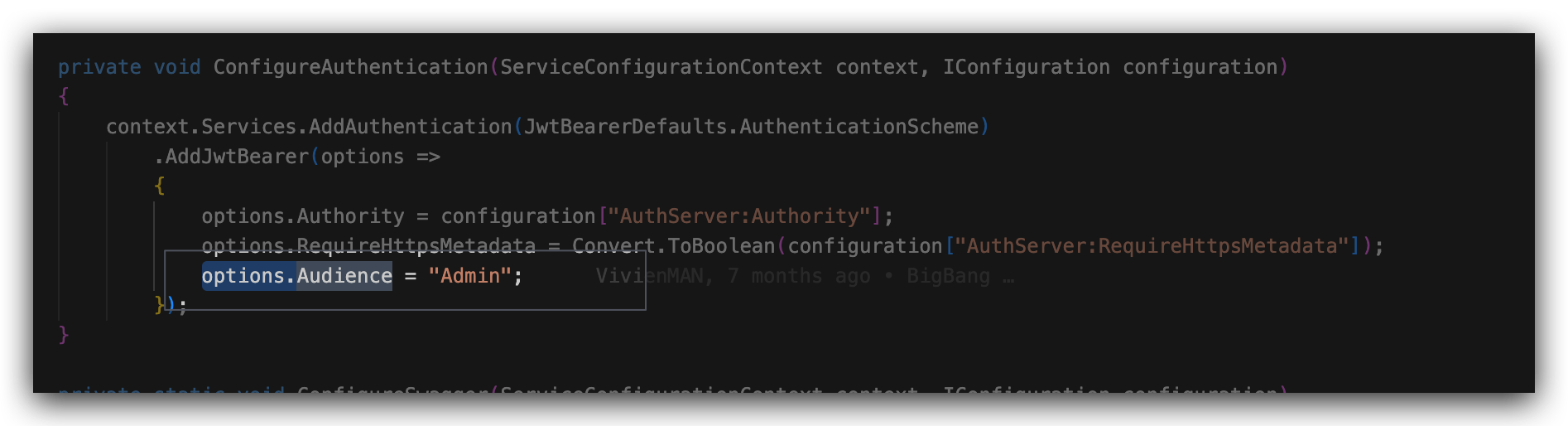
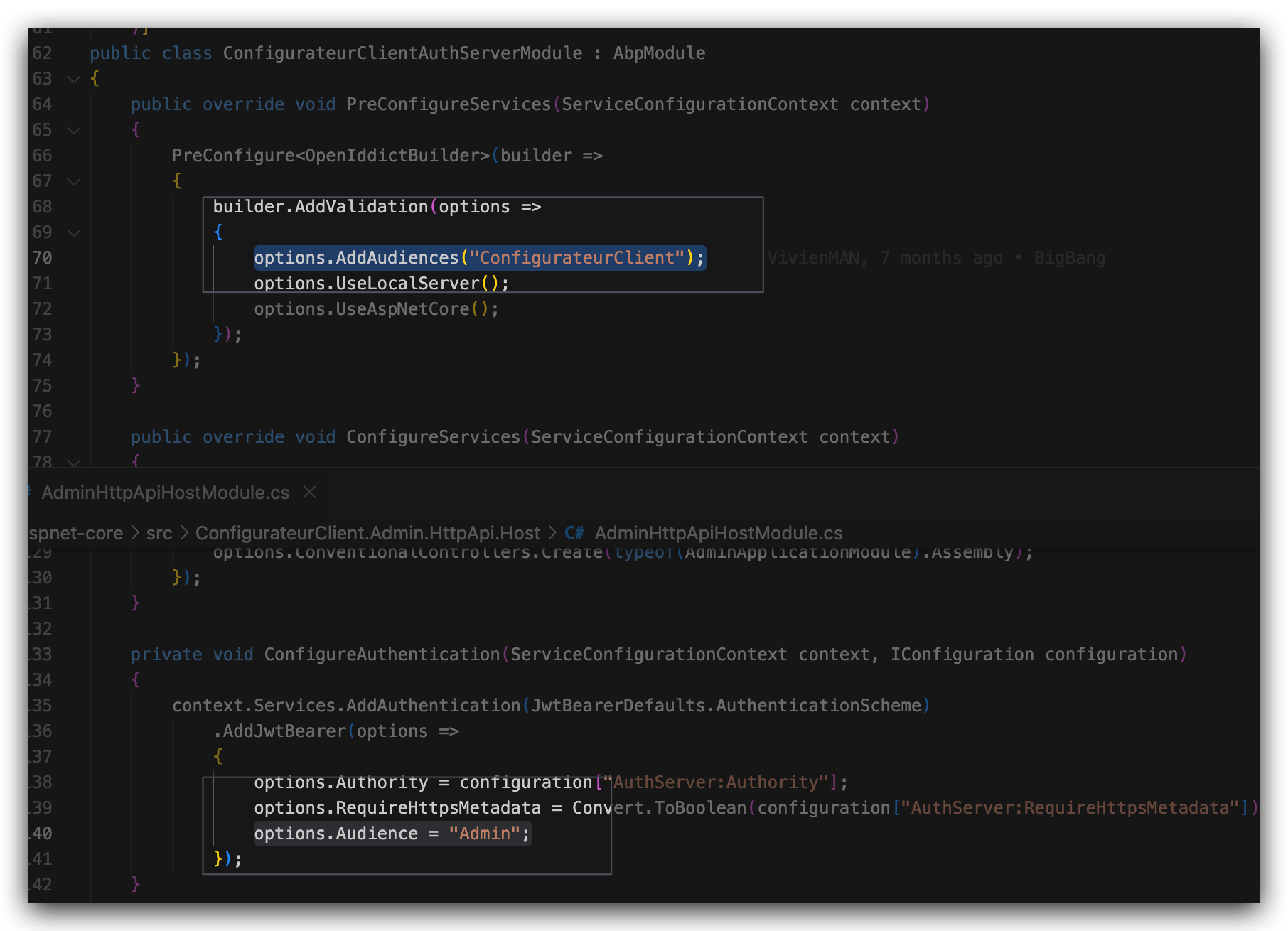
I guess this is the problem
hi
I'm not good at Azure web service. Abp is just using the standard way to output logs.
https://github.com/abpframework/abp/blob/dev/templates/app/aspnet-core/src/MyCompanyName.MyProjectName.AuthServer/Program.cs#L24
Please check if the https://azapp-mc-abpmvisclient-dev.azurewebsites.net is valid for post_logout_redirect_uri of MVIS_abp_App application.
You can check the PostLogoutRedirectUris of the OpenIddictApplications table.
hi
Thanks. Can you share some steps?
Sorry for that @pierremih
hi @roberto.fiocchi@mcsi.it you can consider creating a new question. Thanks









