hi
You can copy the full code of EfCoreLanguageRepository and replace the service.
We will make it overriden in next verison.
Thanks
hi
I think you can only use the dotnet ef migrations script to get the script on each project.
The migratory tool just applies the migration and seeds the data.
hi
public DbSet<IdentityUserDelegation> UserDelegations { get; }
/* Add DbSet properties for your Aggregate Roots / Entities here. */

#region Entities from the modules

/* Notice: We only implemented IIdentityProDbContext and ISaasDbContext
 * and replaced them for this DbContext. This allows you to perform JOIN
 * queries for the entities of these modules over the repositories easily. You
 * typically don't need that for other modules. But, if you need, you can
 * implement the DbContext interface of the needed module and use ReplaceDbContext
 * attribute just like IIdentityProDbContext and ISaasDbContext.
 *
 * More info: Replacing a DbContext of a module ensures that the related module
 * uses this DbContext on runtime. Otherwise, it will use its own DbContext class.
 */

// Identity
public DbSet<IdentityUser> Users { get; set; }
public DbSet<IdentityRole> Roles { get; set; }
public DbSet<IdentityClaimType> ClaimTypes { get; set; }
public DbSet<OrganizationUnit> OrganizationUnits { get; set; }
public DbSet<IdentitySecurityLog> SecurityLogs { get; set; }
public DbSet<IdentityLinkUser> LinkUsers { get; set; }
public DbSet<IdentityUserDelegation> UserDelegations { get; }

// SaaS
public DbSet<Tenant> Tenants { get; set; }
public DbSet<Edition> Editions { get; set; }
public DbSet<TenantConnectionString> TenantConnectionStrings { get; set; }

#endregion
You can create a project which not separate dbcontext and copy the code.
hi
You can run the dotnet ef migrations script command on the EF Core project to see the scripts.
https://learn.microsoft.com/en-us/ef/core/managing-schemas/migrations/applying?tabs=dotnet-core-cli#sql-scripts
hi
Log.Logger = new LoggerConfiguration()
#if DEBUG
    .MinimumLevel.Debug()
#else
    .MinimumLevel.Information()
#endif
    .MinimumLevel.Override("Microsoft", LogEventLevel.Information)
    .Enrich.FromLogContext()
    .WriteTo.Async(c => c.File("Logs/logs.txt"))
    .WriteTo.Async(c => c.Console())
    .WriteTo.Async(c =>
        c.MSSqlServer(
            connectionString: "Server=localhost;Database=MyProjectName;User Id=sa;Password=1q2w3E***;TrustServerCertificate=True",
            sinkOptions: new MSSqlServerSinkOptions
            {
                TableName = "Logs",
            }))
    .CreateLogger();
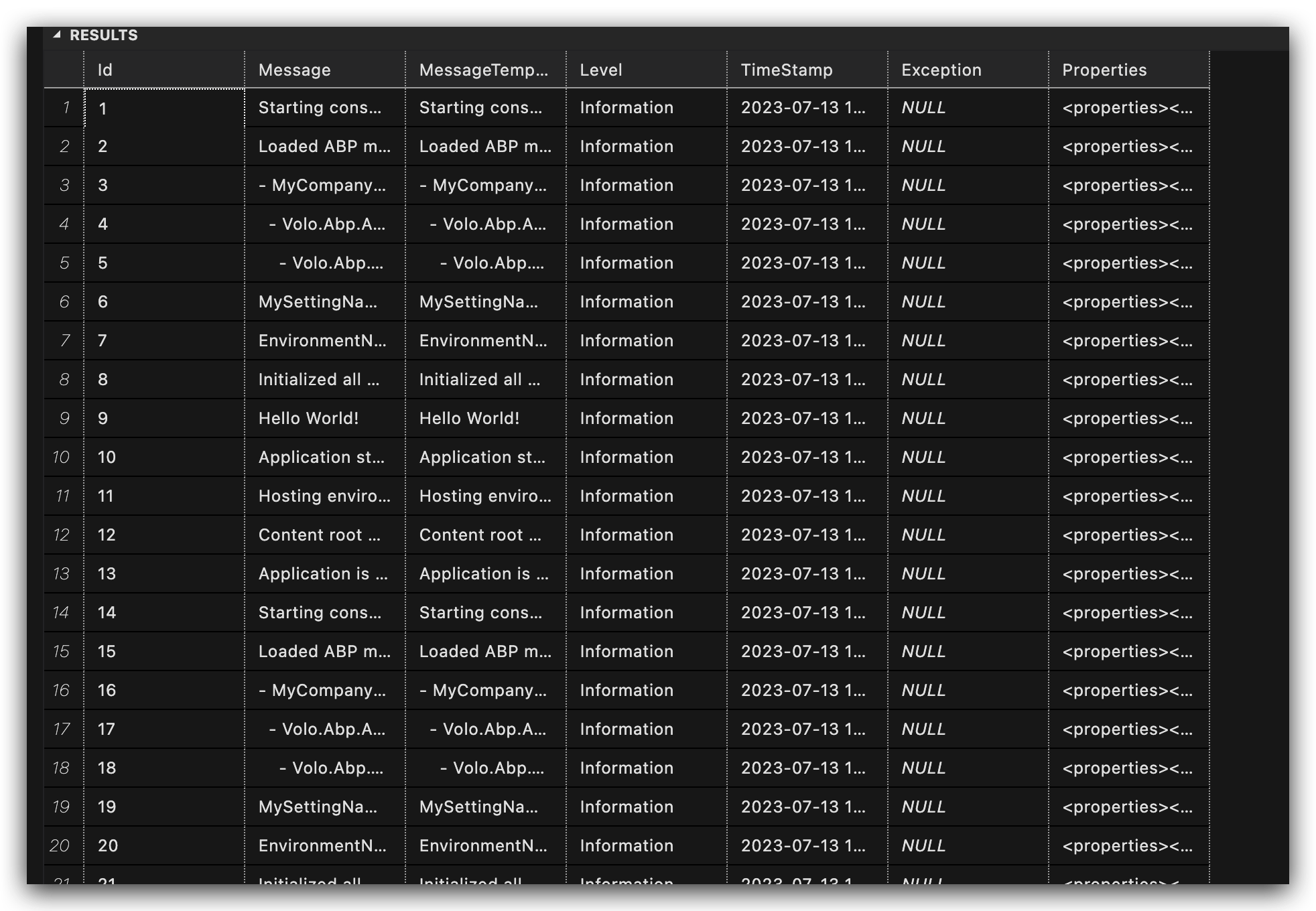
hi
Make your method async, and call GetListAsync by await
ok
hi
I guess this is the problem
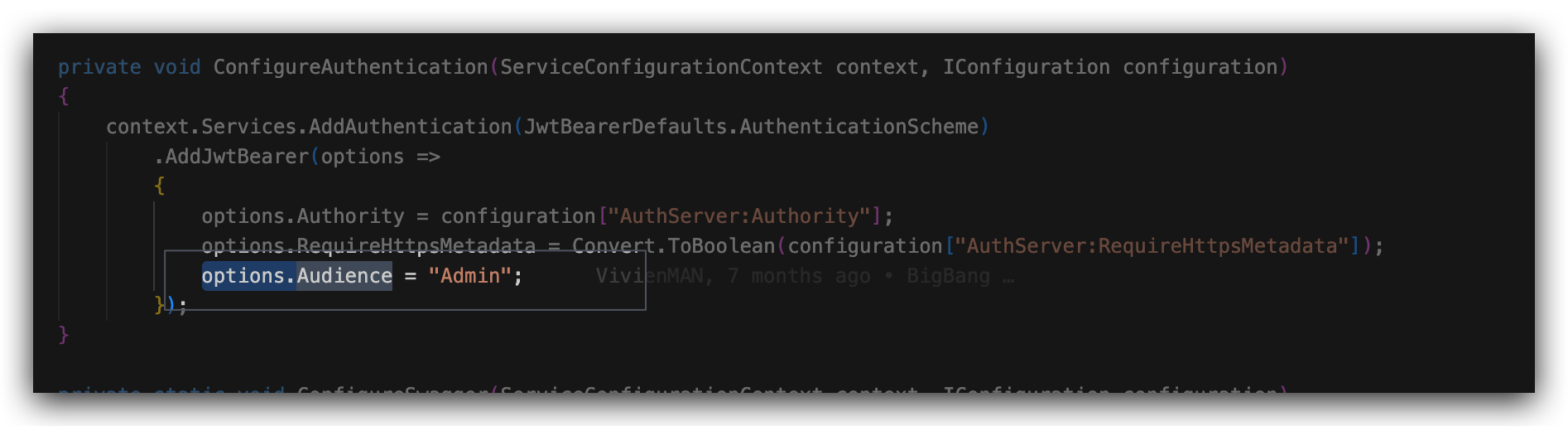
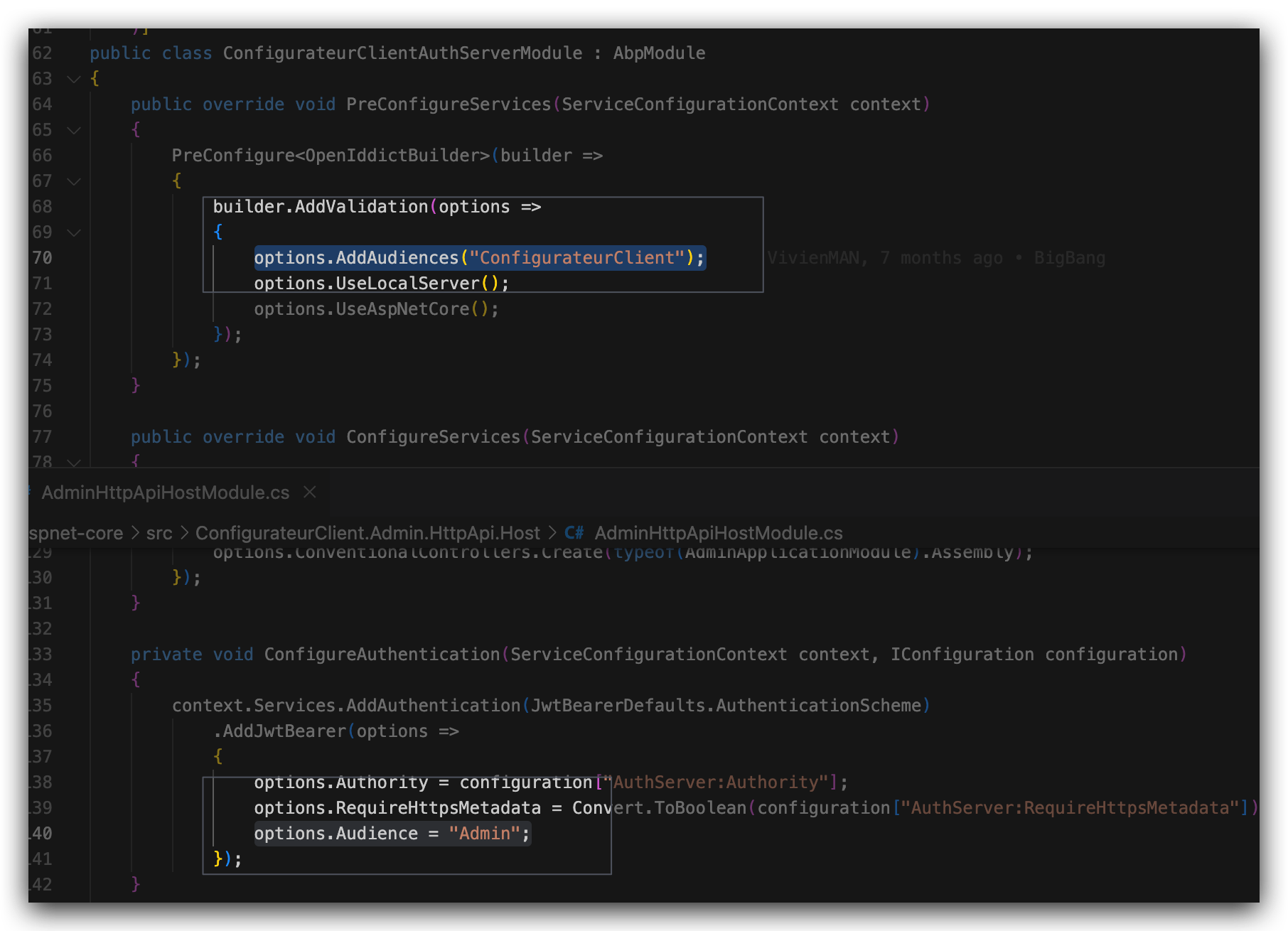
hi
I'm not good at Azure web service. Abp is just using the standard way to output logs.
https://github.com/abpframework/abp/blob/dev/templates/app/aspnet-core/src/MyCompanyName.MyProjectName.AuthServer/Program.cs#L24
Please check if the https://azapp-mc-abpmvisclient-dev.azurewebsites.net is valid for post_logout_redirect_uri of MVIS_abp_App application.
You can check the PostLogoutRedirectUris of the OpenIddictApplications table.




