I recommend you add controllers manually just like https://github.com/abpframework/abp/tree/dev/modules/identity/src/Volo.Abp.Identity.HttpApi/Volo/Abp/Identity
hi
What's the HTML response of this page?
Update yasinTestWebModule.cs and yasinTest.Web.csproj
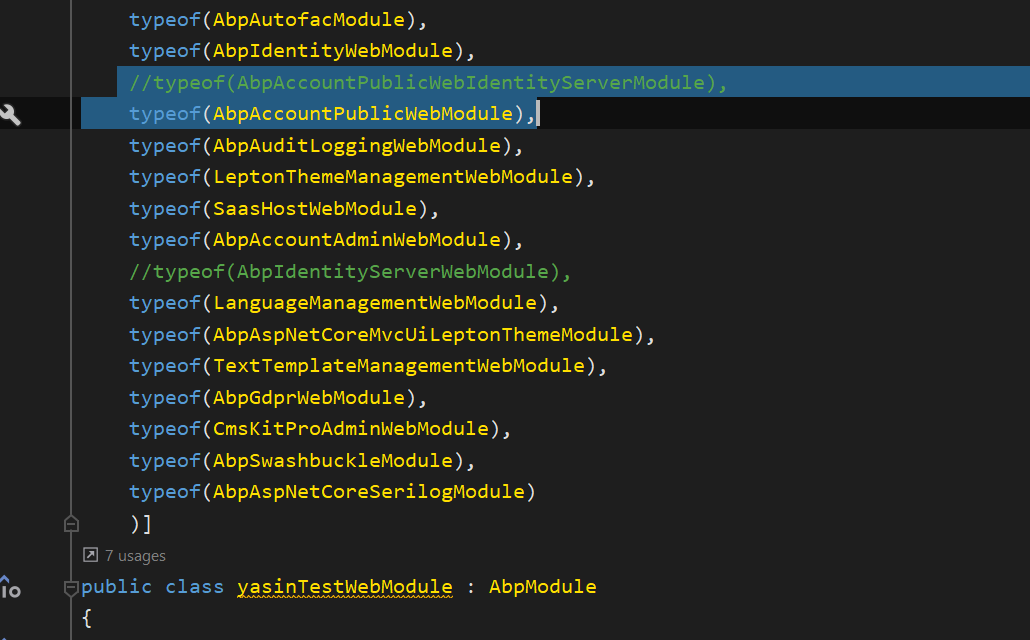
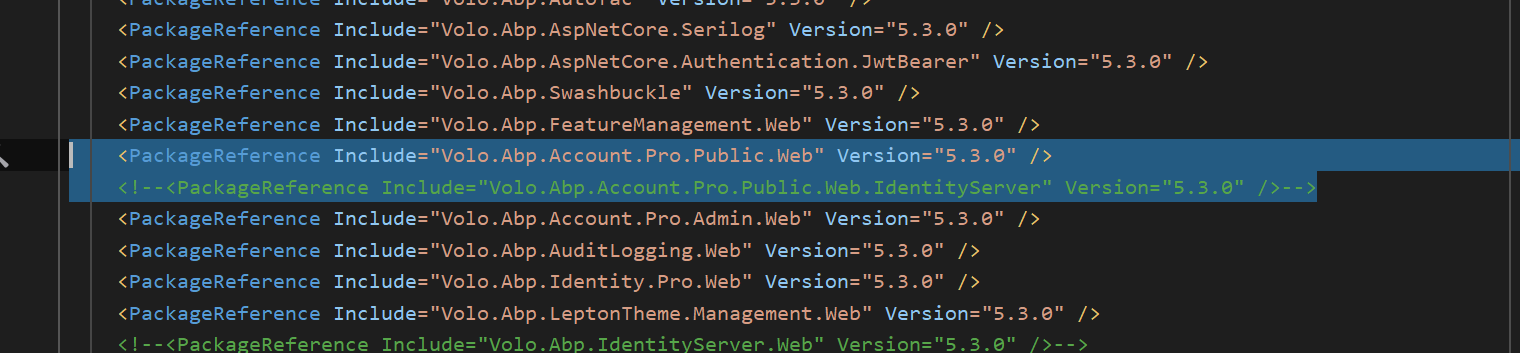
It work when I ran the dotnet build command. This seems a VS problem, https://developercommunity.visualstudio.com/t/ts6053-node-modulessource-mapsource-map-not-found/1412153
Build succeeded.    0 Warning(s)
    0 Error(s)
hi
We fixed that in the next patch version. You can add using Microsoft.AspNetCore.Extensions.DependencyInjection; to MyAppHttpApiHostModule now.
Share the code to liming.ma@volosoft.com
hi
Check the document.
https://docs.abp.io/en/abp/latest/API/Dynamic-CSharp-API-Clients
And the existing module. https://github.com/abpframework/abp/tree/dev/modules/identity/src/Volo.Abp.Identity.HttpApi/Volo/Abp/Identity
https://github.com/abpframework/abp/tree/dev/modules/identity/src/Volo.Abp.Identity.HttpApi.Client/Volo/Abp/Identity
Don't public your code!
hi
We have overwritten the modified code in the module file.
Please share your modified code.
hi
It seems related to Mail send(SmtpClient), Your logs file is too much large. Please share the error context logs.
2022-06-30 19:44:55.114 +08:00 [ERR] An unhandled exception has occurred while executing the request.
System.Net.Mail.SmtpException: Failure sending mail.
 ---> System.Net.Internals.SocketExceptionFactory+ExtendedSocketException (10061): No connection could be made because the target machine actively refused it. [::ffff:127.0.0.1]:25
   at System.Net.Sockets.Socket.EndConnect(IAsyncResult asyncResult)
   at System.Net.Sockets.TcpClient.EndConnect(IAsyncResult asyncResult)
   at System.Net.Mail.SmtpConnection.ConnectAndHandshakeAsyncResult.InitializeConnectionCallback(IAsyncResult result)
--- End of stack trace from previous location ---
   at System.Net.Mail.SmtpConnection.ConnectAndHandshakeAsyncResult.End(IAsyncResult result)
   at System.Net.Mail.SmtpClient.ConnectCallback(IAsyncResult result)









