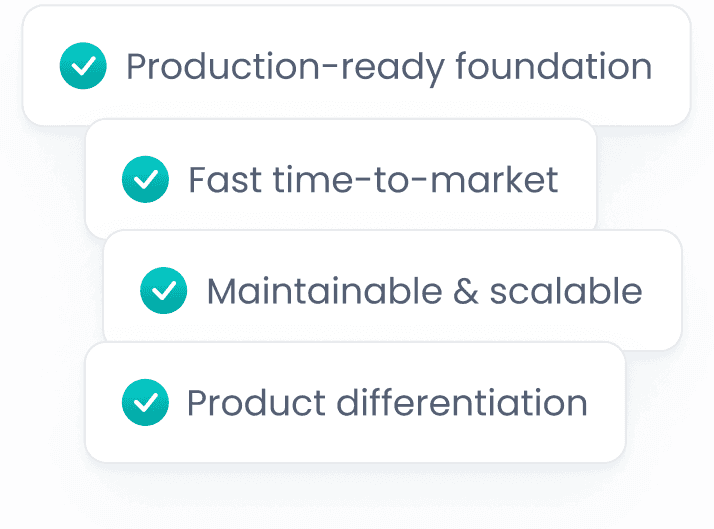
Authentication, architecture, and UI are already in place—so your team can focus on real business features from day one.
Everything you need is preconfigured—so your team can skip setup and focus on delivering real business value from day one.
ABP's Blazor support gives you a production-ready application foundation; authentication, authorization, UI layout, theming, and backend integration are already wired.
This allows teams to skip repetitive setup work and start delivering real product value immediately. Your team starts building business features on day one, not infrastructure. This shortens time-to-market and reduces the risk of architectural rework later.

Provides a complete security layer with built-in authentication and role-based authorization ready to use.

Shortens time-to-market and reduces the risk of architectural rework later.

Comes with a professional theme and layout system that's ready to use out of the box.

All backend APIs are already wired and integrated, so you can start building features immediately.
ABP elevates Blazor from a simple framework to a production-proven platform, helping teams build secure, scalable applications faster without reinventing best practices.
Blazor enables .NET teams to build rich, interactive web applications using C# end to end. This makes it easier to reuse existing skills and share code across frontend and backend.
ABP turns Blazor from a starter template into a maintainable, secure, and scalable application setup, the kind real-world products need. Instead of assembling best practices yourself, you start with conventions that are already proven in production.
You avoid weeks of setup and start from an architecture already validated by real teams and real applications. This is especially valuable for small and mid-sized teams that need to move fast without cutting corners.




ABP supports all major Blazor hosting models while keeping your application structure consistent. This flexibility lets teams adapt to new requirements without rewriting the application.
Create a fully working Blazor application with authentication and API integration: This gives you a running application that you can explore, customize, and extend immediately.
                     # Create a new Blazor application
                     ▌


                     # Navigate to the project directory
                     ▌


                     # Run the application
                     ▌
Follow the complete tutorial: Getting Started with Blazor & ABP
The tutorial walks you through the basics without overwhelming you with low-level details.
Everything you need to build secure, maintainable, and scalable Blazor applications—pre-built and ready to use.

Built-in OpenID Connect with role- and permission-based UI
This ensures consistent security behavior across pages and components without manual checks.

Clean separation of UI, application, and domain layers
This structure keeps the codebase understandable and maintainable as the application grows.

Call backend APIs like local services, no HTTP boilerplate
This reduces repetitive code and keeps the frontend and backend tightly aligned.

A single professional theme (LeptonX) already integrated across all ABP UIs
Teams get a polished, consistent UI without investing time in design infrastructure.

Multi-language support out of the box
This makes it easy to serve users in different regions without redesigning the UI.

Layouts, navigation, and account pages included
Common application screens are already in place, saving significant development time.
Explore comprehensive resources to help you build, customize, and scale your Blazor application with ABP.
Explore core concepts and best practices.
Learn how to adapt the UI to your product's needs.
Customize branding and appearance with a production-ready theme.
See real examples and patterns in action.
Extend your application with enterprise-grade capabilities.
ABP gives your team a head start with a fully wired application foundation—so you can skip the setup and focus on what makes your product unique.
If you're building a Blazor app that needs to ship fast, stay maintainable, and grow over time, ABP gives you the foundation your team would otherwise have to build and maintain yourself.
This helps teams focus on product differentiation instead of repeating the same groundwork for every project.