I followed your instructions to check the code and it meets the requirements. The following are two code blocks: 1)OnModelCreating
[ConnectionStringName(TestModuleDbProperties.ConnectionStringName)]
public class TestModuleDbContext : AbpDbContext<TestModuleDbContext>, ITestModuleDbContext
{
    public DbSet<Hello> Hellos { get; set; } = null!;
    /* Add DbSet for each Aggregate Root here. Example:
     * public DbSet<Question> Questions { get; set; }
     */

    public TestModuleDbContext(DbContextOptions<TestModuleDbContext> options)
        : base(options)
    {

    }

    protected override void OnModelCreating(ModelBuilder builder)
    {
        base.OnModelCreating(builder);

        builder.ConfigureTestModule();
    }
}
2)ConfigureTestModule
public static class TestModuleDbContextModelCreatingExtensions
{
    public static void ConfigureTestModule(
        this ModelBuilder builder)
    {
        Check.NotNull(builder, nameof(builder));

        /* Configure all entities here. Example:

        builder.Entity<Question>(b =>
        {
            //Configure table & schema name
            b.ToTable(TestModuleDbProperties.DbTablePrefix + "Questions", TestModuleDbProperties.DbSchema);

            b.ConfigureByConvention();

            //Properties
            b.Property(q => q.Title).IsRequired().HasMaxLength(QuestionConsts.MaxTitleLength);

            //Relations
            b.HasMany(question => question.Tags).WithOne().HasForeignKey(qt => qt.QuestionId);

            //Indexes
            b.HasIndex(q => q.CreationTime);
        });
        */
        if (builder.IsHostDatabase())
        {

        }
        if (builder.IsHostDatabase())
        {
            builder.Entity<Hello>(b =>
            {
                b.ToTable(TestModuleDbProperties.DbTablePrefix + "Hellos", TestModuleDbProperties.DbSchema);
                b.ConfigureByConvention();
                b.Property(x => x.Name).HasColumnName(nameof(Hello.Name)).IsRequired().HasMaxLength(HelloConsts.NameMaxLength);
                b.Property(x => x.Description).HasColumnName(nameof(Hello.Description));
                b.HasOne<IdentityUser>().WithMany().IsRequired().HasForeignKey(x => x.IdentityUserId).OnDelete(DeleteBehavior.NoAction);
            });

        }
    }
}
Is it caused by the development environment? My Abp Suite version is v9.1.1
Check the docs before asking a question: https://abp.io/docs/latest Check the samples to see the basic tasks: https://abp.io/docs/latest/samples The exact solution to your question may have been answered before, and please first use the search on the homepage.
Provide us with the following info:
🧐 Hint: If you are using the ABP Studio, you can see all the information about your solution from the configuration window, which opens when you right-click on the solution and click on the Solution Configuration button.
Template: app
Created ABP Studio Version: 0.9.26
Current ABP Studio Version: 0.9.26
Tiered: Yes
Multi-Tenancy: No
UI Framework: angular
Theme: leptonx
Theme Style: system
Theme Menu Placement: side
Run Install Libs: Yes
Progressive Web App: No
Run Progressive Web App Support: No
Database Provider: ef
Database Management System: postgresql
Separate Tenant Schema: No
Create Initial Migration: Yes
Run Db Migrator: Yes
Mobile Framework: maui
Public Website: Yes
Social Login: No
Include Tests: Yes
Kubernetes Configuration: Yes
Distributed Event Bus: rabbitmq
Use Local References: No
Optional Modules:
Create Command: abp new AbpModularSolution1 -t app --tiered --ui-framework angular --mobile maui --database-provider ef --database-management-system postgresql --theme leptonx --public-website --without-cms-kit --dont-run-bundling --no-multi-tenancy --no-social-logins -no-saas -chat
Exception message and full stack trace:
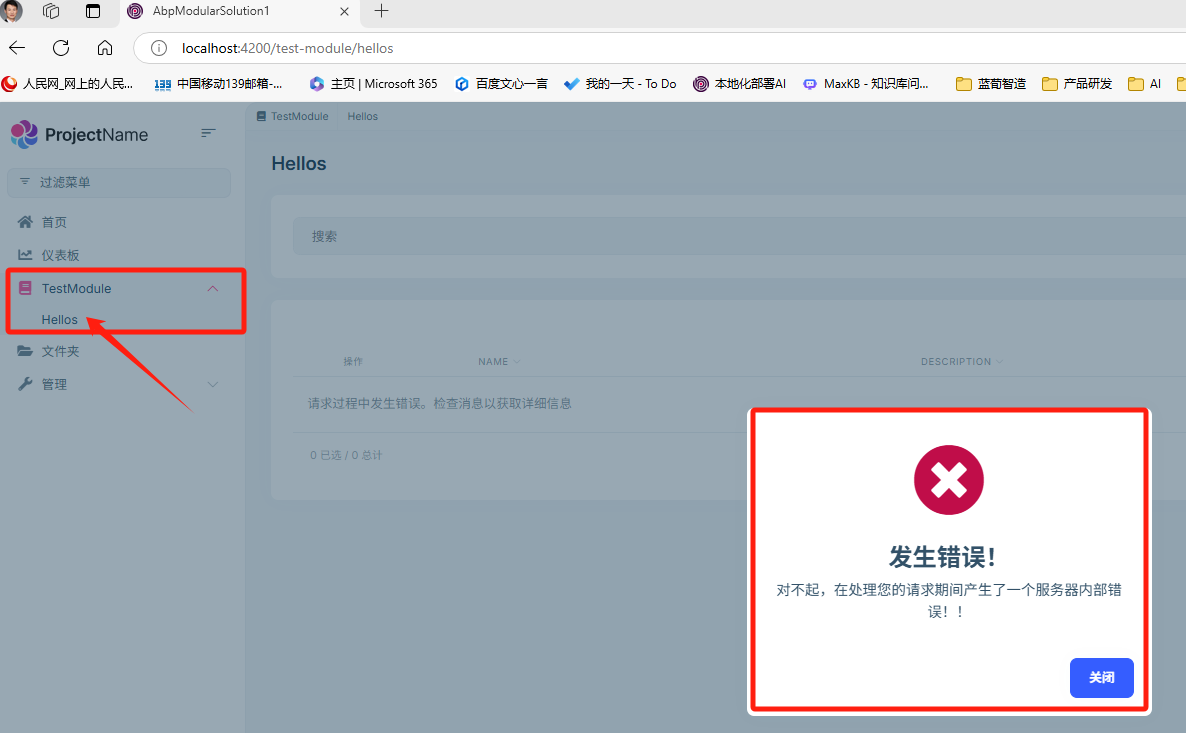
1)Exception Screenshot:
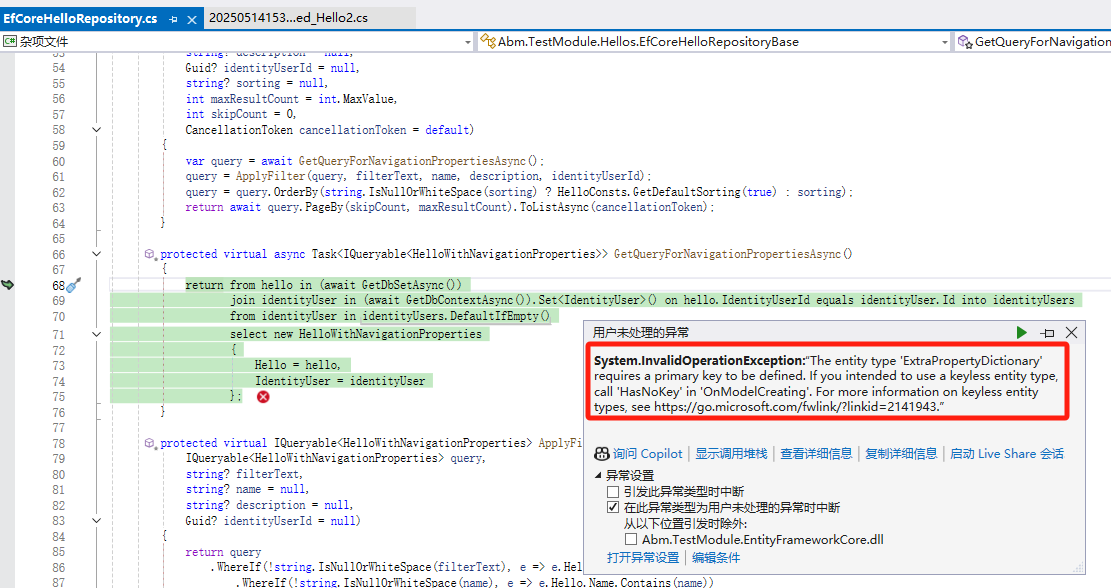
2)full stack trace:
System.InvalidOperationException
HResult=0x80131509
Message=The entity type 'ExtraPropertyDictionary' requires a primary key to be defined. If you intended to use a keyless entity type, call 'HasNoKey' in 'OnModelCreating'. For more information on keyless entity types, see https://go.microsoft.com/fwlink/?linkid=2141943.
Source=Microsoft.EntityFrameworkCore
StackTrace:
在 Microsoft.EntityFrameworkCore.Infrastructure.ModelValidator.ValidateNonNullPrimaryKeys(IModel model, IDiagnosticsLogger1 logger) 在 Microsoft.EntityFrameworkCore.Infrastructure.ModelValidator.Validate(IModel model, IDiagnosticsLogger1 logger)
在 Microsoft.EntityFrameworkCore.Infrastructure.RelationalModelValidator.Validate(IModel model, IDiagnosticsLogger1 logger) 在 Npgsql.EntityFrameworkCore.PostgreSQL.Infrastructure.Internal.NpgsqlModelValidator.Validate(IModel model, IDiagnosticsLogger1 logger)
在 Microsoft.EntityFrameworkCore.Infrastructure.ModelRuntimeInitializer.Initialize(IModel model, Boolean designTime, IDiagnosticsLogger1 validationLogger) 在 Microsoft.EntityFrameworkCore.Infrastructure.ModelSource.CreateModel(DbContext context, ModelCreationDependencies modelCreationDependencies, Boolean designTime) 在 Microsoft.EntityFrameworkCore.Infrastructure.ModelSource.GetModel(DbContext context, ModelCreationDependencies modelCreationDependencies, Boolean designTime) 在 Microsoft.EntityFrameworkCore.Internal.DbContextServices.CreateModel(Boolean designTime) 在 Microsoft.EntityFrameworkCore.Internal.DbContextServices.get_Model() 在 Microsoft.EntityFrameworkCore.Infrastructure.EntityFrameworkServicesBuilder.<>c.<TryAddCoreServices>b__8_4(IServiceProvider p) 在 Microsoft.Extensions.DependencyInjection.ServiceLookup.ServiceProviderEngineScope.GetService(Type serviceType) 在 Microsoft.Extensions.DependencyInjection.ServiceProviderServiceExtensions.GetRequiredService(IServiceProvider provider, Type serviceType) 在 Volo.Abp.EntityFrameworkCore.AbpDbContextOptionsExtension.<>c__DisplayClass0_0.<ApplyServices>b__1(IServiceProvider provider) 在 Microsoft.Extensions.DependencyInjection.ServiceLookup.ServiceProviderEngineScope.GetService(Type serviceType) 在 Microsoft.Extensions.DependencyInjection.ServiceProviderServiceExtensions.GetRequiredService(IServiceProvider provider, Type serviceType) 在 Microsoft.Extensions.DependencyInjection.ServiceProviderServiceExtensions.GetRequiredService[T](IServiceProvider provider) 在 Microsoft.EntityFrameworkCore.DbContext.get_ContextServices() 在 Microsoft.EntityFrameworkCore.DbContext.get_ChangeTracker() 在 Volo.Abp.EntityFrameworkCore.AbpDbContext1.Initialize(AbpEfCoreDbContextInitializationContext initializationContext)
在 Volo.Abp.Uow.EntityFrameworkCore.UnitOfWorkDbContextProvider1.<CreateDbContextAsync>d__14.MoveNext() 在 Volo.Abp.Uow.EntityFrameworkCore.UnitOfWorkDbContextProvider1.d__12.MoveNext()
在 Volo.Abp.Domain.Repositories.EntityFrameworkCore.EfCoreRepository2.<GetDbSetAsync>d__10.MoveNext() 在 Abm.TestModule.Hellos.EfCoreHelloRepositoryBase.<GetQueryForNavigationPropertiesAsync>d__4.MoveNext() 在 D:\workspace\source\LaunchX Platform\TestSolutions\AbpModularSolution1\modules\abm.testmodule\src\Abm.TestModule.EntityFrameworkCore\Hellos\EfCoreHelloRepository.cs 中: 第 68 行 在 Abm.TestModule.Hellos.EfCoreHelloRepositoryBase.<GetCountAsync>d__7.MoveNext() 在 D:\workspace\source\LaunchX Platform\TestSolutions\AbpModularSolution1\modules\abm.testmodule\src\Abm.TestModule.EntityFrameworkCore\Hellos\EfCoreHelloRepository.cs 中: 第 113 行 在 Castle.DynamicProxy.AsyncInterceptorBase.<ProceedAsynchronous>d__141.MoveNext()
在 Volo.Abp.Castle.DynamicProxy.CastleAbpMethodInvocationAdapterWithReturnValue1.<ProceedAsync>d__7.MoveNext() 在 Volo.Abp.Uow.UnitOfWorkInterceptor.<InterceptAsync>d__2.MoveNext() 在 Volo.Abp.Castle.DynamicProxy.CastleAsyncAbpInterceptorAdapter1.d__31.MoveNext() 在 Abm.TestModule.Hellos.HellosAppServiceBase.<GetListAsync>d__5.MoveNext() 在 D:\workspace\source\LaunchX Platform\TestSolutions\AbpModularSolution1\modules\abm.testmodule\src\Abm.TestModule.Application\Hellos\HellosAppService.cs 中: 第 45 行 在 Castle.DynamicProxy.AsyncInterceptorBase.<ProceedAsynchronous>d__141.MoveNext()
在 Volo.Abp.Castle.DynamicProxy.CastleAbpMethodInvocationAdapterWithReturnValue1.<ProceedAsync>d__7.MoveNext() 在 Volo.Abp.GlobalFeatures.GlobalFeatureInterceptor.<InterceptAsync>d__0.MoveNext() 在 Volo.Abp.Castle.DynamicProxy.CastleAsyncAbpInterceptorAdapter1.d__31.MoveNext() 在 Castle.DynamicProxy.AsyncInterceptorBase.<ProceedAsynchronous>d__141.MoveNext()
在 Volo.Abp.Castle.DynamicProxy.CastleAbpMethodInvocationAdapterWithReturnValue`1.d__7.MoveNext()
在 Volo.Abp.Auditing.AuditingInterceptor.d__4.MoveNext()
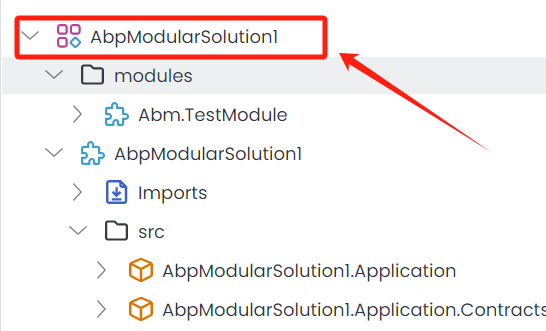
Step 2: create folder named modules
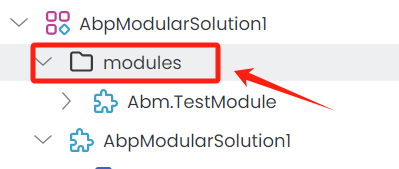
Step 3: create DDD Module name Abm.TestModule under the modules folder
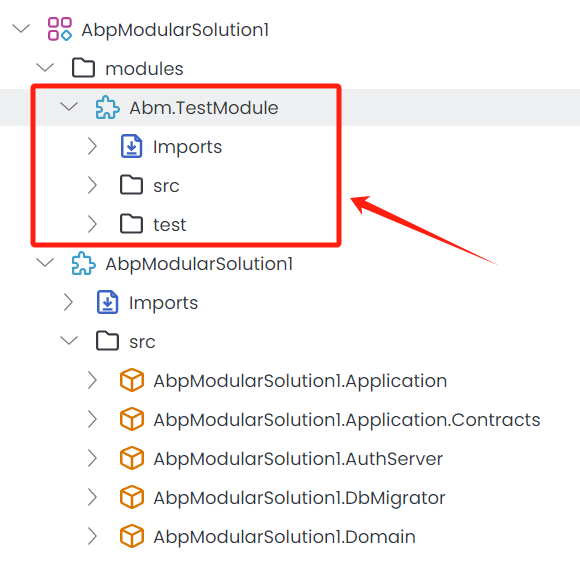
Step 4: Imports Volo.Abp.Identity.Pro(9.1.1)
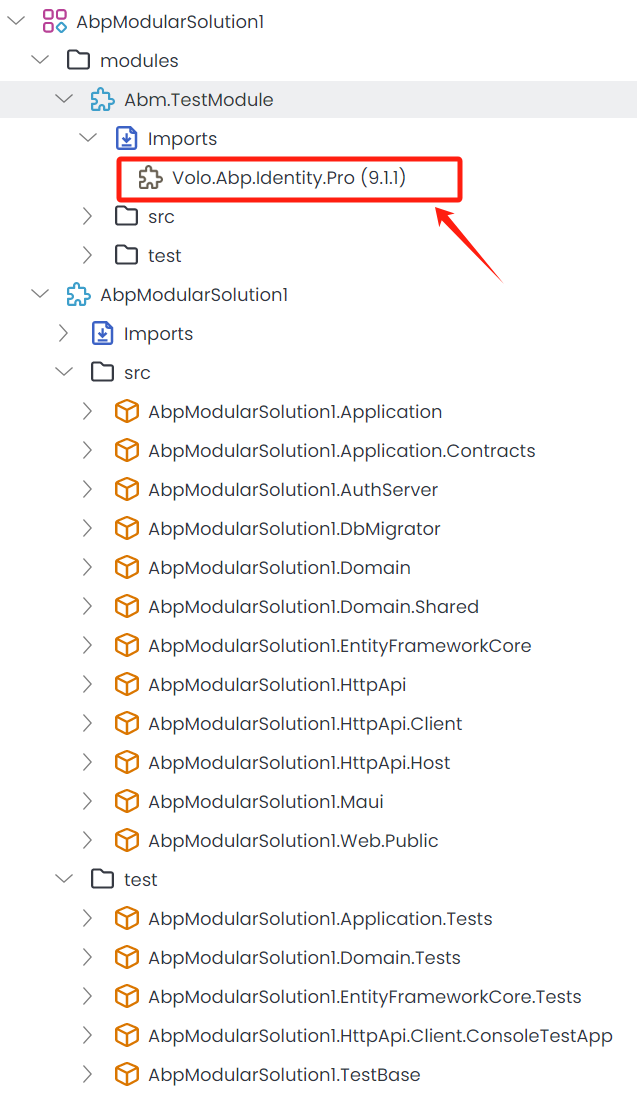
Step 5: use abp suite to create a basic entity name Hello and Add properties ( Name & description)

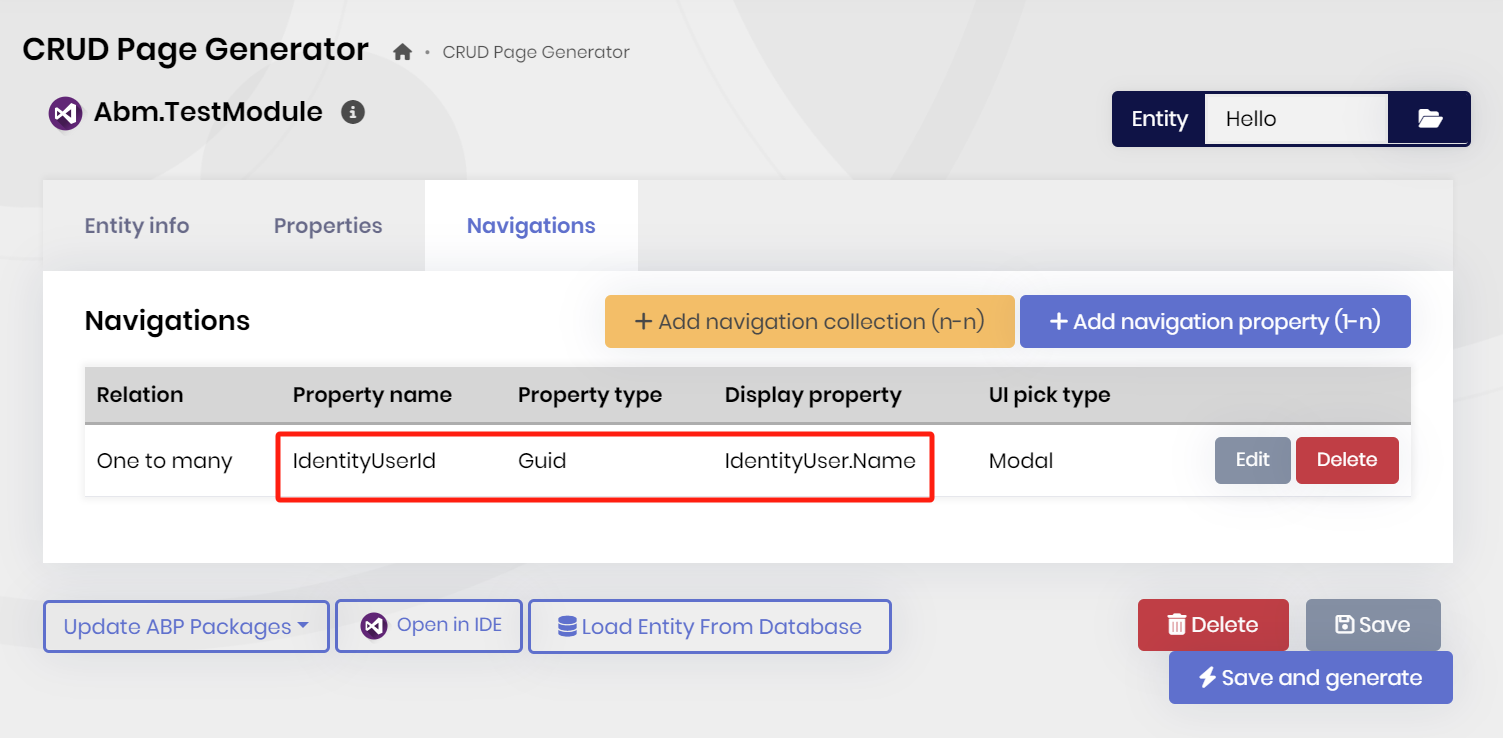
Step 6: Add Navigation property(1-n) for Hello entity, I picked IdentityUserId from Volo.Abp.Identity and Click Save and generate.
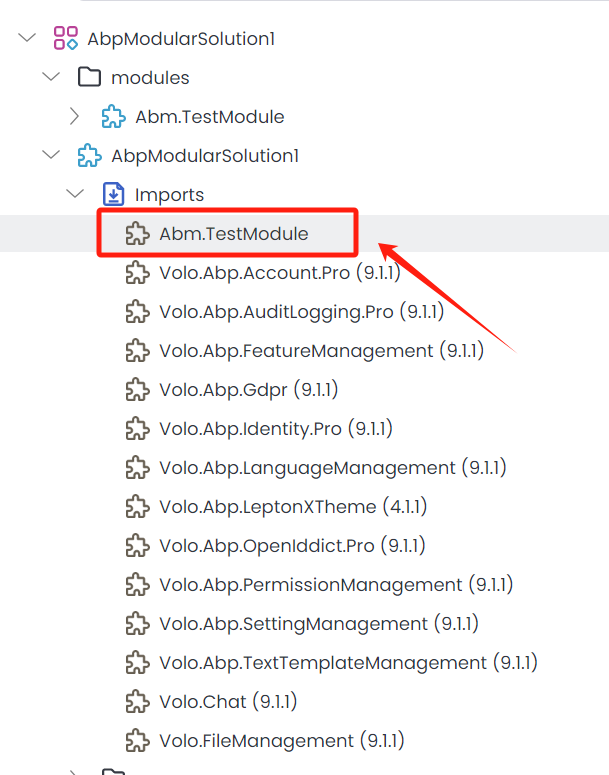
Step 7: Import Abm.TestModule to AbpModularSolution1
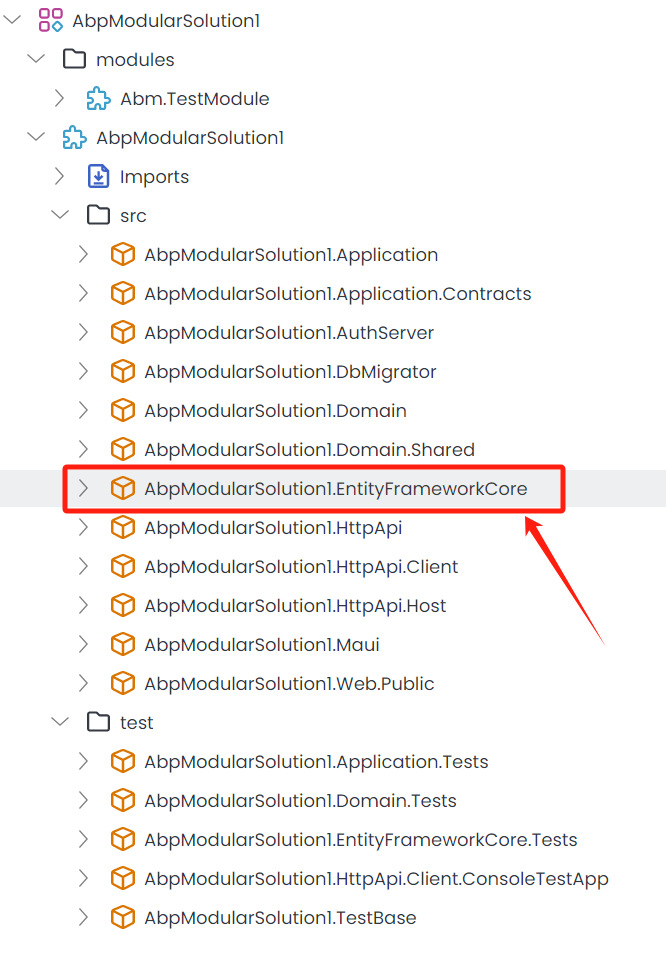
Step 8: Add Migration and Update Database for EntityFrameworkCore package
Step 9: Start Redis & AbpModularSolution1.AuthServer & HttpApi.Host & Angular
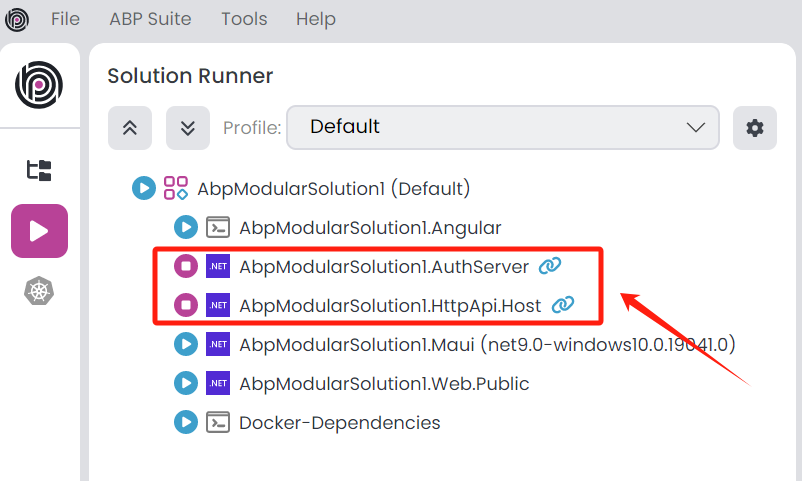
Step 10. Login and Click TestModule>Hellos menu, the system turns error messages.
Check the docs before asking a question: https://abp.io/docs/latest Check the samples to see the basic tasks: https://abp.io/docs/latest/samples The exact solution to your question may have been answered before, and please first use the search on the homepage.
Provide us with the following info:
🧐 Hint: If you are using the ABP Studio, you can see all the information about your solution from the configuration window, which opens when you right-click on the solution and click on the Solution Configuration button.

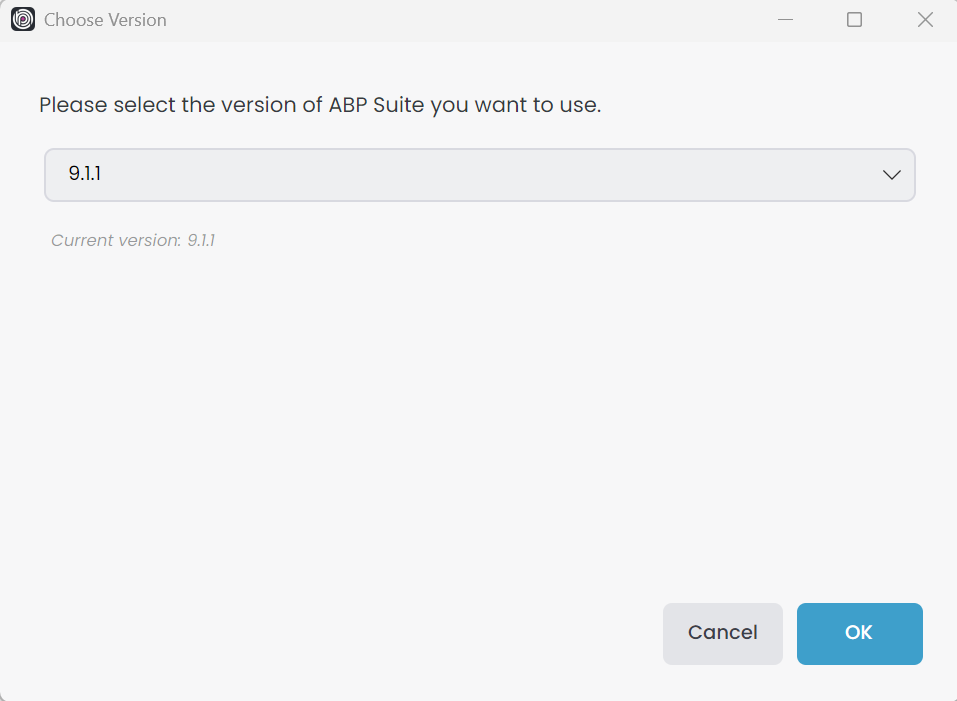
my current abp suite version is v9.1.1
Hello,
I used ABP CLI to create the latest version of the project, and the following is a detailed command line: abp new LaunchX -u angular -dbms PostgreSQL -m maui --separate-auth-server --theme leptonx --pwa -csf --public-website
the project name is LaunchX and I created this project on October 21, 2024
After following the steps to get the project running smoothly, I tried to create a new user and encountered the following problem:
Step 1. Input User information
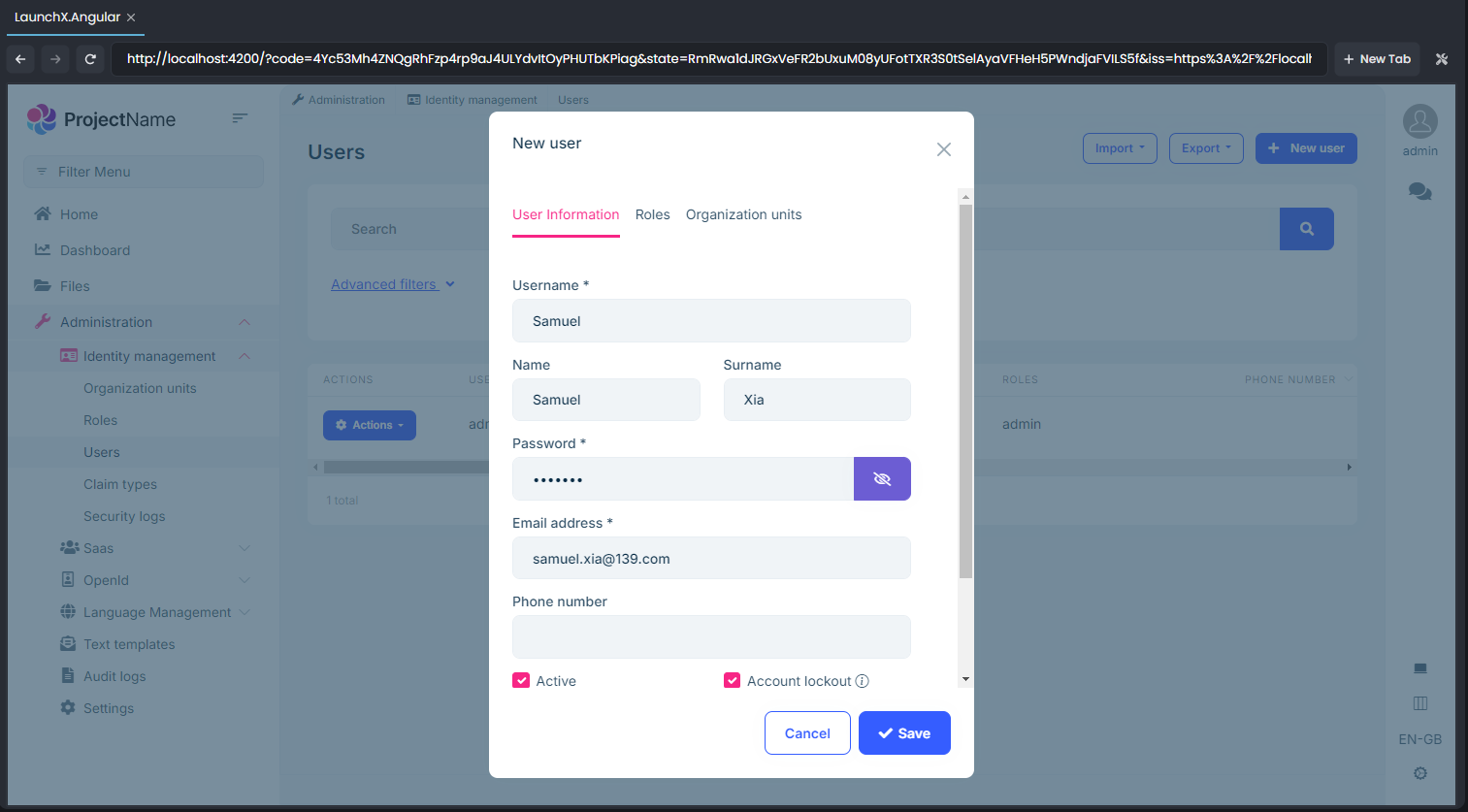
Step 2. Click Save button
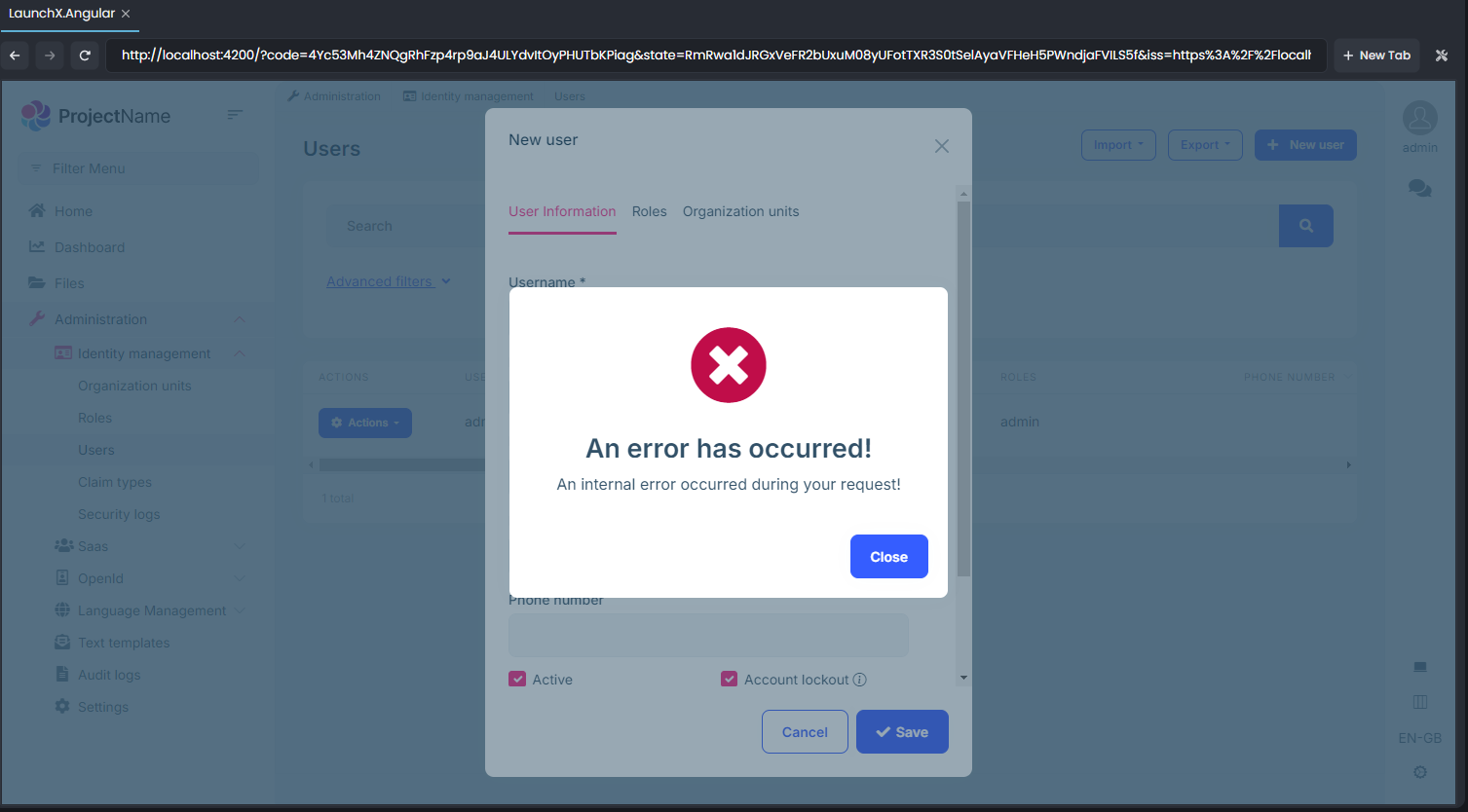
Http Requests information on ABP Studio
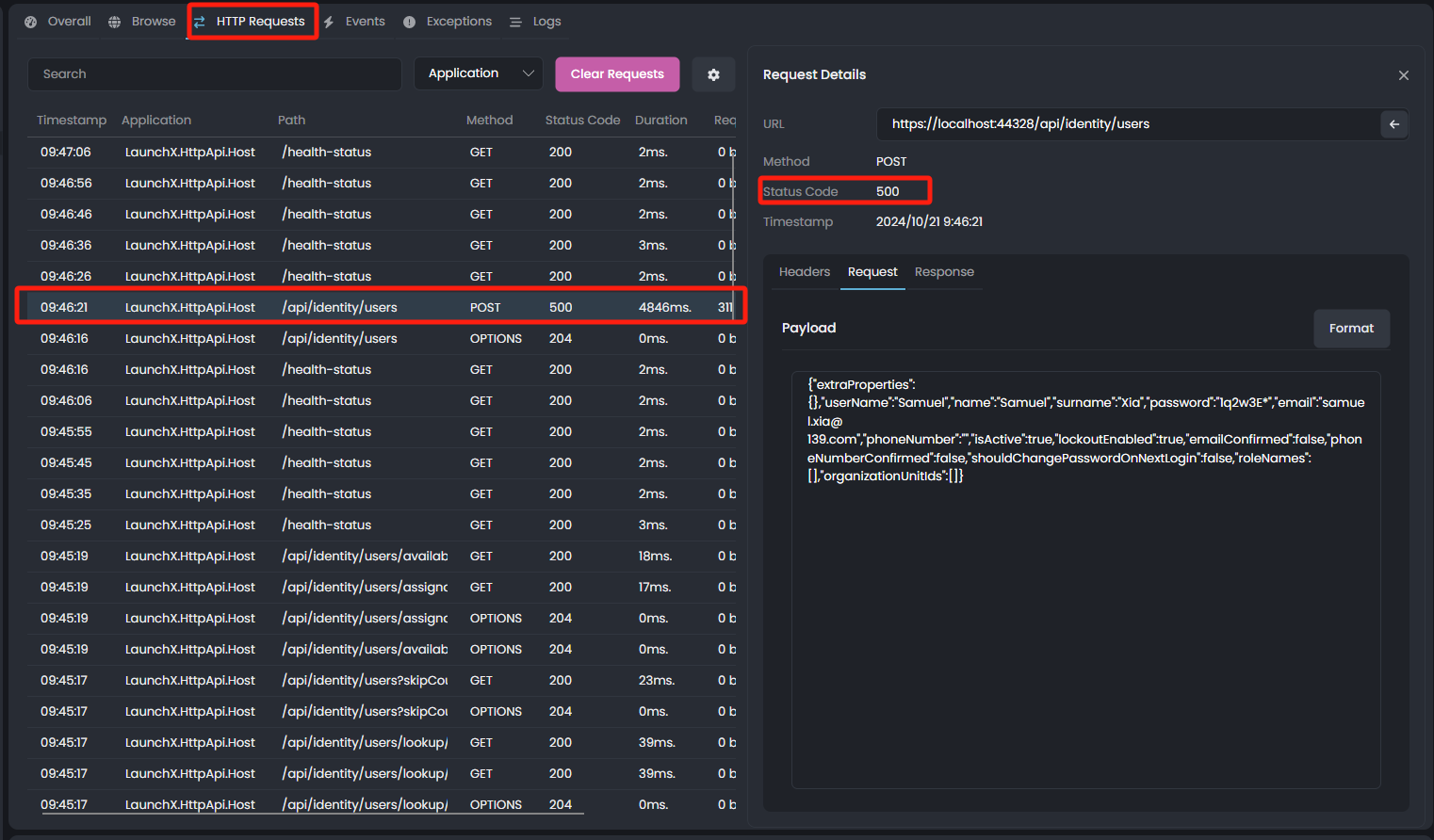
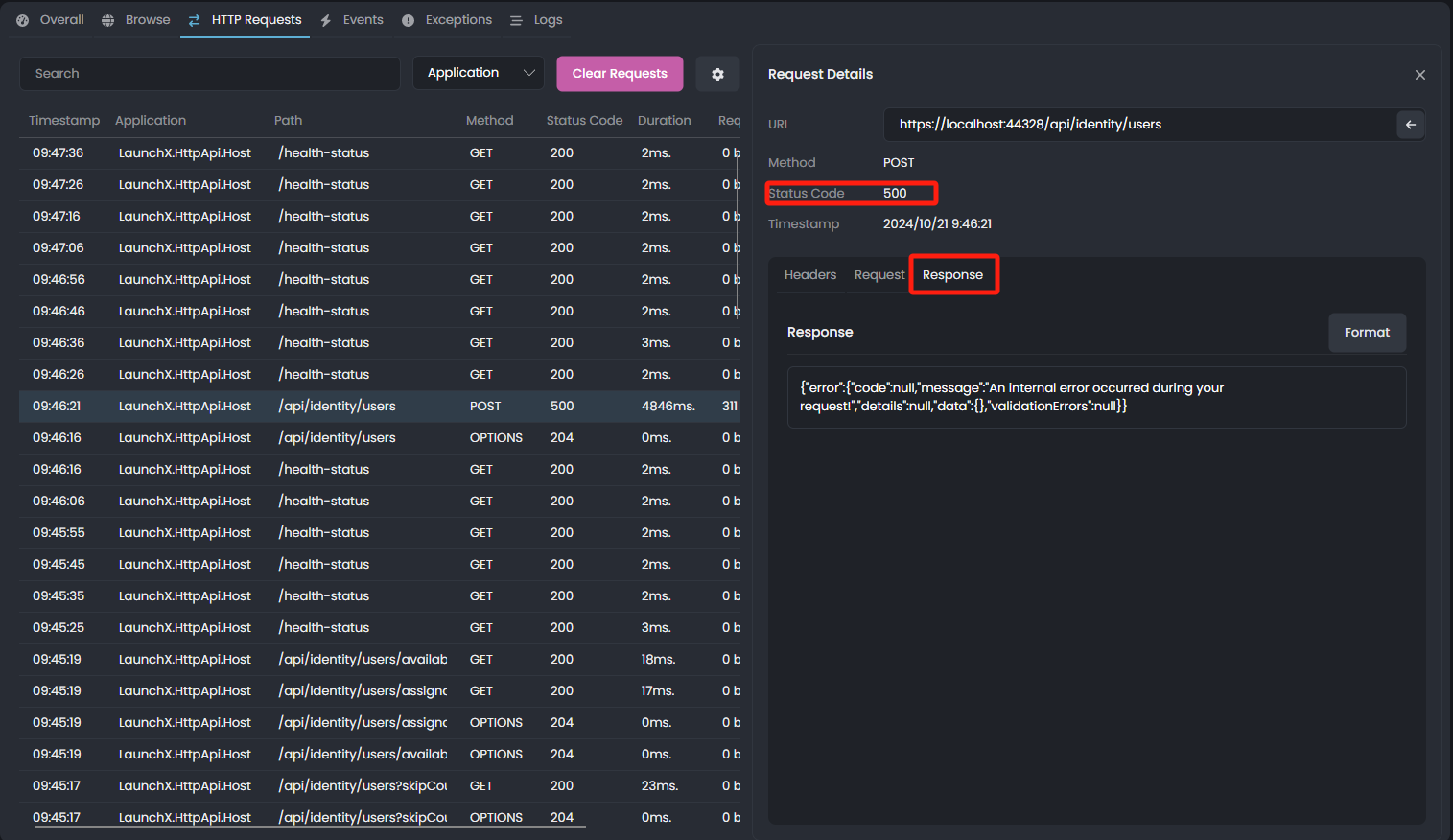
I hope you can help me check if the following is in the account There is a bug in Pro. Many Thanks.









