Thank you for the confirmation.
While we understand that the abp libraries both open source and commercial should be platform agnostic and shouldn't have to care about high level issues like connectivity, it seems like unfortunately, the "disconnected scenario" has not been considered for the overall ABP Maui Blazor Hybrid project template?
Which leaves us in a tricky situation as we seemingly can't use ABP to create the mobile client of our Application?
Q. Could we please get a view from the ABP Architect/Designers whether that is the actual current situation and whether/if the ABP templates are likely to deal with the disconnected scenario in the near future?
If that isn't likely to happen in the very near future or not at all, then we still have a project to start which leaves us with the option of using the Microsoft projects templates i.e.
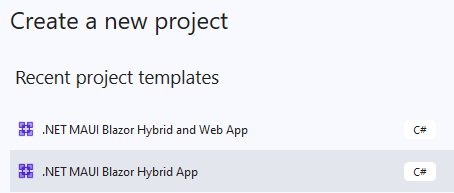 for the mobile part, and getting some use out of the ABP Product by utilising the ABP server side parts.
Q. Presumably we could call all the existing ABP endpoints that we see via Swagger on the Handheld.HttpApi.Host project and get some use from the ABP libraries?
We're not sure if that means removing these parts from the Solution
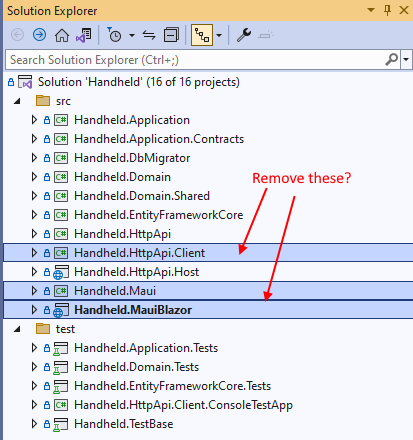
or... Q. whether it would be cleaner to just create an ABP Blazor Server App so we'd still have our GUI for administering Users, setting up Tenants, viewing Audit Logs etc. and call into the nnnnHttpApi.Host via the Swagger endpoints from a Visual Studio generated ".NET MAUI Blazor Hybrid and Web App" which would startup in the disconnected state and we could also detect when we have connectivity and call our server side logic through the abp/api endpoints when required?
Hi,
Yes we did the adb step, which in our case is
adb reverse tcp:44358 tcp:44358
I didn't write down each specific step as in our previous question Login question in order to keep the question clear, but it is the same Solution.
I mentioned that we have liangshiwei's workaround code in place in case it is relevant, but the startup behaviour is the same without that workaround code in place.
With the server project (Handheld.HttpApi.Host) running we have a functioning app and we can even Login due to the workaround code.
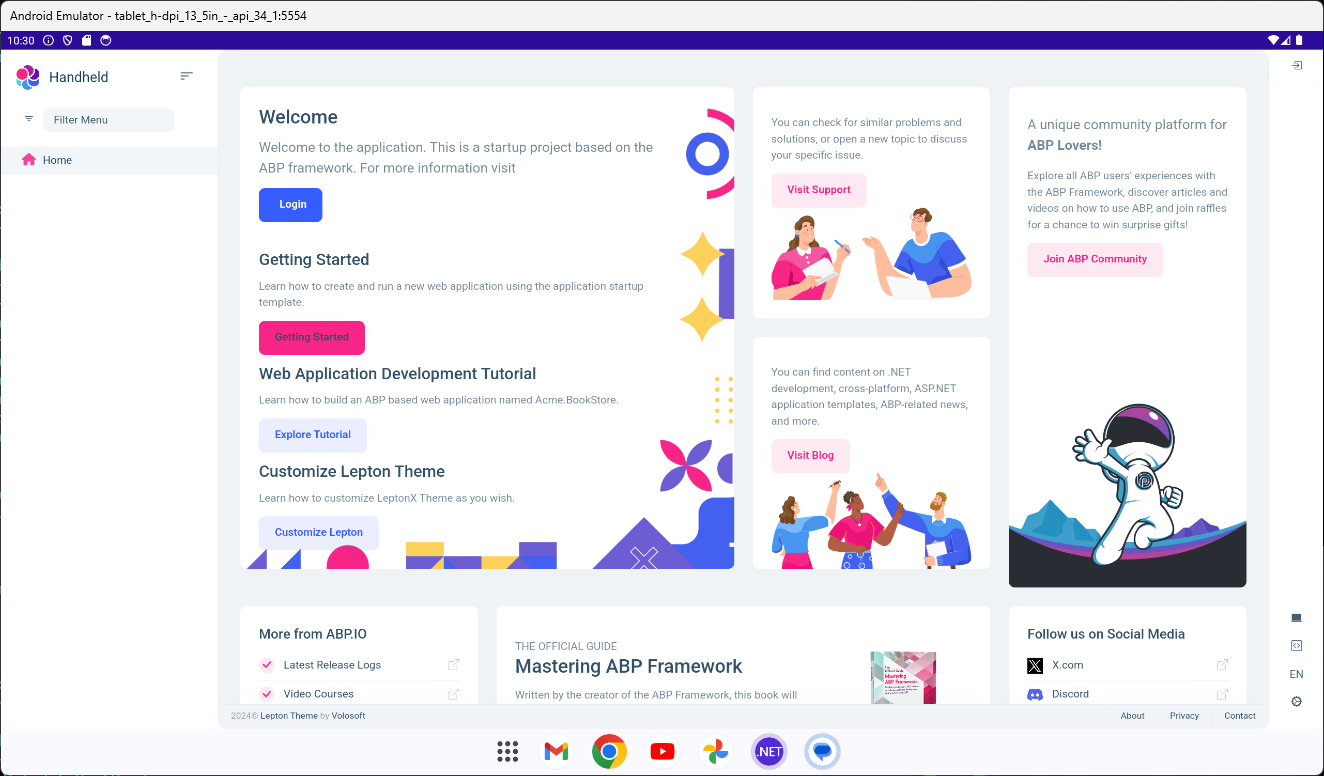
When the server project is running.........
If we put a breakpoint on line 36 (see screenshot in the question) and then execute that line, we see the following in the console output window of the server (Handheld.HttpApi.Host) project
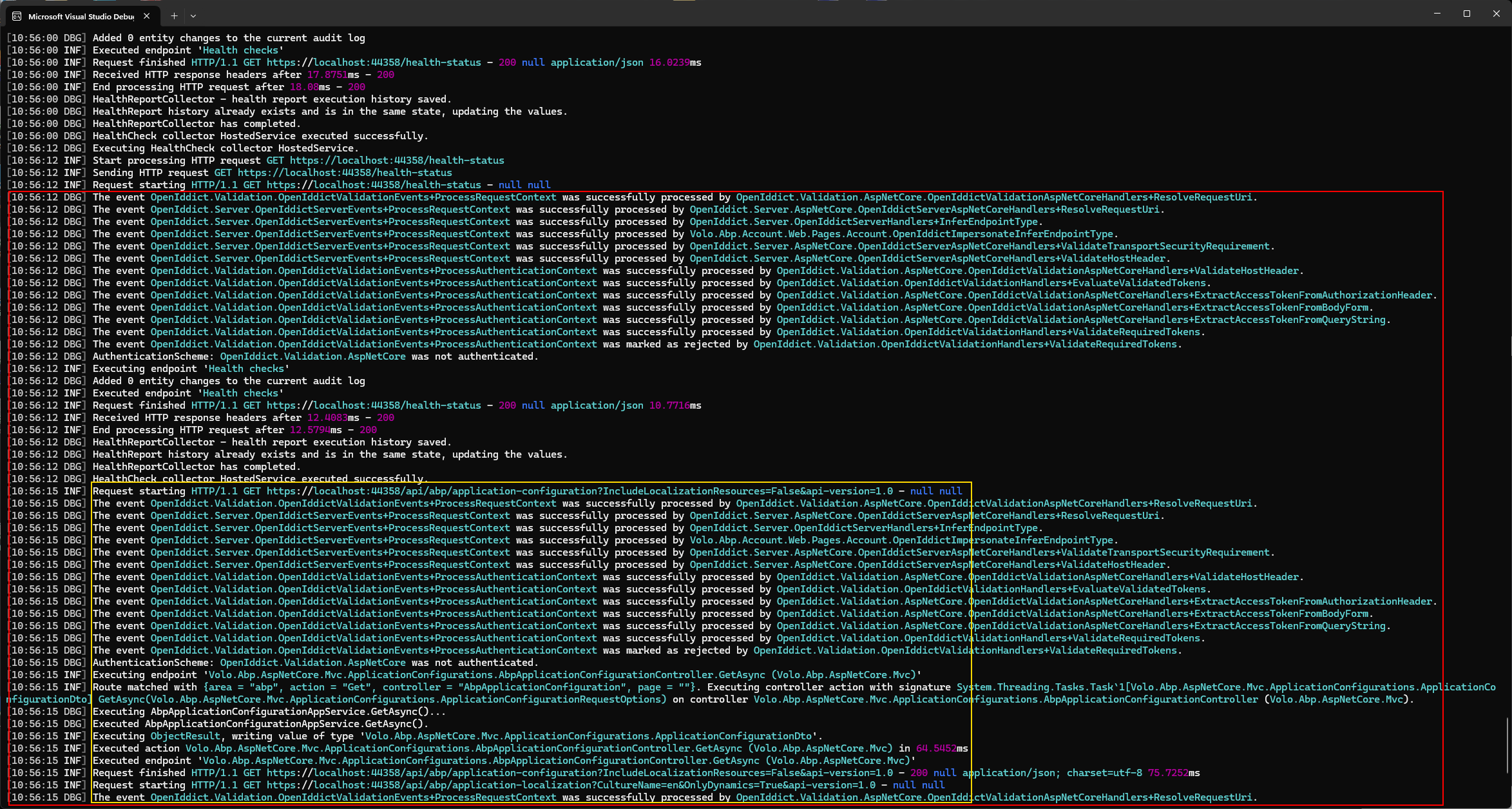
The red outlined section is what happens as line 36 is executed, with the yellow section appearing to show calls to the server e.g.
[INF] Request finished HTTP/1.1 GET https://localhost:44358/api/abp/application-configuration?IncludeLocalizationResources=False&api-version=1.0 - 200 null application/json; charset=utf-8 75.7252ms 2024-09-26 10:56:15.896 +01:00 [INF] Request starting HTTP/1.1 GET https://localhost:44358/api/abp/application-localization?CultureName=en&OnlyDynamics=True&api-version=1.0 - null null
which is why we suspect that when the deployed mobile project (Handheld.MauiBlazor) cannot contact the server (as might be the case for a mobile application), these calls fail and the application cannot startup?
Exception message and full stack trace:
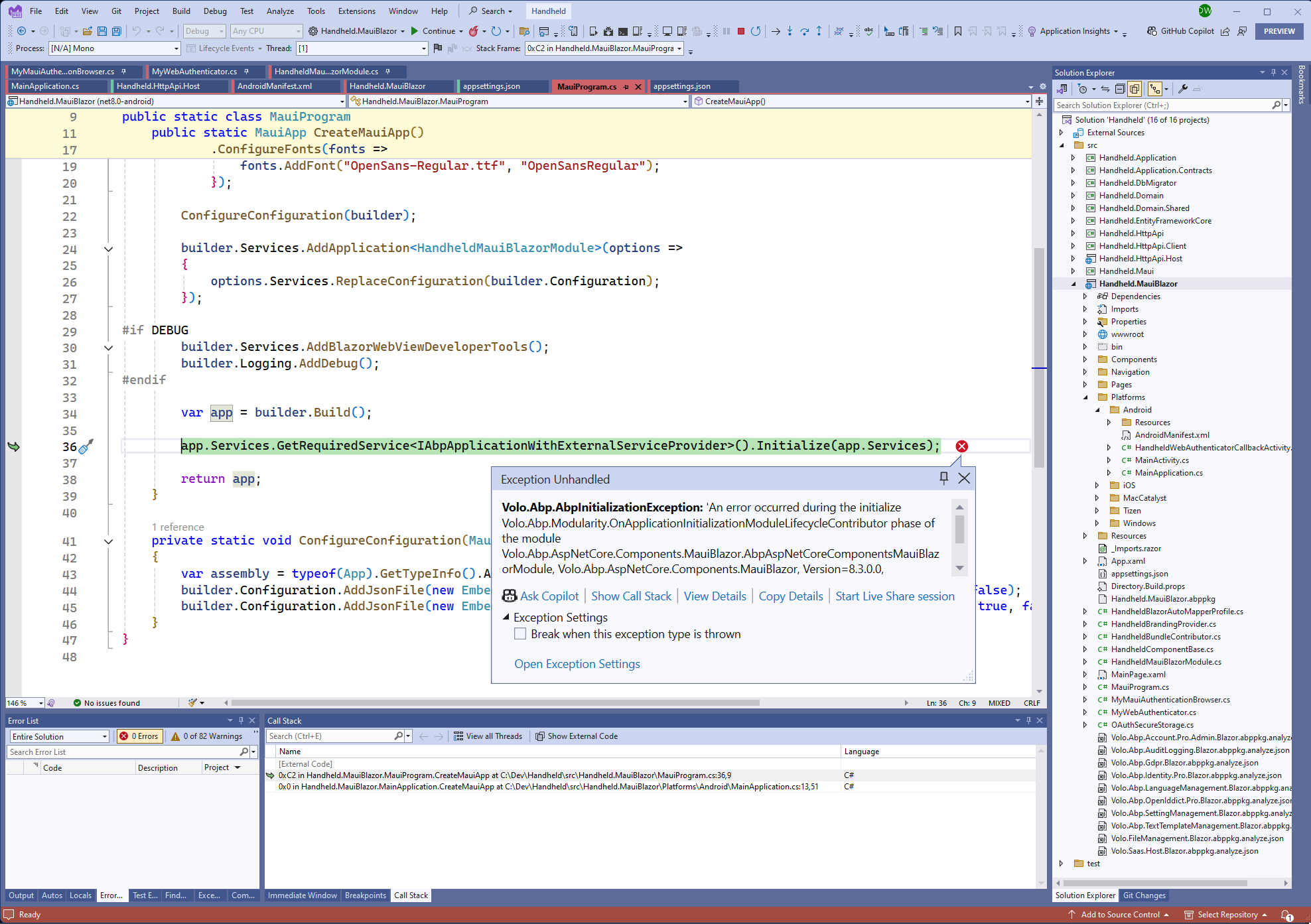
Steps to reproduce the issue: We're using the default MAU Blazor (Hybrid) template as created via ABP Studio, and have added the "Login workaround" code as provided here [Maui Blazor (Hybrid) App Can't Login #7908](https://abp.io/support/questions/7908/Maui-Blazor-Hybrid-App-Can%27t-Login)
The solution name is Handheld When the "Server" project Handheld.HttpApi.Host is running and the mobile app Handheld.MauiBlazor is deployed and running on an Android emulator, all works as expected, however when the "Server" project is not running (to simulate the mobile device not having connectivity to the server), the mobile app Handheld.MauiBlazor does not start and throws the above exception in MauiProgram.cs
The reason we're testing this is that the mobile application needs to be able to work when it has no Internet Connectivity as it will be used to take photos as part of vehicle inspections, some of which take place at airfields or ports where Internet connectivity is not always available.
While we realise that none of the "Server" functionality would be accessible via the APIs in the Handheld.HttpApi.Host, we were hoping to be able to test for Network Connectivity using the normal MAUI libraries e.g. Connectivity and switch functionality on/off as appropriate.
The client project (Handheld.MauiBlazor) that is deployed to the mobile device though, appears to perform a lot of calls to the server as part of its "startup code".
Q. As a mobile app that won't start unless it has full internet connectivity is not going to be practicable for us, how might we utilise the ABP Studio MAUI (Blazor Hybrid) template / libraries to achieve this?
Thank you that works. We look forward to these changes coming through in the next patch version
Hi,
Thanks for the temporary solution. Can we just check we have these changes in the correct place as we're getting a compilation error.
We have the first two code snippets in here next to the classes they're replacing as this seemed to be the correct location?:
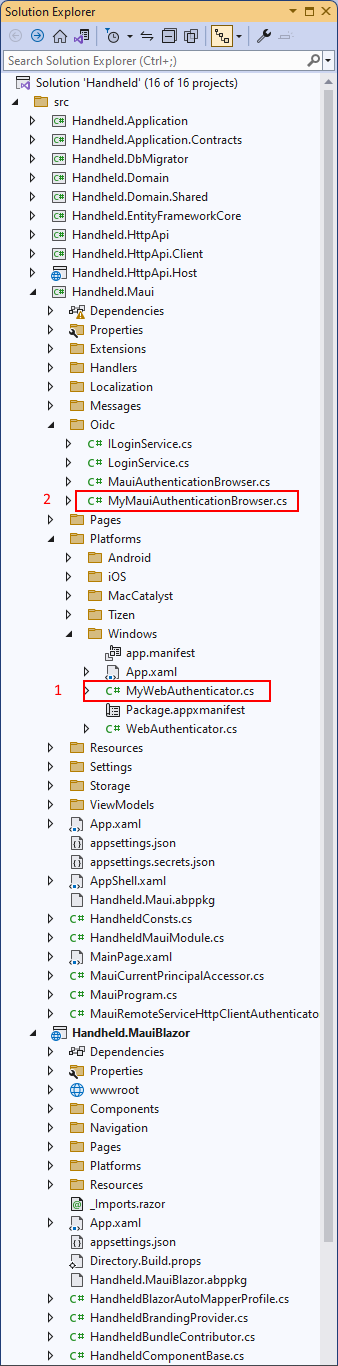
and the 3rd code change is a straight single line change
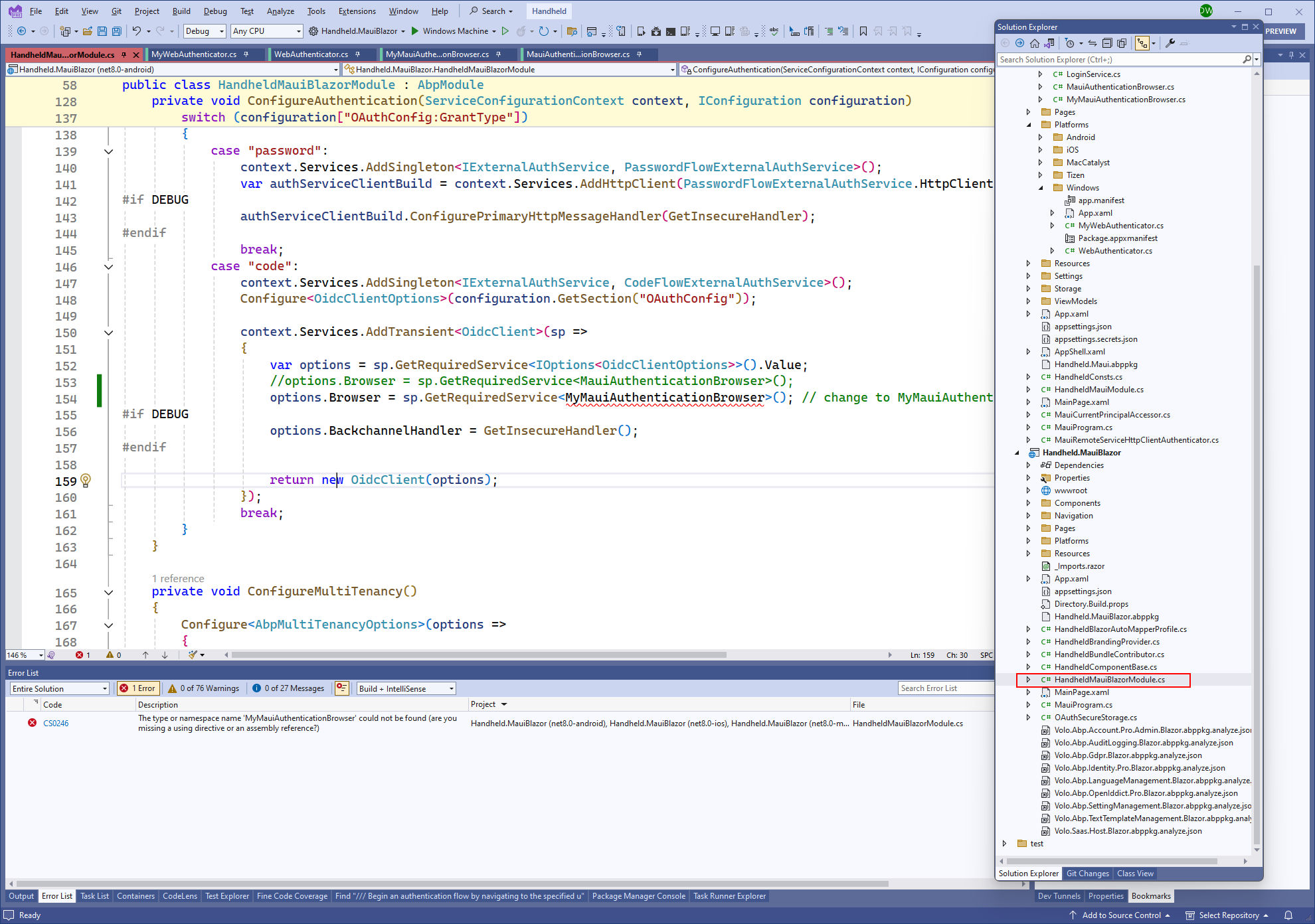
This gives us the expected "type or namespace name..... error as MyMauiAuthenticationBrowser is in the Handheld.Maui project and we're making this single line change in the HandheldMauiBlazorModule.cs file of the Handheld.MauiBlazor project
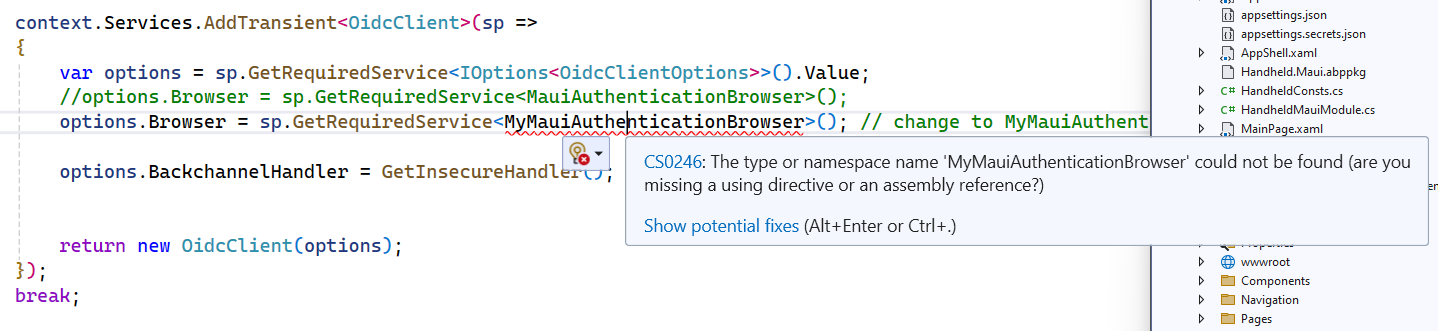
Is it the intention that we add a project reference from the Handheld.MauiBlazor to the Handheld.Maui project?
The Visual Studio hint/help is of course just that
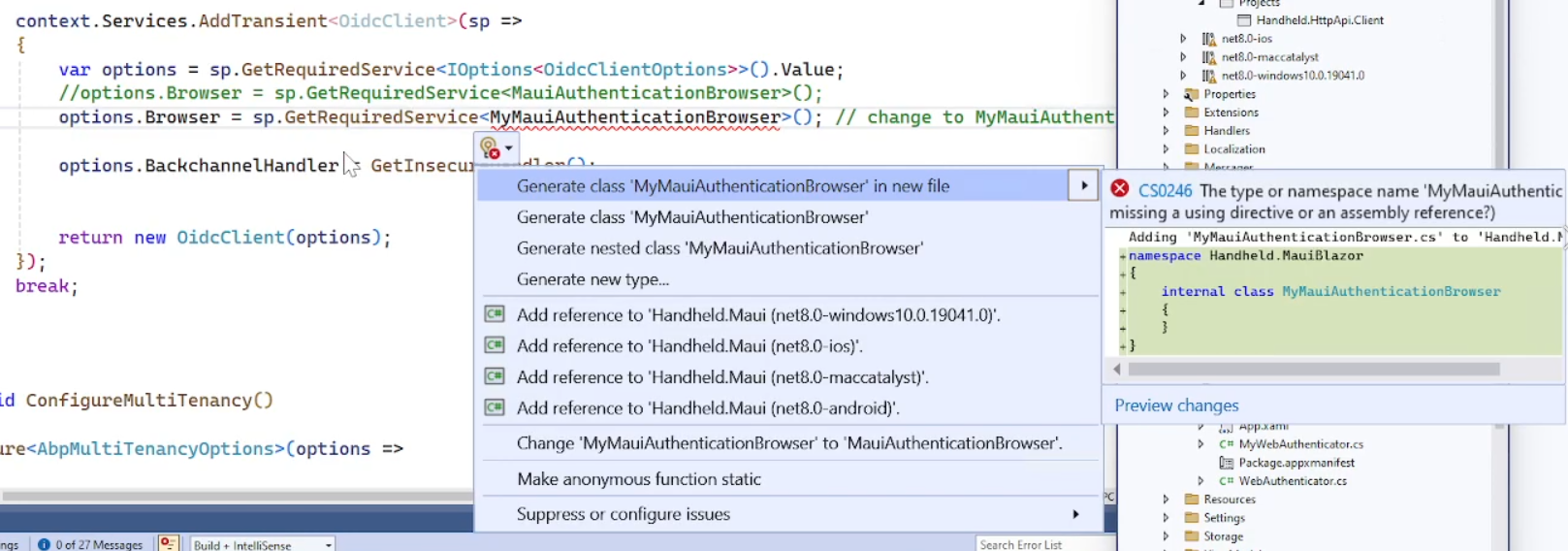
However even when we do that, we have new errors which is why we think adding a reference between the two projects was not the intention?
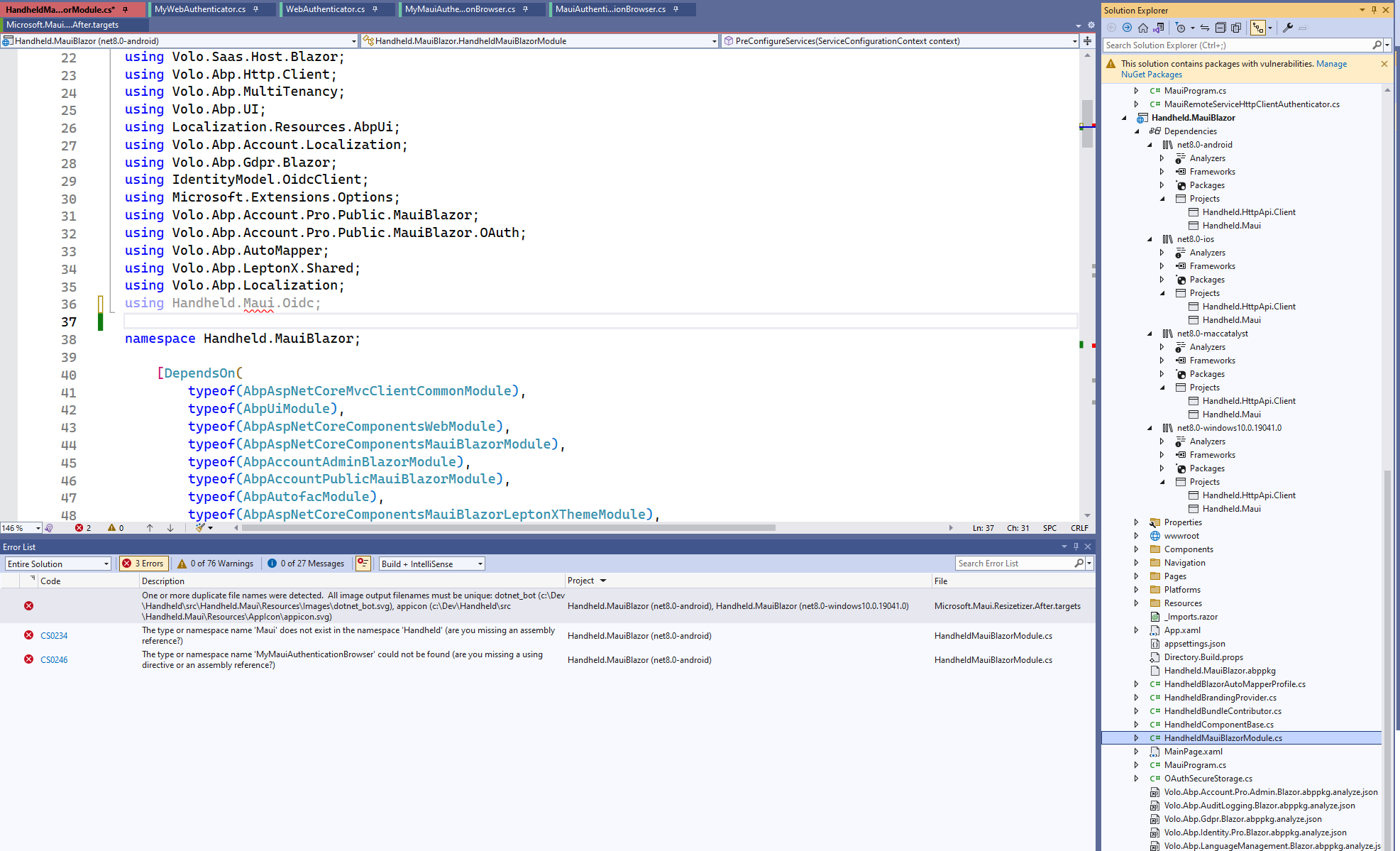
Can you please advise us where we've gone wrong adding the two classes MyWebAuthenticator and MyMauiAuthenticationBrowser and how we get this temporary solution into the solution as intended?
Thanks.
We're creating a Maui Blazor (Hybrid) app via ABP Studio. The application when run, cannot Login, it just hangs with the darkened overlay screen and does not reach the Login dialog.
The results are the same whether Android or a Windows Machine is targeted.
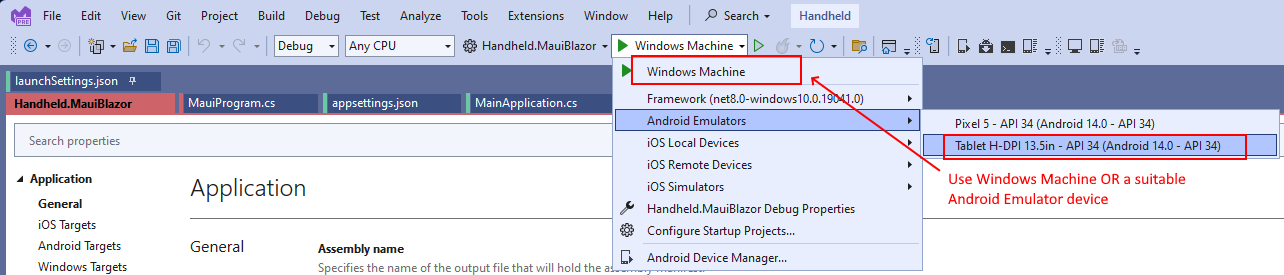 For Android we'd also startup an Android Adb Command Prompt and execute the appropriate command e.g.
 adb reverse tcp:44330 tcp:44330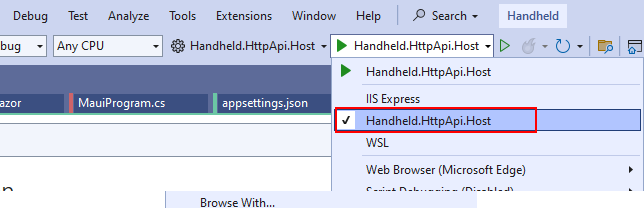
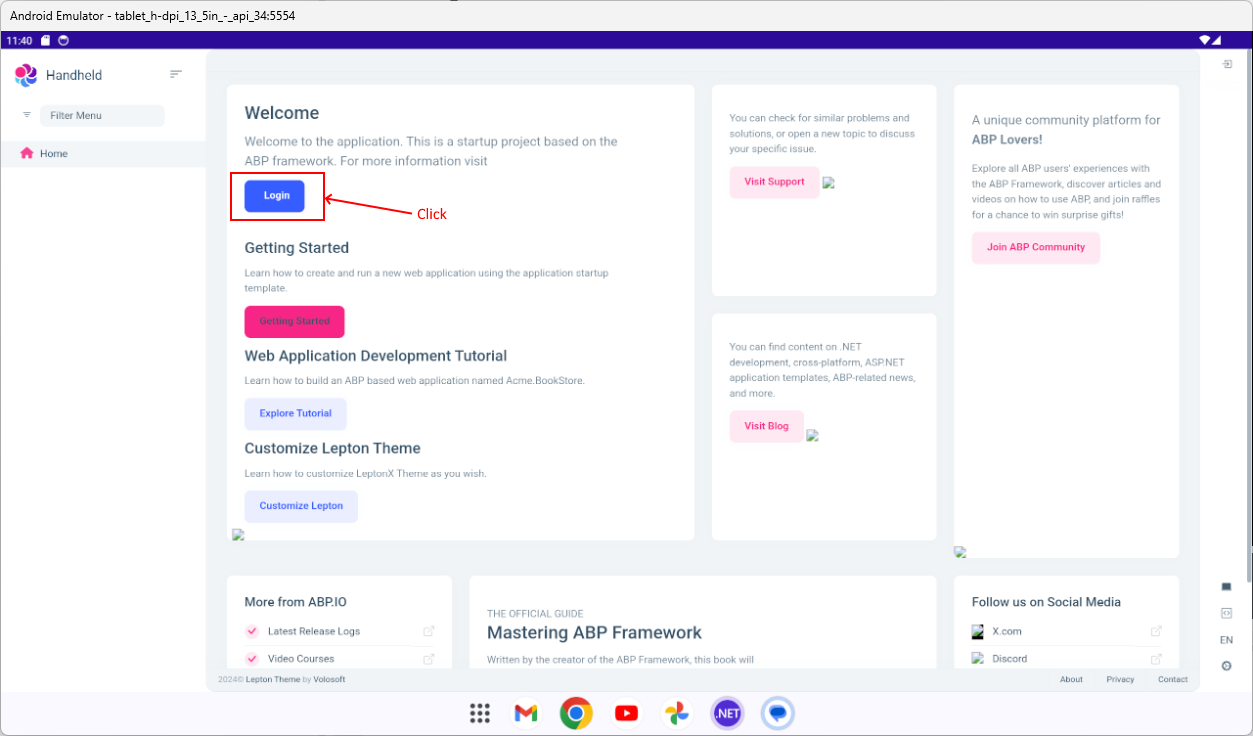
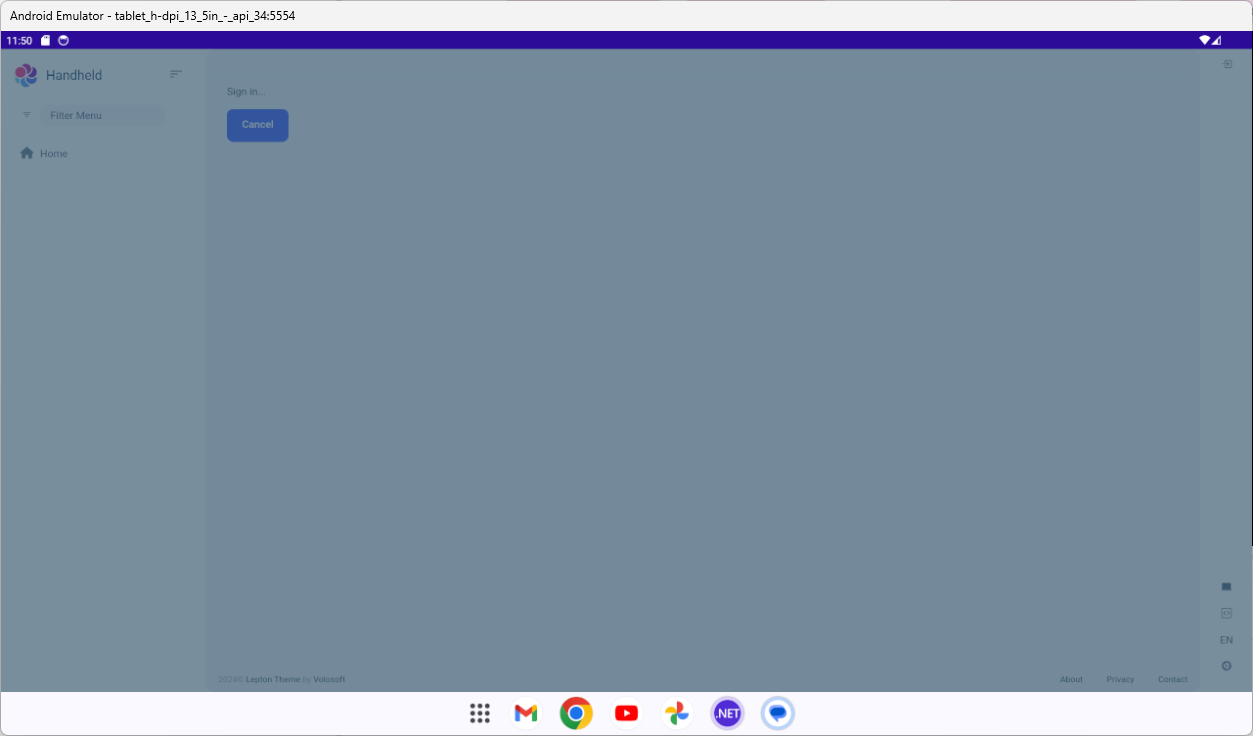
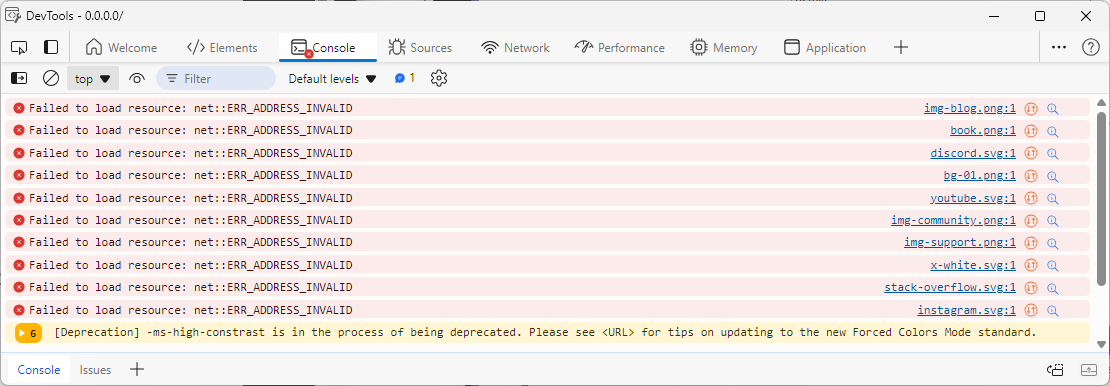
We also notice that the images on the Home page cannot be resolved, and when a "Windows Machine" is the target which allows us to use F12 Developer Tools and view the console, we can see this
In case its relevant the OpenIddictApplications table contains the following

We're aware of the ABP article on ngrok https://abp.io/community/articles/tunnel-your-local-host-address-to-a-public-url-with-ngrok-4cywnocj and the MS MAUI Team's instructions on using Visual Studio Dev Tunnels (which seems a lot easier) MS MAUI Dev Tunnels with regard to localhost and mobile device development.
So if the ABP Studio generated projects do need subsequent configuration re exposing local host to be able to Login, can you let us know which AppSettings.json files(s) we need to alter, prior to running the **DbMigrator ** project to re-seed the database, in order for us to be able to Login via the Maui Blazor Hybrid App?
Or if this issue is nothing to do with localhost, please advise us on this Login page issue?
Hi,
Thanks for that link, I have subscribed to it.
Obviously, there is more to this than is apparent as a plain .Net 7, Blazor server, Blazorise app works but a default ABP 7, .Net 7, Blazor Server app is somehow different and an issue involving the ASP.Net Core / SignalR connection and streams is exposed in that scenario.
If you leave this thread open then we will post here once MS has resolved the issue that they have found, and we can verify that FileEdit and FilePicker once again work with ABP 7.0 / .Net7, so that others can see.
Thanks
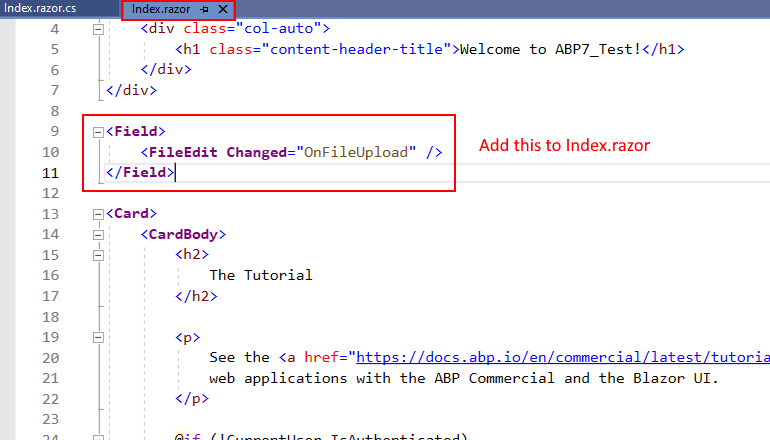
Hang then Exception thrown with Blazor (Blazorise) FileEdit and FilePicker controls
<Field>
    <FileEdit Changed="OnFileUpload" />
</Field>
using Blazorise;
using System.IO;
using System.Threading.Tasks;
using System;

namespace BookStoreV7.Blazor.Pages;

public partial class Index
{
    async Task OnFileUpload(FileChangedEventArgs e)
    {
        try
        {
            if (e.Files.Length > 0)
            {
                var file = e.Files[0];

                using var memoryStream = new MemoryStream();
                // Next statement hangs, then throws exception
                await file.OpenReadStream(int.MaxValue).CopyToAsync(memoryStream);
            }
        }
        catch (Exception ex)
        {
            //Console.WriteLine(ex.Message);
        }
        finally
        {
            this.StateHasChanged();
        }
    }
}
await file.OpenReadStream(int.MaxValue).CopyToAsync(memoryStream);I can confirm that the FileEdit (and FilePicker) control works in a .Net 7, non ABP Blazor Server app i.e. adding Blazorise to it as detailed here: Blazorise Quick Start Guid It seems to be related to the underlying FileEntry.OpenReadStream() when used in an ABP 7.0.0-rc.2 project.
Images
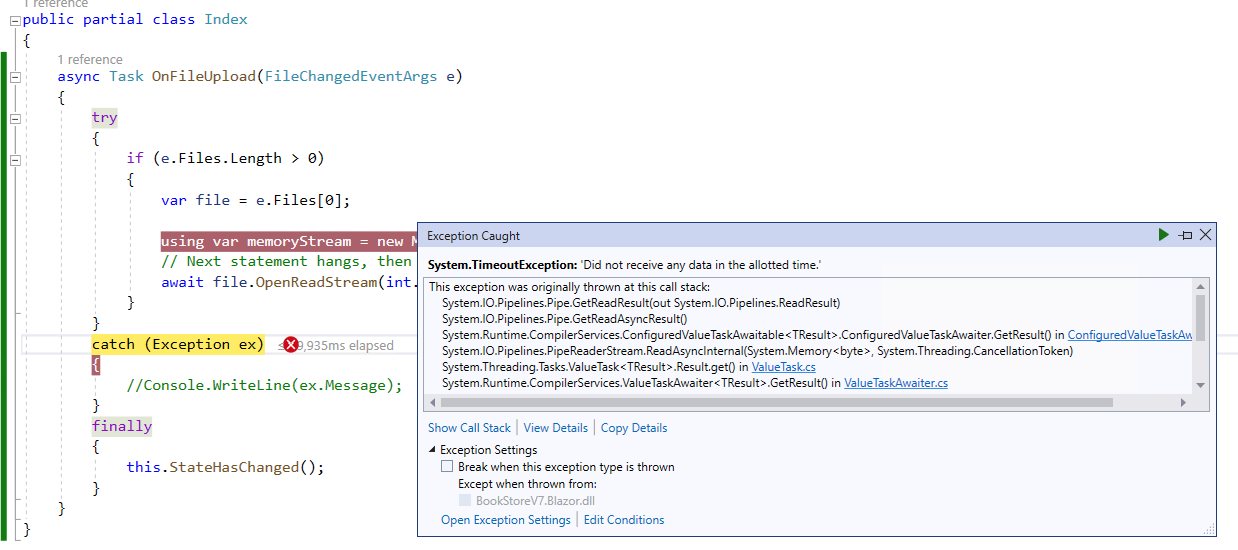
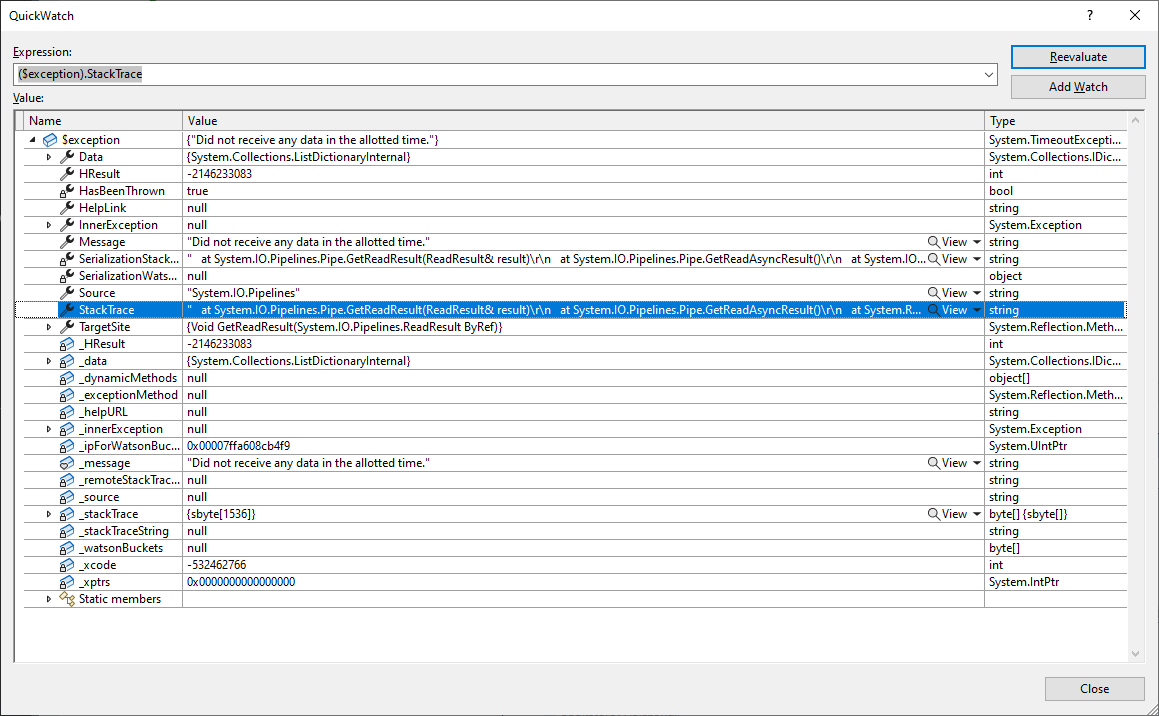 Stack Trace
at System.IO.Pipelines.Pipe.GetReadResult(ReadResult& result) at System.IO.Pipelines.Pipe.GetReadAsyncResult() at System.Runtime.CompilerServices.ConfiguredValueTaskAwaitable`1.ConfiguredValueTaskAwaiter.GetResult() at System.IO.Pipelines.PipeReaderStream.<ReadAsyncInternal>d__30.MoveNext() at System.Threading.Tasks.ValueTask`1.get_Result() at System.Runtime.CompilerServices.ValueTaskAwaiter`1.GetResult() at Microsoft.AspNetCore.Components.Server.Circuits.RemoteJSDataStream.<ReadAsync>d__36.MoveNext() at System.Threading.Tasks.ValueTask`1.get_Result() at System.Runtime.CompilerServices.ValueTaskAwaiter`1.GetResult() at Blazorise.RemoteFileEntryStream.<CopyFileDataIntoBuffer>d__13.MoveNext() at System.Threading.Tasks.ValueTask`1.get_Result() at System.Runtime.CompilerServices.ValueTaskAwaiter`1.GetResult() at Blazorise.RemoteFileEntryStream.<ReadAsync>d__15.MoveNext() at System.IO.Stream.<<CopyToAsync>g__Core|27_0>d.MoveNext() at BookStoreV7.Blazor.Pages.Index.<OnFileUpload>d__0.MoveNext() in C:\Users\Moor Deybe\source\My Stuff\ABPStuff\ABPV7-BookStore\src\BookStoreV7.Blazor\Pages\Index.razor.cs:line 20
We're currently evaluating a Team licence of abp Commercial.
We find the multi tenancy feature very useful, but regarding the login dialog, we'd like to know if we can switch off/hide the Tenant input field during login?
e.g. can we hide this
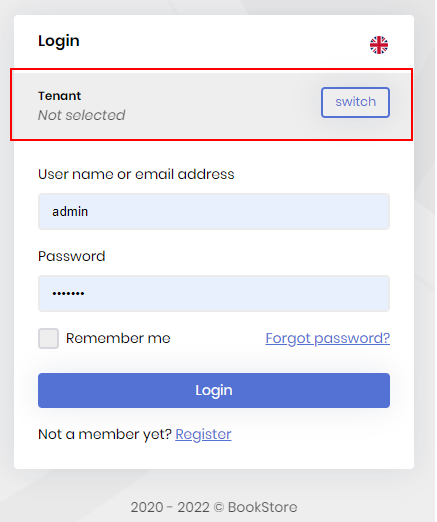
to achieve the same look and feel as the dialog appears when MultiTenancy is disabled?
e.g.
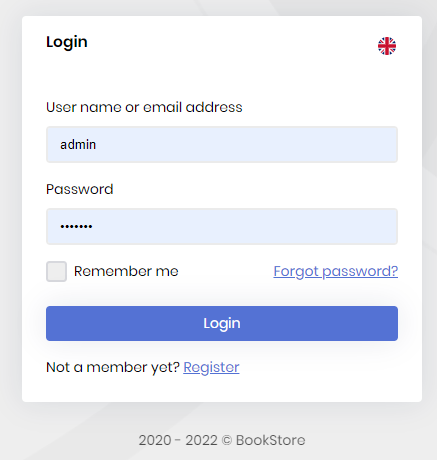
Asking our users for a tenant name would confuse them no end, as we'd like to just set that ourselves in code after login based upon their TenantId in the corresponding entry for that user in the dbo.AbpUsers table.
We're aware of this example of customising the login dialog Community Post Example
which provides this:
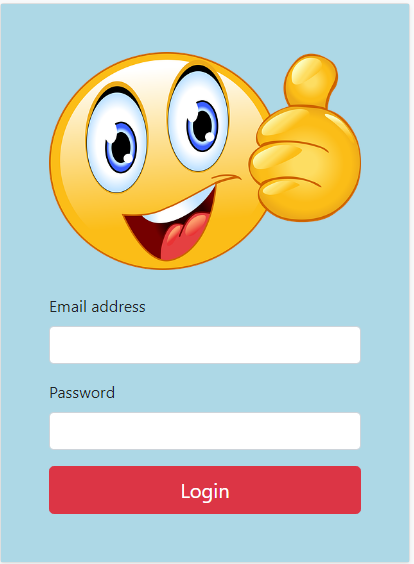
and we have examined this "post" on the subject; https://github.com/abpframework/abp/issues/3752
Q. Can we switch off the input field on the dialog when MultiTenancy is enabled and then set the "current tenant" using a CurrentUserTenantResolveContributor of some sort, or would we need to alter the abp source code as described in the community post above, which we prefer not to do?
We're intending to target blazor-server in case that is relevant.









