Hi, sorry for the misunderstanding. Since you are using microservice template, when you selected "File Management" module as an optional module, ABP creates a separate service for the module, which is an independent service with independent database.
So, using Default connection string will not work.
Instead, you should add the following code to your saas service (only add for the file-management service, the other ones should already be added) - in the ConfigureDatabase method (inside the saasmodule class) -:
        Configure<AbpDbConnectionOptions>(options =>
        {
            options.Databases.Configure("AdministrationService", database =>
            {
                database.MappedConnections.Add(AbpPermissionManagementDbProperties.ConnectionStringName);
                database.MappedConnections.Add(AbpFeatureManagementDbProperties.ConnectionStringName);
                database.MappedConnections.Add(AbpSettingManagementDbProperties.ConnectionStringName);
            });

            options.Databases.Configure("AuditLoggingService", database =>
            {
                database.MappedConnections.Add(AbpAuditLoggingDbProperties.ConnectionStringName);
            });

            options.Databases.Configure("LanguageService", database =>
            {
                database.MappedConnections.Add(LanguageManagementDbProperties.ConnectionStringName);
            });

            //only add the following:
            options.Databases.Configure("FileManagementService", database =>
            {
                database.MappedConnections.Add("FileManagement");
            });
        });
Then, in the appsettings.json file of your Saas Service, add the FileManagementService connection string:
  "ConnectionStrings": {
    "AdministrationService": "Server=localhost,1434; User Id=sa; Password=myPassw@rd; Database=Issue9265_Administration; TrustServerCertificate=true; Connect Timeout=240;",
    "AuditLoggingService": "Server=localhost,1434; User Id=sa; Password=myPassw@rd; Database=Issue9265_AuditLoggingService; TrustServerCertificate=true; Connect Timeout=240;",
    "LanguageService": "Server=localhost,1434; User Id=sa; Password=myPassw@rd; Database=Issue9265_LanguageService; TrustServerCertificate=true; Connect Timeout=240;",
    "AbpBlobStoring": "Server=localhost,1434; User Id=sa; Password=myPassw@rd; Database=Issue9265_BlobStoring; TrustServerCertificate=true; Connect Timeout=240;",
    "SaasService": "Server=localhost,1434; User Id=sa; Password=myPassw@rd; Database=Issue9265_SaasService; TrustServerCertificate=true; Connect Timeout=240;",
    "FileManagementService": "Server=localhost,1434; User Id=sa; Password=myPassw@rd; Database=Issue9265_FileManagementService; TrustServerCertificate=true; Connect Timeout=240;"
},
After that, while configuring connection strings for your module, you should be able to see the FileManagementService in the list:
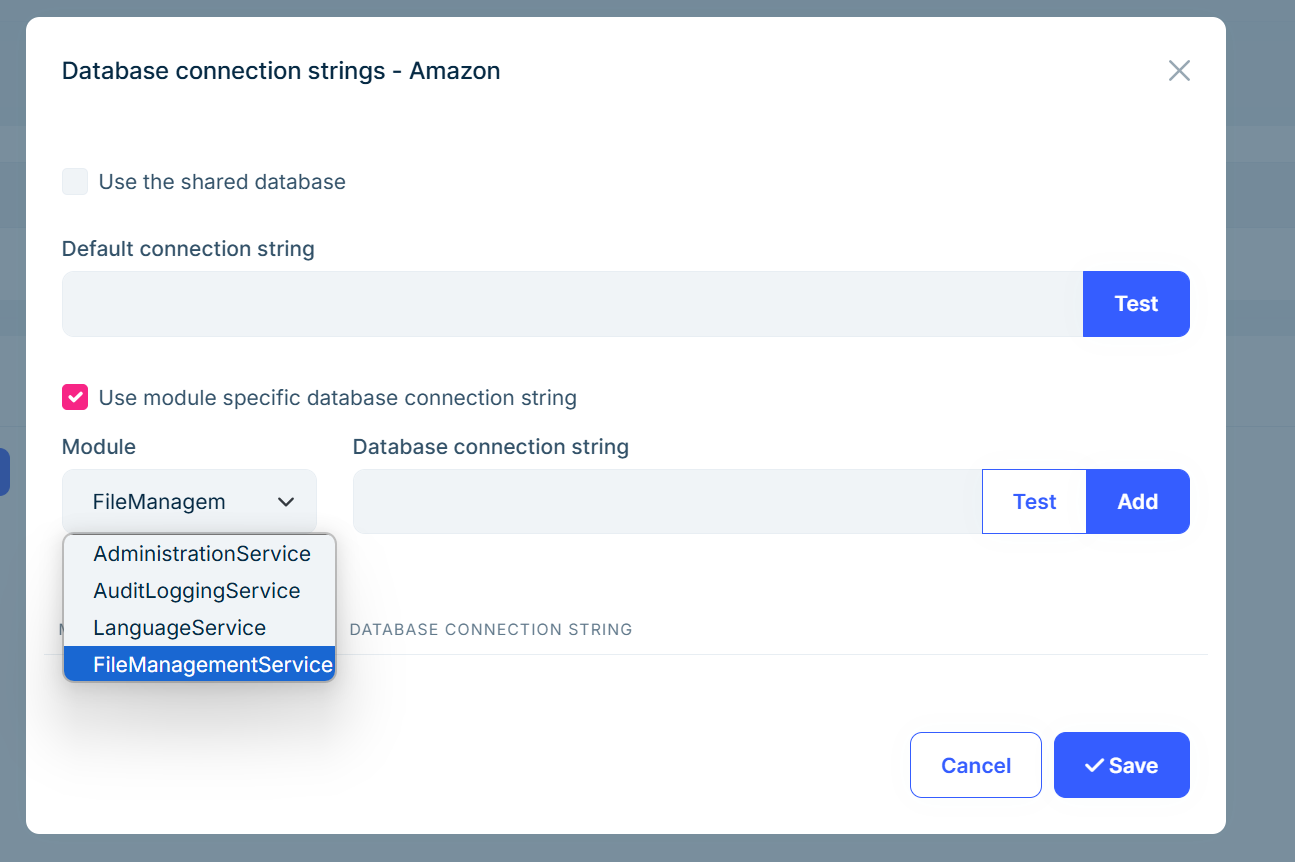
Here, you can define your connection string for the file-management service. Also, you can use the same approach if there is any additional service that you want to make database per tenant configuration.
Regards.
Hi, thanks for reporting this problem. We have already fixed that problem and will release v9.1.3 with the fix (https://github.com/abpframework/abp/pull/22861).
I'm refunding your ticket, so please wait for v9.1.3 to upgrade the ABP Suite, which we will release probably tomorrow or next week (as soon as possible).
Regards.
Could this change be the reason for the issue?
Yes, this is likely the reason for this problem. I'll confirm that but, probably this is the reason.
Hi, thanks for reporting this problem. We have already fixed that problem and will release v9.1.3 with the fix (https://github.com/abpframework/abp/pull/22861).
I'm refunding your ticket, so please wait for v9.1.3 to upgrade the ABP Suite, which we will release probably tomorrow or in the next week (as soon as possible).
Regards.
I could not reproduce the problem that you are facing. I've replaced packages with source code for the AuditLogging UI module, and it is successfully added:
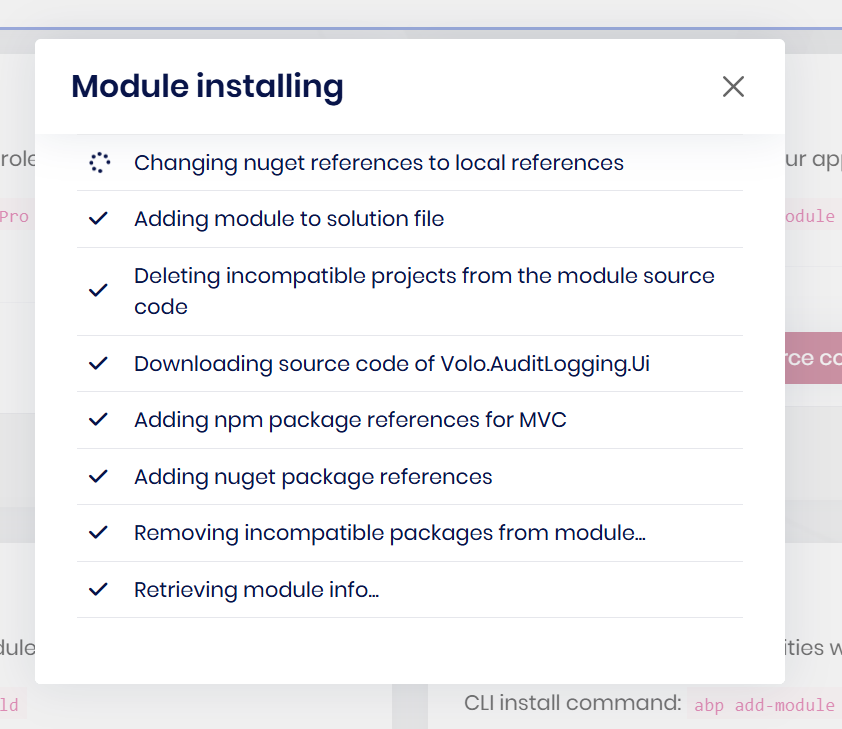
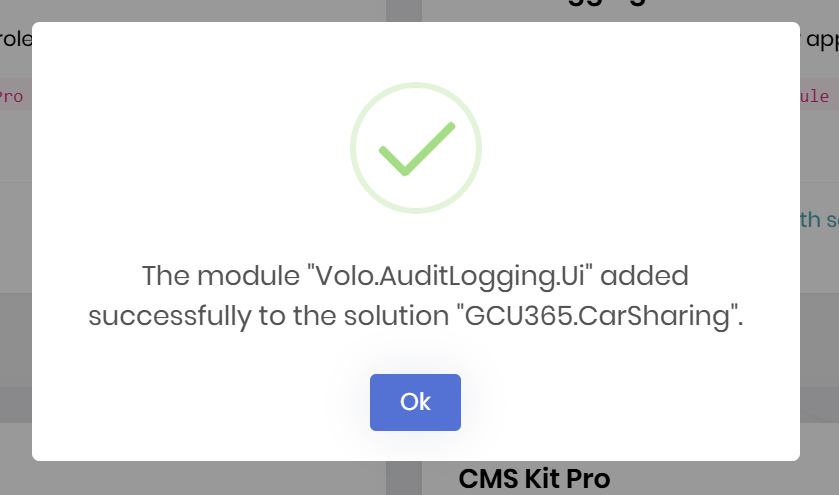
Probably there is an outdated .dll in your local machine, this causes the problem. Can you make a hard clean in your solution, and search for all .dlls and try again? Because, i'm unable to reproduce it right now. (I've directly installed your solution, and add it in ABP Suite and then make the source code replacement. If you have additional step, please let me know)
Regards.
Hi EngincanV, i've sent you an email 2 days ago
Sorry for the late response, I got your email, and I'll check and write back asap.
Hi, can you please provide more information? For example, you did not just updated the target framework and also updated the packages, right? Or did you override the role pages or its script etc.?
Hi, I'm unable to reproduce the problem. It successfully generated pages, and I could update my database.
Can you share the content of BaseCountryInfo.cs?
Hi, setting the .tpl files as embedded is not enough. You should also, ensure that your csproj file;
Microsoft.Extensions.FileProviders.Embedded NuGet package<GenerateEmbeddedFilesManifest>true</GenerateEmbeddedFilesManifest> into the <PropertyGroup>...</PropertyGroup> section of your .csproj file.Then, also check that the ConfigureServices method of your module has the following configuration:
Configure<AbpVirtualFileSystemOptions>(options =>
{
    options.FileSets.AddEmbedded<UnionManagementModule>();
});
Regards.
Thank for you suggestion. So in option 1 do I need to configure post logout url which goes to OpenIddictApplications tables PostLogoutRedirectUris column? And do you talking about this where I need to configure redirect uri?https://github.com/abpframework/abp/blob/8.3.4/modules/account/src/Volo.Abp.Account.Web/Pages/Account/Logout.cshtml.cs So instead of setting my appplication logged-out path to post redirect logout uri I set auth servers /Account/Logout to same redirect path?
Yes, you're right. In option 1, you should redirect the user to the auth server's /Account/Logout endpoint with a returnUrl parameter that points back to your app.
This ensures the logout happens on the correct domain where the __tenant cookie is set, and then brings the user back to your application.
The return URL (https://application-test.ab.app/logged-out in this case) must be registered in the PostLogoutRedirectUris column of your OpenIddictApplications table — otherwise, the redirect won’t be accepted.









