Yes but still user can select first his own tenant where he/she has permission to login. Then after that login user change to other tenant and goes to wrong tenant where he was not authorized.
If user change tenant to other before login then he cannot even login to third party auth provider and there is no problem.
Yep that is what it should that user can change before login but after user has logged in third party(Microsoft) user should to be able to change tenant. Are you going to change this when? Because this is quite big security risk.
May I add that I get those errors only when running proejct locally with ng serve. When I publish my project to server there is no errors in console.
But if you change tenant before login it uses that users external login settings where user has no permissions. But in my descripted scenario user selects own tenant where he/she hasn't yet registered and login using that tenants external login settings. After external login where user has been verified by its own tenant settings user can change to other tenant and register himself to that tenant without any verification that user has rights to that tenant. Other tenant names can be guess quite easily because in our company we have many reference customers in our website where user can find company names.
If user select his own tenant but not have yet registered into it. After user has logged in for example in microsoft login page user is returned to register page. In register page user can change his username and email but also can change tenant. If user knows any other tenant which have self registration in use user can change to that tenant and then click register button. This way it is possible to go into wrong tenant. User can for example go to host tenant by clearing tenant in dialog.
Is this real problem and can you reproduce it?
Auth server is separated.
Angular version is 18.2.13 as suggested in 8.3 upgrade guide. I got error in browser console but everything seems to be working. Original error:
Cannot find the fi-FI locale file. You can check how can add new culture at https://abp.io/docs/latest/framework/ui/angular/localization#adding-a-new-culture
original related code:
import { registerLocaleData } from '@angular/common';
import { registerLocale } from '@volo/abp.ng.language-management/locale';
registerLocaleData(localeFi);
provideAbpCore(
  withOptions({
    environment,
    registerLocaleFn: registerLocale(),
  }),
)
After I read this guide https://abp.io/docs/latest/framework/ui/angular/localization#adding-a-new-culture I added this code.
import { differentLocales } from '@abp/ng.core';
export function registerLocale(locale: string) {
  return import(
    /* webpackChunkName: "_locale-[request]"*/
    /* webpackInclude: /[/\\](/docs/latest/framework/ui/angular/en%7Cfi).js/ */
    /* webpackExclude: /[/\\]global|extra/ */
    `@angular/common/locales/${differentLocales[locale] || locale}.js`
  );
}
and I also tried to add localization through angular.json polyfills array like this.
"polyfills": [
  "src/polyfills.ts",
  "@angular/localize/init",
  "@angular/common/locales/fi"
],
Exception what I get in browser console is this:
TypeError: Failed to resolve module specifier '@angular/common/locales/fi.js'
    at registerLocale (app.module.ts:74:60)
74 line is @angular/common/locales/${differentLocales[locale] || locale}.js
I also tried this compination.
import { registerLocale } from '@abp/ng.core/locale';
provideAbpCore(
  withOptions({
    environment,
    registerLocaleFn: registerLocale({
      cultureNameLocaleFileMap: {
        'fi-FI': 'fi',
      },
      errorHandlerFn: error => {
        console.error('Error registering locale:', error);
      },
    }),
  }),
),
but no luck.
So how those localizations should be loaded?
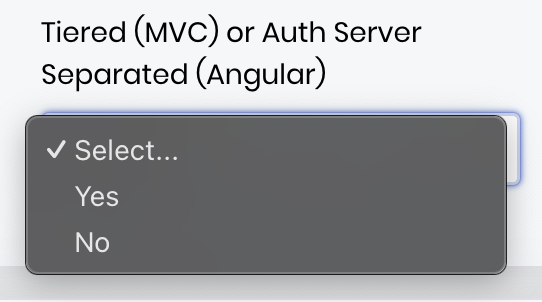
ps. this makes no sence in abp support form. Which one is yes, MVC or Angular?
Or is there possibility to always forget selected tenant?
We don't yet have those login and register codes loaded and would like it that way. So is there any configuration possibility. Like postLogoutUrl or something? There is two level of post log out urls for example, there is configuration at angular side and then there is same kind of settings with Azure EntraId. Currently I don't set postlogout url but what it should be or is there any difference?
Now I managed to get update done to application and at least application is working as it should so far. Now after I select tenant it redirects to azure login page where I have already logged in so it goes immediatelly back to register page(as it does earlier) where user can change user name. Now I can click register and it goes to application as it should. But now I have some small problem. How can I logout? After I click log-out it goes to auth server page and remembers tenant and goes directly to azure login page and then back to application. So after log-out it comes back as logged in. This is propably some setting/configuration problem but can you advice me how this could be resolved?
So 8.3.1 will fix my current issue? Will try that at monday. Thanks.









