Dear ABP Support Team,
I hope this message finds you well.
I would like to inquire about best practices for implementing a microservices architecture using the ABP framework. Specifically, I am planning to design the system with the following requirements:
Could you please guide me on:
Note: Some of the microservices will use mongodb, some will use postgres, some will use MSSQL Thank you very much for your assistance. I look forward to your recommendations.
Distributed **event outbox ** for MongoDB not Added records to database
I enable both inbox and outbox events and set all configuration related with them when I publish the event and received by consumer new record is added to inbox collection in database but outbox is always empty
I try to publish from application service and also from domain but both not working
this is from application service: await _priorRequestRepository.InsertAsync(new PriorRequest()); await _distributedEventBus.PublishAsync( new PriorRequestPostedEto { PriorRequestInput = input.PriorRequest, TransactionID = output.TransactionID, } );
this is from domain public PriorRequest() { AddDistributedEvent(new PriorRequestPostedEto1());
}
this is my db context: [ConnectionStringName(PriorRequestServiceDbProperties.ConnectionStringName)] public class PriorRequestServiceMongoDbContext : AbpMongoDbContext, IPriorRequestServiceMongoDbContext, IHasEventInbox, IHasEventOutbox { public IMongoCollection<IncomingEventRecord> IncomingEvents => Collection<IncomingEventRecord>(); public IMongoCollection<OutgoingEventRecord> OutgoingEvents => Collection<OutgoingEventRecord>(); public IMongoCollection<PriorRequest> PriorRequests => Collection<PriorRequest>();
protected override void CreateModel(IMongoModelBuilder modelBuilder)
{
    base.CreateModel(modelBuilder);
    modelBuilder.Entity<PriorRequest>(b => { b.CollectionName = PriorRequestServiceDbProperties.DbTablePrefix + "PriorRequests"; });

    modelBuilder.ConfigurePriorRequestService();
    modelBuilder.ConfigureEventInbox();
    modelBuilder.ConfigureEventOutbox();
}
}
and this is the module configuration private void ConfigureDistributedEventBus() { Configure<AbpDistributedEventBusOptions>(options => { options.Inboxes.Configure(config => { config.UseMongoDbContext<PriorRequestServiceMongoDbContext>(); });
     options.Outboxes.Configure(config =>
     {
         config.UseMongoDbContext<PriorRequestServiceMongoDbContext>();
     });
 });
}
the event is working and consumed from other service but the problem just in the outbox event not working
We have two backends and one frontend
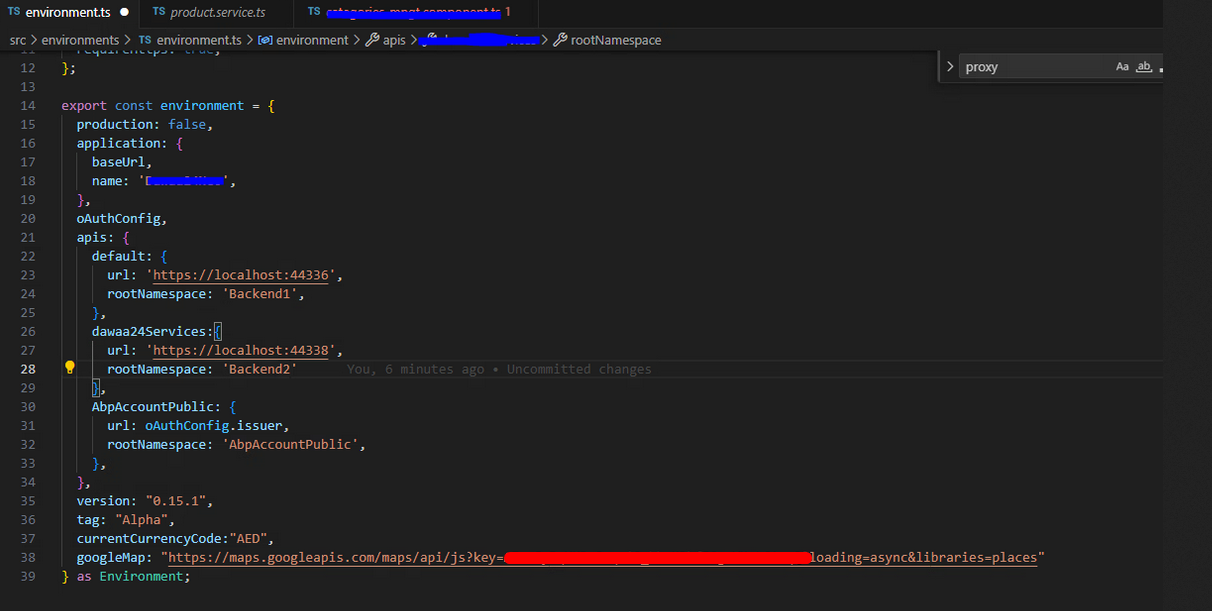
And We want to generate proxies for each in different folders and managed to do that but the problem is when the generated services for backend2 is created it look like this:
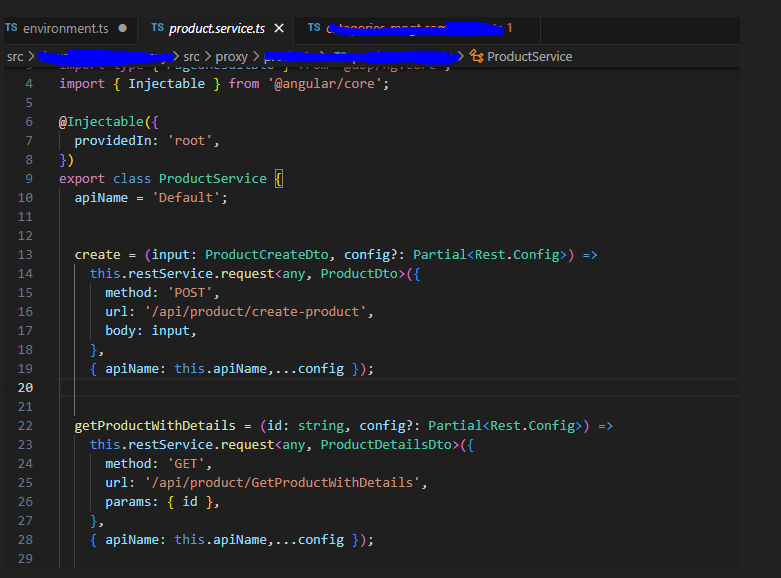
The apiName is default so when I call any service it goes with https://localhost :44336 even though the correct url is https://localhost:44338 So how can I specify the apiName value when I generate proxy? I tried using --api-name but it didn't work.
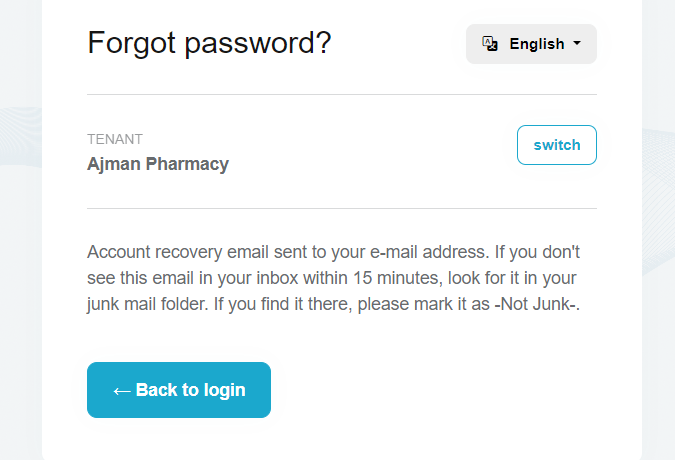 but I didn't receive any email and
I tried to send test email from -the Auth project using the email service- to make sure that the Email Configurations are right and it worked successfully.
please support.
but I didn't receive any email and
I tried to send test email from -the Auth project using the email service- to make sure that the Email Configurations are right and it worked successfully.
please support.i have an nginx acting as a proxy server and behind it there's an auth server (https://neoauth-uat-test.dawaa24.com/) hosted on IIS
i am requesting the endpoint https://neoauth-uat-test.dawaa24.com/connect/token to get the token and it's responding to me with 200 Status Code and give me access token and refresh token
those two tokens should be saved in the Auth Database
**The Problem is that it doesn't save any **
upon review the Auth logs i see this error
2024-05-05 14:23:46.556 +04:00 [ERR] An exception was thrown while deserializing the token. Microsoft.AspNetCore.Antiforgery.AntiforgeryValidationException: The antiforgery token could not be decrypted. ---> System.Security.Cryptography.CryptographicException: The key {9f5dc130-2567-47b5-93b6-328773960f1d} was not found in the key ring. For more information go to https://aka.ms/aspnet/dataprotectionwarning at Microsoft.AspNetCore.DataProtection.KeyManagement.KeyRingBasedDataProtector.UnprotectCore(Byte[] protectedData, Boolean allowOperationsOnRevokedKeys, UnprotectStatus& status) at Microsoft.AspNetCore.DataProtection.KeyManagement.KeyRingBasedDataProtector.Unprotect(Byte[] protectedData) at Microsoft.AspNetCore.Antiforgery.DefaultAntiforgeryTokenSerializer.Deserialize(String serializedToken) --- End of inner exception stack trace --- at Microsoft.AspNetCore.Antiforgery.DefaultAntiforgeryTokenSerializer.Deserialize(String serializedToken) at Microsoft.AspNetCore.Antiforgery.DefaultAntiforgery.GetCookieTokenDoesNotThrow(HttpContext httpContext)
I don't know if it's related or not but how can i solve this issue
I followed the Microsoft docs for configuring the Nginx for dot net from this link Configure Nginx
I completely lost and spend two days troubleshooting without getting anywhere
if someone can help with this i would be very grateful
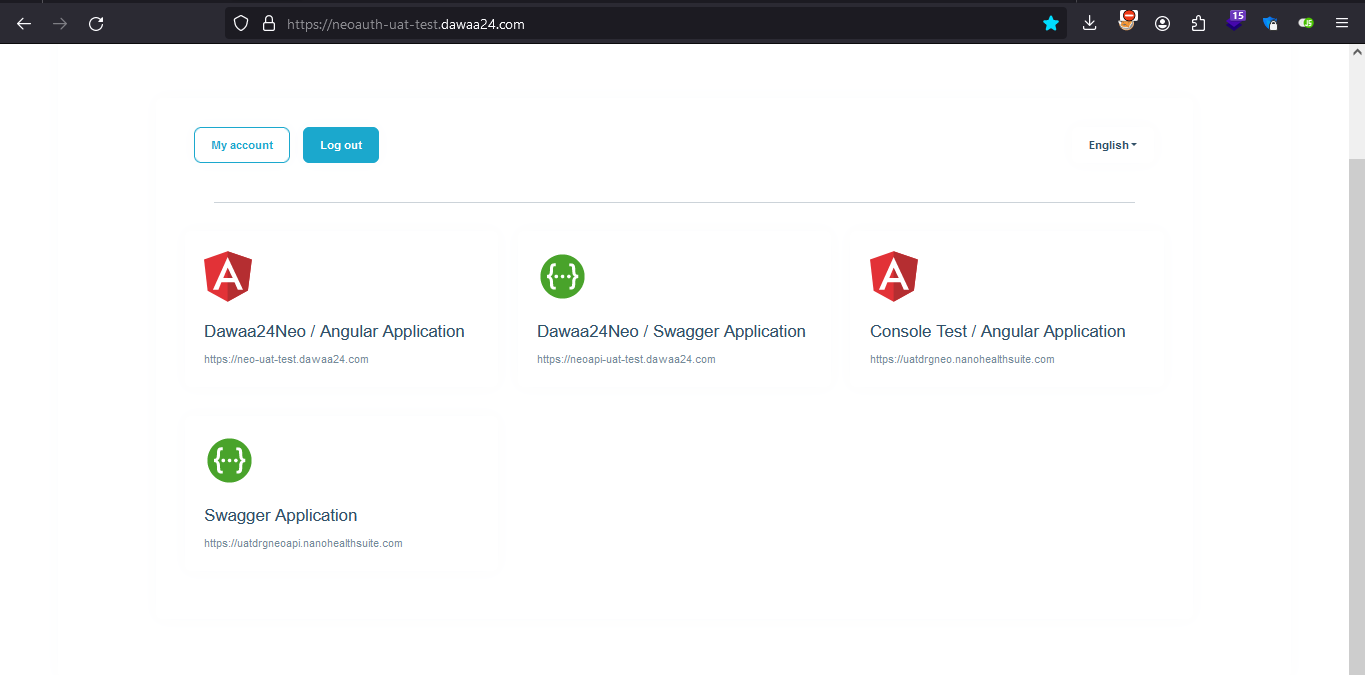
Additional Note: https://neoauth-uat-test.dawaa24.com/ from the Web UI i can login to the Auth Server Like in the Picture
Done
I have an Application that uses the ABP Commercial Template,
in the appsettings.json i have a Redis server configured,
The current situation is when the application can't find the Redis server it will crash what i want is: when the application first start-up, if the Redis server is not available for some reason i want to skip it and continue to run and fetch Data from the SQL DB
Later on when the application try to fetch data it will check for Redis server availability if found it will fetch data from it, if not it will continue to the SQL DB Is that doable ?









