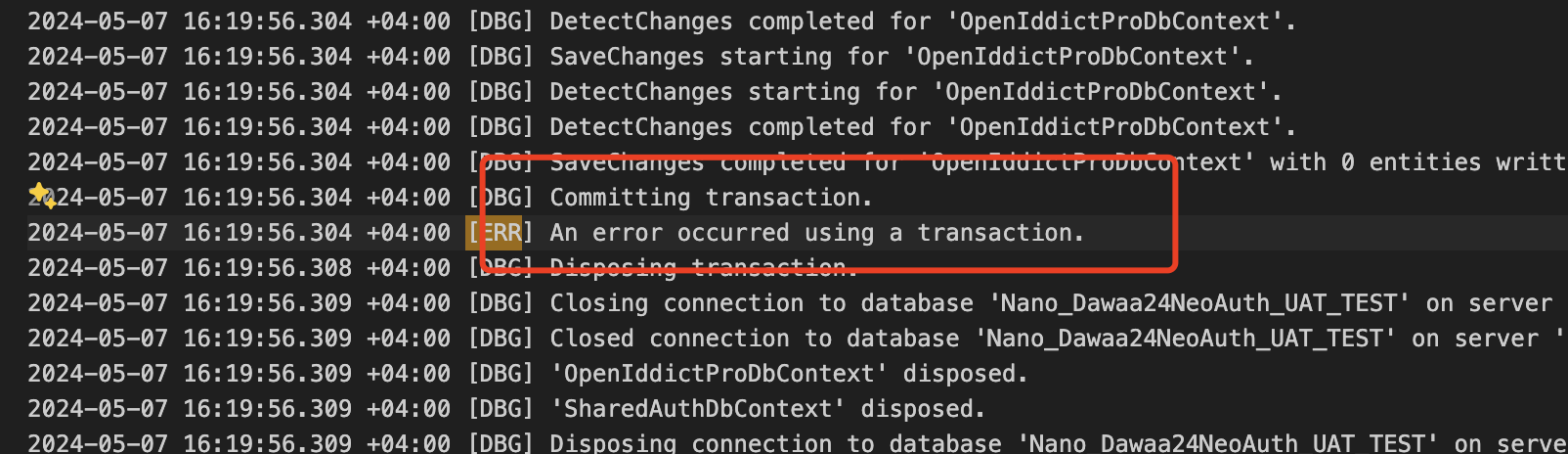
Hi,
Ok, but no error details and stack are logged. sorry, I didn't find anything.
You can check this to get the details for the exception. https://github.com/dotnet/efcore/issues/33319#issuecomment-2030777176
Hi,
Ok, I will ask the DevTeam To implement this and get back to you,
I am a Deployment Guy, it seems like a complex task for me,
but i just wondering if someone was able to get the Auth Server Working behind Nginx while the Nginx Do the SSL Offloading and the SSL Stuff,
because if that's the Case then we need a Another Static IP (Public) DNATed to the Auth Server directly, or run it as HTTPS on non standard port like 8443 (which is not a good practice)
Please keep the Ticket open, maybe someone faced the same issue or have a similar scenario and can help me solve it
Hi
Looks like a transaction problem.
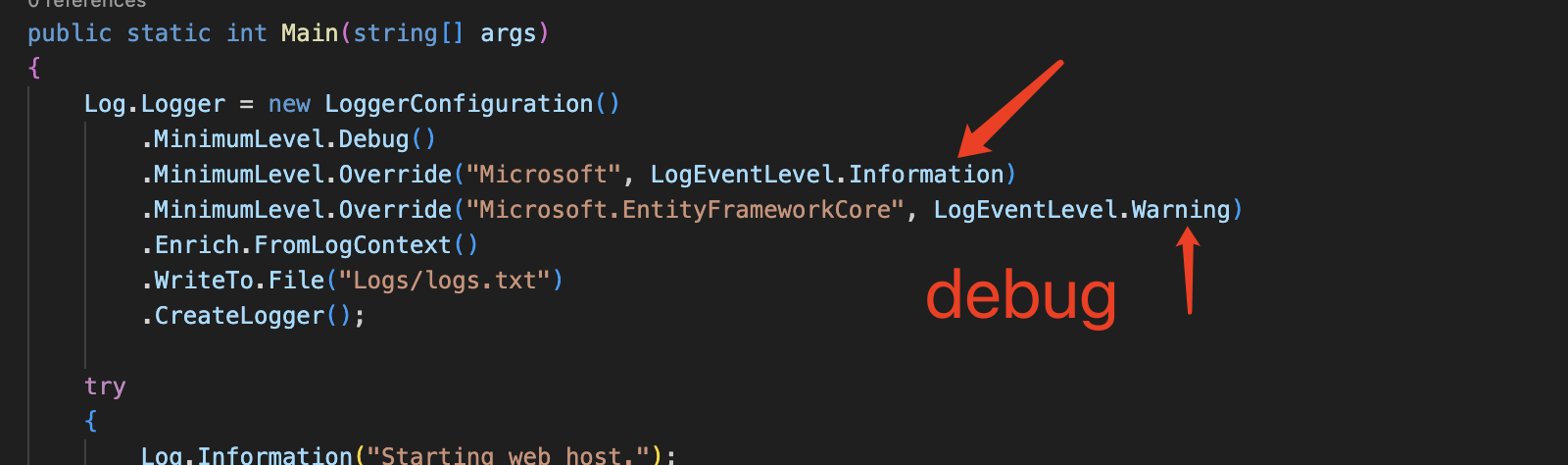
Could you change the EF Core logger level to debug and share the full logs?
Hi Mr. liangshiwei,
Actually that's how I enabled the Debug so the log that i shared with you is actually the full log
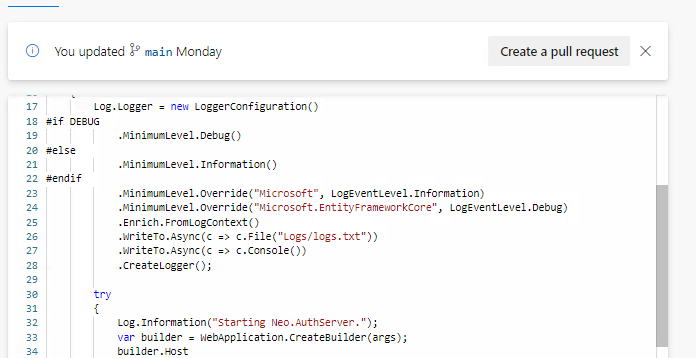
Could you try change the logger level to
debugand share the full logs? thanks.
Sorry for late response, took me some time to get the Debug working
i couldn't paste the logs here directly so i mailed them to you at shiwei.liang@volosoft.com,
Please let me know if you got them Email Subject: Debug Info
If you use this access_token to access the APIs, will it work?
yes it will work
our Mobile Dev Team are currently using the token to access the Application API and it's working
Not working Also
I have recorded a video for the issue (30 second) https://drive.google.com/file/d/1x9ZBnr3B5QQdOMbN3C7LTzWdr20X_71f/view?usp=sharing
Please check
Hi,
You can check this: https://stackoverflow.com/questions/63316682/the-key-was-not-found-in-the-key-ring-unable-to-validate-token
I guess the cookies are not being forwarded correctly
can you please replicate the issue from your side if you have a running auth server, you just need to put an nginx infront of it
here is my nginx config
============ upstream backend { # This is my backend Server IP # which has the Auth Server Running # You can put either IP or FQDN server 10.X.X.X; }
server{ listen 80; listen 443 ssl; server_name neoauth-uat-test.dawaa24.com; ssl_certificate /etc/nginx/fullchain.pem; ssl_certificate_key /etc/nginx/cert.key; location / { proxy_pass http://backend; proxy_http_version 1.1; proxy_set_header Upgrade $http_upgrade; proxy_set_header Connection $connection_upgrade; proxy_set_header Host $http_host; proxy_set_header X-Forwarded-For $proxy_add_x_forwarded_for; proxy_set_header X-Forwarded-Proto $scheme; proxy_set_header Cookie $http_cookie; } }
===========
Hi,
You can check this: https://stackoverflow.com/questions/63316682/the-key-was-not-found-in-the-key-ring-unable-to-validate-token
I guess the cookies are not being forwarded correctly
Hi @liangshiwei
Thanks for taking the time to answer
I've reviewed the link you provided, i already have the Data Protection Enabled in my application some says that you need to turn on "Load User Profile" on the IIS App Pool Level, I have done this Also but still not working
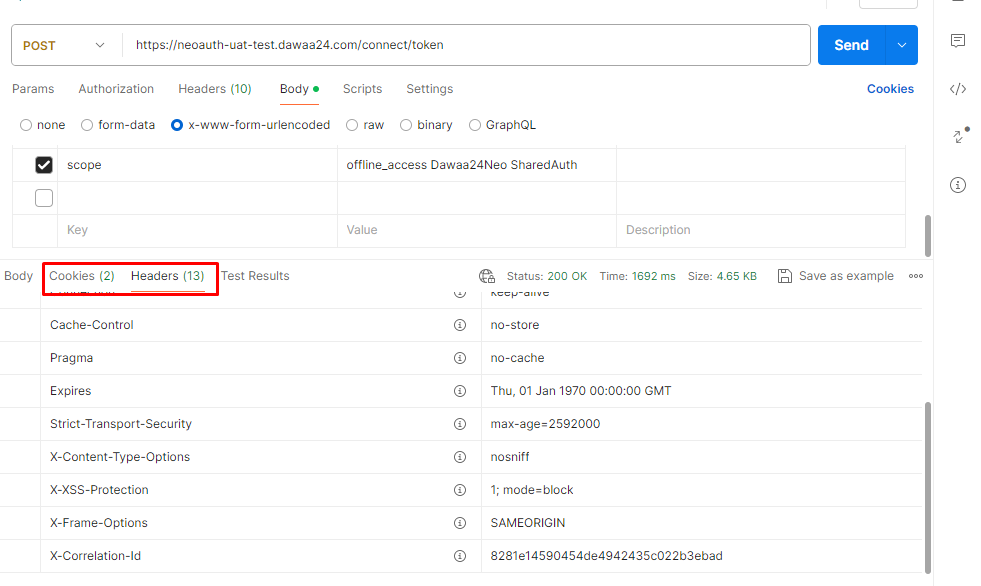
I inspected the Cookies that are being sent and received from a working Auth and it's the same as this one
======== Request and Response on the Current Auth Server ========
--header 'CONTENT-TYPE: application/x-www-form-urlencoded' \
--header 'Cookie: .AspNetCore.Antiforgery.7_7oYfNDO6o=CfDJ8LtEv6zYqhpBq8QoCOZvwRj3hMqmMyh66vLfrMAVYCv148iHN5tPU_bzT2X6HCUVVi-JUTtug8b1qj_lSkd1IjjzyfSTDqjdY_q8mlehq8dNo9W59nIjd_yZF-BhDhL3n7V3aQvnZviKIhGNlk4oXsc; XSRF-TOKEN=CfDJ8LtEv6zYqhpBq8QoCOZvwRjQKVLtds_flAMclBCWYxLMIwMvzs_ULBhOFK9G39SIsqa8Ro6psCiApU2jyQBkd-NzwEbEOPis-lq3vdDsjfcJkIJWOWJLZDV7TXjUDd1f-wHym2b5E13Y70-othvbhFw' \
--data-urlencode 'client_id=Dawaa24Neo_App' \
--data-urlencode 'grant_type=password' \
--data-urlencode 'username=admin' \
--data-urlencode 'password=********' \
--data-urlencode 'scope=offline_access Dawaa24Neo SharedAuth'`
Response:
{ "access_token": "eyJhbGciOiJSUzI1NiIsImtpZCI6IXXXXXXXXXXXXXXXXXXXXXXXXXXXXXXX", "token_type": "Bearer", "expires_in": 3600, "refresh_token": "eyJhbGciOiJSU0EtT0FFUCIsImVuYyI6IkEyNTZDXXXXXXXXXXXXXXXXXXXXXXXXXXXX" }
 and it's not being saved in the Database
DB OpenIddictTokens table counts after response is the same
and it's not being saved in the Database
DB OpenIddictTokens table counts after response is the same
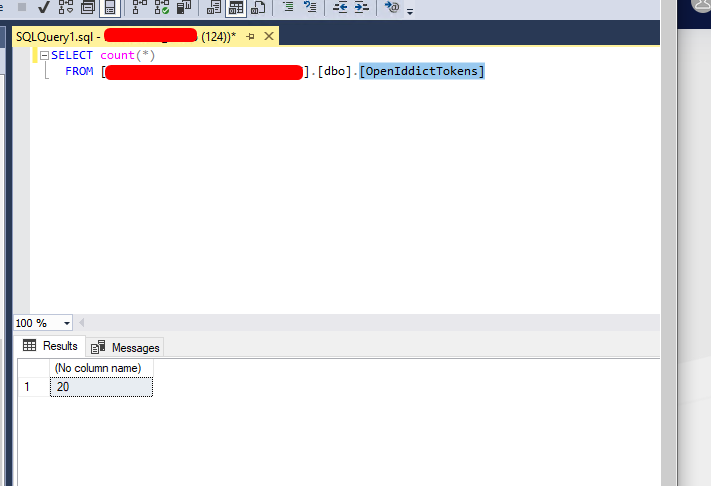
======== Screenshot from a working Local Auth Server ========
`curl --location --request POST 'https://dawaa24neoauthqa.nh.local/connect/token' \
--header 'CONTENT-TYPE: application/x-www-form-urlencoded' \
--data-urlencode 'client_id=Dawaa24Neo_App' \
--data-urlencode 'grant_type=password' \
--data-urlencode 'username=admin' \
--data-urlencode 'password=**********' \
--data-urlencode 'scope=offline_access Dawaa24Neo SharedAuth'`
Response
{ "access_token": "eyJhbGciOiJSUzI1NiIsImtpXXXXXXXXXXXXXXXXXx", "token_type": "Bearer", "expires_in": 3600, "refresh_token": "eyJhbGciOiJSU0EtT0FFUCIsImVuYyI6IkEyNTZDQkMtSFM1MTIiLCXXXXXXXXXXXXXXXXXXXXXXXXXXXx" }
and it's saved correctly in the DB
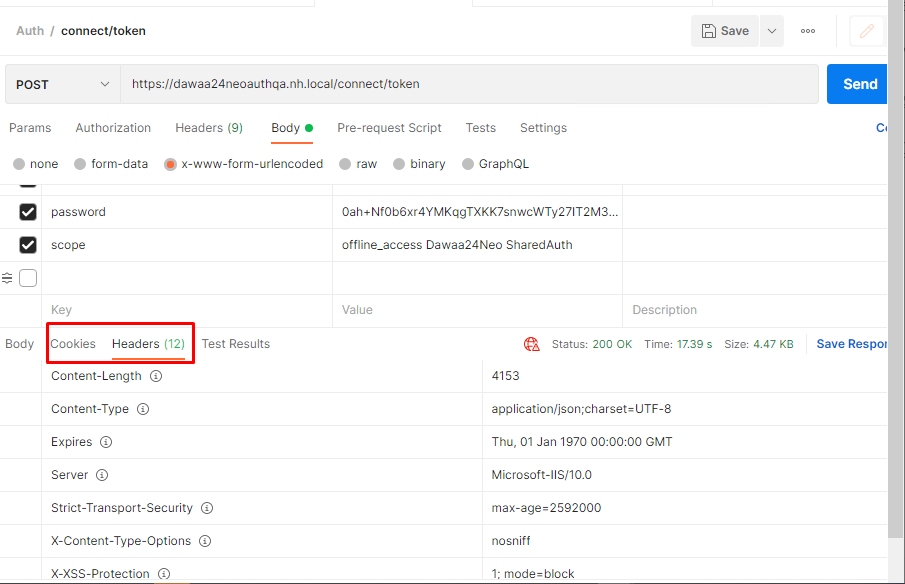
All headers seems to be there what am i missing here ?
Confirmed,
Kindly remove the response/Ticket
Hi,
Ok, Although I don't recommend you to do this, it should be possible.
For example(this just is an idea):
[Dependency(ReplaceServices = true)]
[ExposeServices(typeof(IDistributedCache))]
public class MyRedisCache : IDistributedCache, ICacheSupportsMultipleItems
{
    private readonly AbpRedisCache _cache;

    public MyRedisCache(AbpRedisCache cache)
    {
        _cache = cache;
    }

    public byte[]? Get(string key)
    {
        if (IsRedisAvailable())
        {
            return _cache.Get(key);
        }

        return null;
    }

    protected virtual bool IsRedisAvailable()
    {
        // check redis connection
        return true;
    }

    .....
}


public override void ConfigureServices(ServiceConfigurationContext context)
{
    .....
    context.Services.AddSingleton<AbpRedisCache>();
}
hi
thanks for quick response
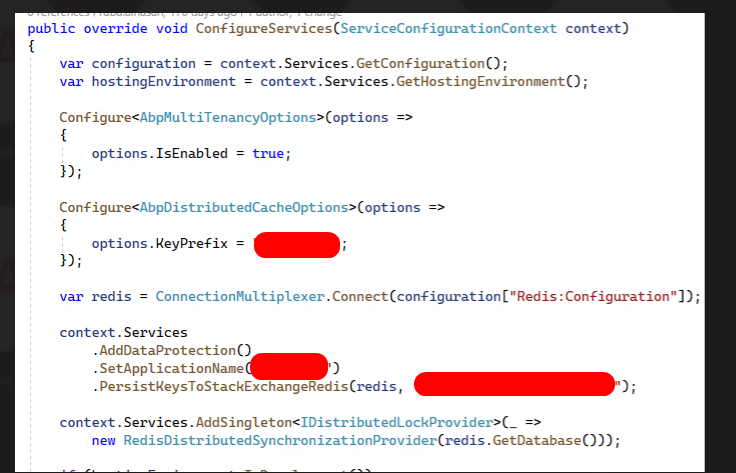
I believe this check is performed after the initial start-up, in my case the app is not starting at all
on start application if Redis connection string is not available / URL not correct, how can i skip it and continue the start-up
because right now the application crashes if the Redis URL not available ? and the Try/Catch Solution didn't worked also
Hi,
I think you shouldn't stop the application from crashing if Redis server is not available
In distributed and microservice applications, distributed caching is necessary. It's like SQLServer. Imagine if the SQLServer is unavailable, will you choose to keep the application running?
You can check this: https://support.abp.io/QA/Questions/6344/Why-do-we-need-to-install-Redis-When-is-it-used-Why-Redis-is-needed
Hi liangshiwei
I already have a Redis cluster, But my point is that Redis is add-on for the application for optimization and therefore the application should consider it as optional,
let's say that for whatever reason the Redis server is not available or can't accept connection in that case can i skip it and get the data i want from my SQL DB server
because right now my application just crashes if redis is not there