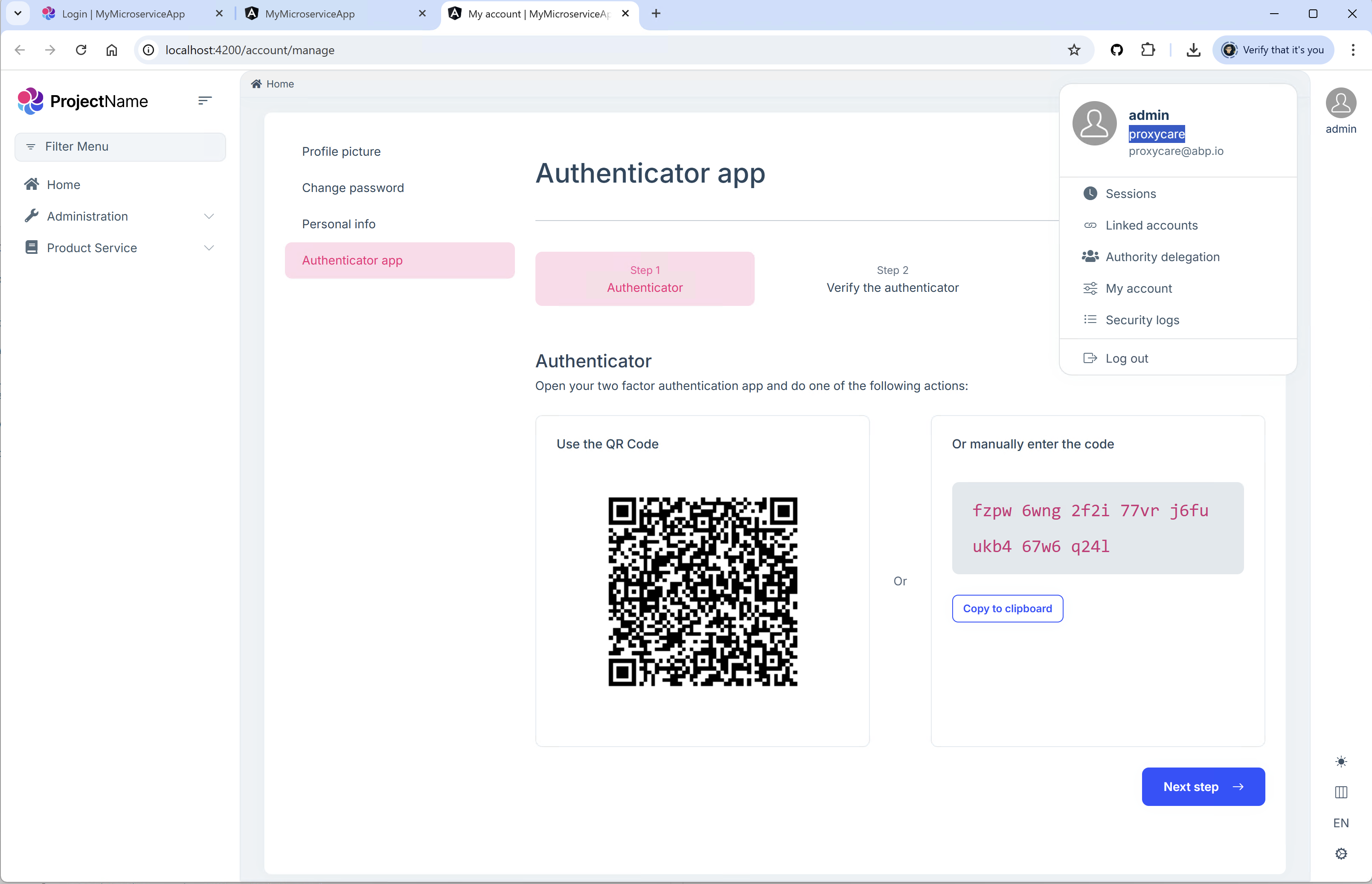
[maliming] said: hi
I started the MFA project, and I can see the
Authenticator apppage of a tenant(proxycare) .
Currently we writing automation scripts for that we need bearer token, can we get it from postman so that i can replicate the same in Jmeter
[maliming] said: hi
Can you change it like:
Or you can zip your project(
abp clean) and share it with liming.ma@volosoft.comThanks.
I have shared the project zip file and let me know if you require any further info
[maliming] said:
I also installed SQL Server 2014
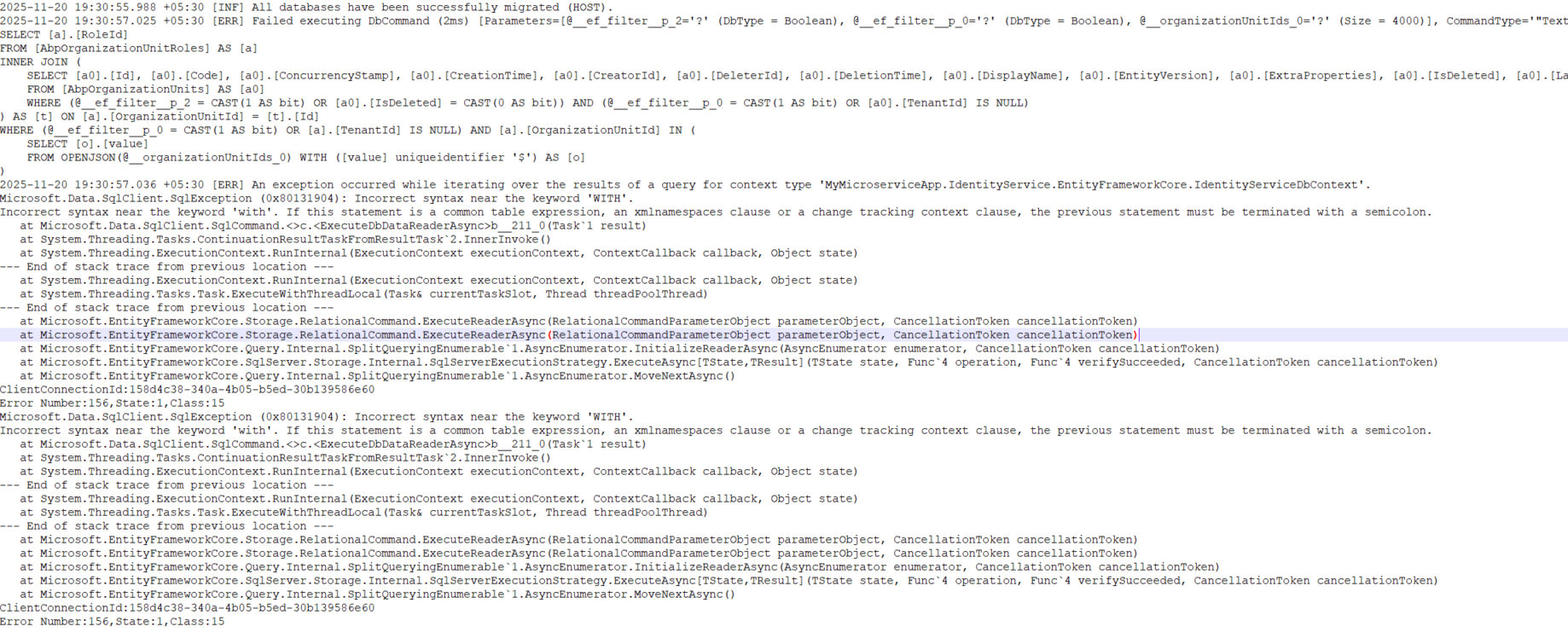
Incorrect syntax near the 'WITH' keyword.
If your SQL Server version is lower, you can call the
TranslateParameterizedCollectionsToConstantsSee https://abp.io/support/questions/8969/Bug-Incorrect-syntax-near-the-%27WITH%27-keyword#answer-3a18a703-1645-932a-5562-324eb131d644
Thanks.
I did not find TranslateParameterizedCollectionsToConstants . We are using abp framework 8.2.1
[sumeyye.kurtulus] said: Could you also try the
abp-oldcommand to create a project with a specific version? You can check this documentation for details.
I checked the documentation and installed the older CLI, then created the project using version 8.2.1. Even though I specified -dbms MySql, the project was still created with SQL Server as the database provider.
I also installed SQL Server 2014 on my system and tried running the application. When I executed the DbMigrator, it started migrating, but while inserting data into the Identity tables, it threw an error.
The below is the exception from DbMigrator log file
Hi, I’m trying to create a new microservice template to test MFA using ABP version 8.2.1, and I’m using the following command:
abp new MyMicroserviceApp -t microservice-pro -u angular --version 8.2.1 -dbms MySQL
But the project is still being created with the latest version, and it's also defaulting to SQL Server instead of MySQL.
Create a tenant under that create an user and make two factor as an optional for that tenant form host. Later login with the newly created tenant user and enable the two factor
**Note: ** We have done customization to the AbpUsers Table where we are not storing the TenantId in that table. We are maintaining these in another table . Does this any how impact Two Factor authentication setting
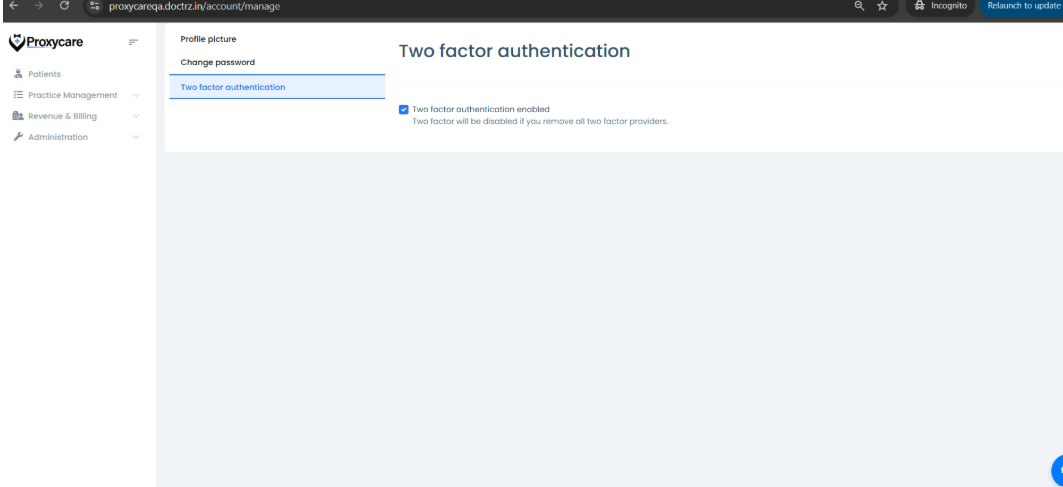
In My Account section I don't see authenticator option. I am using ABP version 8.2.1
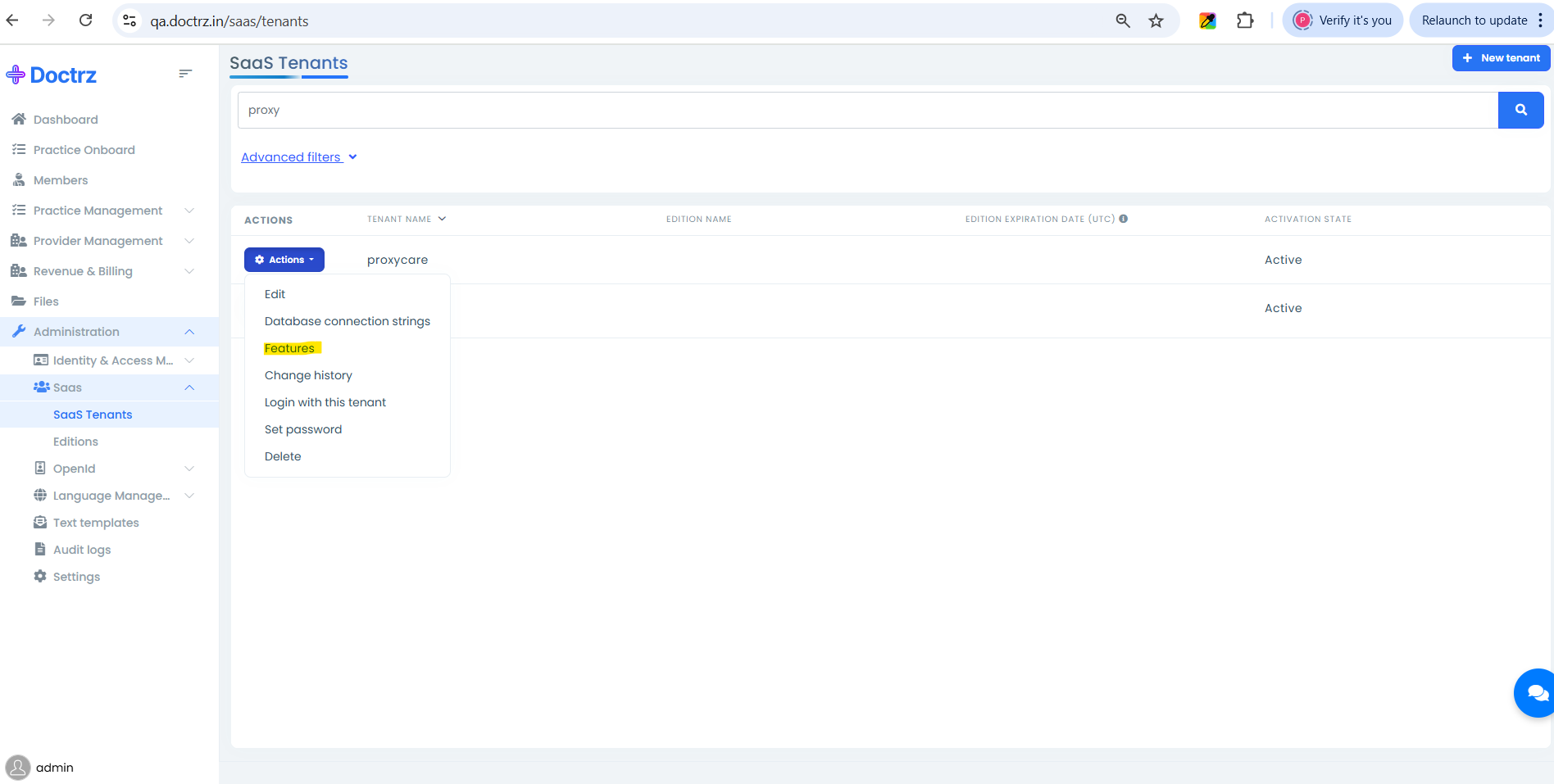
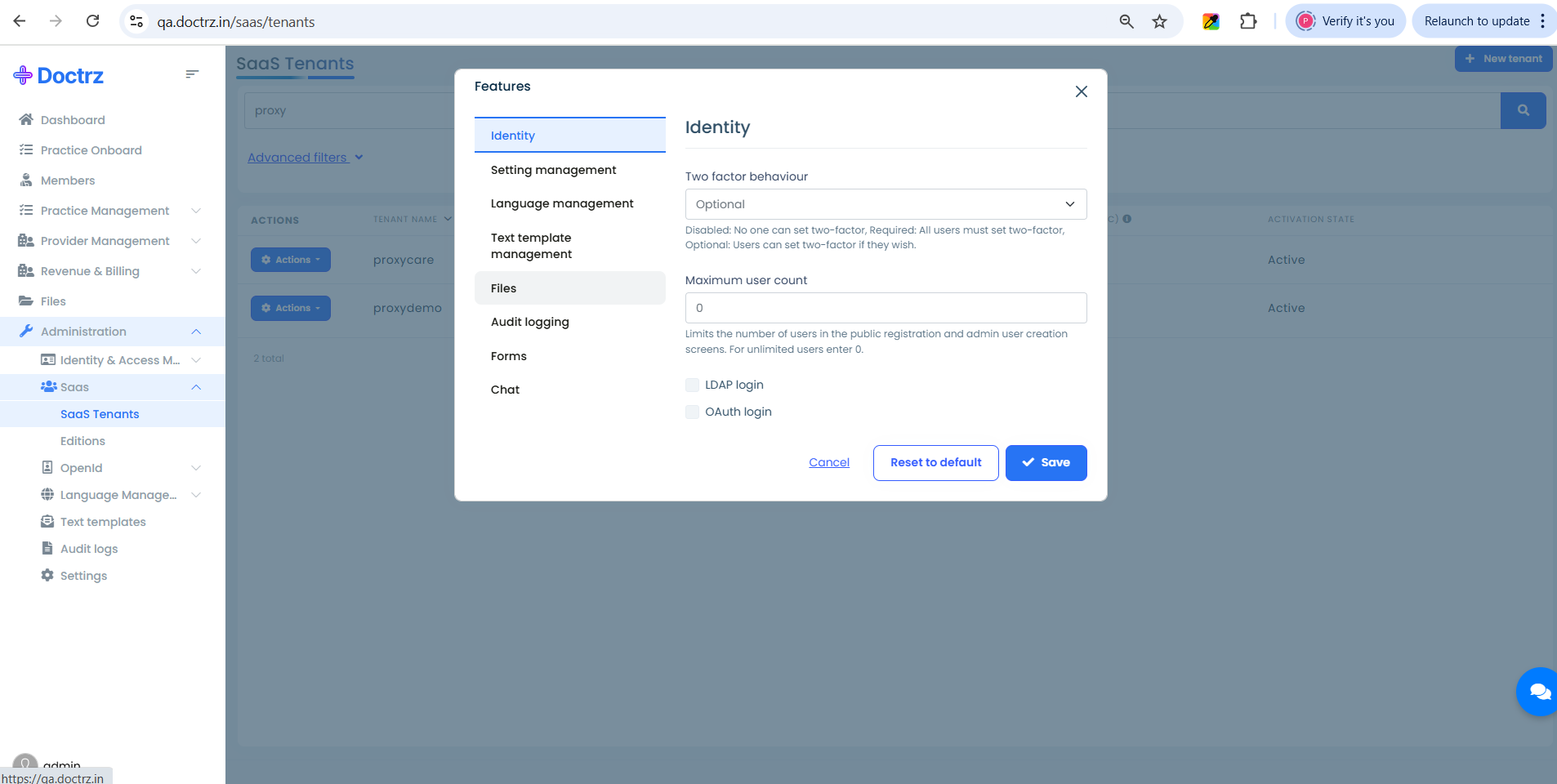
I logged in as a host admin and navigated to the** Administration > Saas > Saas Tenants** and selected the tenant , from the action items i have selected **Feature ** option
under identity tab i have made Two factor for this tenant as optional and saved
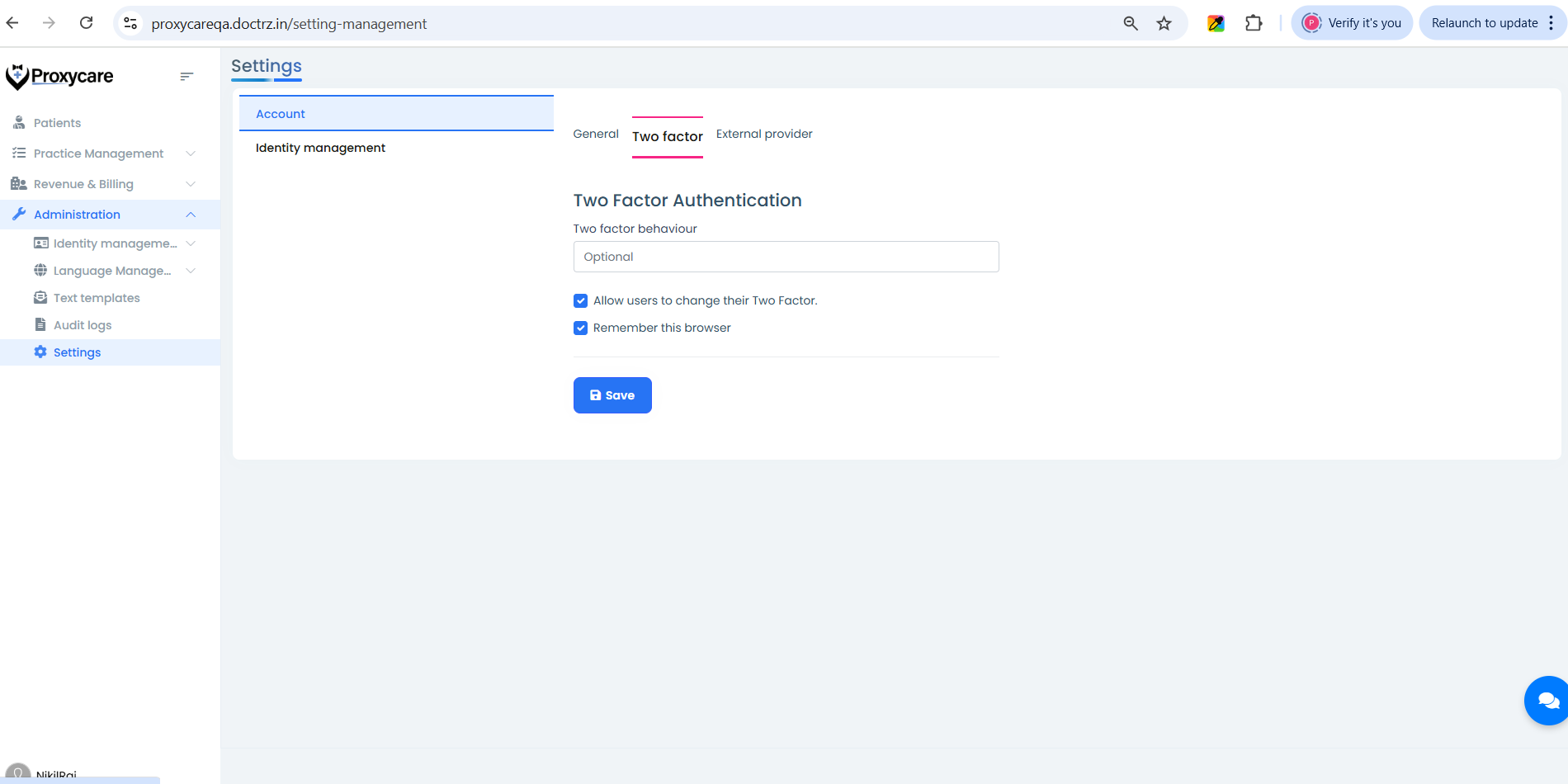
After that i have logged in as a tenant admin and navigated to Administration > Settings and selected Account > Two Factor tab and made Two Factor as optional and checked Allow users to change their Two Factor check box and Remember this browser check box.
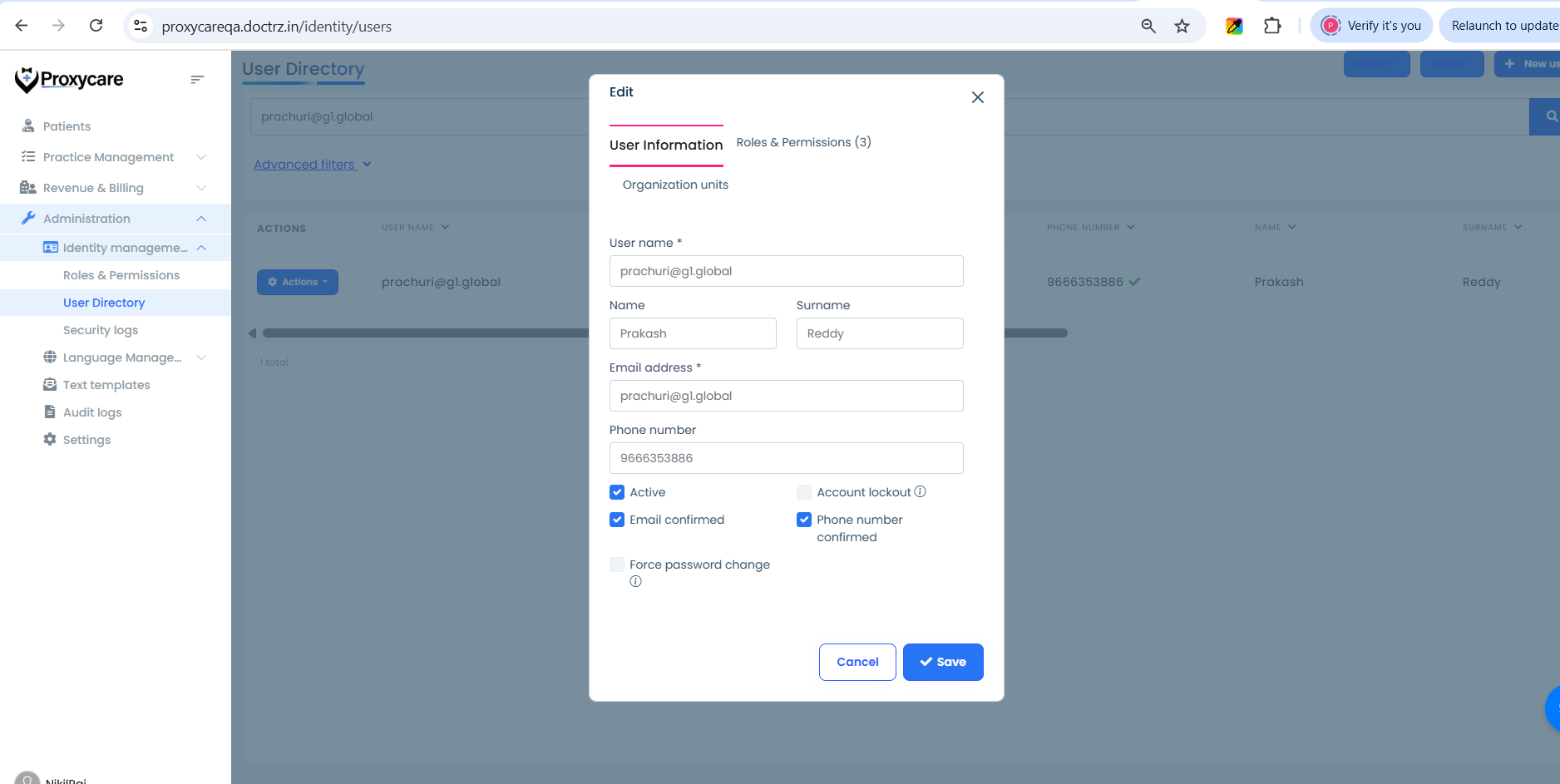
As a tenant admin i navigated to the Administration > User and selected a user and confirmed Email and Phone number
Later I logged in as a tenant user to whom email and phone number is confirmed. I navigated to My Account > Two Factor Authentication Tab and checked Two factor authentication enabled check box
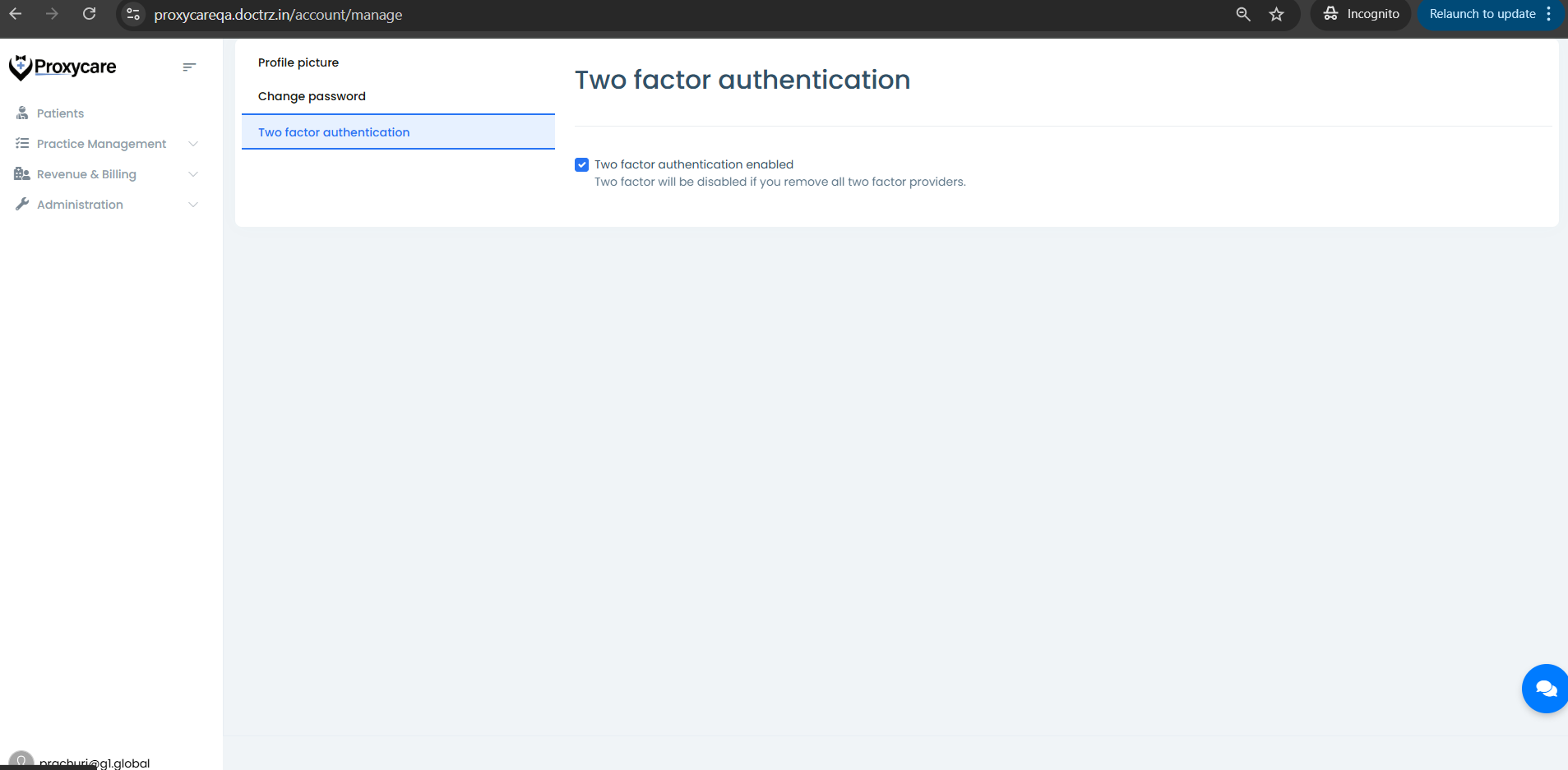
After doing all the above steps not able to see the authenticator app options/Info
the above packages were not found