Thanks,
I can understand why you don't recommend to use Language Module for static content. However, we was first trying to follow the localization guide at https://abp.io/docs/latest/framework/fundamentals/localization but failed.
So perhaps you can guide us to set the localization instead of using the language module?
This is what we have done:
ProjectBlazorClientModule.cs:

[DependsOn(
    typeof(AbpLocalizationModule),
    ...
    typeof(AbpVirtualFileSystemModule) //virtual file system
)]
public class ProjectBlazorClientModule : AbpModule
{
    public override void ConfigureServices(ServiceConfigurationContext context)
    {
        var environment = context.Services.GetSingletonInstance<IWebAssemblyHostEnvironment>();
        var builder = context.Services.GetSingletonInstance<WebAssemblyHostBuilder>()

        // Include the generated app-generate-proxy.json in the virtual file system
        Configure<AbpVirtualFileSystemOptions>(options =>
        {
            options.FileSets.AddEmbedded<ProjectBlazorClientModule>();
        });

        ConfigureLocalization();
        ...
    }

    private void ConfigureLocalization()
    {
        Configure<AbpVirtualFileSystemOptions>(options =>
        {
            options.FileSets.AddEmbedded<ProjectBlazorClientModule>();
        });

        Configure<AbpLocalizationOptions>(options =>
        {
            //Define a new localization resource (TestResource)
            options.Resources
                .Add<TestResource>("en")
                .AddVirtualJson("/Localization/Resources/Test");
            options.DefaultResourceType = typeof(TestResource);
        });
    }
}
TestResource.cs

using Volo.Abp.Localization;

namespace GeoTicket.Blazor.Client.Localization.Resources;

[LocalizationResourceName("Test")]
public class TestResource;
File structure:
Project.Blazor.Client/
├── Project.Blazor.Client.csproj
├── ProjectBlazorClientModule.cs
├── .....
├── ProjectComponentBase.cs
├── Localization
│   ├── Resources
│   │   └── Test
│   │       ├── en.json
│   │       └── sv.json
│   └── TestResource.cs
.....
en.json content (similar for sv.json):

{
  "culture": "en",
  "texts": {
    "HelloWorld": "Hello World!"
  }
}
@page "/"
@using Project.Blazor.Client.Localization.Resources
@using Microsoft.Extensions.Localization
@inherits ProjectComponentBase

@inject IStringLocalizer<TestResource> W

@W["HelloWorld"]
The @W["HelloWorld"] is not working, just HelloWorld in the page above.
I think that we have followed the guide, but still doesn't get it. Any ideas?
How can one seed the Language Management ? I would like to include new words that is not included default. This is what is generated:
using Volo.Abp.DependencyInjection;
using Volo.Abp.LanguageManagement.Data;
using Volo.Abp.Uow;
using Volo.Abp.MultiTenancy;

namespace GeoTicket.LanguageService.Data;

public class LanguageServiceDataSeeder : ITransientDependency
{
    private readonly ILogger<LanguageServiceDataSeeder> _logger;
    private readonly ICurrentTenant _currentTenant;
    private readonly IUnitOfWorkManager _unitOfWorkManager;
    private readonly LanguageManagementDataSeeder _languageManagementDataSeeder;

    public LanguageServiceDataSeeder(
        ILogger<LanguageServiceDataSeeder> logger,
        ICurrentTenant currentTenant,
        IUnitOfWorkManager unitOfWorkManager,
        LanguageManagementDataSeeder languageManagementDataSeeder)
    {
        _logger = logger;
        _unitOfWorkManager = unitOfWorkManager;
        _currentTenant = currentTenant;
        _languageManagementDataSeeder = languageManagementDataSeeder;
    }

    public async Task SeedAsync(Guid? tenantId = null)
    {
        using (_currentTenant.Change(tenantId))
        {
            using (var uow = _unitOfWorkManager.Begin(requiresNew: true, isTransactional: true))
            {
                await SeedLanguagesAsync(tenantId);
                await uow.CompleteAsync();
            }
        }
    }

    private async Task SeedLanguagesAsync(Guid? tenantId)
    {
        if (tenantId != null)
        {
            /* Language list is not multi-tenant */
            return;
        }

        await _languageManagementDataSeeder.SeedAsync();
    }
}
How do you edit the base UI itself? For example, how do we access the code for the login page if we want to add things to that page? Or if we want to use our own spinner in the main layout?
We want to be able to edit the existing layout as it is. If that’s the best way to do it?? Can you run some command in the ABP CLI to extract the layout from the DLLs? The layout we're using is LeptonX SideMenu.
How do you include all files in Blazor, such as MainLayout, so you can control what happens when you click the Admin button and be able to add more options to the menu?
Thanks ensign,
No log is generated in development console (tried with Edge, Chrome and Safari) after clicking on the profile image both before and after opening dev console.
However, when using abp bundle in solved the problem.
The user profile button is not clickable. No log records or errors in the developer console in Safari or Chrome when click on the image. Any ideas?
Thanks, Carl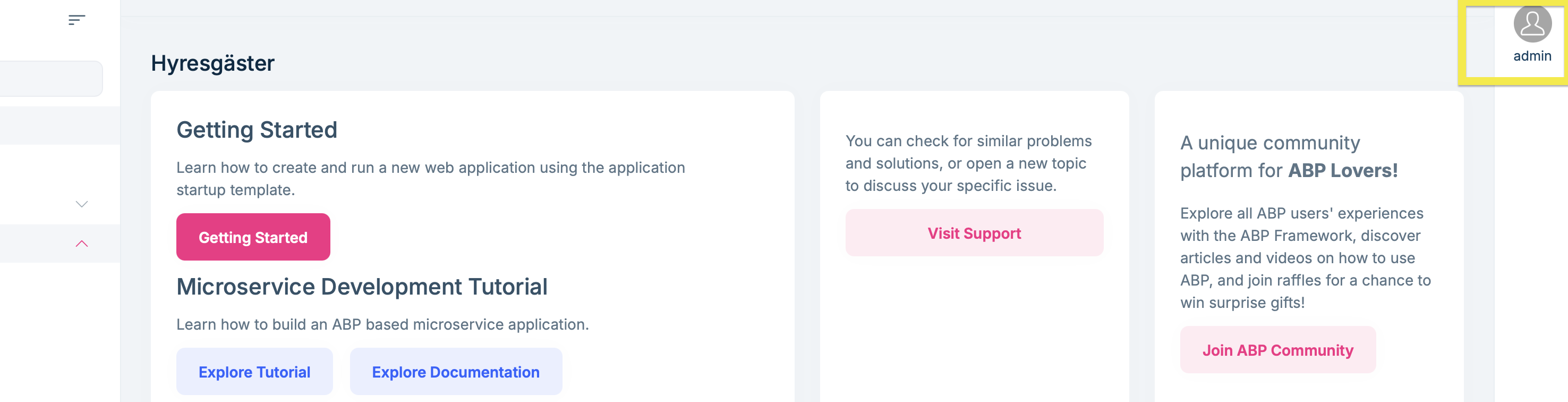
Thanks Berkan,
This working great. I think that we got something to start with. The errors was not shown in Chrome.
Great support!
Thanks Berkan,
Looking good! Its just the last thing that is not working:

[Error] Failed to load resource: the server responded with a status of 404 () (bootstrap.min.css.map, line 0) https://staging.myproject.io/bootstrap.min.css.map
[Error] Failed to load resource: the server responded with a status of 404 () (dotnet.js.map, line 0) https://staging.myproject.io/_framework/dotnet.js.map
[Error] Failed to load resource: the server responded with a status of 404 () (dotnet.runtime.js.map, line 0) https://staging.myproject.io/_framework/dotnet.runtime.js.map
[Error] Failed to load resource: the server responded with a status of 404 () (bootstrap.bundle.min.js.map;, line 0) https://staging.myproject.io/bootstrap.bundle.min.js.map;
Thanks for the advice, I have implemented these but unfortunately without success. I have also verified that the correct Docker image is being used in the Kubernetes deployment. In the Blazor container, I have opened a pod shell and verified the app/wwwroot/appsettings.json, and its contents are correct as follows:
root@myproject-blazor-6d98cf46bf-lrdqn:/app/wwwroot# cat appsettings.json
{
  "App": {
    "SelfUrl": "https://staging.myproject.io"
  },
  "AuthServer": {
    "Authority": "https://auth.staging.myproject.io",
    "ClientId": "Blazor",
    "ResponseType": "code"
  },
  "RemoteServices": {
    "Default": {
      "BaseUrl": "https://gateway-web.staging.myproject.io"
    }
  },
  "AbpCli": {
    "Bundle": {
      "Mode": "BundleAndMinify", /* Options: None, Bundle, BundleAndMinify */
      "Name": "global"
    }
  }
}
I have also executed the following:
root@myproject-blazor-6d98cf46bf-lrdqn:/app# grep "localhost" -r
wwwroot/_content/Volo.Abp.AspNetCore.Components.Web.LeptonXTheme/side-menu/libs/bootstrap-icons/package.json:    "test:linkinator": "linkinator _site --recurse --silent --skip \"^(?!http://localhost)\"",
wwwroot/_content/Volo.Abp.AspNetCore.Components.Web.LeptonXTheme/side-menu/libs/bootstrap-icons/README.md:Then open `http://localhost:4000` in your browser.
root@myproject-blazor-6d98cf46bf-lrdqn:/app#
So far, I have not found anything indicating a misconfiguration. Where is localhost:44366 defined? Feels like it is hardcoded in some dll or so? Do you have any further ideas?
Best regards, Carl
Thanks Berkan,
I was adding suggested patch above with same results unfortunately. However, I was sending you a Onedrive link, did you manage to download it? As you say, it will simplify troubleshooting.
Best regards, Carl









