I don't see services.AddAbpMvcExceptionHandling(); in my WebModule.cs, so I was looking to add it, but I doesn't seem to be available to add under context.services in the ConfigureServices method. I think I am still missing something here.
If you need access to my project, it was emailed for a previous ticket: 9542.
When execution reaches my 'throw new UserFriendlyException("string")' line, it throws an actual exception rather than showing as a dialog as it used to do before i upgraded my project to Pro and .NET 9:

I assume there is some misconfiguration here, but I can't find it in any documentation online. Please show me how I can get back to having this display to the user in a dialog.
Thank you, the combination of following that pattern and setting my exceptions to only break on uncaught exceptions allowed me to load into my project.
I think the AI agent was supposed to reply but it hung and never did, so any help on this would be appreciated. Thanks!
Charlie
I just upgraded to Pro and also just upgraded to .NET 9. I went to run my Web project and ran into this:
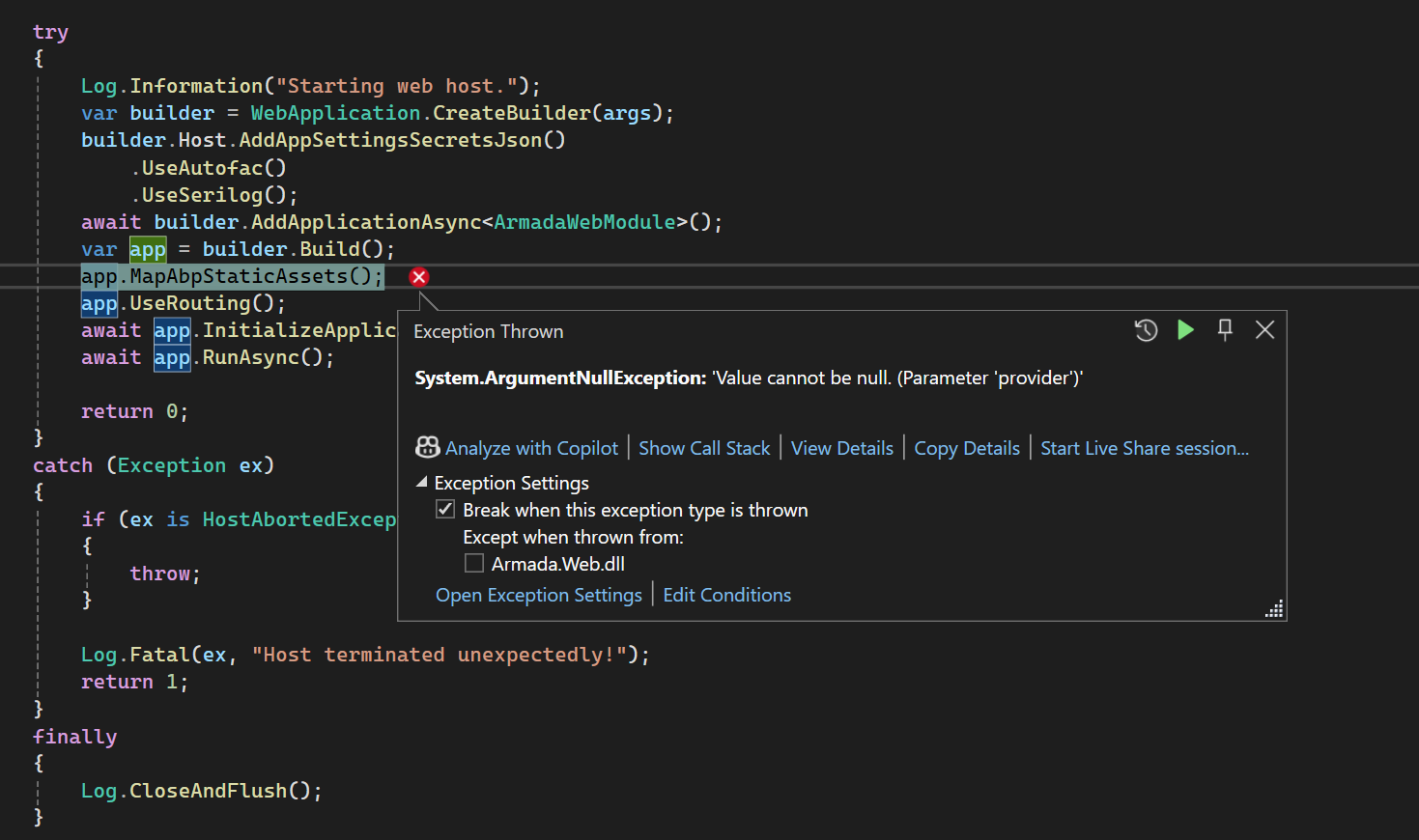 I had updated that line based on this documentation: https://abp.io/docs/latest/release-info/migration-guides/abp-9-0. The intellisense shows it as a nullable argument, so I'm not sure why it is throwing this error.
If you need to see my project, I uploaded it for another ticket (9542) via email.
Thanks in advance for any help you can provide,
Charlie
Thank you for the clarification. I ended up making a new database anyway since it was on master, but the thing that ended up working for me was to also delete the DbContextModelSnapshot.cs file, which then allowed the migration file to fill properly and that fixed the database issue as far as I can tell.
I am having another issue, but I think it is best suited to another ticket. Thanks again for your help!
Thanks for looking into this. I deleted all of the migrations, created a new one using the CLI, and the new migration was again empty:
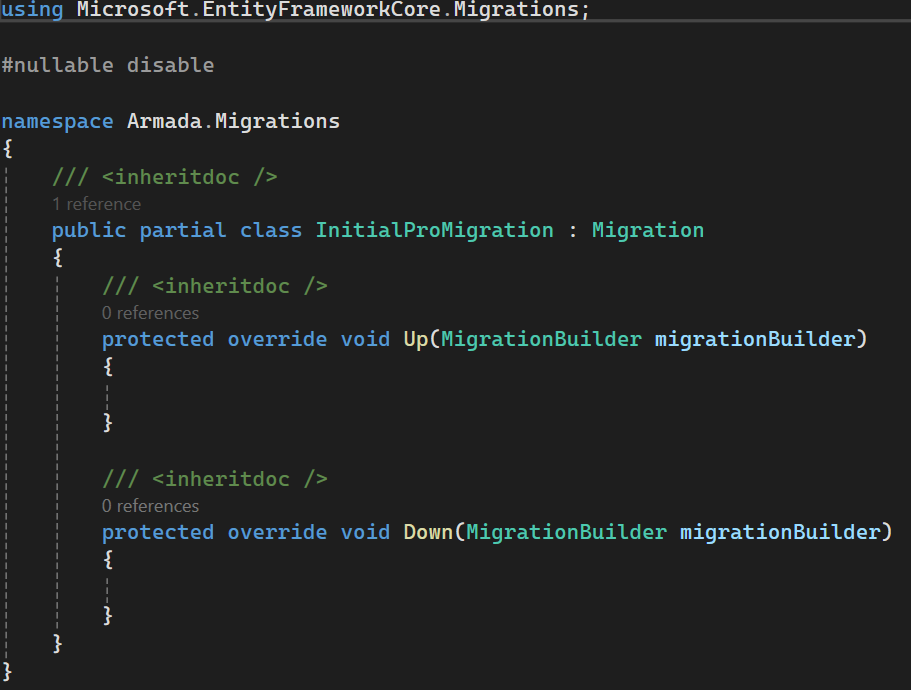 I'm not sure what is going on here. I can delete the databases if necessary, like I said, there is no permanent data on there that needs to persist. But I'm not sure how to go about this in a way that will result in a clean slate. I checked your documentation and the book, and they both say to just run DbMigrator to create a new database, which worked for me in the beginning but obviously isn't working now.
Charlie
I zipped up my solution folder and sent it via email with the ticket number.
Additionally, not sure the best way to show this, but here are my tables so you can see that it doesn't have SaasTenants, or the other tables I was expecting: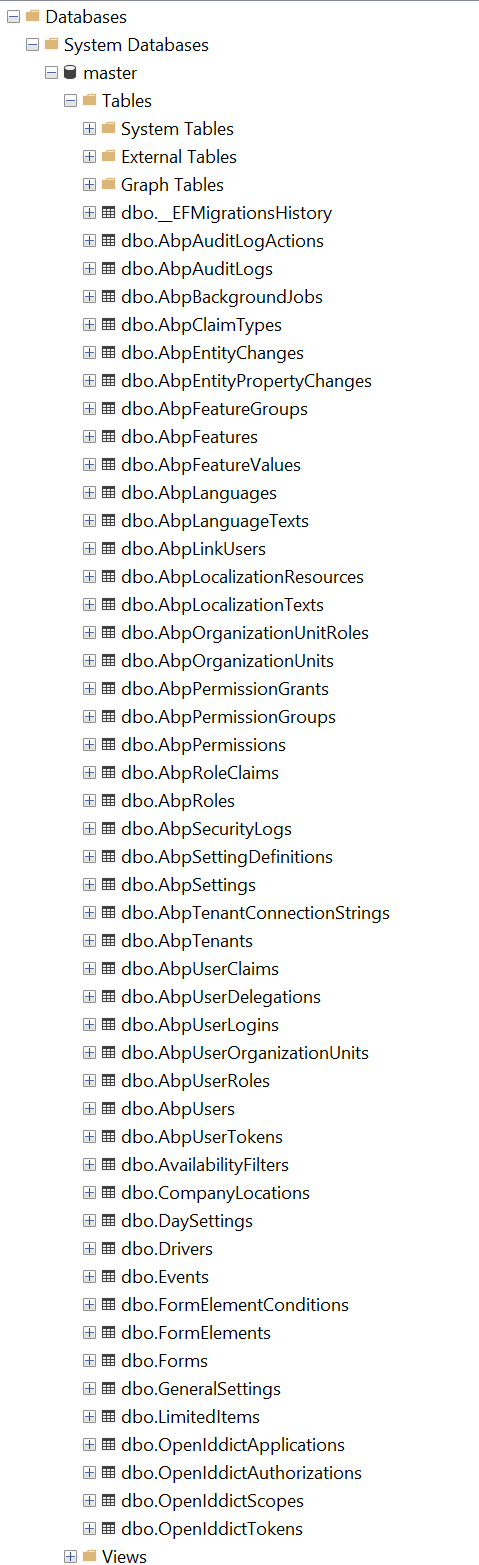
My database is still being used for testing and can easily be recreated, so if we need to recreate it, that is totally fine.
Charlie
I still need help. To provide some additional information based on the AI agent's suggestions:
Not sure of ABP version (can't find solution configuration in ABP Studio (along with other features documentation says I am supposed to have, could be related to other issues below)
Charlie









