I have emailed you a reproducible project. After running the migrator, you should be able to log in with the admin password System123!
After the site loads and login, the site will appear functional for some time, then with no user interaction go to an error screen and the console will be full of errors.
After completing all these steps, particularly changing the base url of the client project, I now get this error:
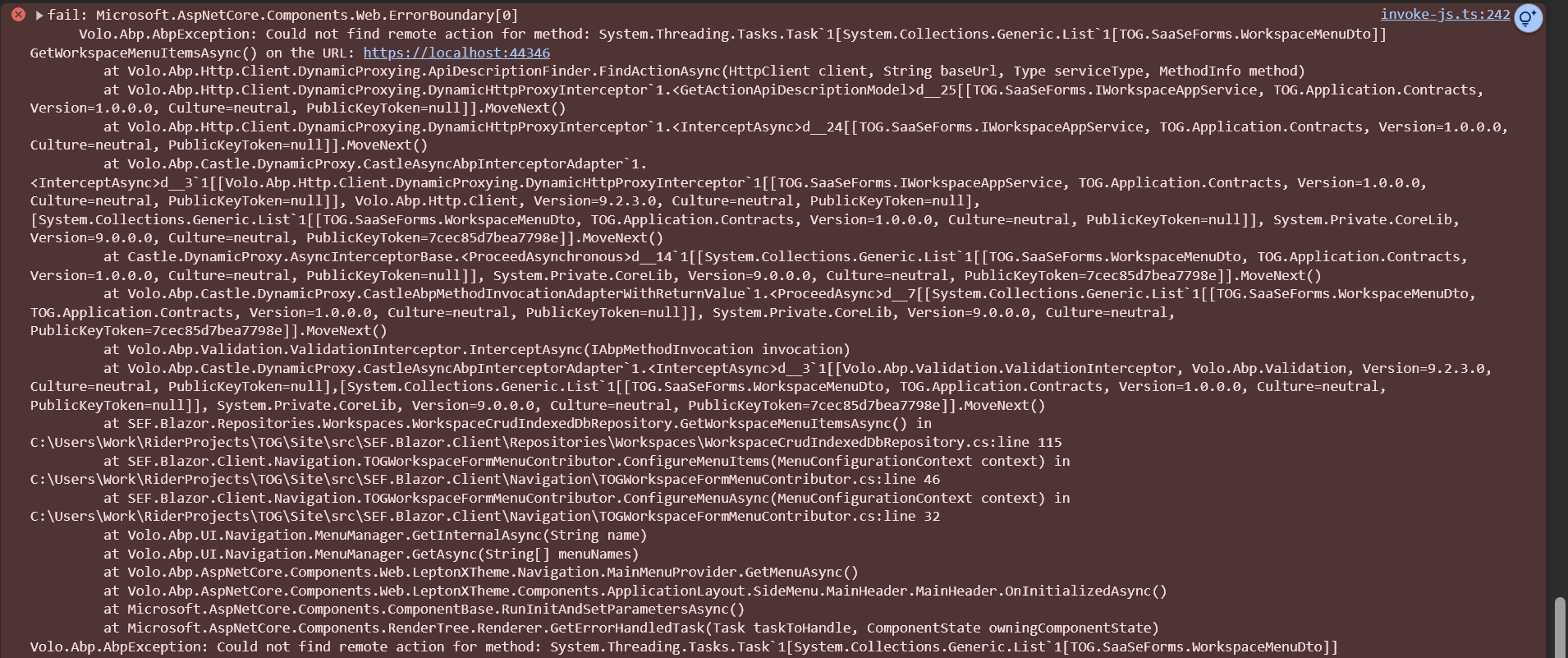
:44346 is the port of the Blazor WebApp.
Sent via email.
I have tried all these steps above, except the custom authentication state. Notably, the boilerplate bootstrapped project provided by ABP also does not work.
I am seeing wrong icons in the popups and now I am seeing them in the data grids.
I have resolved the issue. It was caused by our service called IntegrationAppService which was generating bad routes in version 8.0.2. After renaming the class to IntegrationsAppService, it worked correctly. This leads me to believe that there is some conflict in the names with the new ABP version.
For future reference, I used this code in the Program.cs of the API host right before the app.RunAsync() call to figure out the issue.
/*
/*
var problem = ((Microsoft.AspNetCore.Routing.CompositeEndpointDataSource)endpointSources.First()).DataSources.First(); var actions = ((Microsoft.AspNetCore.Mvc.Routing.ControllerActionEndpointDataSource)problem)._actions.ActionDescriptors; actions.Items.Where(x => x.Properties.Count == 1 && x.AttributeRouteInfo.Template.Contains("//")) */
Note that the error persists after removing the AppController class from the project.
I am aware of what the route should be, but the issue is that we do not have that route specified in our controller. I attempted to run the 8.x template project but it fails out of the box.
Here are all of the public methods in our controller
[Route("api/app")]
public class AppController : AbpController

[HttpGet]
[Route("manifest.webmanifest")]
public async Task Manifest()

[HttpGet]
[Route("asset/{name}")]
public async Task Asset(string name)

[HttpGet]
[Route("seo/asset/{tenantId}/{name}")]
public async Task SeoAsset(Guid tenantId, string name)









