Activities of "enisn"

Hi,

Layout feature was added by one of the community member with this PR: https://github.com/abpframework/abp/pull/20911

You can review that PR and find out how it can be customized in your application.

You can create a new Pages/Public/CmsKit/Pages/Index.cshtml in your project and resolve layout according to your own logic here:

This is the full content of that file that you can use as base: https://github.com/suhaib-mousa/abp/blob/dev/modules/cms-kit/src/Volo.CmsKit.Public.Web/Pages/Public/CmsKit/Pages/Index.cshtml

CMS Kit has a feature for that. If you create a page the pages page, you'll see "Change Home Page Status" menu item there. That makes that page as home page and this page will be rendered as home page automatically.

But remember, CMS Kit applies your public website. If you created your solution With Public Website option, this affects your public website. If you installed all packages of CMS Kit into single application, so it'll affect your project directly

Hi,

Thanks for reporting it. We found a problem related to the filesystem in the docs module. The version is retrieved wrong (since there is no versionning in the filesystem)

Here the related changes done in the PR: https://github.com/abpframework/abp/pull/22891

You can apply similar change in your application until we ship it in a release

Hi,

It's located in in the Account layout, and it's coming from the theme itself. It seems you're useing LeptonX theme, you can override the following page:

  • Create the following file in your project in the exact same folder structure: Themes/LeptonX/Layouts/Account/Default.cshtml
@using Microsoft.Extensions.Localization
@using Microsoft.Extensions.Options
@using Volo.Abp.AspNetCore.Mvc.UI.Theme.LeptonX
@using Volo.Abp.LeptonX.Shared.Localization;
@using Volo.Abp.Localization
@using Volo.Abp.AspNetCore.Mvc.UI.Components.LayoutHook
@using Volo.Abp.AspNetCore.Mvc.UI.Theme.LeptonX.Bundling
@using Volo.Abp.AspNetCore.Mvc.UI.Theming
@using Volo.Abp.AspNetCore.Mvc.UI.Widgets.Components.WidgetScripts
@using Volo.Abp.AspNetCore.Mvc.UI.Widgets.Components.WidgetStyles
@using Volo.Abp.Ui.Branding
@using Volo.Abp.AspNetCore.Mvc.AntiForgery
@using Volo.Abp.AspNetCore.Mvc.UI.MultiTenancy.Localization
@using Volo.Abp.AspNetCore.MultiTenancy
@using Volo.Abp.MultiTenancy
@using Volo.Abp.AspNetCore.Mvc.UI.Theme.LeptonX.Themes.LeptonX.Components.Common.PageAlerts
@using Volo.Abp.AspNetCore.Mvc.UI.Theme.LeptonX.Themes.LeptonX.Components.SideMenu.Toolbar.LanguageSwitch
@using Microsoft.AspNetCore.Http.Extensions
@using Volo.Abp.Ui.LayoutHooks
@using Volo.Abp.LeptonX.Shared
@inject IAbpAntiForgeryManager AbpAntiForgeryManager
@inject IBrandingProvider BrandingProvider
@inject IOptions<LeptonXThemeOptions> LeptonXThemeOptions
@inject IOptions<LeptonXThemeMvcOptions> LeptonXThemeMvcOptions
@inject LeptonXStyleProvider LeptonXStyleProvider
@inject IStringLocalizer<AbpUiMultiTenancyResource> MultiTenancyStringLocalizer
@inject IStringLocalizer<LeptonXResource> L
@inject ITenantResolveResultAccessor TenantResolveResultAccessor
@inject IOptions<AbpMultiTenancyOptions> MultiTenancyOptions
@inject ICurrentTenant CurrentTenant
@inject ThemeLanguageInfoProvider ThemeLanguageInfoProvider
@inject Volo.Abp.AspNetCore.Mvc.UI.Layout.IPageLayout PageLayout
@inject IOptions<AbpThemingOptions> ThemingOptions

@{
    AbpAntiForgeryManager.SetCookie();
    var langDir = CultureHelper.IsRtl ? "rtl" : string.Empty;
    var title = $"{ViewBag.Title ?? PageLayout.Content.Title} | {BrandingProvider.AppName}".Trim('|', ' ');


    var languageInfo = await ThemeLanguageInfoProvider.GetLanguageSwitchViewComponentModel();
    var returnUrl = System.Net.WebUtility.UrlEncode(Context.Request.GetEncodedPathAndQuery());

    var logoUrl = BrandingProvider.LogoUrl == null ? null : "--lpx-logo: url(" + Url.Content(BrandingProvider.LogoUrl.EnsureStartsWith('/').EnsureStartsWith('~')) + ");";
    var logoReverseUrl = BrandingProvider.LogoReverseUrl == null ? null : "--lpx-logo: url(" + Url.Content(BrandingProvider.LogoReverseUrl.EnsureStartsWith('/').EnsureStartsWith('~')) + ");";
    var selectedStyle = await LeptonXStyleProvider.GetSelectedStyleAsync();

    var selectedStyleFileName = CultureHelper.IsRtl ? selectedStyle + ".rtl" : selectedStyle;

    var accountLayoutBackgroundStyle = LeptonXThemeMvcOptions.Value.AccountLayoutBackgroundStyle ?? $"background-image: url('{Url.Content($"~/LeptonX/images/login-pages/login-bg-img-{selectedStyle}.svg")}') !important;";
}
<!DOCTYPE html>
<html lang="@CultureInfo.CurrentCulture.Name" dir="@langDir">

<head>

    @await Component.InvokeLayoutHookAsync(LayoutHooks.Head.First, StandardLayouts.Account)

    @if (!ThemingOptions.Value.BaseUrl.IsNullOrWhiteSpace())
    {
        <base href="@ThemingOptions.Value.BaseUrl" />
    }

    <title>@title</title>

    <meta name="viewport" content="width=device-width,initial-scale=1.0" />
    <meta charset="UTF-8" />
    <meta name="description" content="@ViewBag.MetaDescription">

    @if (LeptonXThemeOptions.Value.Favicon != null)
    {
        <link rel="icon" href="@Url.Content(LeptonXThemeOptions.Value.Favicon.Url)" type="@LeptonXThemeOptions.Value.Favicon.Type">
    }

    <abp-style-bundle name="@LeptonXThemeBundles.Styles.Global" />

    <link href="~/Themes/LeptonX/Global/side-menu/css/bootstrap-@(selectedStyleFileName).css" type="text/css"
          rel="stylesheet" id="lpx-theme-bootstrap-@selectedStyle" />
    <link href="~/Themes/LeptonX/Global/side-menu/css/@(selectedStyleFileName).css" type="text/css" rel="stylesheet"
          id="lpx-theme-color-@selectedStyle" />

    @await Component.InvokeAsync(typeof(WidgetStylesViewComponent))
    @await RenderSectionAsync("styles", false)
    @await Component.InvokeLayoutHookAsync(LayoutHooks.Head.Last, StandardLayouts.Account)

    <style>
        .lpx-login-bg {
            @Html.Raw(accountLayoutBackgroundStyle)
        }

        :root .lpx-theme-light {
            @logoUrl
        }
        :root .lpx-theme-dark {
            @logoReverseUrl
        }

        :root .lpx-theme-dim {
            @logoReverseUrl
        }
    </style>
</head>

<body class="abp-account-layout lpx-theme-@selectedStyle">

    @await Component.InvokeLayoutHookAsync(LayoutHooks.Body.First, StandardLayouts.Account)


    <div class="container-fluid p-0" style="overflow-x: hidden">
        @await Component.InvokeLayoutHookAsync(LayoutHooks.PageContent.First, StandardLayouts.Account)
        <div class="lpx-login-area">
            <div class="lpx-login-bg">
                <div class="d-flex flex-column justify-content-center min-vh-100">

                    <div class="row">
                        <div class="col-xxl-5 col-lg-7 col-md-8 col-11 mx-auto position-relative py-4">

                            @if (BrandingProvider.LogoUrl.IsNullOrEmpty())
                            {
                                <div class="lpx-logo-container lpx-login-brand-text">
                                    <div class="lpx-brand-logo lpx-login-logo mx-auto"></div>
                                    <div class="lpx-brand-name lpx-login-name mx-auto">@BrandingProvider.AppName</div>
                                </div>
                            }
                            else
                            {
                                <div class="lpx-brand-logo lpx-login-logo mb-3 mx-auto"></div>
                            }

                            <div class="card mx-auto" style="max-width: 30rem;">
                                <div class="card-body p-3 p-sm-4">
                                    @if (languageInfo.Languages.Count > 1)
                                    {
                                        <div class="align-items-start d-flex justify-content-between mb-2">
                                            <h2 class="lpx-main-title lpx-login-title m-0 me-auto"> @PageLayout.Content.Title @* TODO: Find a better text here. *@</h2>
                                            <div class="dropdown btn-group ms-auto" aria-labelledby="languageDropdown">

                                                <button class="btn btn-sm btn-light dropdown-toggle" type="button" data-bs-toggle="dropdown" aria-expanded="false">
                                                    <i class="bi bi-translate me-1"></i> @languageInfo.CurrentLanguage.DisplayName
                                                </button>

                                                <ul class="dropdown-menu dropdown-menu-end" aria-labelledby="dropdownMenuButton1" style="max-height: 60vh; overflow-y: auto;">
                                                    @foreach (var language in languageInfo.Languages)
                                                    {
                                                        var twoLetterLanguageName = new CultureInfo(language.CultureName).TwoLetterISOLanguageName.ToUpperInvariant();
                                                        var url = Url.Content($"~/Abp/Languages/Switch?culture={language.CultureName}&uiCulture={language.UiCultureName}&returnUrl={returnUrl}");
                                                        <li>
                                                            <a href="@url" class="dropdown-item" data-lpx-language-option="@twoLetterLanguageName">@language.DisplayName / @twoLetterLanguageName</a>
                                                        </li>
                                                    }
                                                </ul>
                                            </div>
                                        </div>

                                        <hr/>
                                    }

                                    @await Component.InvokeAsync(typeof(PageAlertsViewComponent))

                                    @if (MultiTenancyOptions.Value.IsEnabled &&
                                         (TenantResolveResultAccessor.Result?.AppliedResolvers?.Contains(CookieTenantResolveContributor.ContributorName)
                                          == true ||
                                          TenantResolveResultAccessor.Result?.AppliedResolvers?.Contains(QueryStringTenantResolveContributor.ContributorName)
                                          == true))
                                    {
                                        <div>
                                            <div class="row">
                                                <div class="col">
                                                    <span style="font-size: .8em;"
                                                          class="text-uppercase text-muted">@MultiTenancyStringLocalizer["Tenant"]</span><br/>
                                                    <h6 class="m-0 d-inline-block">
                                                        @if (CurrentTenant.Id == null)
                                                        {
                                                            <span>
                                                                @MultiTenancyStringLocalizer["NotSelected"]
                                                            </span>
                                                        }
                                                        else
                                                        {
                                                            <strong>
                                                                @(CurrentTenant.Name ??
                                                                  CurrentTenant.Id.Value.ToString())
                                                            </strong>
                                                        }
                                                    </h6>
                                                </div>
                                                <div class="col-auto">
                                                    <a id="AbpTenantSwitchLink" href="javascript:;"
                                                       class="btn btn-sm btn-outline-primary">@MultiTenancyStringLocalizer["Switch"]</a>
                                                </div>
                                            </div>
                                        </div>
                                        <hr/>

                                    }

                                    @RenderBody()

                                </div>
                                @* @await Html.PartialAsync("~/Themes/LeptonX/Layouts/Account/_Footer.cshtml") *@
                            </div>
                        </div>
                    </div>
                </div>
            </div>
        </div>

        @await Component.InvokeLayoutHookAsync(LayoutHooks.PageContent.Last, StandardLayouts.Account)
    </div>

    <abp-script-bundle name="@LeptonXThemeBundles.Scripts.Global" />
    <script src="~/Abp/ApplicationLocalizationScript?cultureName=@CultureInfo.CurrentUICulture.Name"></script>
    <script type="text/javascript" src="~/Abp/ApplicationConfigurationScript"></script>
    <script type="text/javascript" src="~/Abp/ServiceProxyScript"></script>
    @await Component.InvokeAsync(typeof(WidgetScriptsViewComponent))
    @await RenderSectionAsync("scripts", false)
    @await Component.InvokeLayoutHookAsync(LayoutHooks.Body.Last, StandardLayouts.Account)
</body>

</html>

This was the original content of the Account layout in v4.1

You should find the following section:

<div class="row">
    <div class="col">
        <span style="font-size: .8em;"
              class="text-uppercase text-muted">@MultiTenancyStringLocalizer["Tenant"]</span><br/>
        <h6 class="m-0 d-inline-block">
            @if (CurrentTenant.Id == null)
            {
                <span>
                    @MultiTenancyStringLocalizer["NotSelected"]
                </span>
            }
            else
            {
                <strong>
                    @(CurrentTenant.Name ??
                      CurrentTenant.Id.Value.ToString())
                </strong>
            }
        </h6>
    </div>
    <div class="col-auto">
        <a id="AbpTenantSwitchLink" href="javascript:;"
           class="btn btn-sm btn-outline-primary">@MultiTenancyStringLocalizer["Switch"]</a>
    </div>
</div>

And update it with the following code:

<div class="row">
    <form method="post" asp-page="/Abp/MultiTenancy/TenantSwitchModal">
            <select name="Input.Name"
                class="auto-complete-select"
                data-autocomplete-api-url="/api/app/tenant-lookup"
                data-autocomplete-display-property="name"
                data-autocomplete-value-property="name"
                data-autocomplete-items-property="items"
                data-autocomplete-filter-param-name="filter"
                data-autocomplete-allow-clear="true"
                >
                @if (CurrentTenant.Id != null)
                {
                    @* Tenant resolvers works with name, not id. So value must be name. *@
                    <option value="@CurrentTenant.Name">@CurrentTenant.Name</option>
                }
    </select>

     <button type="submit"
                class="btn btn-sm btn-outline-primary mt-2 w-100">@MultiTenancyStringLocalizer["Switch"]    </button>
    </form>
</div>

This will look something like that:

Let's implement lookup endpoint, we cannot use Saas endpoints since they require authorization.

  • Create ITenantLookupAppService.cs in your Application.Contracts layer:
public interface ITenantLookupAppService : IApplicationService
{
    Task<PagedResultDto<TenantLookupDto>> GetListAsync(TenantLookupPagedResultRequestDto input);
}

public class TenantLookupDto
{
    public Guid Id { get; set; }
    public string Name { get; set; }
}

public class TenantLookupPagedResultRequestDto : PagedAndSortedResultRequestDto
{
    public string? Filter { get; set; }
}


- Create `TenantLookupAppService.cs` in your **Application** layer:

```cs
public class TenantLookupAppService : ApplicationService, ITenantLookupAppService
{
    private readonly ITenantRepository _tenantRepository;

    public TenantLookupAppService(ITenantRepository tenantRepository)
    {
        _tenantRepository = tenantRepository;
    }

    public async Task&lt;PagedResultDto&lt;TenantLookupDto&gt;> GetListAsync(TenantLookupPagedResultRequestDto input)
    {
        var tenants = await _tenantRepository.GetListAsync(skipCount: input.SkipCount, maxResultCount: input.MaxResultCount, filter: input.Filter);
        var count = await _tenantRepository.GetCountAsync(filter: input.Filter);
        return new PagedResultDto&lt;TenantLookupDto&gt;(count, tenants.Select(t => new TenantLookupDto { Id = t.Id, Name = t.Name }).ToList());
    }
}
  • Now tenants will be listed and searchable here no matter how many you're, this ABP's Auto-Complete-Select implementation supports lazy-loading and searching, so it doesn't load all of them at the same time to the UI.

As a note: Submitting directly to a SwitchTenantModal endpoint, returns the switchtenant modal when succeeded, you can prevent it by submiting form by javascript instead page-submit directly.

Hi,

Do you have any errors or logs? Can you share logs of ABP Suite after code-generation?

ABP Suite logs are located in the following path:

%USERPROFILE%\.abp\suite\logs

Hi,

ABP uses tui-editor for rich text editing.

I hope this steps helps to use it in your application: https://abp.io/support/questions/6343/RichText-input-control

Hi,

It seems we faced the same problem while developing micro-service template and found a different solution.

By a service

We created a centralized localization system with a separate simple Http API manages all the localizaiton. If you create a new microservice solution you'll see this Dynamic Localization option: <img src="/QA/files/3a19d642dc4ba66c8ec4e99eda7f78d3.png" alt="ABP Microservice dynamic localization" width="360" />

This options adds a new project to your solution to provide localizations to other services and more. In this system it supports changing them at runtime dynamically by using Language Management module, but in your case you can aggresively cache them if you do not want to change them at runtime and one-time you can get localizations.

If you interested this approach, I recommend you to create a new microservice template with dynamic localization option and check how it's implemented.

By a common data source (database table, file on cdn etc.)

Or, instead of creating a standalone service for it, each service can seed their own localizations into a shared database and all of your services can use this database or a file on CDN and the table to use localization. But in that case, you'll still need to use reference for Domain.Shared layers to access Solution1Resource, Solution2Resource etc. classes. Still, you can build a custom system to localize with a string resource name instead strong-typed C# class.

Hi,

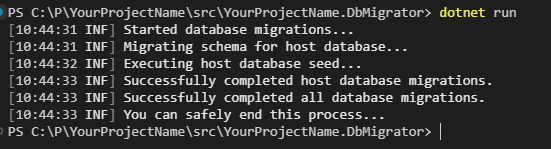
All the authserver data is seeded into database whenever you run DbMigrator. Can you check appsettings.json and update it, and replace all the localhost URLs with the real domain names. Then run the dbmigrator for the production database. (Configure connectionstring for production in the same appsettings.json file). That will add all the OpenId clients to the database so you can login

Hi,

Can you get the response from AuthServer (44310) for the path /.well-known/openid-configuration path?

Can you check this documentation for IIS? https://learn.microsoft.com/en-us/aspnet/core/host-and-deploy/proxy-load-balancer?view=aspnetcore-9.0#iisiis-express-and-aspnet-core-module

Sometimes headers cannot be passed to the application directly when they're running behind a load-balander or a proxy server. Check forwarded headers too https://learn.microsoft.com/en-us/aspnet/core/host-and-deploy/proxy-load-balancer?view=aspnetcore-9.0#forwarded-headers-middleware-order

We had a development on the Framework-side and we'll use this new service soon. You can follow it from here: https://github.com/abpframework/abp/pull/22866

Showing 91 to 100 of 784 entries
Boost Your Development
ABP Live Training
Packages
See Trainings
Mastering ABP Framework Book
The Official Guide
Mastering
ABP Framework
Learn More
Mastering ABP Framework Book
Made with ❤️ on ABP v10.1.0-preview. Updated on December 17, 2025, 07:08
1
ABP Assistant
🔐 You need to be logged in to use the chatbot. Please log in first.