Are there any plans to make the AI Management Modules fully multi-tenancy or is this already the case?
Getting an abp login error after upgrading to 9.1.2

We are having ABP Commercial and are migrating from 8.2 to 9.1 As part of our CI/CD process in Azure Devops we were running:
But with the new version of the cli, it's no longer possible to use <user> and <password> on the commandline for abp login. Hence our CI/CD process is blocked.
Is there a solution for this problem?
We are using ABP Commercial.
During the file import of users, we would also like to assign them to an organization unit. At the moment OU's is not foreseen as an import field.
Is there a workaround that for this?
Can you please consider this as a new feature for you commercial module? It's kind of strange that on one hand side you have a very flexible and good OU approach, but it's not possible to add users to the OU's in bulk.
Thanks.
Eric.
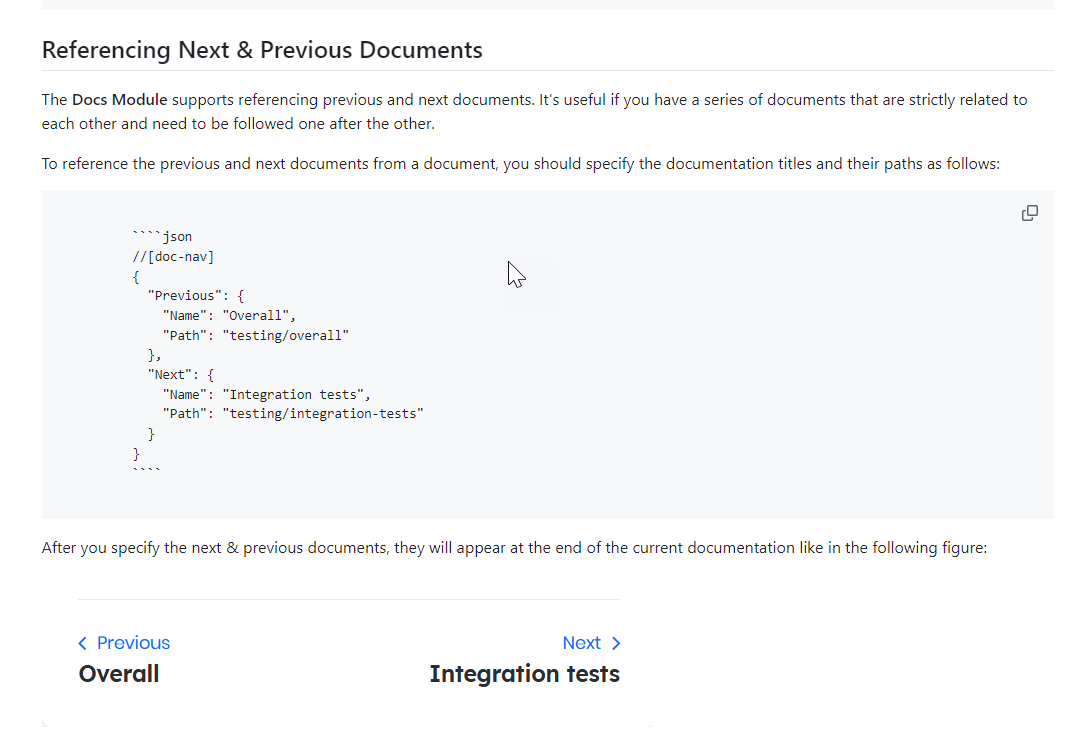
It's not clear how and where to define the next and previous pages. Is this done in the doc-nav.json or in the page itself? Is this on the item itself?
ABP Framework version: v8.2 Commercial + SaaS module
UI Type: MVC
Database System: EF Core (SQL Server)
Tiered (for MVC) or Auth Server Separated (for Angular): no
Exception message and full stack trace: at System.Data.Common.DbConnectionOptions.GetKeyValuePair(String connectionString, Int32 currentPosition, StringBuilder buffer, Boolean useOdbcRules, String& keyname, String& keyvalue)
at System.Data.Common.DbConnectionOptions.ParseInternal(Dictionary2 parsetable, String connectionString, Boolean buildChain, Dictionary2 synonyms, Boolean firstKey)
at System.Data.Common.DbConnectionOptions..ctor(String connectionString, Dictionary2 synonyms, Boolean useOdbcRules) at System.Data.Common.DbConnectionStringBuilder.set_ConnectionString(String value) at Microsoft.Data.SqlClient.SqlConnectionStringBuilder..ctor(String connectionString) at Volo.Abp.EntityFrameworkCore.ConnectionStrings.SqlServerConnectionStringChecker.CheckAsync(String connectionString) at Volo.Saas.Host.TenantAppService.CheckConnectionStringAsync(String connectionString) at Castle.DynamicProxy.AsyncInterceptorBase.ProceedAsynchronous[TResult](IInvocation invocation, IInvocationProceedInfo proceedInfo) at Volo.Abp.Castle.DynamicProxy.CastleAbpMethodInvocationAdapterWithReturnValue1.ProceedAsync()
at Volo.Abp.Authorization.AuthorizationInterceptor.InterceptAsync(IAbpMethodInvocation invocation)
at Volo.Abp.Castle.DynamicProxy.CastleAsyncAbpInterceptorAdapter1.InterceptAsync[TResult](IInvocation invocation, IInvocationProceedInfo proceedInfo, Func3 proceed)
at Castle.DynamicProxy.AsyncInterceptorBase.ProceedAsynchronous[TResult](IInvocation invocation, IInvocationProceedInfo proceedInfo)
at Volo.Abp.Castle.DynamicProxy.CastleAbpMethodInvocationAdapterWithReturnValue1.ProceedAsync() at Volo.Abp.GlobalFeatures.GlobalFeatureInterceptor.InterceptAsync(IAbpMethodInvocation invocation) at Volo.Abp.Castle.DynamicProxy.CastleAsyncAbpInterceptorAdapter1.InterceptAsync[TResult](IInvocation invocation, IInvocationProceedInfo proceedInfo, Func3 proceed) at Castle.DynamicProxy.AsyncInterceptorBase.ProceedAsynchronous[TResult](IInvocation invocation, IInvocationProceedInfo proceedInfo) at Volo.Abp.Castle.DynamicProxy.CastleAbpMethodInvocationAdapterWithReturnValue1.ProceedAsync()
at Volo.Abp.Auditing.AuditingInterceptor.ProceedByLoggingAsync(IAbpMethodInvocation invocation, AbpAuditingOptions options, IAuditingHelper auditingHelper, IAuditLogScope auditLogScope)
at Volo.Abp.Auditing.AuditingInterceptor.InterceptAsync(IAbpMethodInvocation invocation)
at Volo.Abp.Castle.DynamicProxy.CastleAsyncAbpInterceptorAdapter1.InterceptAsync[TResult](IInvocation invocation, IInvocationProceedInfo proceedInfo, Func3 proceed)
at Castle.DynamicProxy.AsyncInterceptorBase.ProceedAsynchronous[TResult](IInvocation invocation, IInvocationProceedInfo proceedInfo)
at Volo.Abp.Castle.DynamicProxy.CastleAbpMethodInvocationAdapterWithReturnValue1.ProceedAsync() at Volo.Abp.Validation.ValidationInterceptor.InterceptAsync(IAbpMethodInvocation invocation) at Volo.Abp.Castle.DynamicProxy.CastleAsyncAbpInterceptorAdapter1.InterceptAsync[TResult](IInvocation invocation, IInvocationProceedInfo proceedInfo, Func3 proceed) at Castle.DynamicProxy.AsyncInterceptorBase.ProceedAsynchronous[TResult](IInvocation invocation, IInvocationProceedInfo proceedInfo) at Volo.Abp.Castle.DynamicProxy.CastleAbpMethodInvocationAdapterWithReturnValue1.ProceedAsync()
at Volo.Abp.Uow.UnitOfWorkInterceptor.InterceptAsync(IAbpMethodInvocation invocation)
at Volo.Abp.Castle.DynamicProxy.CastleAsyncAbpInterceptorAdapter1.InterceptAsync[TResult](IInvocation invocation, IInvocationProceedInfo proceedInfo, Func3 proceed)
at lambda_method11563(Closure, Object)
at Microsoft.AspNetCore.Mvc.Infrastructure.ActionMethodExecutor.AwaitableObjectResultExecutor.Execute(ActionContext actionContext, IActionResultTypeMapper mapper, ObjectMethodExecutor executor, Object controller, Object[] arguments)
at Microsoft.AspNetCore.Mvc.Infrastructure.ControllerActionInvoker.<InvokeActionMethodAsync>g__Awaited|12_0(ControllerActionInvoker invoker, ValueTask`1 actionResultValueTask)
at Microsoft.AspNetCore.Mvc.Infrastructure.ControllerActionInvoker.
Steps to reproduce the issue: I have my application deployed on an Azure App Service. My App Service Managed Identity is added to the database (ddl_admin, reader & writer) I want one of my tenants on a separate database. I've entered the following connection string: Server=
I'm getting an error: Format of the initialization string does not conform to specification starting at index 136. What am I missing? What are the validations that are done on the connectionstring? I've also tried with Authentication=Active Directory Default.
I've created a standard Blazor / ABP app and deployed to 2 Azure Web Apps:
I've followed the instructions in various tickets to get past the 500.30 error and Home page shows correct now
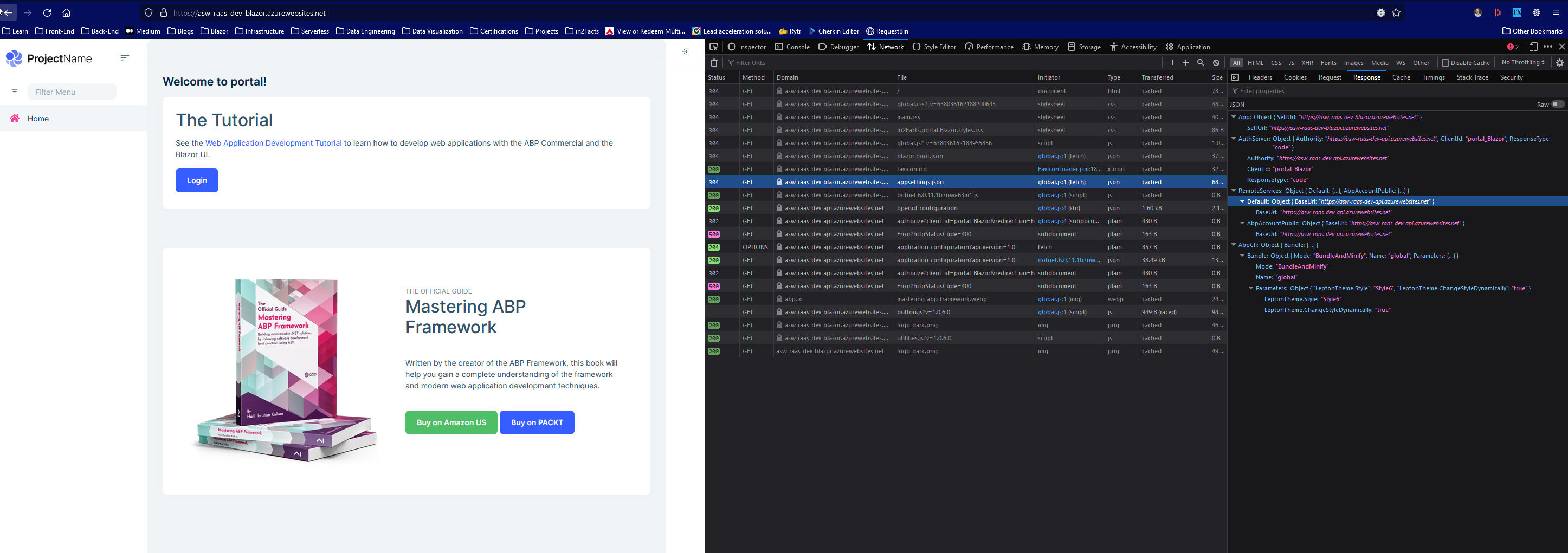
But when I try to login in I'm getting a blank page and an error:
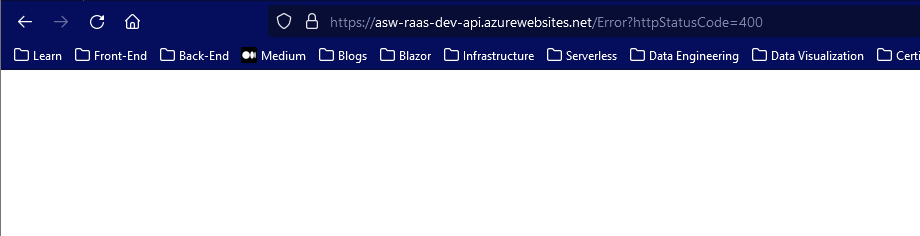
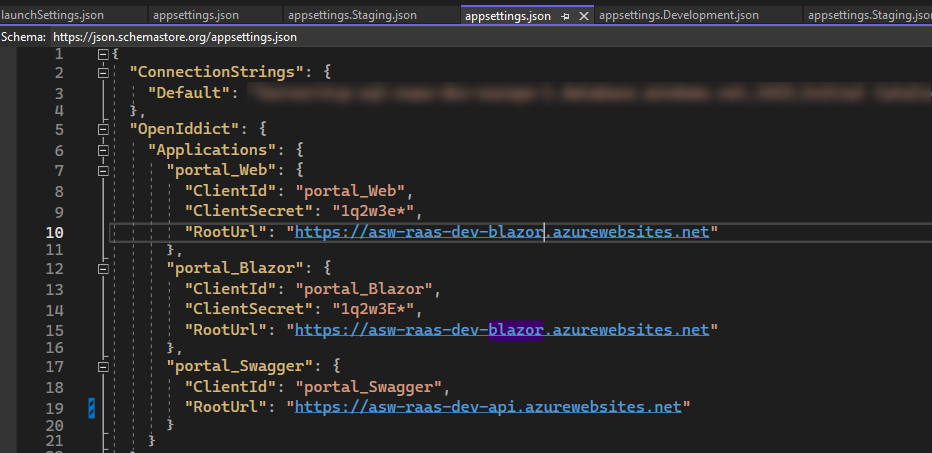
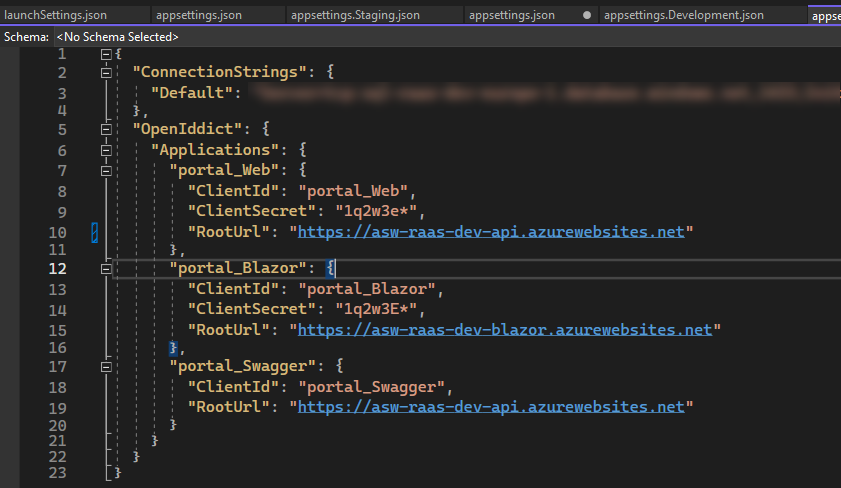
So, I still must be missing something, but I really have no clue as all appsettings look OK at first glance:
appsettings for blazor
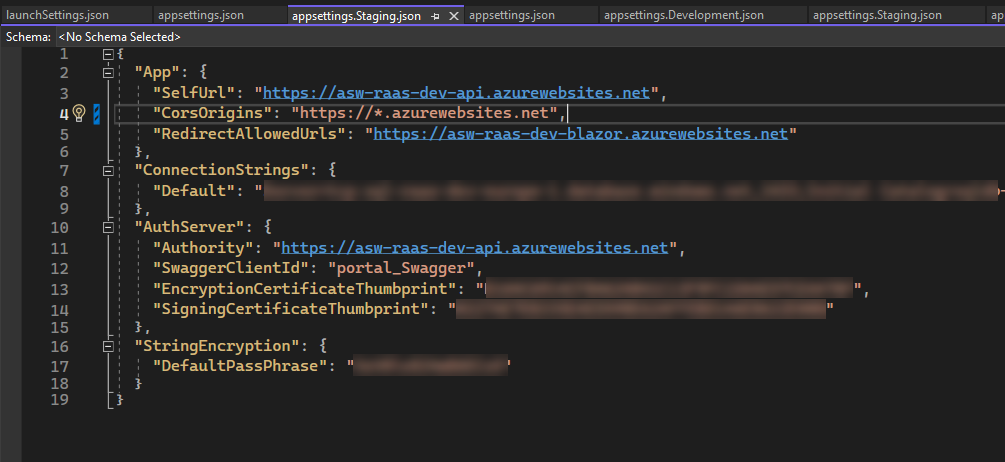
appsettings for HttpApi.Host
appsettings for DbMigrator
Check the docs before asking a question: https://docs.abp.io/en/commercial/latest/ Check the samples, to see the basic tasks: https://docs.abp.io/en/commercial/latest/samples/index The exact solution to your question may have been answered before, please use the search on the homepage.
If you're creating a bug/problem report, please include followings:
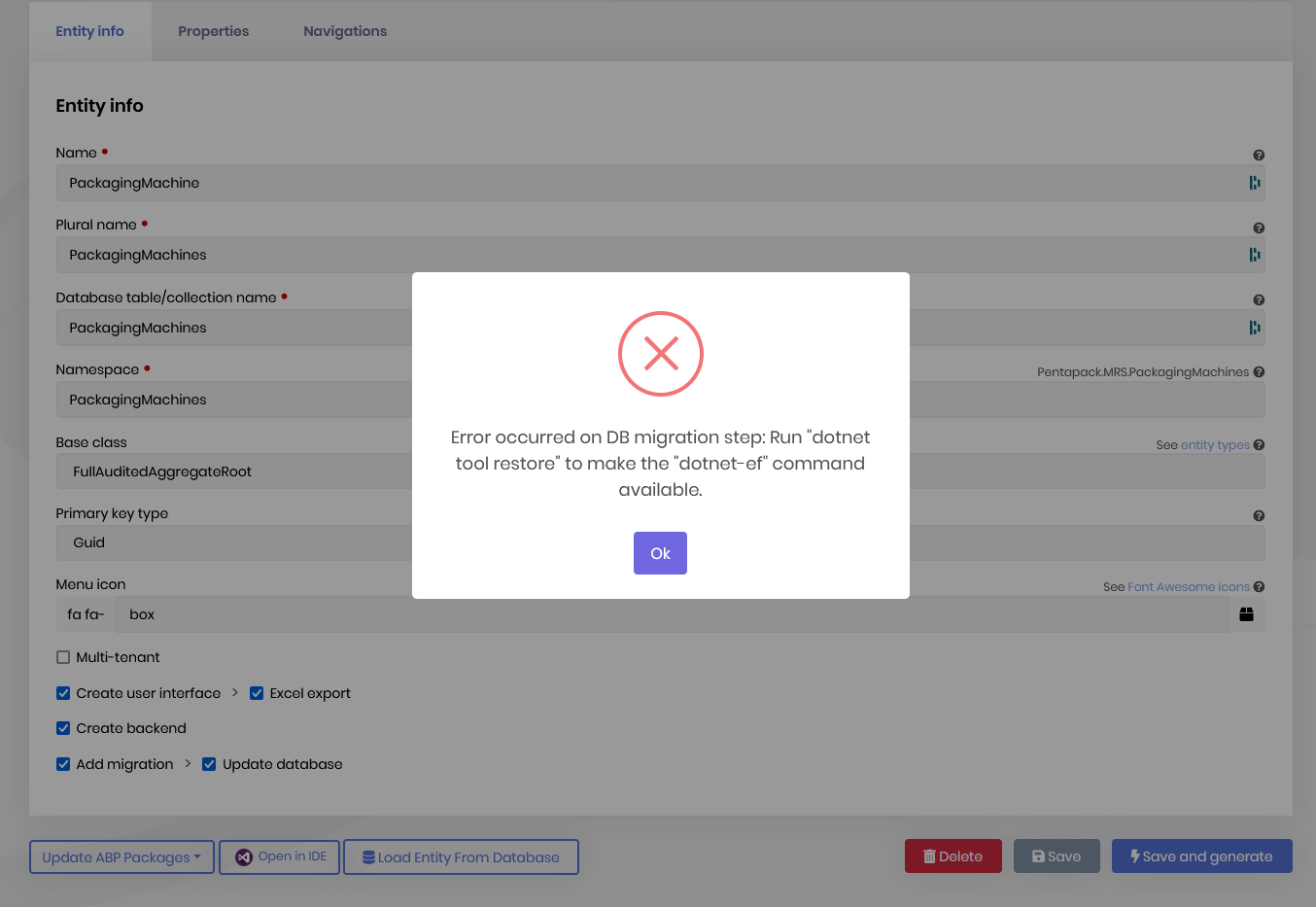
I upgraded to ABP 6.0 Now I'm getting the following error when I update an entity with ABP Suite and run "Save & Generate"
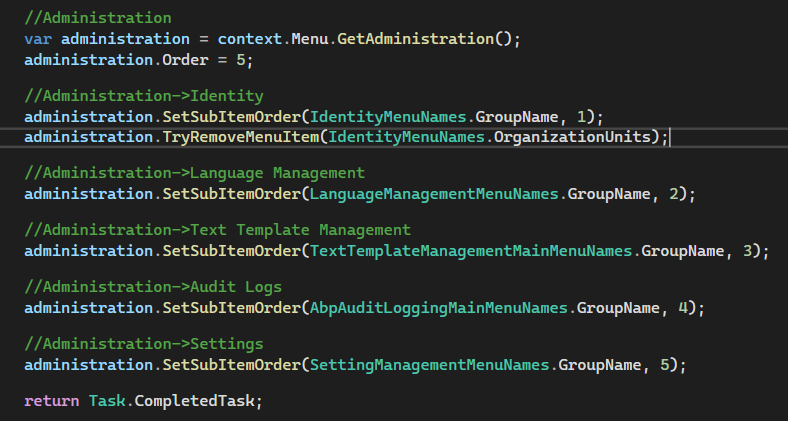
I'm trying to remove OrganizationalUnits. I've used the administration.TryRemoveMenuItem(IdentityMenuNames.OrganizationUnits), but the menu still appears.
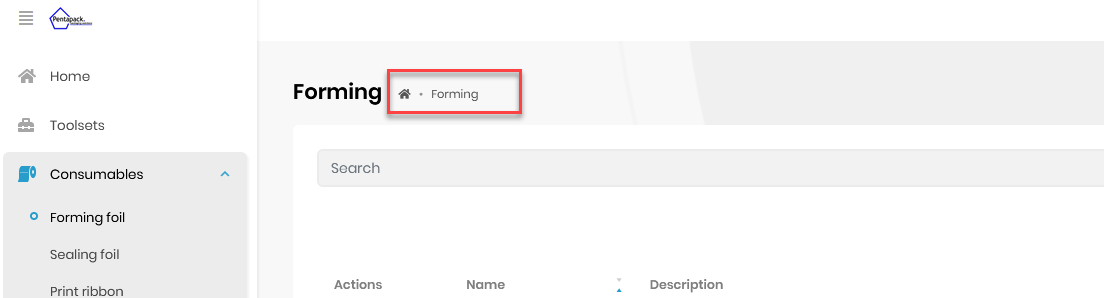
Currently the breadcrumb only shows the title, how can we get the full menu path displayed in the breadcrumb: Home > Consumables > Forming Foil