We're just visually hiding the concept of a UserName by setting UserName = EmailAddress. That way users are created and sign in using only their email address, with no option for a different username.
I ended up solving my issue by adding a hidden userName property with a default value.
export function removeUserNameContributor(
  propList: FormPropList<IdentityUserDto>
) {
  let previousUserNameProp = propList.get(propList.findIndex(p => p.value.name == 'userName')).value
  propList.dropByValue(
    'userName',
    (prop, text) => prop.name === text
  )
  propList.addHead({
    ...previousUserNameProp,
    visible: c => false,
    defaultValue: 'DEFAULTVALUE'
  } as FormProp<IdentityUserDto>);

  let emailPropIndex = propList.findIndex(p => p.value.name == 'email');
  propList.addHead(propList.get(emailPropIndex).value);
  propList.dropByIndex(emailPropIndex + 1);
}
Then in CreateAsync I ignore the default value in the username and only use the email to create the user.
var user = new Volo.Abp.Identity.IdentityUser(
    GuidGenerator.Create(),
    input.Email,
    input.Email,
    CurrentTenant.Id
);
Now the username for all users will be their email address.
Hello! We are trying to hide the username field from the Create and Edit User forms and use the email address for the username instead.
I have successfully removed the username field from the Angular UI and moved the email field to the top like this:
export function removeUserNameContributor(
  propList: FormPropList<IdentityUserDto>
) {
  propList.dropByValue(
    'userName',
    (prop, text) => prop.name === text
  )
  let emailPropIndex = propList.findIndex(p => p.value.name == 'email');
  propList.addHead(propList.get(emailPropIndex).value);
  propList.dropByIndex(emailPropIndex + 1);
}

export const identityEntityCreateFormPropContributors: IdentityCreateFormPropContributors = {
  [eIdentityComponents.Users]: [
    removeUserNameContributor
  ]
}

export const identityEntityEditFormPropContributors: IdentityEditFormPropContributors = {
  [eIdentityComponents.Users]: [
    removeUserNameContributor
  ]
}

{
    path: 'identity',
    loadChildren: () => {
      import('./identity/identity.module').then(m => m.IdentityOverrideModule)
      return import('@volo/abp.ng.identity').then((m) => m.IdentityModule.forLazy({
        createFormPropContributors: identityEntityCreateFormPropContributors,
        editFormPropContributors: identityEntityEditFormPropContributors,
      }))
    }
},
I've also overwritten the CreateAsync method to set the username to the email address:
[Authorize(IdentityPermissions.Users.Create)]
public override async Task<IdentityUserDto> CreateAsync(IdentityUserCreateDto input)
{
    var user = new Volo.Abp.Identity.IdentityUser(
        GuidGenerator.Create(),
        input.Email,
        input.Email,
        CurrentTenant.Id
    );

    input.MapExtraPropertiesTo(user);

    (await UserManager.CreateAsync(user, input.Password)).CheckErrors();

    ...
}
But I am unable to remove the Required attribute from UserName on IdentityUserCreateDto so I get the following error from the form:
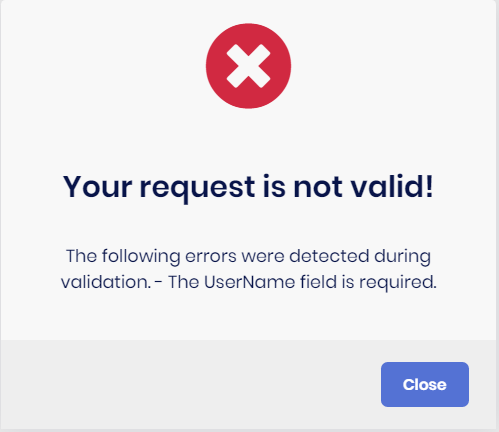
In my ...DtoExtensions.cs I have tried:
ObjectExtensionManager.Instance
.AddOrUpdateProperty<string > (
    new[]
    {
        typeof(IdentityUserCreateDto),
    },
    "UserName",
    options =>
    {
        options.Attributes.Clear();
        options.Validators.Clear();
    }
);
and
ObjectExtensionManager.Instance
.AddOrUpdate<IdentityUserCreateDto>(objConfig =>
{
    objConfig.AddOrUpdateProperty<string>("UserName", propertyConfig =>
    {
        propertyConfig.Attributes.Clear();
        propertyConfig.Validators.Clear();
    });
});
and have tried substituting IdentityUserCreateDto with IdentityUserCreateOrUpdateDtoBase but none of these solutions have removed the Required attribute.
Any ideas would be appreciated. Thanks!
Hello! A while back we disabled the Organization Unit functionality in part by disabling the permissions:
context.GetPermissionOrNull(IdentityPermissions.OrganizationUnits.Default).IsEnabled = false;
context.GetPermissionOrNull(IdentityPermissions.OrganizationUnits.ManageOU).IsEnabled = false;
context.GetPermissionOrNull(IdentityPermissions.OrganizationUnits.ManageRoles).IsEnabled = false;
context.GetPermissionOrNull(IdentityPermissions.OrganizationUnits.ManageUsers).IsEnabled = false;
After upgrading from 4.4.4 to 5.0.1, the new filters on the user table throw a Volo.Abp.Authorization.AbpAuthorizationException when trying to get the organization units from Volo.Abp.Identity.OrganizationUnitController.GetListAsync. Is there a way to disable these new filters on the user table or another workaround to solve this problem within version 5.0.1?
Thanks!
Solved this by overriding the Lepton HeaderBrandViewComponent:
Created Default.cshtml in the Host project at Themes/Lepton/Components/Header/Brand/Default.cshtml:
@using Volo.Abp.Ui.Branding
@using Microsoft.Extensions.Configuration;
@inject IConfiguration _config
@inject IBrandingProvider BrandingProvider
<a class="navbar-brand" href="@_config["App:AngularUrl"]" alt="@BrandingProvider.AppName"></a>
It may be nice at some point to add the href url to the BrandingProvider so those using angular can make all the necessary overrides for the login pages in one place.
Hi maliming,
I've made the following changes but edits to the language texts still only apply in host.
Added DynamicLocalizationResourceContributor (had to get CurrentTenant because the class doesn't extend something with it already)
public class DynamicLocalizationResourceContributor : ILocalizationResourceContributor
{
    protected LocalizationResource Resource;
    protected IDynamicResourceLocalizer DynamicResourceLocalizer;
    protected ICurrentTenant CurrentTenant;

    public void Initialize(LocalizationResourceInitializationContext context)
    {
        Resource = context.Resource;
        DynamicResourceLocalizer = context.ServiceProvider.GetRequiredService<IDynamicResourceLocalizer>();
        CurrentTenant = context.ServiceProvider.GetRequiredService<ICurrentTenant>();
    }

    public LocalizedString GetOrNull(string cultureName, string name)
    {
        using (CurrentTenant.Change(null))
        {
            return DynamicResourceLocalizer.GetOrNull(Resource, cultureName, name);
        }
    }

    public void Fill(string cultureName, Dictionary<string, LocalizedString> dictionary)
    {
        using (CurrentTenant.Change(null))
        {
            DynamicResourceLocalizer.Fill(Resource, cultureName, dictionary);
        }
    }
}
Added the contributor in the HostModule:
Configure<LocalizationResource>(options =>
{
    options.Contributors.Clear();
    options.Contributors.Add(new DynamicLocalizationResourceContributor());
});
Any other suggestions?
Thanks!
Hello. We have removed the Languages and Language Texts features from the tenants by changing the MultiTenancySides to Host on these permissions. However, we'd like to use the UI in the host to edit the language texts and have these changes apply to all tenants. Currently, it seems changing language texts in the host only changes them in for users logged into the host. Is there a way to override so all tenants will use language texts defined in the host?
Thanks!
Hello. For Angular projects using authorization code flow, clicking the logo on the login, logout, and reset password pages by default redirects to the swagger page - i.e. href="/". Is there a way to easily override this link without overriding all of these pages? I currently have only replaced the logo from wwwroot/images/logo and the AppName from a custom BrandingProvider.
Thanks!
ABP Framework Version: v4.4.4 UI Type: Angular DB provider: EF Core Identity Server Separated: No
After upgrading to 4.4.4, my existing project and new projects with no changes both log a ExpressionChangedAfterItHasBeenCheckedError error to the console on app component load.
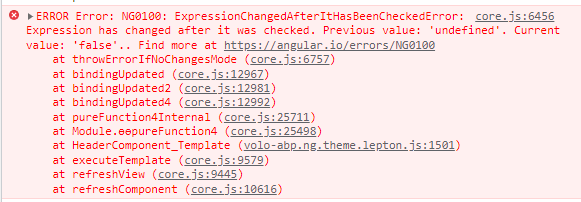
To reproduce:
Follow-up on my issue posted above:
Steps to reproduce:
yarn in Angular projectlocalhost:4200 in Incognito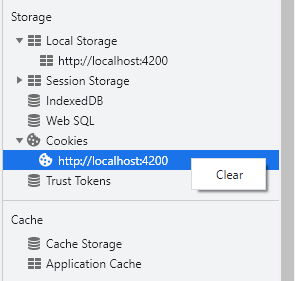
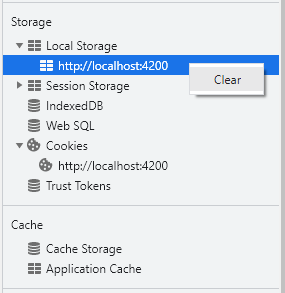
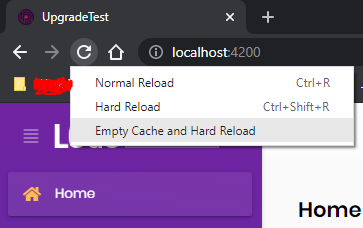
Loginlibs folder or styles for the theme.




My concern is that because it involves the cache, storage, or cookies, this error will only appear for new users coming to the site. Please let me know if you are able to reproduce this.
Thanks!
Hello. I am having a strange issue after updating from 4.2.2 to 4.3.2. When running the app locally, if I open it in a fresh browser like Chrome Incognito, I get the following console errors.
When logging out:
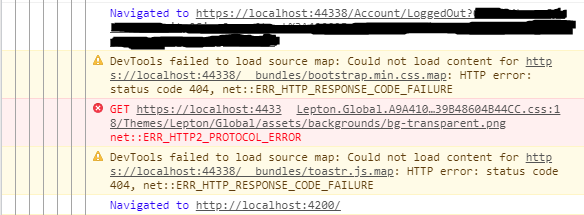
After navigating back to the login page:
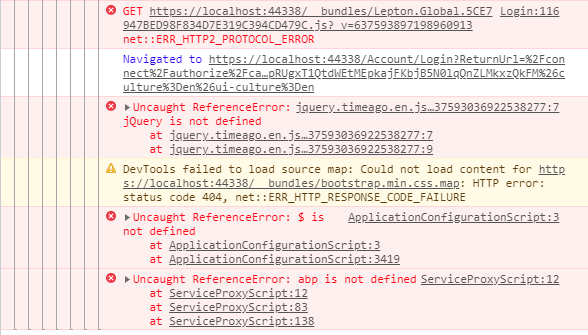
This may be difficult to reproduce as I have been unable to do so in the demo app or a fresh project, but has anyone else experienced this or have any suggestions for what might be causing it? I followed the migration guide closely and used WinMerge to update all other changes.
Details:
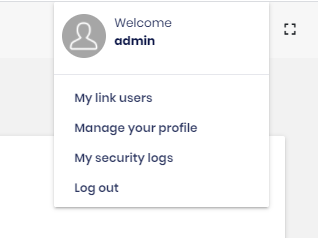
One other small bug that I noticed was that this dropdown now appears over the button to open it rather than below it: