HI,
Could you provide the full steps to reproduce? I will check it. thanks.
Hi,
I will check it.
Hi,
Can you please send an email to support@abp.io, we will help you.
I'm closing this.
BTW, your ticket refunded.
Hi,
Of course, Remove Volo.CmsKit.Pro.Web package from ProductService.Web and install the Volo.CmsKit.Pro.Admin.Web package.
Hi,
Could you share the full application logs?
Hi,
It looks like not related to angular UI but your LDAP server.
In order to perform this operation a successful bind must be completed on the connection
Here are some links may be helpful:
https://support.servicenow.com/kb?id=kb_article_view&sysparm_article=KB0754219 https://stackoverflow.com/questions/60345525/to-perform-this-operation-a-successful-bind-must-be-completed-on-the-connection
If you can provide the full steps or a project to reproduce the problem. I will check it. shiwei.liang@volosoft.com
Hi,
Could you share the full steps to reproduce? thanks.
Hi,
You need to custom the account UI: https://docs.abp.io/en/abp/latest/Customizing-Application-Modules-Guide https://docs.abp.io/en/commercial/latest/modules/account#replaceable-components
Hi,
But how add a ChatUser?
When you add a user, it will be automatically added as a chat user.
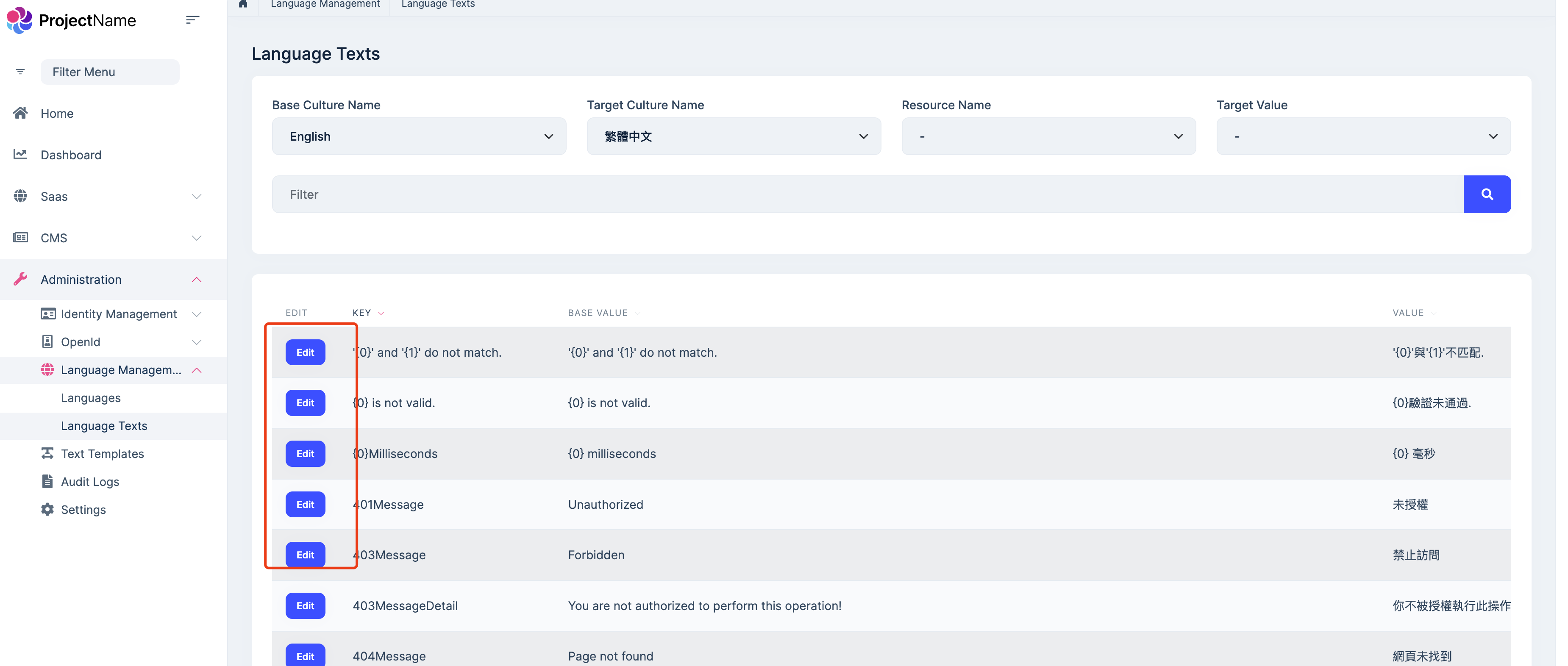
Add how to modify localization of these areas?
You can edit the localization texts on the language management page.
Well, I will include all the pre-built modules in AdministrationService. So, which modules need do this at https://commercial.abp.io/modules
Currently only Cms-kit module.
I have another question, how to include cms in publicweb? Is there documentation for this?
You can add the Volo.CmsKit.Pro.Public.Web and Volo.CmsKit.Pro.Public.HttpApi.Client package to the public web project. (also add the module dependencies)
Update the public web gateway configuration to forward requests to the product service.









