Hi,
I will check it out.
Hi,
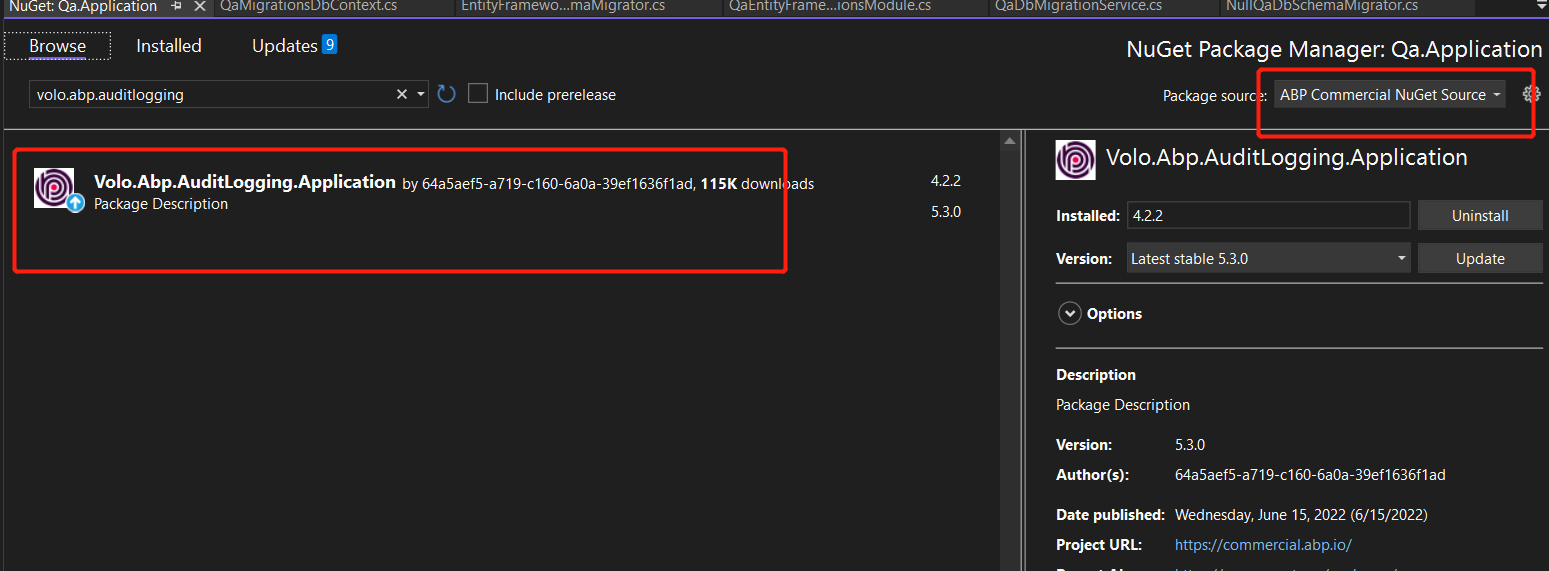
You can choose the Abp Commerical nuget source and search volo.abp.auditlogging.application
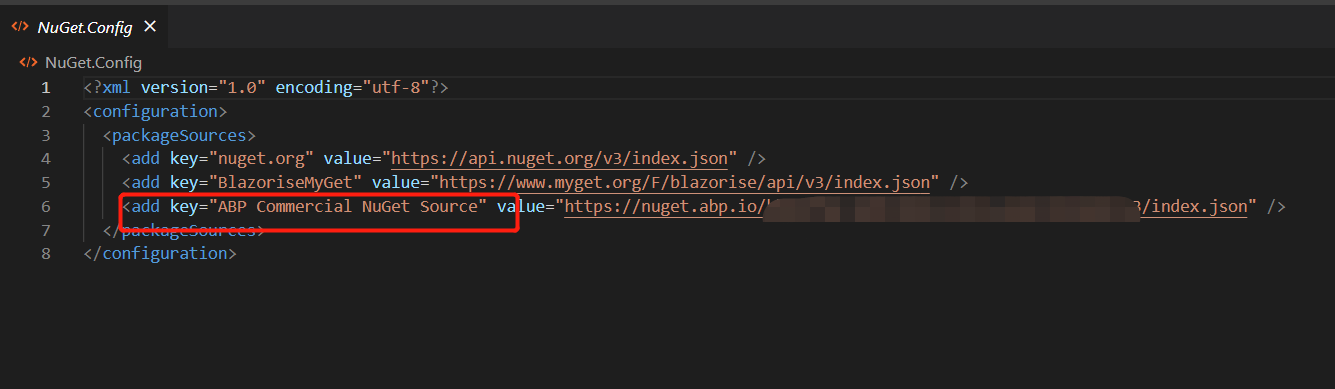
You can check the Nuget.config file (under your solution folder), if there no Abp Commerical nuget source you can use the abp suite to create a new project and copy its Nuget.config file.
BTW, we recommend that you upgrade to the latest version, It contains lots of performance improvements and bug fixes as well as new features
Hi,
You can add a TenantChangedEventHandler to your domain project.
public class TenantChangedEventHandler : ILocalEventHandler<EntityChangedEventData<Tenant>>, ITransientDependency
{
    private readonly IEnumerable<I<YourProjectName>DbSchemaMigrator> _dbSchemaMigrators;
    private readonly ICurrentTenant _currentTenant;
    private readonly IUnitOfWorkManager _unitOfWorkManager;
    private readonly IDataSeeder _dataSeeder;
    private readonly ITenantStore _tenantStore;
    private readonly ILogger<TenantChangedEventHandler> _logger;

    public TenantChangedEventHandler(
        IEnumerable<I<YourProjectName>DbSchemaMigrator> dbSchemaMigrators,
        ICurrentTenant currentTenant,
        IUnitOfWorkManager unitOfWorkManager,
        IDataSeeder dataSeeder,
        ITenantStore tenantStore,
        ILogger<TenantChangedEventHandler> logger)
    {
        _dbSchemaMigrators = dbSchemaMigrators;
        _currentTenant = currentTenant;
        _unitOfWorkManager = unitOfWorkManager;
        _dataSeeder = dataSeeder;
        _tenantStore = tenantStore;
        _logger = logger;
    }

    public async Task HandleEventAsync(EntityChangedEventData<Tenant> eventData)
    {
        await MigrateAndSeedForTenantAsync(
            eventData.Entity.Id
        );
    }

    private async Task MigrateAndSeedForTenantAsync(
        Guid tenantId)
    {
        try
        {
            using (_currentTenant.Change(tenantId))
            {
                // Create database tables if needed
                using (var uow = _unitOfWorkManager.Begin(requiresNew: true, isTransactional: false))
                {
                    var tenantConfiguration = await _tenantStore.FindAsync(tenantId);
                    if (tenantConfiguration?.ConnectionStrings != null &&
                        !tenantConfiguration.ConnectionStrings.Default.IsNullOrWhiteSpace())
                    {
                        foreach (var migrator in _dbSchemaMigrators)
                        {
                            await migrator.MigrateAsync();
                        }
                    }

                    await uow.CompleteAsync();
                }

                // Seed data
                using (var uow = _unitOfWorkManager.Begin(requiresNew: true, isTransactional: true))
                {
                    await _dataSeeder.SeedAsync(
                        new DataSeedContext(tenantId)
                    );

                    await uow.CompleteAsync();
                }
            }
        }
        catch (Exception ex)
        {
            _logger.LogException(ex);
        }
    }
}
Hi,
is it still not working? you can share the project with me. I will check it .shiwei.liang@volosoft.com
BTW: you can check the cms document: https://docs.abp.io/en/commercial/latest/modules/cms-kit/index
It was not possible to connect to the redis server(s). UnableToConnect on 127.0.0.1:6379
Seems this is a Redis problem, please make sure the Redis server is available.
And, it looks not full logs
Can you share the application logs?
Under the /logs folder.
To be clear, is it a distributed cache problem, whereas we need to have a central cache location otherwise permission can be lost.
Distributed cache means that all applications use the same cache server, It's what you call “central cache”
Or is it a data protection concern, whereas the keys need to be cached on a shared drive or a caching provider like Redis
We cache data such as permission settings to improve performance, if you disabled the Redis, it will use memory cache by default, it will cause projects cache inconsistencies, so that is why you must use a distributed cache.
Hi,
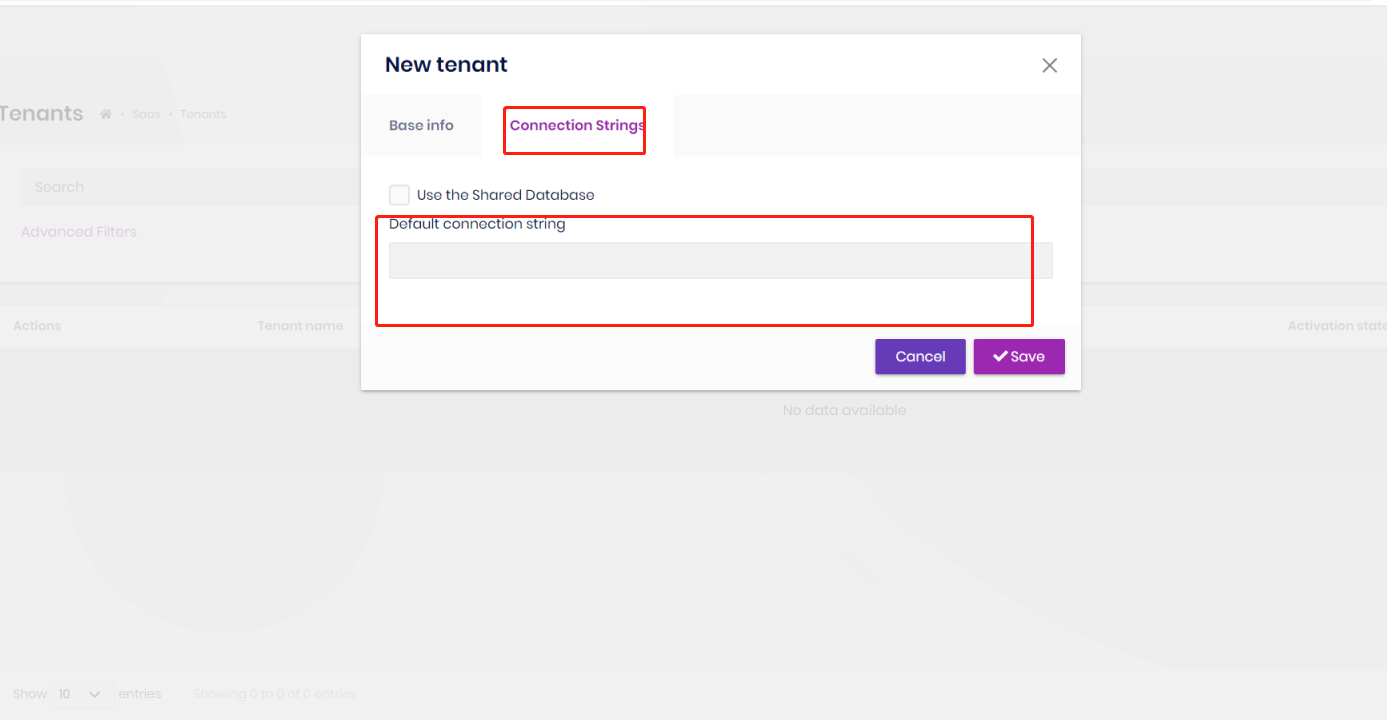
When you creating a tenant, you can set the connection string for it.
Hi,
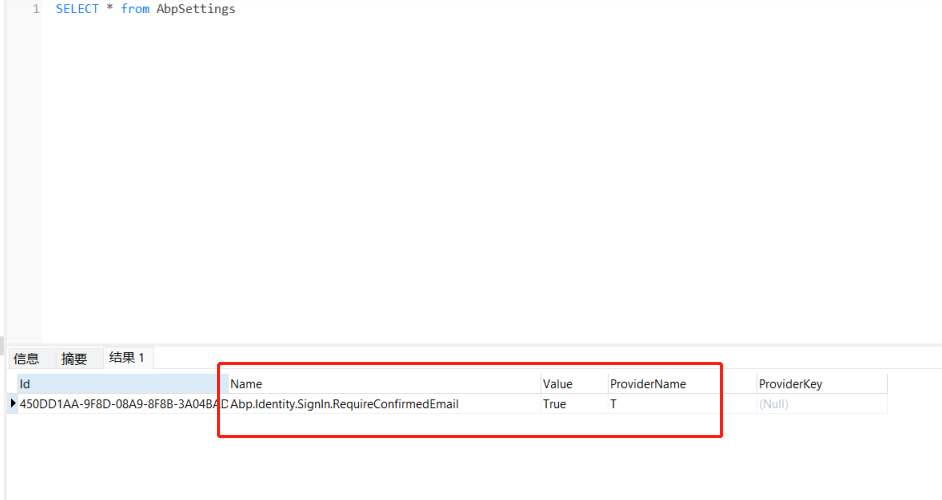
The data is store in the appsettings table:
I believe Host and Tenant both admin can do the same.
Yes, settings data is tenant isolated, you can use different settings for each tenant.
May I ask, your ABP version is 4.3.1 right?
yes, I will create a project but before ...
If so, please create project with same version , thanks.









