I specifically requested a CLI method. I need to script this so that it is done exactly the same way each time we do a major upgrade, and so that each step is done in order and documented. This script is part of our source code.
The 'new' CLI is broken. Run "abp list-modules" and tell me how to parse that output to know which modules to request source code for, and which are included in the open source framework.
You can continue to use the old CLI, just try abp list-modules --include-pro-modules --old
How do I know which modules are pre-installed in the new project created by the CLI, and which need to be added by running "ABP add-module"?
Sorry, no documentation yet; here's how the suite checks if a module is installed.
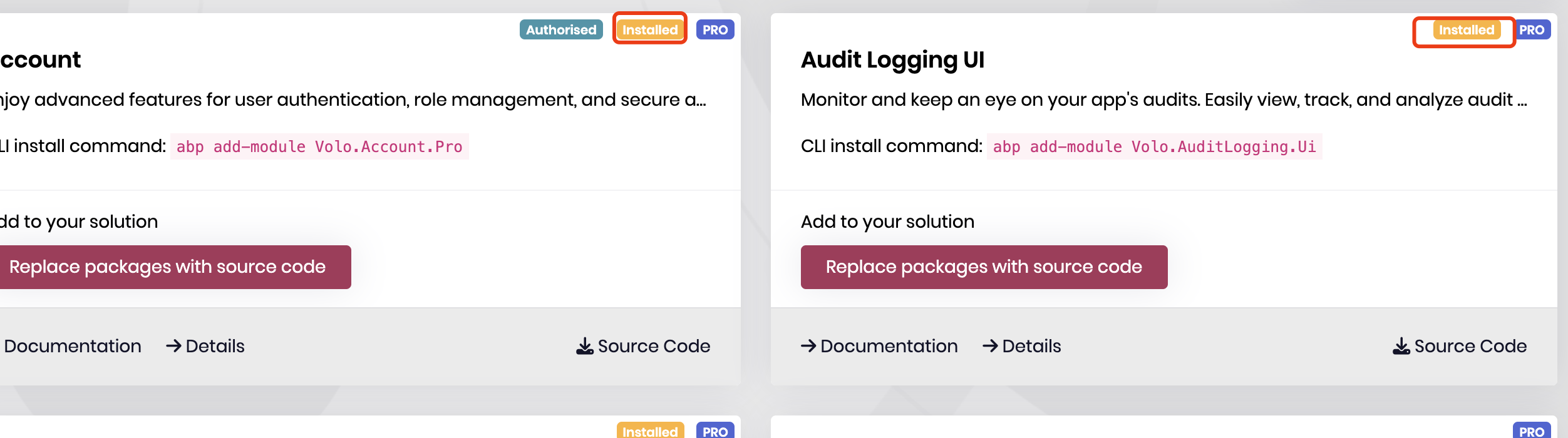
public async Task<List<SuiteModuleInfo>> GetModuleListFromProductionAsync(Guid solutionId)
{
    var client = _cliHttpClientFactory.CreateClient();

    var url = $"https://abp.io/api/download/modules-by-organization/?OrganizationName=<Your OrganizationName>";

    using (var responseMessage = await client.GetAsync(url))
    {
        var value = await responseMessage.Content.ReadAsStringAsync();
        var modules = JsonConvert.DeserializeObject<List<SuiteModuleInfo>>(value);
        modules = FilterFreeModulesThatHasProVersion(modules);
        await SetIsInstalledAsync(solutionId, modules);
        .......
    }
}

private async Task SetIsInstalledAsync(Guid solutionId, List<SuiteModuleInfo> modules)
{
    var moduleFileContents = await GetContentsOfModuleFilesInSolutionAsync(solutionId);

    foreach (var module in modules)
    {
        if (moduleFileContents.Any(c => c.Contains($"using {module.Namespace}")))
        {
            module.IsInstalled = true;
        }
        else if (module.Name == "Volo.Abp.LeptonXTheme.Pro" && moduleFileContents.Any(c => c.Contains("LeptonX"))) //namespaces are different for UI options
        {
            module.IsInstalled = true;
        }
    }
}

private async Task<List<string>> GetContentsOfModuleFilesInSolutionAsync(Guid solutionId)
{
    var solution = await _solutionService.GetByIdAsync(solutionId);

    var modulePaths = Directory.GetFiles(solution.RootProjectDirectory, "*Module.cs", SearchOption.AllDirectories);

    var fileContents = new List<string>();

    foreach (var modulePath in modulePaths)
    {
        fileContents.Add(await File.ReadAllTextAsync(modulePath));
    }

    return fileContents;
}
Hi,
It will get value from ICurrentUser https://abp.io/docs/latest/framework/infrastructure/current-user
i twill set to null if there is no current user
Hi,
You can check this https://github.com/abpframework/abp/issues/20920
Hi,
you can try
 private async Task MigrateAndSeedTenantDatabaseAsync(Guid tenantId, string userName)
{
    using (_currentTenant.Change(tenantId))
    {
        await _dbSchemaMigrator.MigrateAsync();

        await _dataSeeder.SeedAsync(new DataSeedContext(tenant?.Id)
            .WithProperty(IdentityDataSeedContributor.AdminEmailPropertyName,
                userName)
            .WithProperty(IdentityDataSeedContributor.AdminPasswordPropertyName,
                MyProjectNameConsts.AdminPasswordDefaultValue)
        );
    }
}
https://abp.io/docs/latest/solution-templates/application-module
Hi,
When you develop a module, you will use the suite to generate code, including the UI.
Then, you reuse the module in the application.
I have an AbpMedia entity in my modules folder and the table name is AbpMedia After the CRUD generator, it creates its own entity class and the CRUD APIs target that entity not my entity
Of course, it will generate a new entity. If you already have entity classes in your module, then you should not generate entities from the database, You should reuse modules in your application like ABP did.
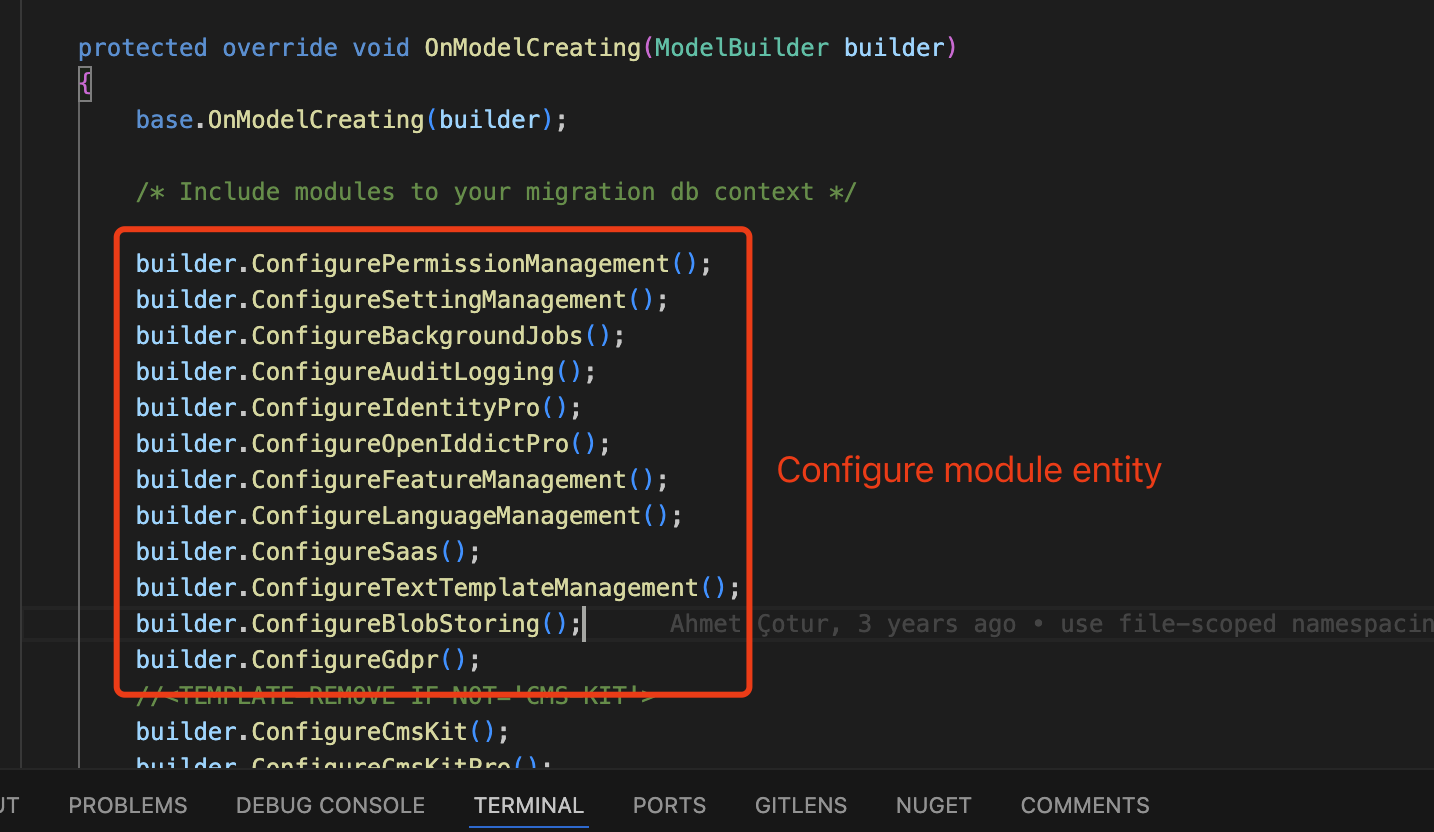
Also, on this page - how to have filters and column of reserved properties, like TenantID, isDeleted, DeletedId, etc
You should not generate UI, you should reuse the module's UI
Hi,
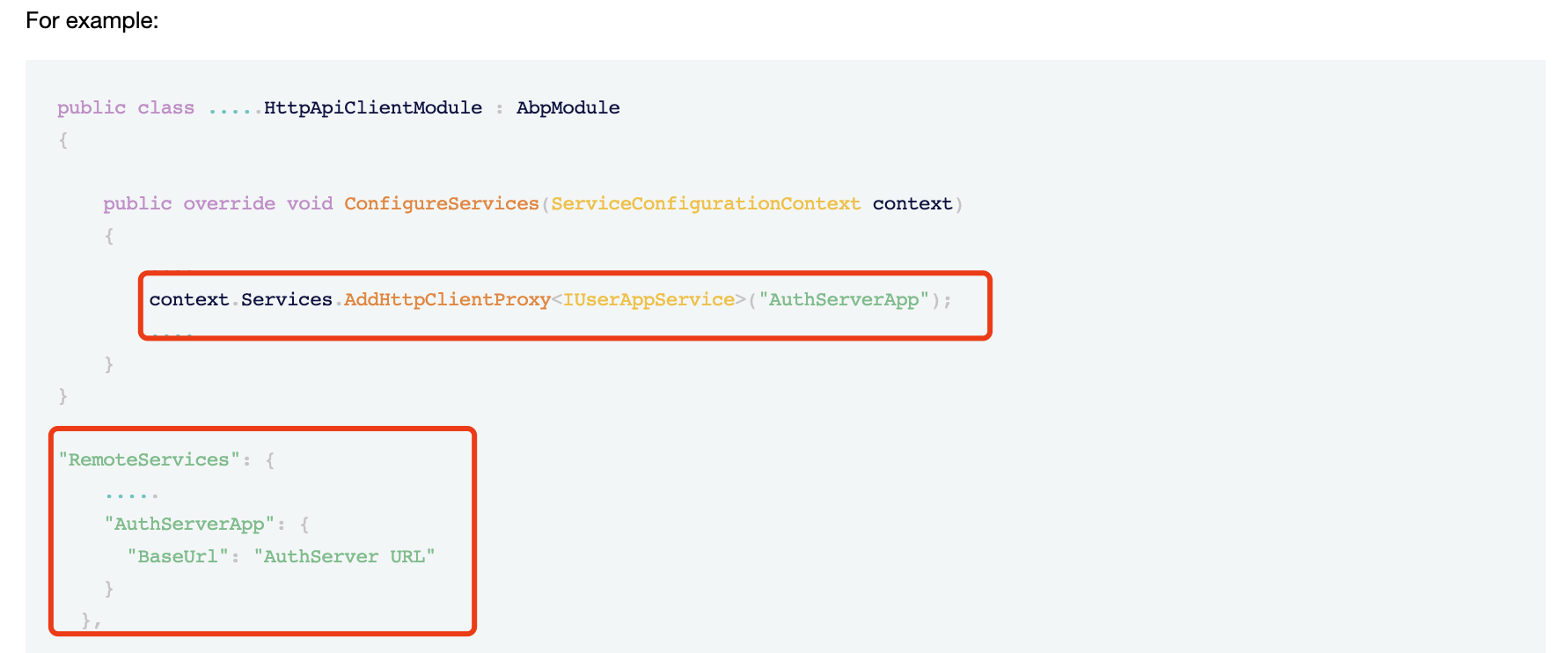
I already mentioned this, a request should be sent to the auth server to create a user.
Hi,
You should use the request header, query string, domain name, etc. to confirm the current tenant. https://abp.io/docs/latest/framework/architecture/multi-tenancy
Hi,
But is that login page also MVC? How password reset is working for us if it is also MVC?
No, it's angular, and it will redirect to auth server.









