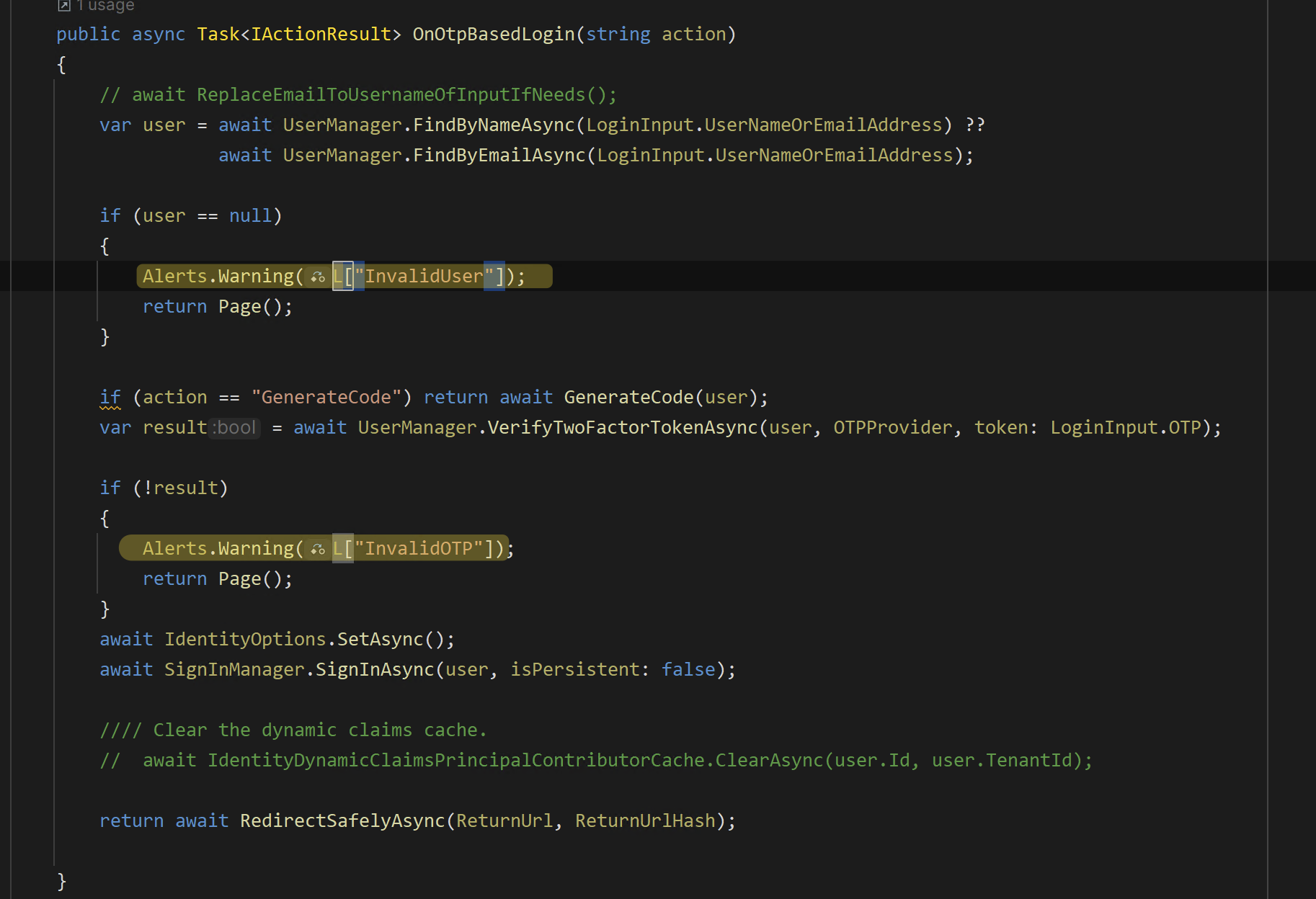
I want to implement passwordless login with otp verification. I have abp commercial with version 8.2 and Identity server4. I'm not using OpenIdct. Please guide me to add otp based login in my application where I don't want to use password flow and password
- ABP Framework version: v8.2
- UI Type: MVC
- Database System: EF Core (SQL Server)
- Tiered (for MVC) or Auth Server Separated (for Angular): yes
- Exception message and full stack trace:
- Steps to reproduce the issue:
21 Answer(s)
-
0
Hi,
We have document and example https://abp.io/docs/commercial/2.9/how-to/implementing-passwordless-authentication
Markdown supported.Copy, paste, or drag & drop images and files (max 100 MB per file, 100 MB total per post) -
0
But I didn't find any otp verification flow in above given documentation
Markdown supported.Copy, paste, or drag & drop images and files (max 100 MB per file, 100 MB total per post) -
0
I want to use otp flow same like we use in flipkart no password for authentication
Markdown supported.Copy, paste, or drag & drop images and files (max 100 MB per file, 100 MB total per post) -
0
Abp has no built-in OPT authentication; you have to implement it yourself.
you can customize the login page to send SMS/Email and store them in the cache(database), then validate it.
Markdown supported.Copy, paste, or drag & drop images and files (max 100 MB per file, 100 MB total per post) -
0
I am facing some difficulties to customize login page want to customize the login page of my application. We want that we can provide different UIs for different clients with branding with OTP based login ie. password less login. The backend would be same for all the clients, but the UI should be dynamic Can you provide me the latest code for the login component, where I can manipulate the fields, because in the current code I couldn't find fields to edit, or if there is another way to modify those fields, guide me how to do it.
Markdown supported.Copy, paste, or drag & drop images and files (max 100 MB per file, 100 MB total per post) -
0
Hi,
you can download the Account Pro module to get the login page.
abp get-source Volo.Abp.Account.Pro -v 8.3.1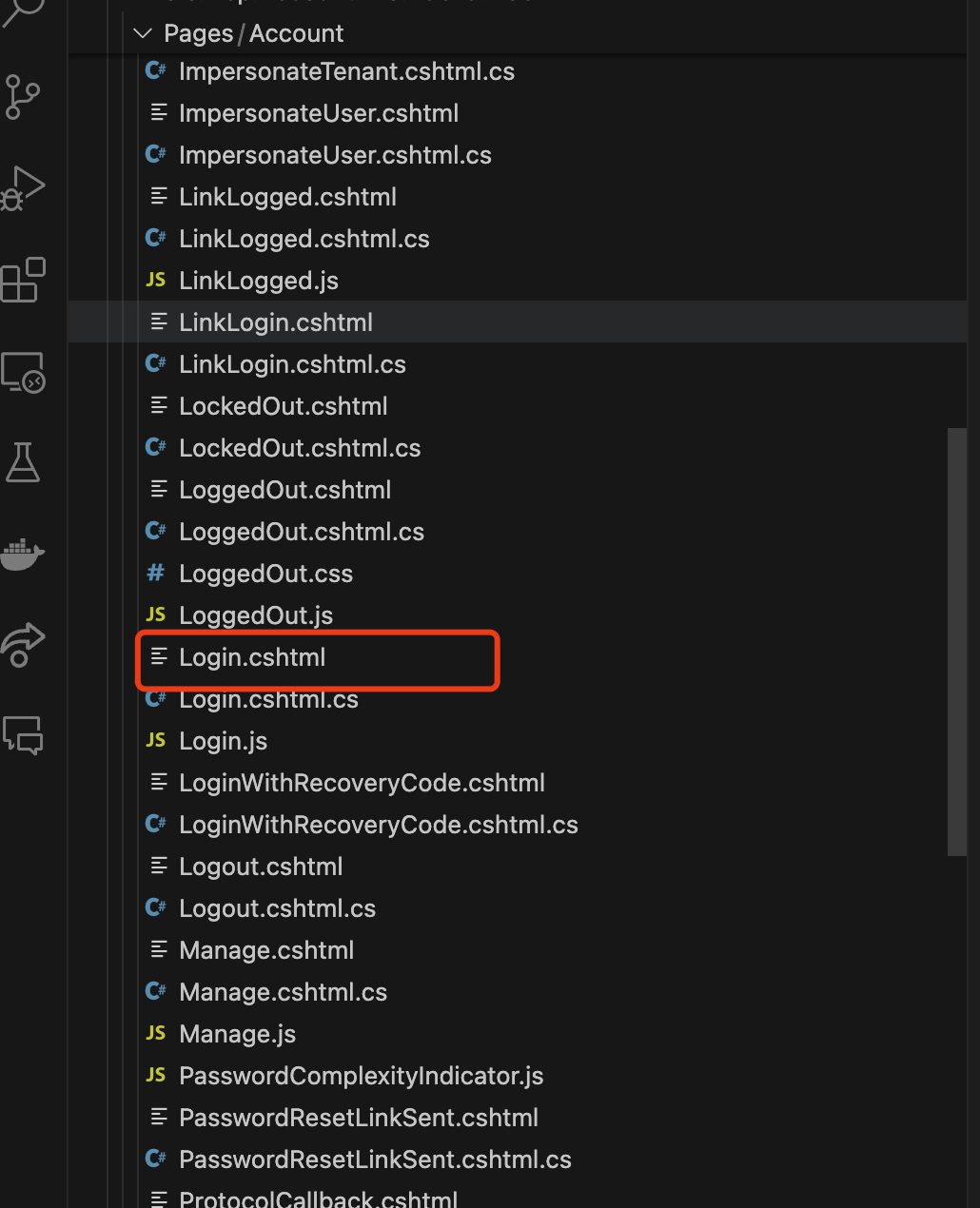
The backend would be same for all the clients, but the UI should be dynamic
for example:
[ExposeServices(typeof(LoginModel))]
[Dependency(ReplaceServices = true)]
public class MyCustomLoginModel : OpenIddictSupportedLoginModel
{
    protected string ClientId {get;set;}

    public MyCustomLoginModel(IAuthenticationSchemeProvider schemeProvider, IOptions<AbpAccountOptions> accountOptions, IAbpRecaptchaValidatorFactory recaptchaValidatorFactory, IAccountExternalProviderAppService accountExternalProviderAppService, ICurrentPrincipalAccessor currentPrincipalAccessor, IOptions<IdentityOptions> identityOptions, IOptionsSnapshot<reCAPTCHAOptions> reCaptchaOptions, AbpOpenIddictRequestHelper openIddictRequestHelper) : base(schemeProvider, accountOptions, recaptchaValidatorFactory, accountExternalProviderAppService, currentPrincipalAccessor, identityOptions, reCaptchaOptions, openIddictRequestHelper)
    {
    }

    public override async Task<IActionResult> OnGetAsync()
    {
        var openIddictRequest = await OpenIddictRequestHelper.GetFromReturnUrlAsync(base.ReturnUrl);
        ClientId = openIddictRequest.ClientId;
        return await base.OnGetAsync();
    }
}
Login.cshtml
@page
.......
@using Qa
@model MyCustomLoginModel

......


@if(Model.ClientId == "xxxx")
{

    ....

}else if(Model.ClientId == "yyyy")
{
    ....
}
....
Markdown supported.Copy, paste, or drag & drop images and files (max 100 MB per file, 100 MB total per post) -
0
but here I want to implement password less flow ie otp based login please guide me in that way where I can do changes and Can I use your send security code of multifactor authentication page as it is by bypassing password.
Markdown supported.Copy, paste, or drag & drop images and files (max 100 MB per file, 100 MB total per post) -
0
Can I use your send security code of multifactor authentication page as it is by bypassing password.
yes, you can.
you can customize the login page to send and validate the security code(remove password input).
[ExposeServices(typeof(LoginModel))]
[Dependency(ReplaceServices = true)]
public class MyCustomLoginModel : OpenIddictSupportedLoginModel
{
    protected string ClientId {get;set;}

    [BindProperty]
    public OptLoginInputModel OptLoginInput { get; set; }

    public MyCustomLoginModel(IAuthenticationSchemeProvider schemeProvider, IOptions<AbpAccountOptions> accountOptions, IAbpRecaptchaValidatorFactory recaptchaValidatorFactory, IAccountExternalProviderAppService accountExternalProviderAppService, ICurrentPrincipalAccessor currentPrincipalAccessor, IOptions<IdentityOptions> identityOptions, IOptionsSnapshot<reCAPTCHAOptions> reCaptchaOptions, AbpOpenIddictRequestHelper openIddictRequestHelper) : base(schemeProvider, accountOptions, recaptchaValidatorFactory, accountExternalProviderAppService, currentPrincipalAccessor, identityOptions, reCaptchaOptions, openIddictRequestHelper)
    {
    }

    public override async Task<IActionResult> OnGetAsync()
    {
        var openIddictRequest = await OpenIddictRequestHelper.GetFromReturnUrlAsync(base.ReturnUrl);
        ClientId = openIddictRequest.ClientId;
        return await base.OnGetAsync();
    }

    public override async Task<IActionResult> OnPostAsync(string action)
    {
        await IdentityOptions.SetAsync();

        //This is a very simple example
        var user = await UserManager.FindByEmailAsync(OptLoginInput.UserNameOrEmailAddress);
        // Validate the code
        if(await xxxService.ValidOptCodeAsync(user, OptLoginInput.OptCode))
        {
            await SignInManager.SignInAsync(user, OptLoginInput.RememberMe);
        }else{
            .....
        }

        // The original logic

    }
}

public class OptLoginInputModel
{
    [Required]
    [DynamicStringLength(typeof(IdentityUserConsts), nameof(IdentityUserConsts.MaxEmailLength))]
    public string UserNameOrEmailAddress { get; set; }

    [Required]
    public string OptCode { get; set; }

    public bool RememberMe { get; set; }
}
Markdown supported.Copy, paste, or drag & drop images and files (max 100 MB per file, 100 MB total per post) -
0
For custom otp login for all openid clients I have writen following code which will get tenantid from database by email and use abp Change TenantId property and enabled two factor authentication to true its working fine for host user but in case of tenant user Its not working please check following code
public override async Task<IActionResult> OnPostAsync(string action) {
  var tenantid = await GetTenantId(LoginInput.UserNameOrEmailAddress);
  if (tenantid != null && tenantid != "")
  {
      CurrentTenant.Change(new Guid(tenantid));
  }
  return await base.OnPostAsync(action);
} protected async Task<string> GetTenantId(string EmailID) {
   using (_dataFilter.Disable<IMultiTenant>())
   {

       var UserFound = await Store.FindByEmailAsync(LoginInput.UserNameOrEmailAddress) ?? await Store.FindByNameAsync(LoginInput.UserNameOrEmailAddress);
       return UserFound != null ? UserFound.TenantId.ToString() : null;
   }
   return "Not found";
}
Markdown supported.Copy, paste, or drag & drop images and files (max 100 MB per file, 100 MB total per post) -
0
Hi,
You should use the request header, query string, domain name, etc. to confirm the current tenant. https://abp.io/docs/latest/framework/architecture/multi-tenancy
Markdown supported.Copy, paste, or drag & drop images and files (max 100 MB per file, 100 MB total per post) -
0
Hi,
you can download the Account Pro module to get the login page.
abp get-source Volo.Abp.Account.Pro -v 8.3.1The backend would be same for all the clients, but the UI should be dynamic
for example:
[ExposeServices(typeof(LoginModel))]
[Dependency(ReplaceServices = true)]
public class MyCustomLoginModel : OpenIddictSupportedLoginModel
{
    protected string ClientId {get;set;}

    public MyCustomLoginModel(IAuthenticationSchemeProvider schemeProvider, IOptions<AbpAccountOptions> accountOptions, IAbpRecaptchaValidatorFactory recaptchaValidatorFactory, IAccountExternalProviderAppService accountExternalProviderAppService, ICurrentPrincipalAccessor currentPrincipalAccessor, IOptions<IdentityOptions> identityOptions, IOptionsSnapshot<reCAPTCHAOptions> reCaptchaOptions, AbpOpenIddictRequestHelper openIddictRequestHelper) : base(schemeProvider, accountOptions, recaptchaValidatorFactory, accountExternalProviderAppService, currentPrincipalAccessor, identityOptions, reCaptchaOptions, openIddictRequestHelper)
    {
    }

    public override async Task<IActionResult> OnGetAsync()
    {
        var openIddictRequest = await OpenIddictRequestHelper.GetFromReturnUrlAsync(base.ReturnUrl);
        ClientId = openIddictRequest.ClientId;
        return await base.OnGetAsync();
    }
}
Login.cshtml
@page
.......
@using Qa
@model MyCustomLoginModel

......


@if(Model.ClientId == "xxxx")
{

    ....

}else if(Model.ClientId == "yyyy")
{
    ....
}
....
I also want login.cshtml code of 4.4.2 version please reply on urgent basis
Markdown supported.Copy, paste, or drag & drop images and files (max 100 MB per file, 100 MB total per post) -
0
Hi,
what's your email, i will share it with you.
Markdown supported.Copy, paste, or drag & drop images and files (max 100 MB per file, 100 MB total per post) -
0
nayan.ranjane@softtech-engr.com also inform me after you share due to firewall issue.
Markdown supported.Copy, paste, or drag & drop images and files (max 100 MB per file, 100 MB total per post) -
0
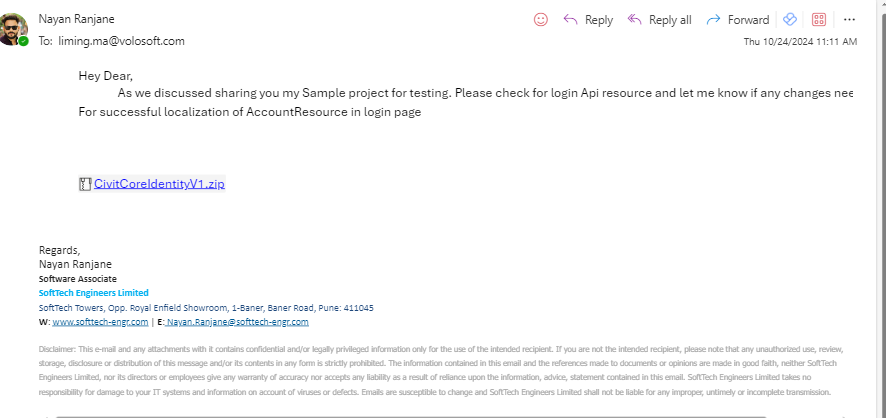
Email sent
Markdown supported.Copy, paste, or drag & drop images and files (max 100 MB per file, 100 MB total per post) -
0
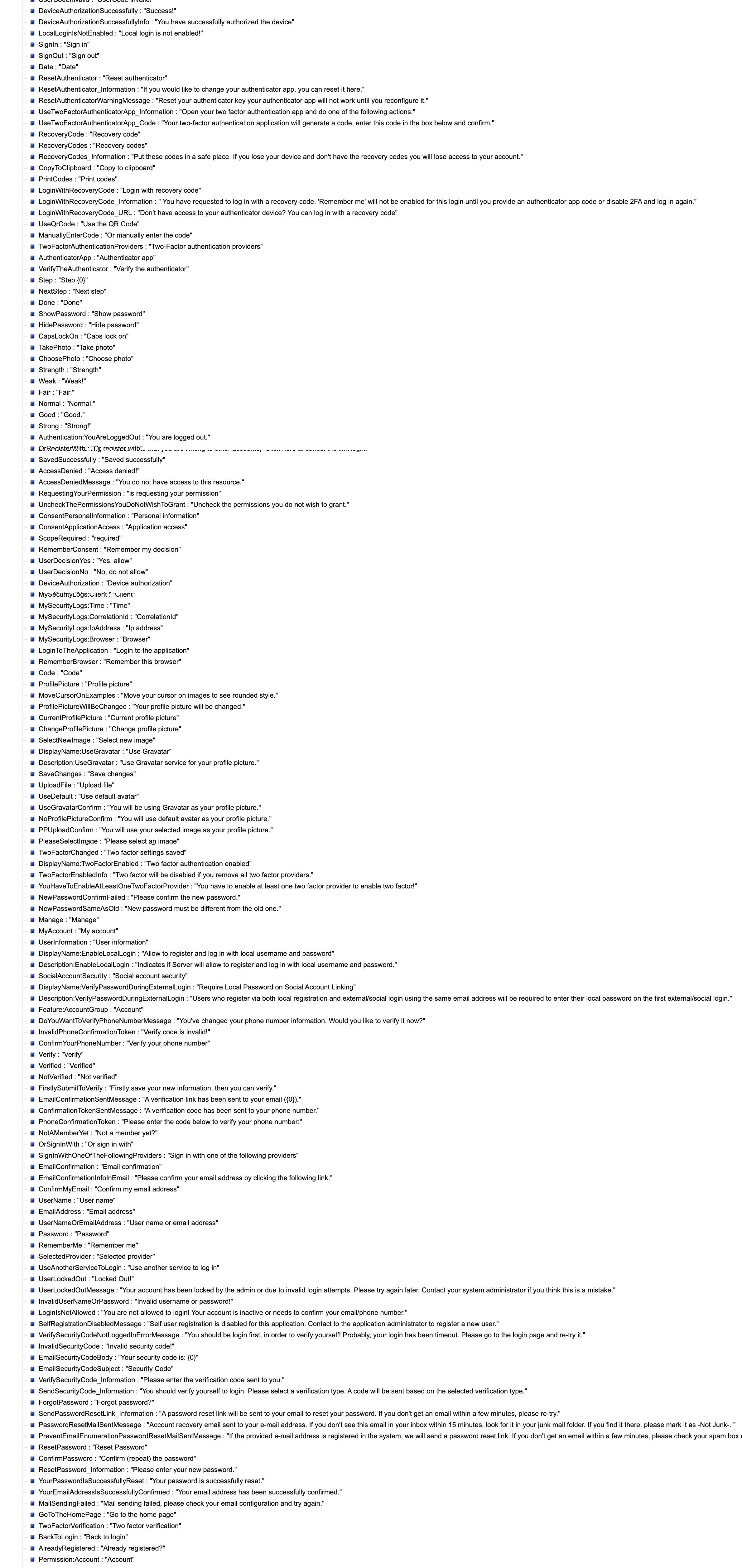
Hi, we are not able to see localization string on page label and message(alerts). although we have registered dependencies as given by you on custom login page. please provide the steps to add some more messages also.
Markdown supported.Copy, paste, or drag & drop images and files (max 100 MB per file, 100 MB total per post) -
0
Hi, we are not able to see localization string on page label and message(alerts). although we have registered dependencies as given by you on custom login page. please provide the steps to add some more messages also.
Please help to solve this injected dependecy of account resource this not getting localized string on login page
Markdown supported.Copy, paste, or drag & drop images and files (max 100 MB per file, 100 MB total per post) -
0
Hii I mailed you my project please resolve asap.
 Markdown supported.Copy, paste, or drag & drop images and files (max 100 MB per file, 100 MB total per post)
 -
0
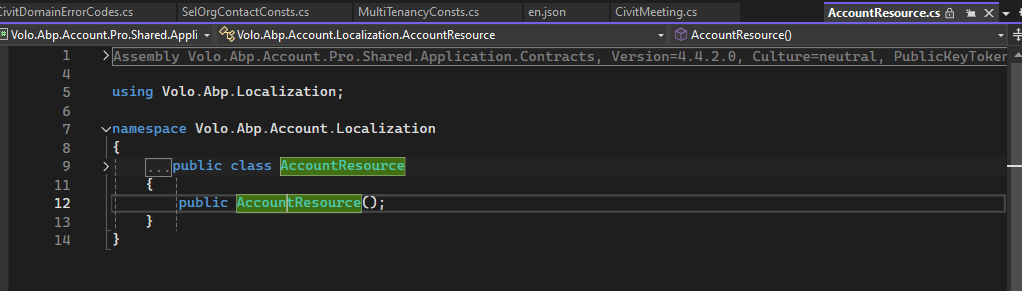
But it should be inside of package because using AccountResource which is given by abp so the text json should be inside of that module.
 Markdown supported.Copy, paste, or drag & drop images and files (max 100 MB per file, 100 MB total per post)
 -
0
There is no
InvalidUserandInvalidOTP?in account pro module localization texts.You can consider adding them by following: https://abp.io/community/articles/how-to-override-localization-strings-of-depending-modules-ba1oy03l
 Markdown supported.Copy, paste, or drag & drop images and files (max 100 MB per file, 100 MB total per post)