hi
There is no such API.
You can add an API/Controller/endpoint to clear the cache after changing it in the database.
Inject IDistributedCache<PermissionGrantCacheItem> Cache and remove the cache. Cache key can be calculated by PermissionGrantCacheItem.CalculateCacheKey
eg: https://github.com/abpframework/abp/blob/rel-9.0/modules/permission-management/src/Volo.Abp.PermissionManagement.Domain/Volo/Abp/PermissionManagement/PermissionGrantCacheItemInvalidator.cs#L23-L41
hi
ler. Can we pass the Authorization: Bearer token inside the request? How do we set the Authorization: Bearer before redirecting to the dashboard? We will try this approach, so please advise on how to set the token before the redirect.
The Bearer token will be added to the header in angular if you have access_token.
See https://github.com/abpframework/abp/blob/rel-9.0/npm/ng-packs/packages/oauth/src/lib/interceptors/api.interceptor.ts#L41-L44
Please make sure your angular obtains the access_token and id_token correctly.
Angular will request the token endpoint to use code exchange the tokens for code flow.
https://developer.okta.com/blog/2018/04/10/oauth-authorization-code-grant-type
eg:


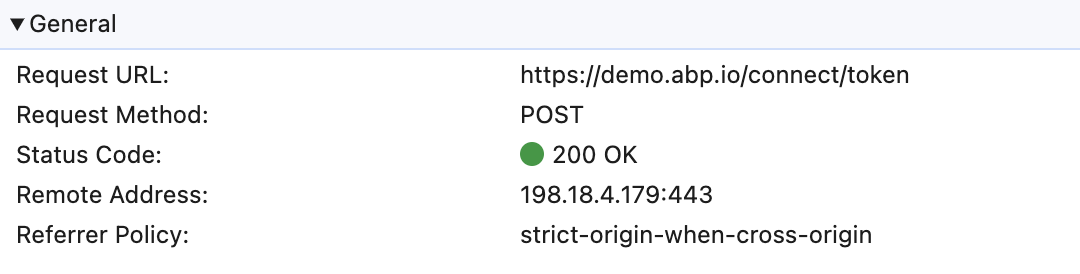
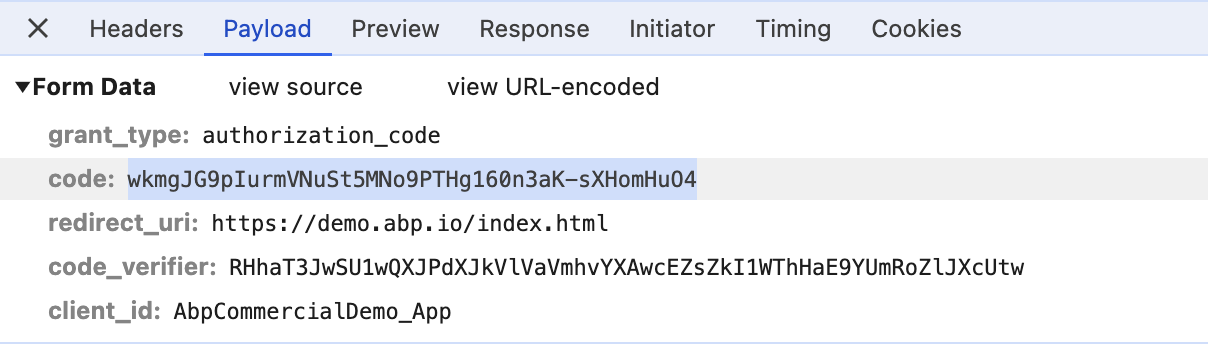
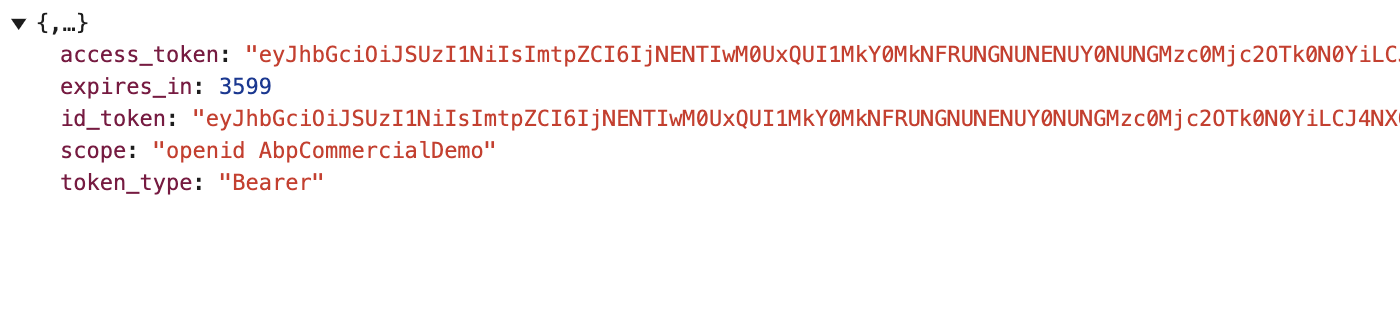
hi
This is for openiddict.
https://github.com/abpframework/abp-samples/tree/master/DomainTenantResolver/OpenIddict/MVC-TIERED/src
https://github.com/abpframework/abp-samples/blob/master/DomainTenantResolver/OpenIddict/MVC-TIERED/src/Acme.BookStore.AuthServer/BookStoreIdentityServerModule.cs#L78-L91
Issuer validation failed.
Add your domain to ValidIssuers
options.TokenValidationParameters.ValidIssuers = new[]
{
    "https://ids.getabp.net:44301/",
    "https://{0}.ids.getabp.net:44301/"
};
hi
Can you share a test project to reproduce this? Thanks
liming.ma@volosoft.com
Ok, Can you install the node v20.17.0 or v20.11.0
Thanks
hi abhisheksreesaila
Please share full exception logs.
Thanks.
hi
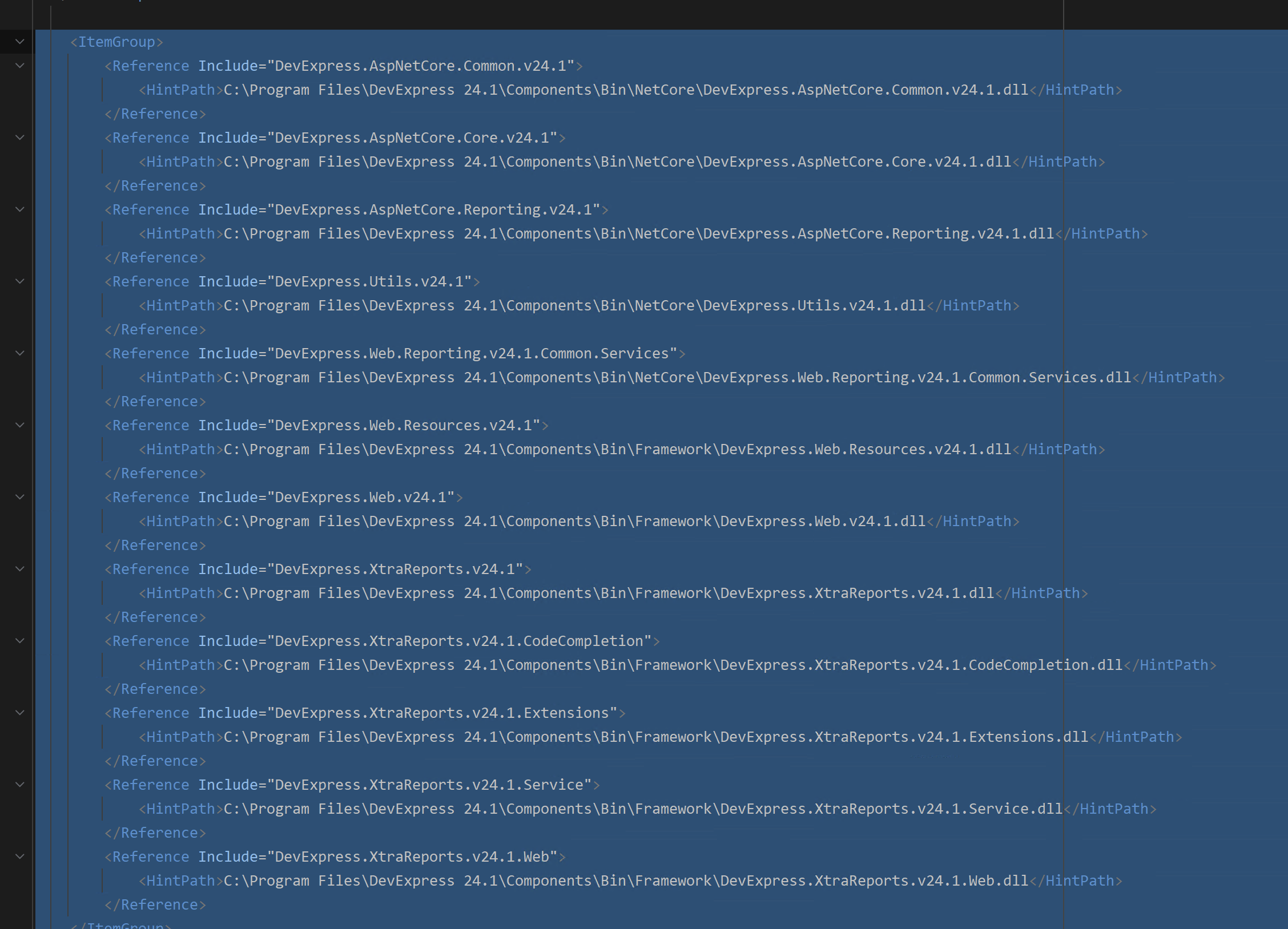
Can you add your DevExpress.Reporting.Core nuget source to Github?
I can't restore packages.
Also, why do you use the DLL Reference in Host.csproj?
hi
Can you share a project to reproduce?
liming.ma@volosoft.com
Thanks
For the Lepton download problem, We are confirming.
LeptonX theme example here - https://x.leptontheme.com/side-menu/index.html clearly shows 3 different styles for the login box e.g. https://x.leptontheme.com/side-menu/login-pages/login-3 - how to change my project to use one of those?
You already know how to override the account layout page.
So you can check the sour code of this page and then change your layout code.
https://x.leptontheme.com/side-menu/login-pages/login-3
https://abp.io/support/questions/8126/Multiple-problems-and-questions-faced-by-a-new-personal-license-customer#answer-3a15c5fe-fa6e-16dd-9195-503651cdb738
This is the log of public website. I need all logs.txt of all websites. Can you share a test project directly so that I can check it locally?
Thanks
liming.ma@volosoft.com









