hi
UseAuditing() middleware should be added to the ASP.NET Core request pipeline in order to create and save the audit logs. If you've created your applications using the startup templates, it is already added.
https://docs.abp.io/en/abp/latest/Audit-Logging#useauditing
hi
From where can i get my private key ??
https://commercial.abp.io/my-organizations/
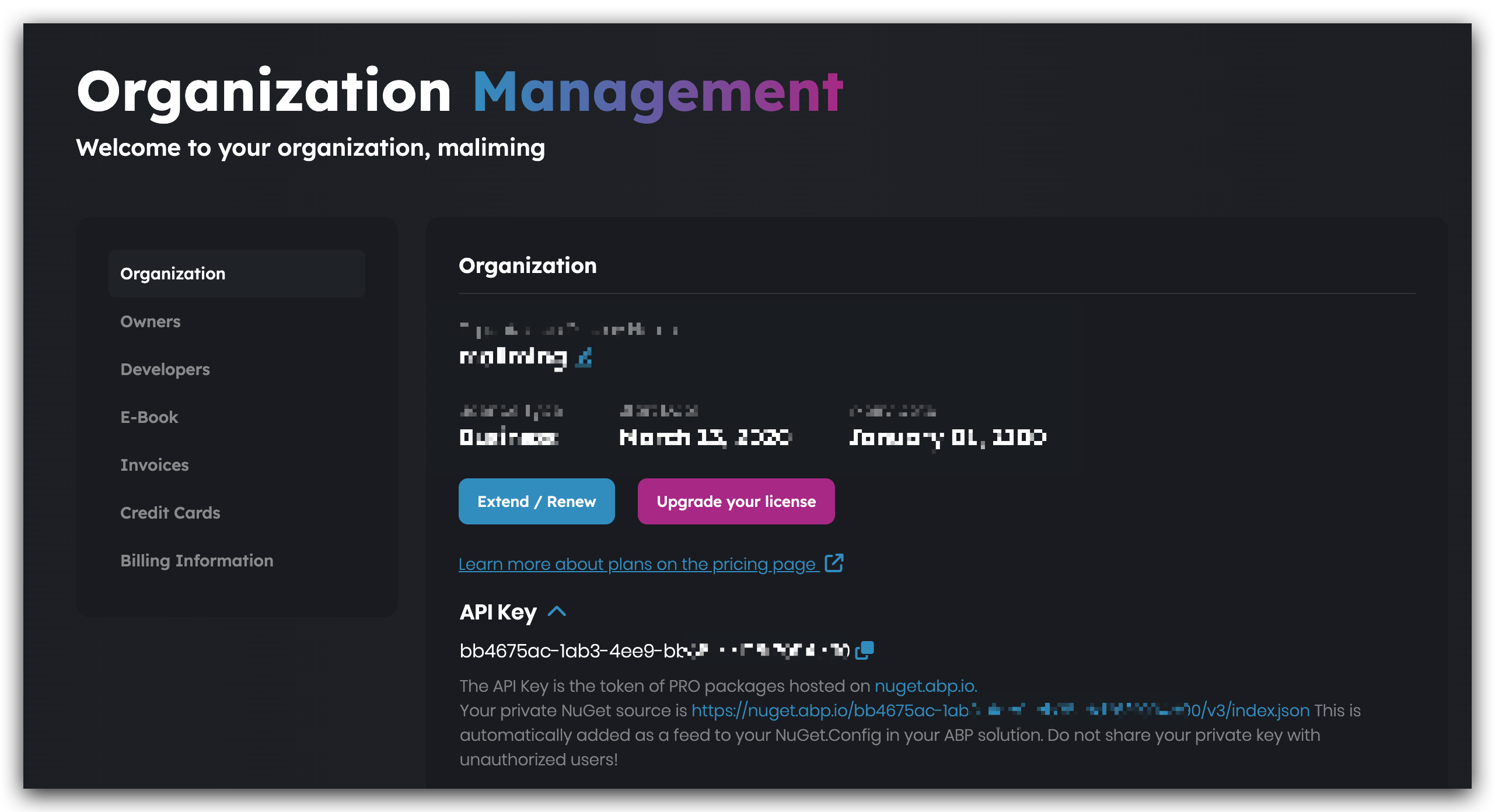
hi
options.UseSqlServer(); // add this line.
See https://docs.abp.io/en/abp/latest/Entity-Framework-Core#abpdbcontextoptions
Configure<AbpDbContextOptions>(options =>
{
    options.Configure<MyServiceDbContext>(c =>
    {
        c.UseSqlServer(b =>
        {
            b.MigrationsHistoryTable("__MyService_Migrations", MyServiceDbProperties.DbSchema);
        });
    });
    options.UseSqlServer(); // add this line.
});
or
Configure<AbpDbContextOptions>(options =>
{
    options.Configure<MyServiceDbContext>(c =>
    {
        c.UseSqlServer(b =>
        {
            b.MigrationsHistoryTable("__MyService_Migrations", MyServiceDbProperties.DbSchema);
        });
    });

    options.Configure<AbpAuditLoggingDbContext>(c =>
    {
        c.UseSqlServer...
    });
});
hi 464199480
You can consider using this External provider to sign in and set a new redirect_uri. The default redirect_uri is: https://localhost/signin-xxxx, implement your logic in the new redirect_uri.
var redirectUrl = redirect_uri
var properties = new AuthenticationProperties { RedirectUri = redirectUrl };
return await Task.FromResult(Challenge(properties, "Your_External_Provider.ExternalScheme"));
the handler of new redirect_uri
var auth = await Context.AuthenticateAsync(Your_External_Provider.ExternalScheme);
auth.Principal.....
hi
we are invoking ICurrentApplicationConfigurationCacheResetService ResetAsync method to reset the cache a
Can you check the Redis to see the ApplicationConfigurationDto cache?
It was working till abp v8.0.0 update. After updating abp to v8.0.0, the menu items are no longer getting refreshed. Can you please guide us on what has changed and how to fix this issue?
There are no changes in 8.0. How can I reproduce your problem in a new template project?
Thanks
hi
Can you share the Steps to reproduce the issue in a new template project?
Thanks
hi
Do you depend on the AbpAuditLoggingEntityFrameworkCoreModule on the EntityFrameworkCore layer?
hi
- We have been looking for the cause for a while now, but haven't found anything yet. What are we overlooking?
This doesn't sound relevant to abp. You can set the validity period of identity cookies to 10 hours.
- Second question on this topic: For logins with "local" ABP users (not via Microsoft Entra), we would like to configure that the user is automatically logged out after 15 minutes of inactivity.
Same as 1
https://learn.microsoft.com/en-us/aspnet/core/security/authentication/identity-configuration?view=aspnetcore-8.0#cookie-settings
hi
Can you share the logs.txt when the error occurs?
Another important note: now when I create a new tenant - I observe the same issue with error 403.
How can I reproduce this in a new template project?
Thanks
hi
You can try the following commands and share the output, thanks.
dotnet tool list -g

dotnet tool uninstall volo.abp.suite -g

dotnet tool install volo.abp.suite -g --add-source https://nuget.abp.io/your-private-key/v3/index.json









