https://we.tl/t-iC5P9BVn9Q
If you create a new blazor-server application, publish it, and then run the application on a different computer that does not have abp installed, I think you will encounter the same error.
Hi,
But I need to publish via tfs.
I need to both build and publish with dockerfile.
I have prepared a dockerfile as below, but I am trying to simplify it further.
FROM mcr.microsoft.com/dotnet/aspnet:8.0 AS base
USER app
WORKDIR /app

USER root

RUN adduser chatmanagementserverappuser --disabled-password --gecos "" && chown -R chatmanagementserverappuser:chatmanagementserverappuser /app

USER chatmanagementserverappuser

FROM mcr.microsoft.com/dotnet/sdk:8.0 AS build
ARG BUILD_CONFIGURATION=Release
WORKDIR /src
ENV DOTNET_NUGET_SIGNATURE_VERIFICATION=false

ENV NUGET_USERNAME=${NUGET_USERNAME}
ENV NUGET_PASSWORD=${NUGET_PASSWORD}

RUN dotnet nuget add source **/nuget.abp.io/index.json


RUN apt update && apt -y install nodejs gnupg yarn npm

COPY ["ChatManagementServer/ChatManagementServer.csproj", "ChatManagementServer/"]
RUN dotnet restore "./ChatManagementServer/ChatManagementServer.csproj"
COPY . .
WORKDIR "/src/ChatManagementServer"

RUN dotnet tool install -g Volo.Abp.Cli --version 8.3.2
ENV PATH="${PATH}:/root/.dotnet/tools"
RUN abp install-libs
RUN abp add-package Volo.Abp.Account.Pro.Admin.Blazor.Server

RUN dotnet build "./ChatManagementServer.csproj" -c $BUILD_CONFIGURATION -o /app/build
FROM build AS publish
ARG BUILD_CONFIGURATION=Release
RUN dotnet publish "./ChatManagementServer.csproj" -c $BUILD_CONFIGURATION -o /app/publish /p:UseAppHost=false

FROM base AS final
WORKDIR /app
COPY --from=publish /app/publish .
EXPOSE 5000
ENV ASPNETCORE_URLS=http://+:5000
ENTRYPOINT ["dotnet", "ChatManagementServer.dll"]
UI Type: Blazor Server
Database System: EF Core (SQL Server, Oracle, MySQL, PostgreSQL, etc..)
Template: app
Created ABP Studio Version: 0.9.19
Current ABP Studio Version: 0.9.19
Tiered: No
Multi-Tenancy: Yes
UI Framework: blazor-server
Theme: leptonx
Theme Style: system
Run Install Libs: Yes
Database Provider: ef
Database Management System: sqlserver
Separate Tenant Schema: No
Create Initial Migration: Yes
Run Db Migrator: Yes
Mobile Framework: none
Public Website: No
Include Tests: Yes
Kubernetes Configuration: Yes
Distributed Event Bus: none
Use Local References: No
Optional Modules:
GDPR
FileManagement
TextTemplateManagement
LanguageManagement
AuditLogging
OpenIddictAdmin
it worked. Thank you,
Hi Liming,
I will try this.
I want to test publish the application on openshift (kubernetes). Can you share a sample dockerfile?
It didn't work for blazor hybrid template but it works for other templates. Thanks.
Thank you Berkan,
It worked but When I try to create a project I get the following error. How can i see logs ?
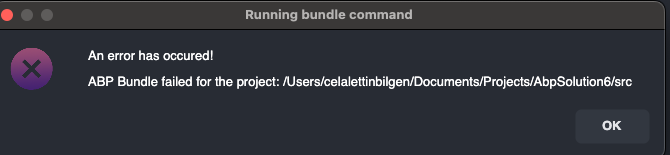
An error has occured!
ABP Bundle failed for the project: /Users/celalettinbilgen/Documents/Projects/AbpSolution6/src
Hi Berkan,
Is there any progress on this issue ?
When do you think it will be resolved?









