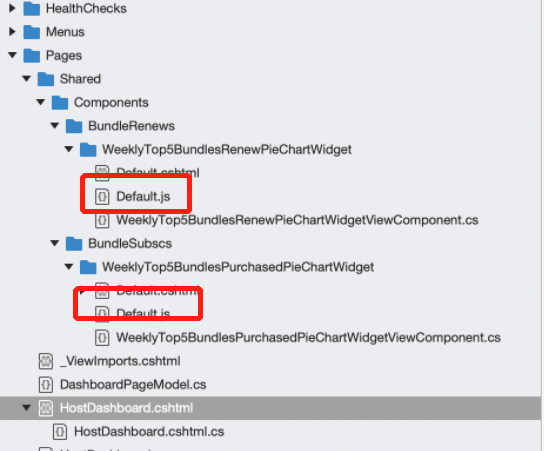
Hi,
Sorry I'm late, I'm just on vacation.
It looks like you are createing CSV files in the JS, I think there is no problem.
But you want export Excel instead of CSV, you need to return file stream in the
Controller.Example:
public IActionResult ExportExcel()
{
    string contentType = "application/vnd.openxmlformats-officedocument.spreadsheetml.sheet";
    string fileName = "Report.xlsx";

    var workbook = new XLWorkbook();
    IXLWorksheet worksheet = workbook.Worksheets.Add("sheet1");

    //.....

    using (var stream = new MemoryStream())
    {
        workbook.SaveAs(stream);
        var content = stream.ToArray();
        return File(content, contentType, fileName);
    }
}
Hi,
Thanks so much
@liangshiwei Sorry to ask you to verify it. May be you don't want to response. You can close this question now.
Hi,
Can you check the article? https://tsafadi.medium.com/download-a-file-with-asp-net-core-e23e8b198f74
Thanks for the link. I dont follow it, because my coding follows https://docs.abp.io/en/commercial/latest/samples/easy-crm , I copy code from google to use it in javascript. Please recommend whether it is a good practice or not. Here is my code:
$("#exportButton").click(function (e) {
    dashboardService.getWeeklyTop5({
        startDate: _latestFilters.startDate,
        endDate: _latestFilters.endDate
    }).then(function (statistic) {

        const data = JSON.stringify(statistic);

        var columns = ['name', 'total'];

        var rows = JSON.parse(data).map(function (obj) {
            return columns.map(function (key) {
                return obj[key];
            });
        });
        rows.unshift(columns);


        var processRow = function (row) {
            var finalVal = '';
            for (var j = 0; j < row.length; j++) {
                var innerValue = row[j] === null ? '' : row[j].toString();
                if (row[j] instanceof Date) {
                    innerValue = row[j].toLocaleString();
                };
                var result = innerValue.replace(/"/g, '""');
                if (result.search(/("|,|\n)/g) >= 0)
                    result = '"' + result + '"';
                if (j > 0)
                    finalVal += ',';
                finalVal += result;
            }
            return finalVal + '\n';
        };

        var csvFile = '';
        for (var i = 0; i < rows.length; i++) {
            csvFile += processRow(rows[i]);

        }

        var blob = new Blob([csvFile], { type: 'text/csv;charset=utf-8;' });
        if (navigator.msSaveBlob) { // IE 10+
            navigator.msSaveBlob(blob, filename);
        } else {
            var link = document.createElement("a");
            if (link.download !== undefined) { // feature detection
                // Browsers that support HTML5 download attribute
                var url = URL.createObjectURL(blob);
                link.setAttribute("href", url);
                link.setAttribute("download", "WeeklyTop5");
                link.style.visibility = 'hidden';
                document.body.appendChild(link);
                link.click();
                document.body.removeChild(link);
            }
        }

    });

});
Hi,
My understanding may not be correct, please let me know if yes.
You can bind the click event of the button, just an example:
...

$("#exportButton").click(function(){
     window.location.href = "/api.."
})

...
Hi, that button event click is working. Thank you. By the way, I expected to use ClosedXML but it seems that i have to use javascript in order to export excel or CSV. Do you have a sample to do that in Javascript?
dashboardService.getWeeklyTop5BundlesPurchased({ startDate: filters.startDate, endDate: filters.endDate }).then(function (statistic) {
**----> How to get data and export to CSV or excel file ? ** });
Hi,
My understanding may not be correct, please let me know if yes.
You can bind the click event of the button, just an example:
...

$("#exportButton").click(function(){
     window.location.href = "/api.."
})

...
Let me try and will come back to you
This is my current JS. How can I make it work with button and export data to excel?
(function () {
var l = abp.localization.getResource("Dashboard");

var colors = ["#36A2EB", "#111111", "#FFCE56", "#4BC0C0", "#FF6384"];

abp.widgets.WeeklyTop5BundlesRenewPieChartWidget = function ($wrapper) {

    var _chart;


    var dashboardService = dashboard.bundleSubscs.bundleSubsc;

    var refresh = function (filters) {


        dashboardService.getWeeklyTop5BundlesPurchased({
            startDate: filters.startDate,
            endDate: filters.endDate
        }).then(function (statistic) {
            _chart.data = {
                datasets: [
                    {
                        data: statistic.map(x => x.totalSubscription),
                        backgroundColor: colors.slice(0, statistic.length),
                        label: l('Total'),
                        fill: true
                    }
                ],
                labels: statistic.map(x => x.name)
            };
            _chart.update();

        });
    };


    var init = function (filters) {


        _chart = new Chart($wrapper.find('.WeeklyTop5BundlesRenewPieChart'),
            {
                plugins: ['ChartDataLabels'],
                type: 'pie',
                options: {

                    tooltips: {
                        enabled: false,


                    },

                    plugins: {
                        datalabels: {
                            color: '#ffffff',
                            textAlign: 'center',
                            font: {
                                lineHeight: 1.6
                            },
                            formatter: function (value, ctx) {
                                alert(ctx);
                                return ctx.chart.data.labels[ctx.dataIndex] + '\n' + value + '%';
                            }
                        }
                    }

                },


            });


        refresh(filters);
    };


    return {
        init: init,
        refresh: refresh
    };
};
})();
You can send the http request to export excel when JS onclick event.
Can please you share me a sample code?. I don't know how to do
Dears,
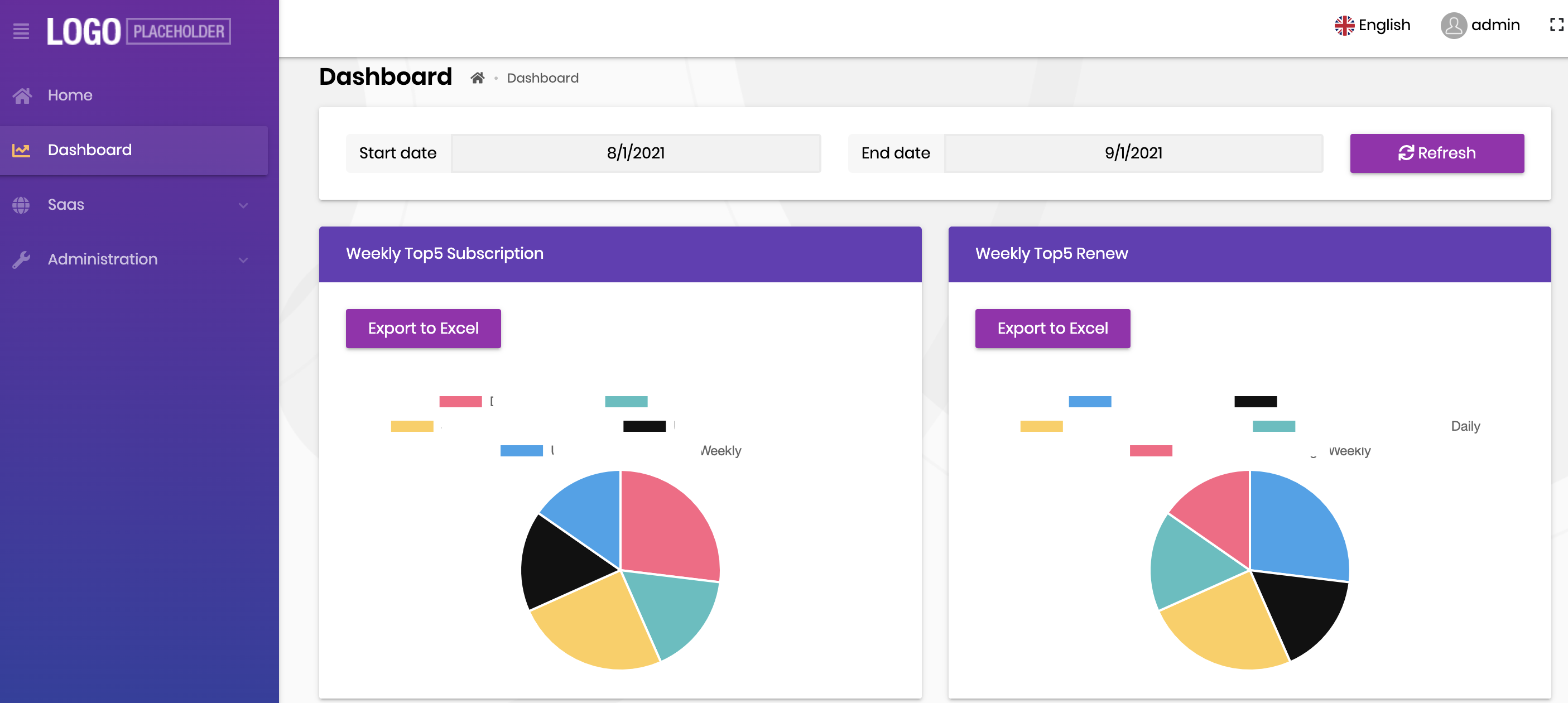
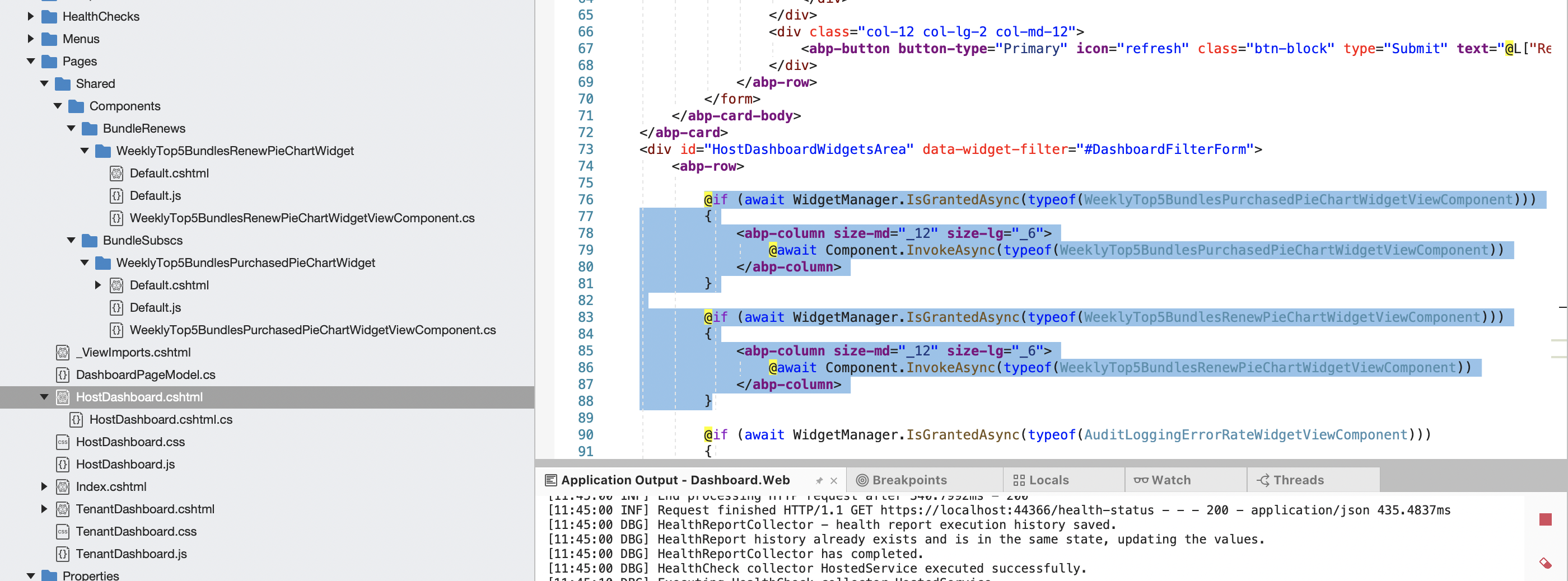
I would like to have a button in each widget and the button is for exporting data to Excel file. I don't know how to make the button working in each widget. Currently all my widgets are in the HostDashboard.cshtml.
Please see the below picture
The following is what i organize:
Hi @piseth
We will assist you via email.
I sent my whole complete working project to info@abp.com please help to look through it and tell me which parts i miss