as you can see our module solution comes from the previous abp design of modules where there were the **src **projects and the several **host **projects in the module solution. to completely develop and test the module we use the host solution as we would an "application" solution. therefore the module and host have the dependencies we plan to use once we integrate our module into any other app solution. for example this module can be integrated to 3 4 5 other app solutions (at least that was the idea with modules right?)
I see in the latest version of solutions generated now by abp studio (since we can no longer generate anything in suite), creation of module doesnt have any host project and its just library projects for app project, but that means usability amongst other app projects is out of the question?
Either way, if you're saying from now on our module projects cannot use already implemented modules from abp, then how do we code functionality in our modules that consumes that? for example the module provides all of the functionality related to docusign, like the app services that are exposed, events that are triggered and jobs that are handled, not the application project the application solution will bring in other modules that provide their respective functionality like this..
Could you provide a process or flow of how we should develop these modules to make sure they don't clash?
Also, could you provide a process flow for how you found the root problem in this ticket? It will help us with our troubleshooting before opening tickets in the future.
I added this and i can see entry in debug log during project startup regarding hangfire. two questions
Hangfire.SqlServer.SqlServerObjectsInstaller: Information: Hangfire SQL objects installed.
Hangfire.BackgroundJobServer: Information: Starting Hangfire Server using job storage: 'SQL Server: (LocalDb)\MSSQLLocalDB@Cloudapps'
Hangfire.BackgroundJobServer: Information: Using the following options for SQL Server job storage: Queue poll interval: 00:00:00.
Hangfire.BackgroundJobServer: Information: Using the following options for Hangfire Server:
    Worker count: 20
    Listening queues: 'docusignsignatures', 'default'
    Shutdown timeout: 00:00:15
    Schedule polling interval: 00:00:15
I reshared projects with you
Mailed you
Created app solution, and included an existing module (if I run the module directly in its own solution everything works well)
The module provides some functionality to receive api call and eventually queue up a job in the system which goes to hangfire (this works on module host)
When using this in app solution, the background job is executed ( i can see the api calls that this background job makes going out) but nothing ends up in hangfire, i believe it is executing in the built in default in mem implementation instead of hangfire.
My app module has the same version of hangfire and hangfire.sqlserver installed as module, which are in sync for abp 8.3.2 and is decorated with
typeof(AbpBackgroundJobsHangfireModule),
typeof(AbpBackgroundJobsModule)
in configureservices
 context.Services.AddHangfire(config =>
 {
     config.UseSqlServerStorage(configuration.GetConnectionString("Default"));
 });

 Configure<AbpHangfireOptions>(options =>
 {
     options.ServerOptions = new BackgroundJobServerOptions { Queues = new[] { DocusignConstants.DocusignQueue, "default" } };
 });

 Configure<AbpBackgroundJobWorkerOptions>(options =>
 {
     options.DefaultTimeout = 864000; //10 days (as seconds)
 });
in OnApplicationInitialization app.UseAbpHangfireDashboard("/hangfire", options => { options.AsyncAuthorization = new[] { new AbpHangfireAuthorizationFilter(enableTenant: true) }; });
While i can log in and see the dashboard, it never receives jobs.
So not supported in the page then?
Thanks for your response, is this something wrong on my side or in component?
Hello,
Perhaps I'm using this incorrectly. I have mailed you the project.
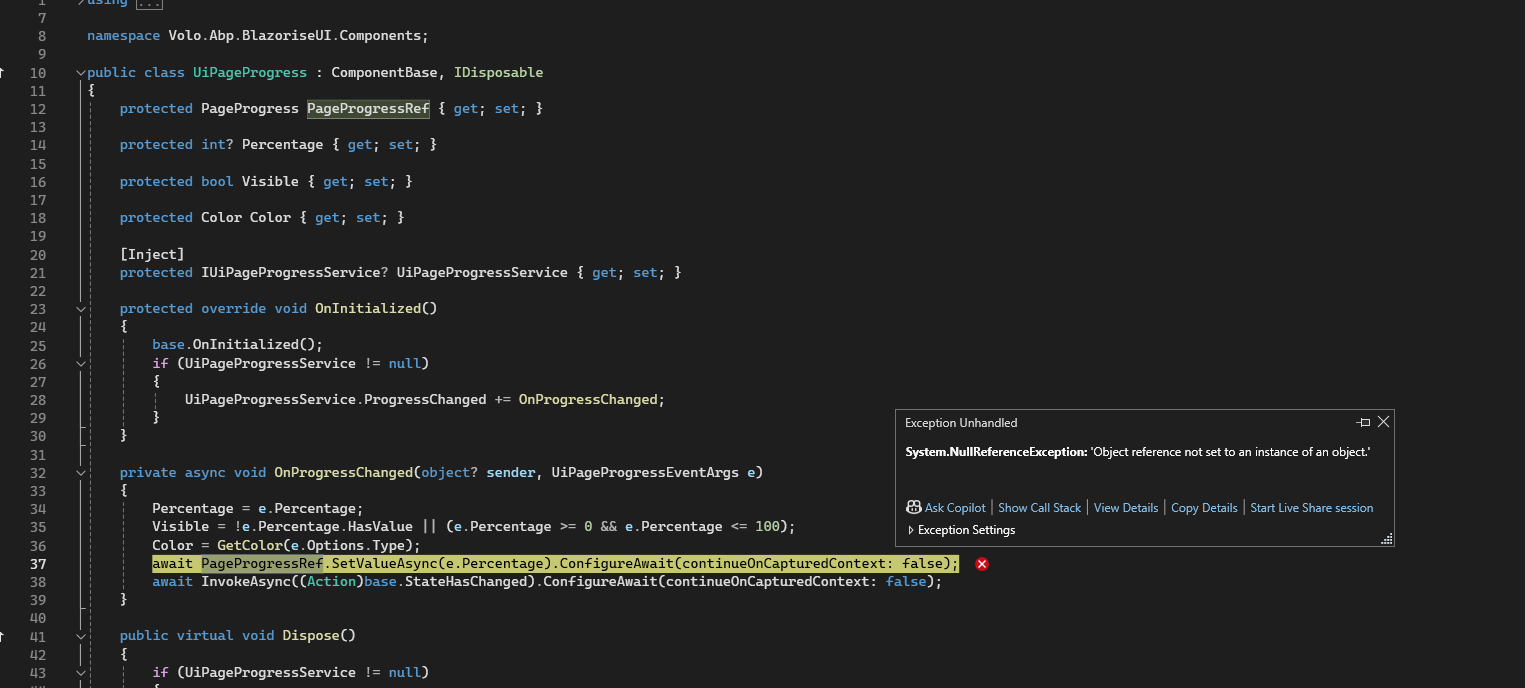
Load it up, log in, go to the page /Index2 and refresh.
IUiPageProgressService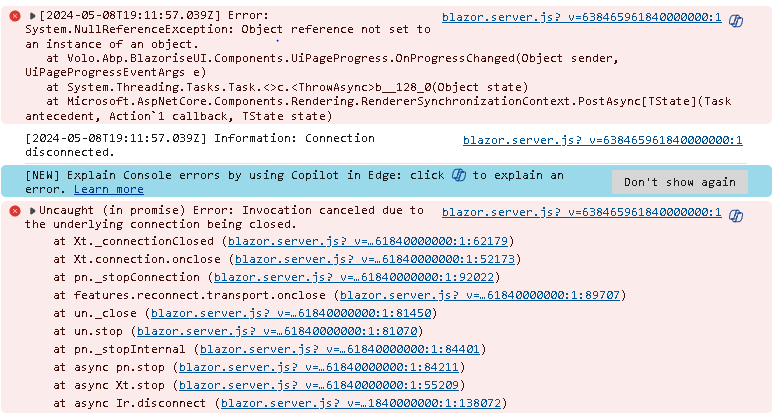
Okay,
The Template issue is resolved by adding the Microsoft package, per this documentation https://docs.abp.io/en/abp/latest/Virtual-File-System#embedding-the-files the section that says the system might malfunction if the project contains special characters, which i guess includes '.'
embedding a file in the project/assembly may cause problems if a file name contains some special chars. To overcome this limitation;

Add Microsoft.Extensions.FileProviders.Embedded NuGet package to the project that contains the embedded resource(s).
Add <GenerateEmbeddedFilesManifest>true</GenerateEmbeddedFilesManifest> into the <PropertyGroup>...</PropertyGroup> section of your .csproj file.
The bundle issue seems a bug on application type solution importing the bundle from module, I guess it will be patched in future version. Thanks









