Thank you so much for the detailed and insightful response!
Thank you.
Thank you.
[berkansasmaz] said: We have resolved this issue and will release a new version soon. Until then, you can continue using the previous version to create a new service. Thank you for your understanding.
Thanks.
[maliming] said: hi
I have fixed this in the Studio template; the next version will be no problem.
Thanks.
Thanks.
[maliming] said: hi
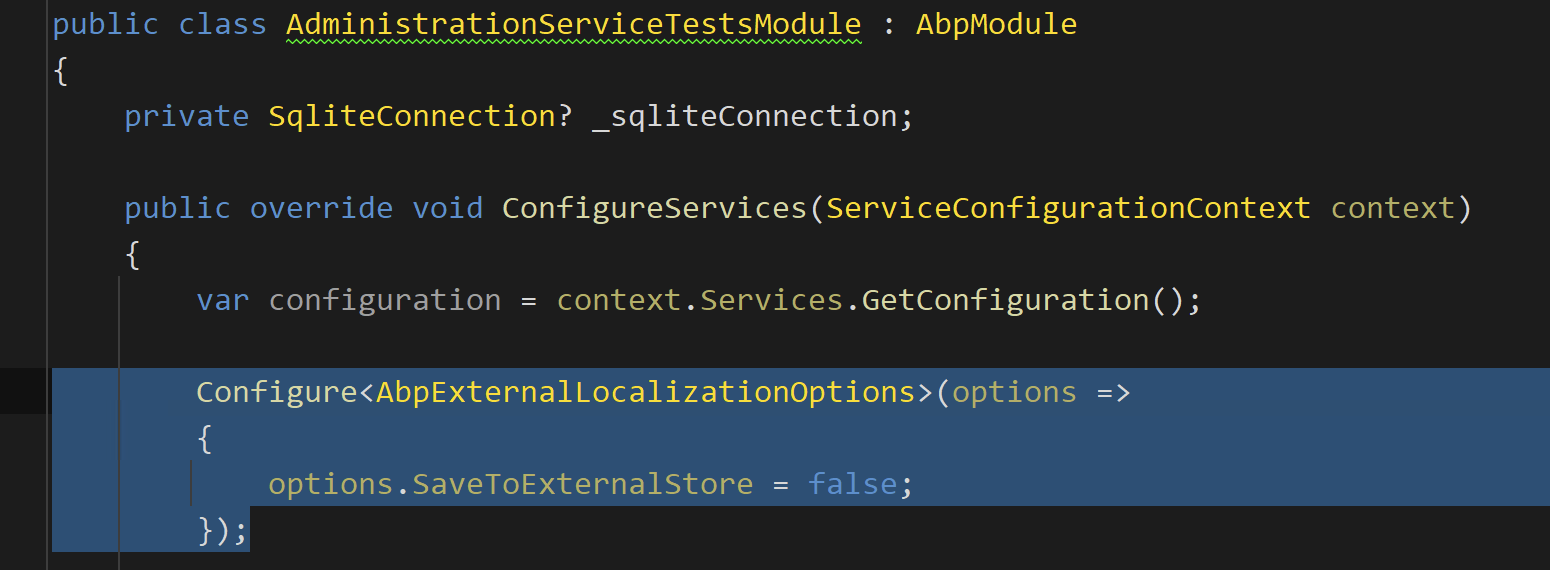
Configure<AbpExternalLocalizationOptions>(options =>
{

    options.SaveToExternalStore = false;
});
Thanks, maliming. I followed the solution you provided and it resolved the issue.
new LanguageManagementDbContext(
    new DbContextOptionsBuilder<LanguageManagementDbContext>().UseSqlite(connection).Options
).GetService<IRelationalDatabaseCreator>().CreateTables();

Configure<AbpExternalLocalizationOptions>(options =>
{
    options.SaveToExternalStore = false;
});
I would like to understand why these steps need to be added manually. Without them, the tests fail. Shouldn’t ABP automatically handle this when generating a new project, so that the testing environment works out of the box?
Could you please clarify why this behavior occurs and whether it is expected?
[maliming] said: hi
Please update the
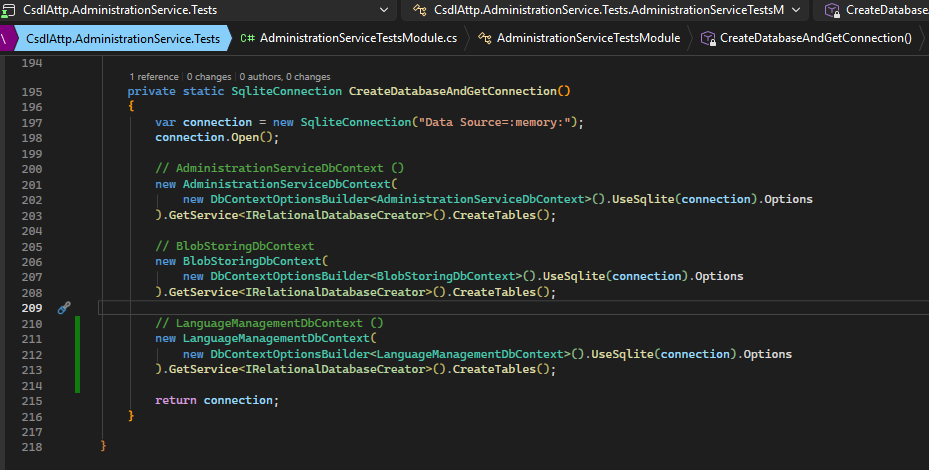
CreateDatabaseAndGetConnectionas belowprivate static SqliteConnection CreateDatabaseAndGetConnection() { var connection = new SqliteConnection("Data Source=:memory:"); connection.Open(); // AdministrationServiceDbContext () new AdministrationServiceDbContext( new DbContextOptionsBuilder<AdministrationServiceDbContext>().UseSqlite(connection).Options ).GetService<IRelationalDatabaseCreator>().CreateTables(); // BlobStoringDbContext new BlobStoringDbContext( new DbContextOptionsBuilder<BlobStoringDbContext>().UseSqlite(connection).Options ).GetService<IRelationalDatabaseCreator>().CreateTables(); // LanguageManagementDbContext () new LanguageManagementDbContext( new DbContextOptionsBuilder<LanguageManagementDbContext>().UseSqlite(connection).Options ).GetService<IRelationalDatabaseCreator>().CreateTables(); return connection; }
Thanks.
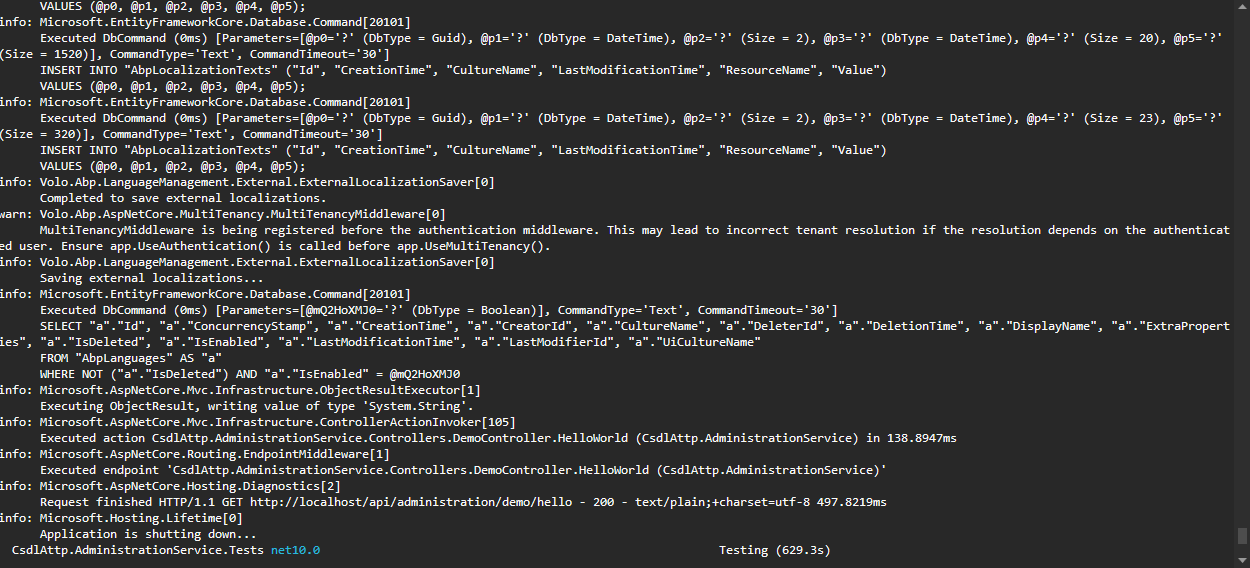
Hello maliming, I followed your instructions. After running dotnet test, the errors related to the missing AbpLanguages and AbpLanguageTexts tables were resolved. However, the testing process is now taking a very long time and continues running without producing any results.
[maliming] said: hi
I found the problem and it will be fixed in 2.0.3
Thanks.
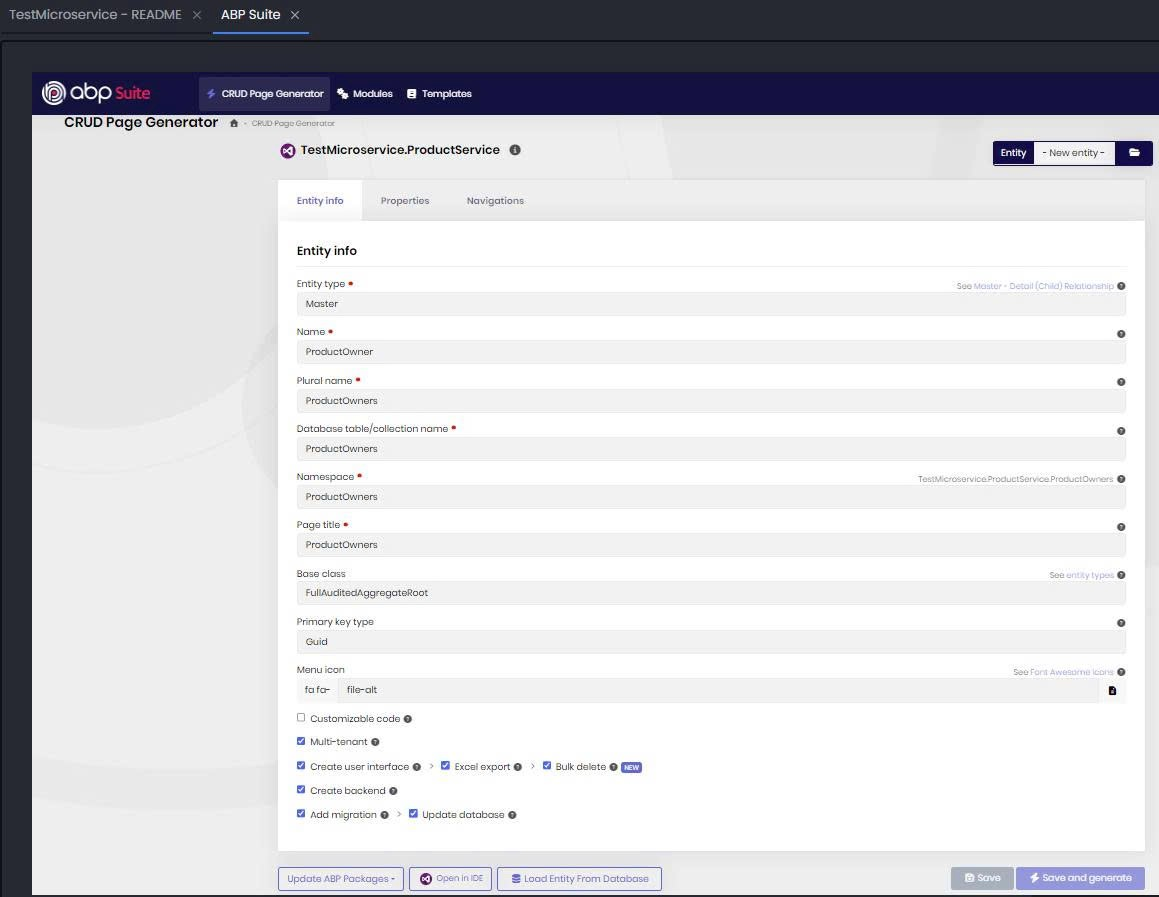
Thank you for your response. We have encountered another issue and hope you can assist us. When using ABP Suite to generate an Entity for a CRUD Page, we are facing a problem related to missing namespace imports. We were able to resolve it manually by adding the appropriate namespace, and then we could continue working. We are reporting this issue to you and hope your team can address and fix it so that generating new Entities can be fully automated without this error. Thank you. Abp version: volo.abp.studio.cli 2.0.2 abp volo.abp.suite 10.0.0 abp-suite
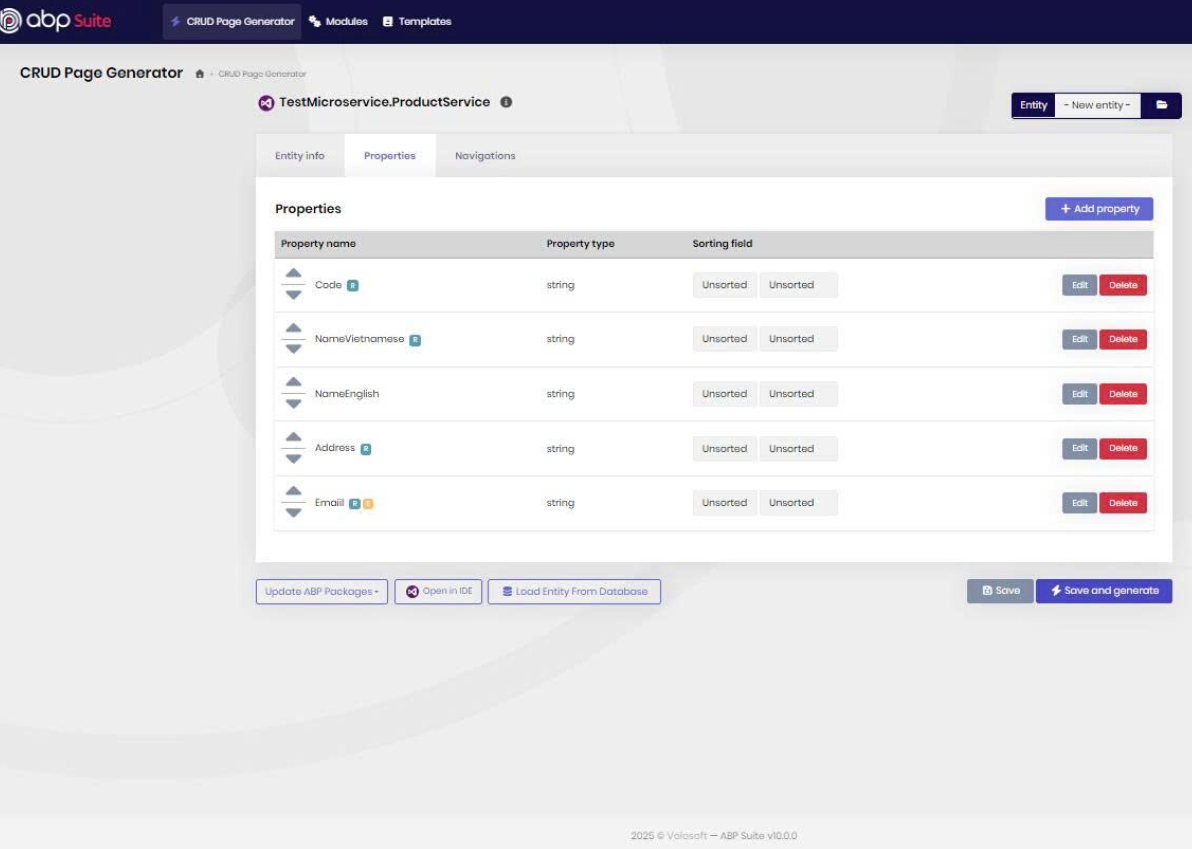
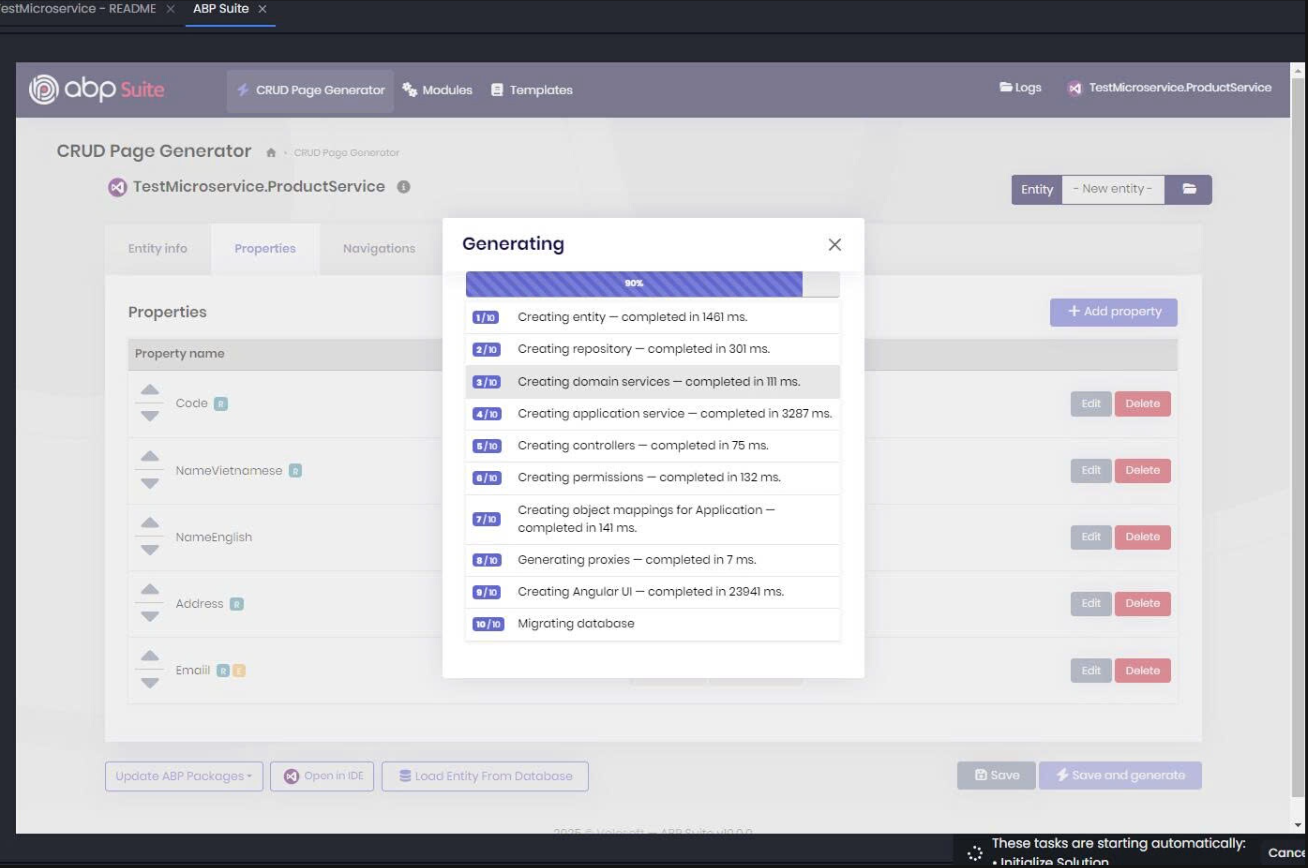
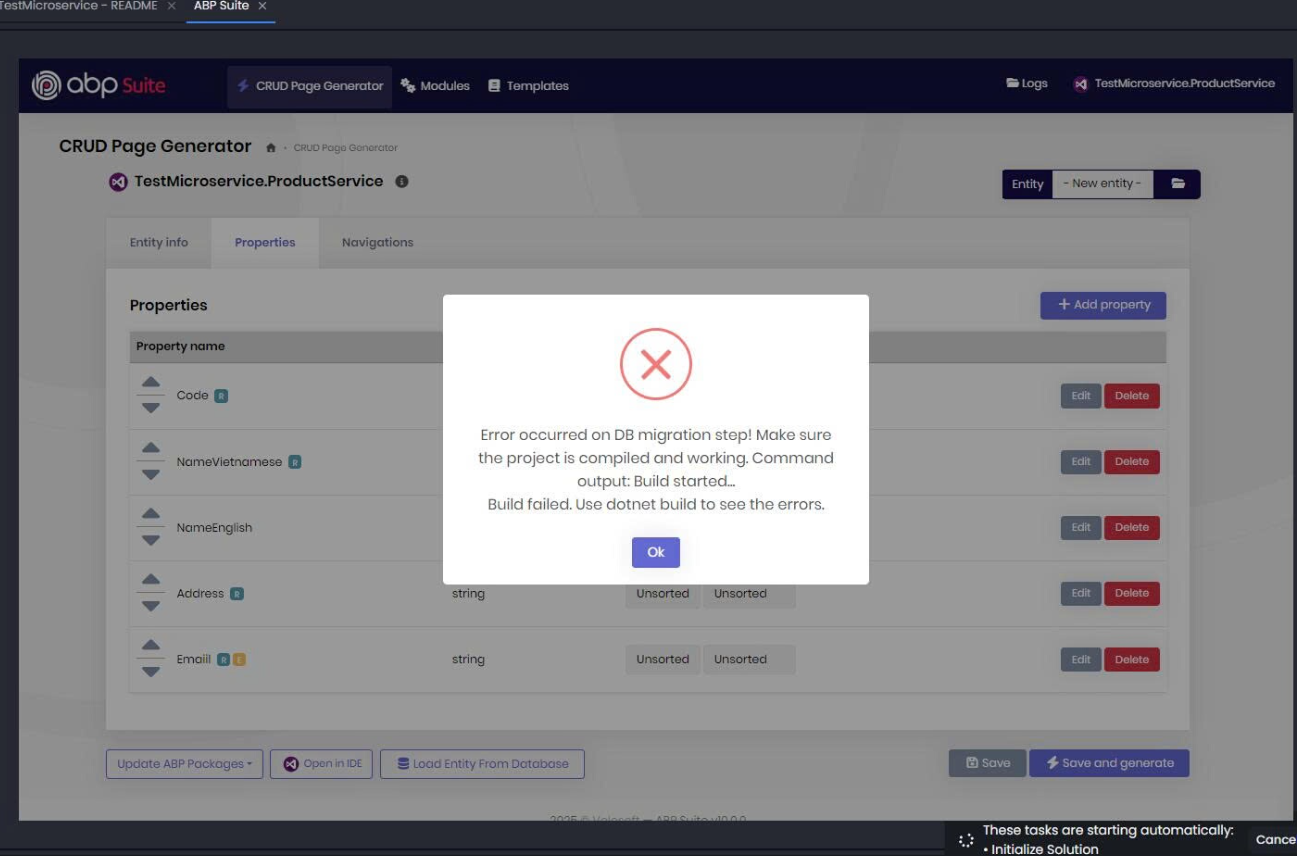
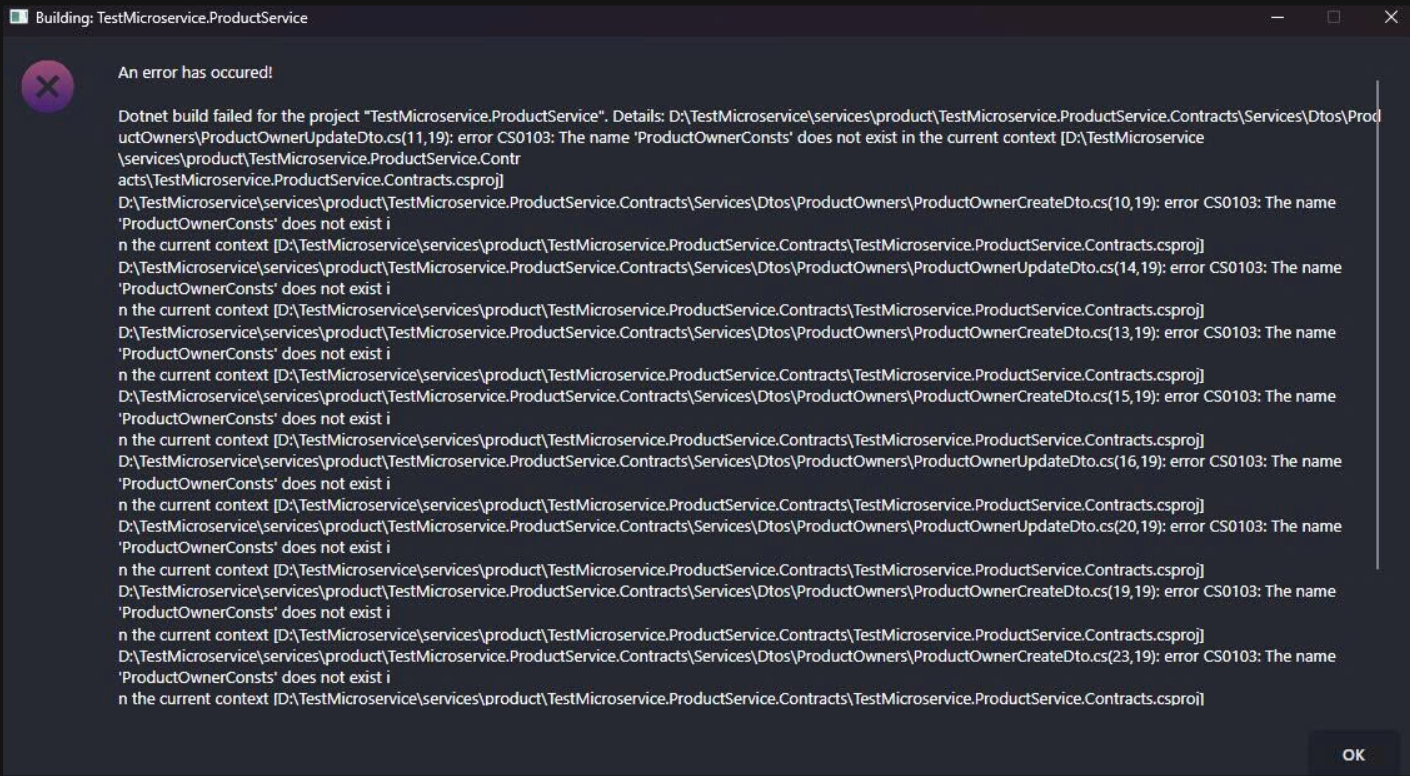
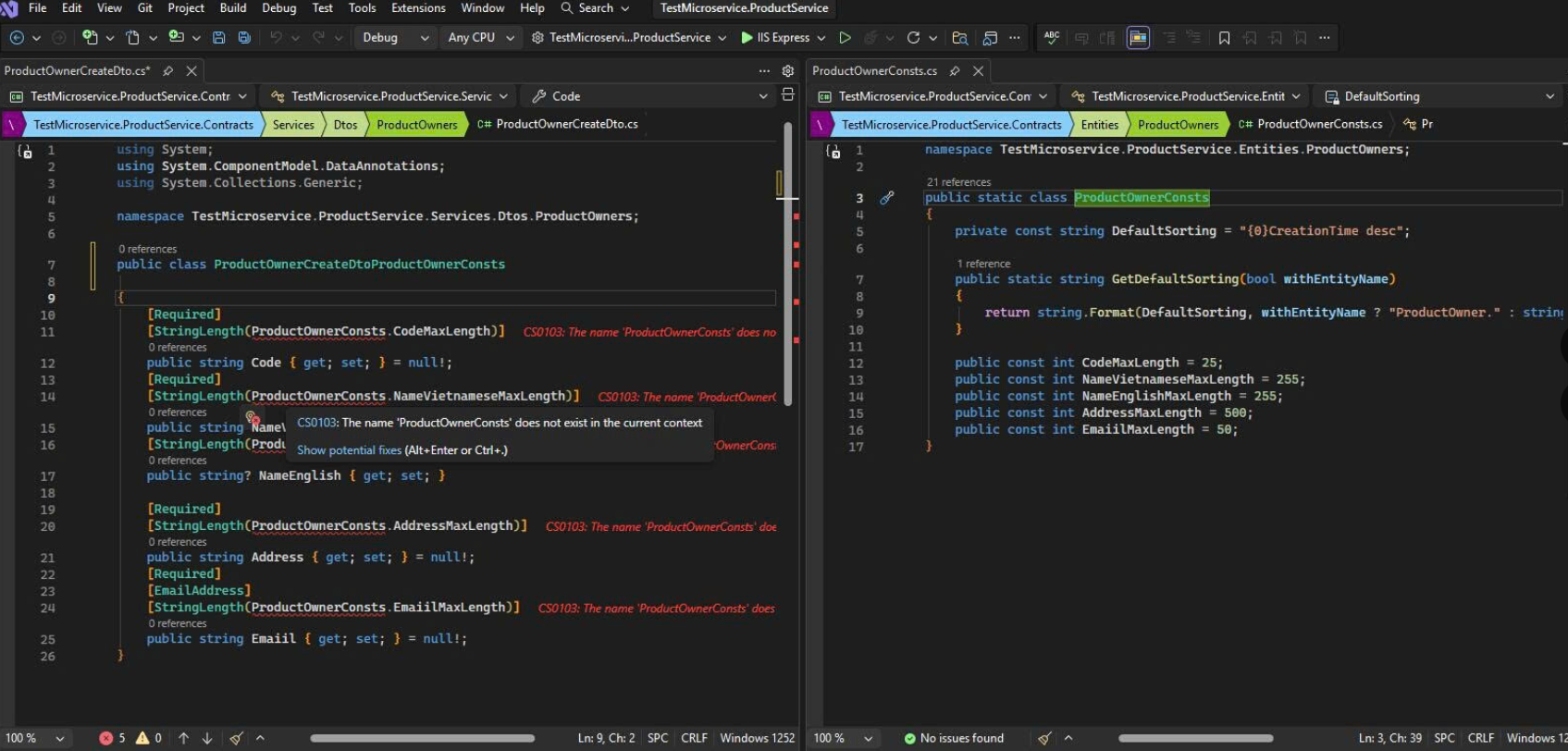
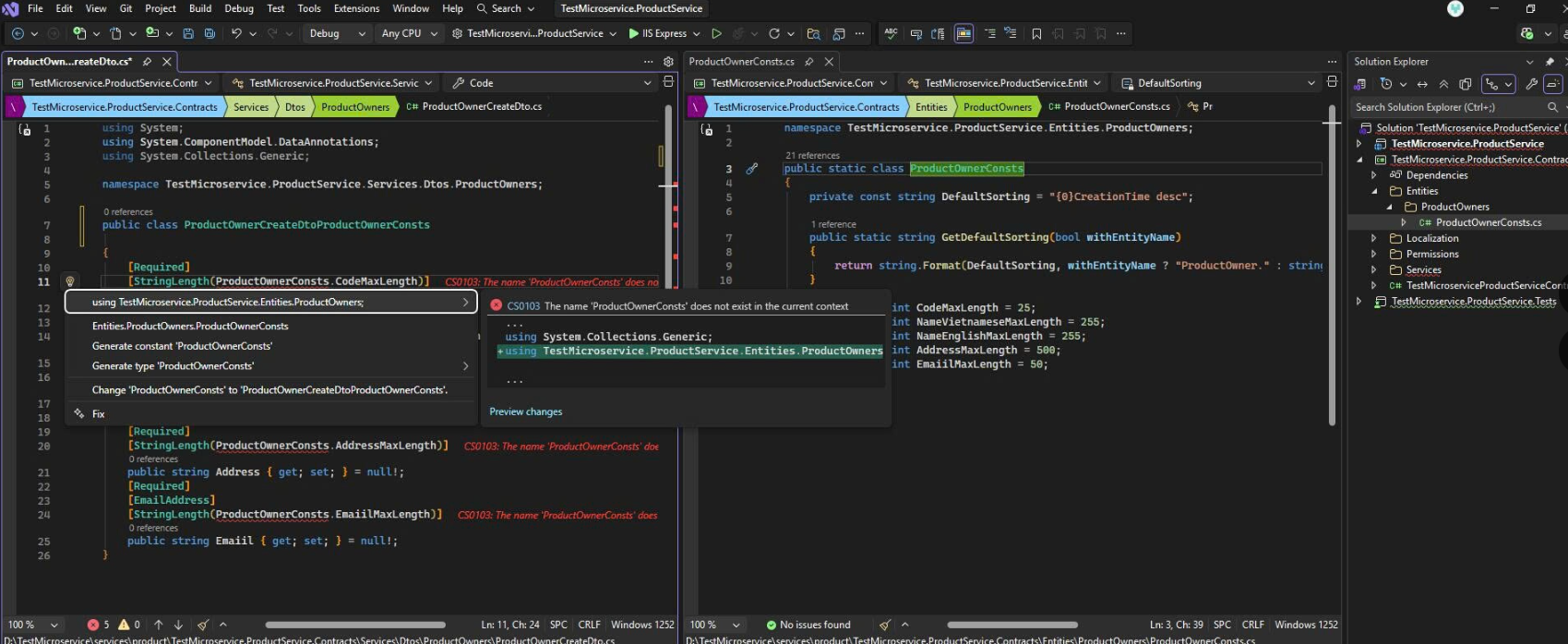
[maliming] said: hi
It seems your local template package is outdated.
Can you try to clear your nuget cache and run abp new command again?
dotnet nuget locals -c all

abp new Microservicev101 -t microservice --ui-framework angular --mobile react-native --database-provider ef --database-management-system sqlserver --theme leptonx --skip-migrator --public-website --without-cms-kit --dont-run-bundling -no-file-management -no-language-management
You will see: **Volo.Abp.Studio.Extensions.StandardSolutionTemplates (v: 2.0.2) **
 Volo.Abp.Studio.Extensions.StandardSolutionTemplates (v: 2.0.2) extension trying install from the NuGet
📌 ABP CLI 2.0.2

🕕  Checking extensions...
Thanks.
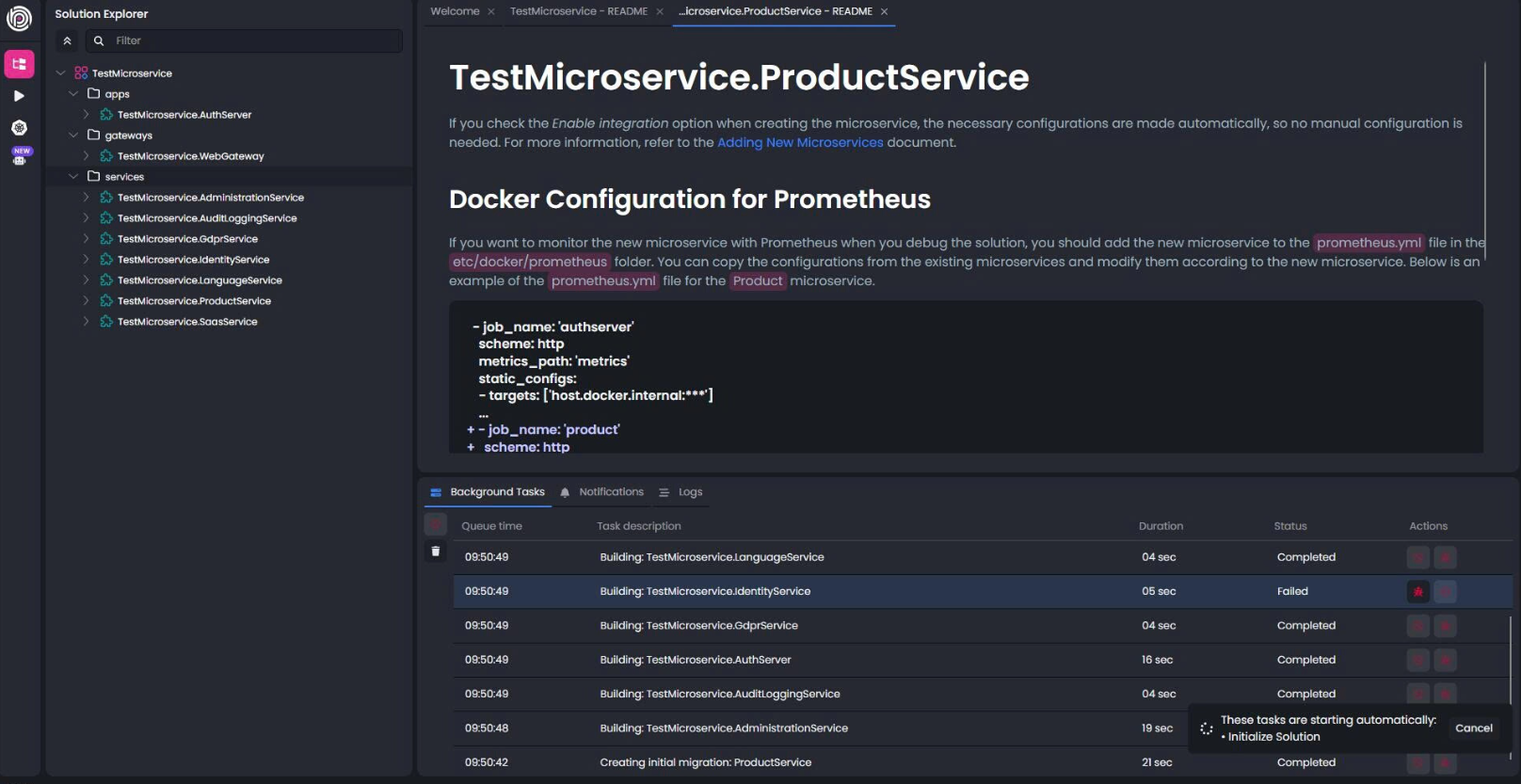
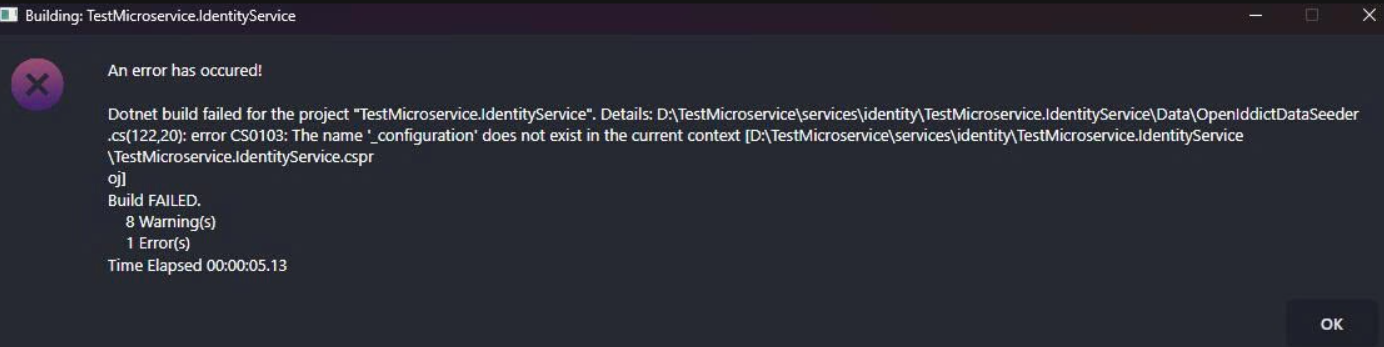
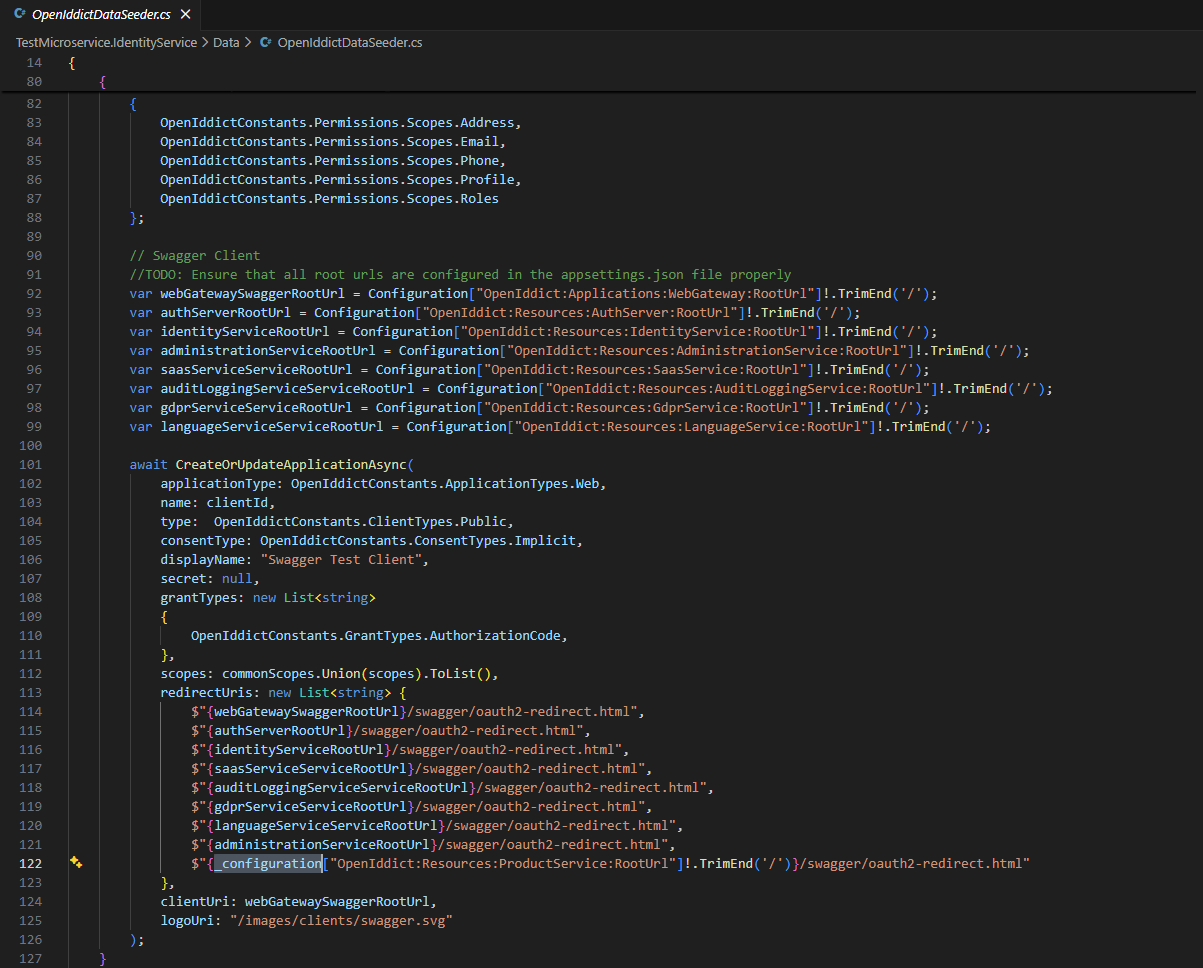
Hello Maliming, I am experiencing the same issue when creating a new Microservice project. I followed the instructions above, but I’m still getting an error related to _configuration in IdentityService. volo.abp.studio.cli 2.0.2 abp volo.abp.suite 10.0.0 abp-suite I hope you can respond soon so I can continue my work. Thank you.