Hi,
Environment
Summary When a distributed event handler throws an exception (intentionally, to trigger an inbox retry), the InboxProcessor stops processing the rest of the batch and retries the SAME failing event on every cycle. As a result, that one failing event blocks ALL later events in the same inbox indefinitely (head-of-line blocking).
Scenario (leads to a permanent deadlock)
Observed
Questions
Thanks.
Hello, We are creating a table via the ABP Suite, but Angular isn’t performing any operations it isn’t generating pages or proxies. Where might the problem lie, or could this be a version-related issue? We would appreciate your assistance.


Hello, We wanted to add the CMS Kit module to our microservices project, but it was stated that Angular support would be available in a future release. In the 10.2 (24 February 2026) release notes, we saw that ‘Angular: CMS Kit Module Features’ had been added; however, we also noted that certain features of the CMS Kit module such as meta information for SEO, media gallery, RSS feed, content versioning, and social media streams are scheduled to be added in version 10.5. If we update our project version now, can we use the CMS Kit features within our Angular architecture, even if they are incomplete, or should we wait for version 10.5? Furthermore, we have been unable to locate any documentation regarding how the CMS Kit module integrates fully with the microservices and Angular architecture. If an integration document exists, we would appreciate it if you could share it; otherwise, we would be grateful for guidance on how to proceed.
Pakages: 9.3.5
Hello In our project, we want to make adjustments to our public site using the CmsKit module. We want to create new menus, adjust menu content, visual positioning, and card designs for the pricing page. As a result, it was said that the CmsKit module could provide this, but when we reviewed the documentation and wanted to add it to our project, we encountered problems. When we added the CmsKit.Pro module, we were told that the CmsKit module could also be used, but when we added the CmsKit.Pro module, we encountered issues with missing menus and navigation, and we couldn't see the tables and menus within CmsKit. Additionally, when we imported CmsKit.Pro from the Nuget menu via Abp Studio, we noticed that the required packages were missing or not present at all. When we tried without adding a different package, it didn't work either. I'm sharing an example below.
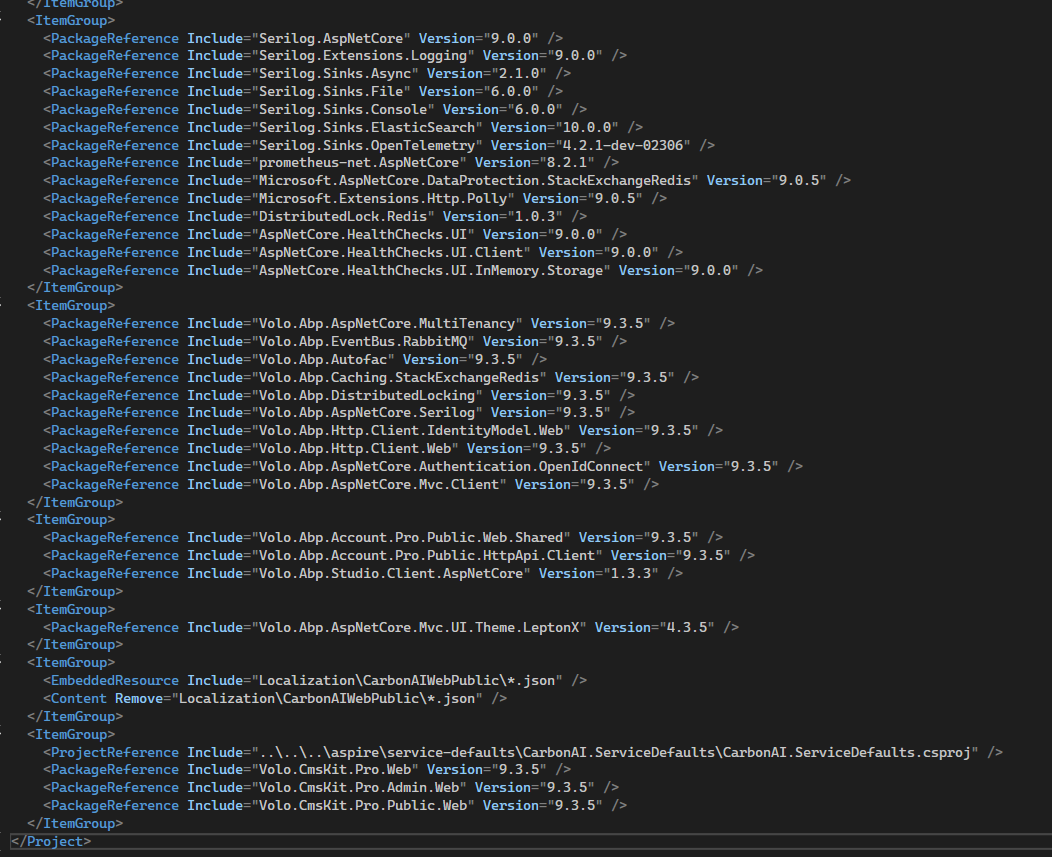
When we add Volo.CmsKit.Pro to the Web.Public service (via AbpStudio Nuget)
Volo.CmsKit.Pro.Admin.Web Volo.CmsKit.Pro.Public.Web Volo.CmsKit.Pro.Web
The packages were included by default, but they were not added to the project.
In AdministrationService, however,
Volo.CmsKit.Pro.Admin.Application.Contracts Volo.CmsKit.Pro.Public.Application.Contracts
They were selected by default, but they weren't loaded in the same way.
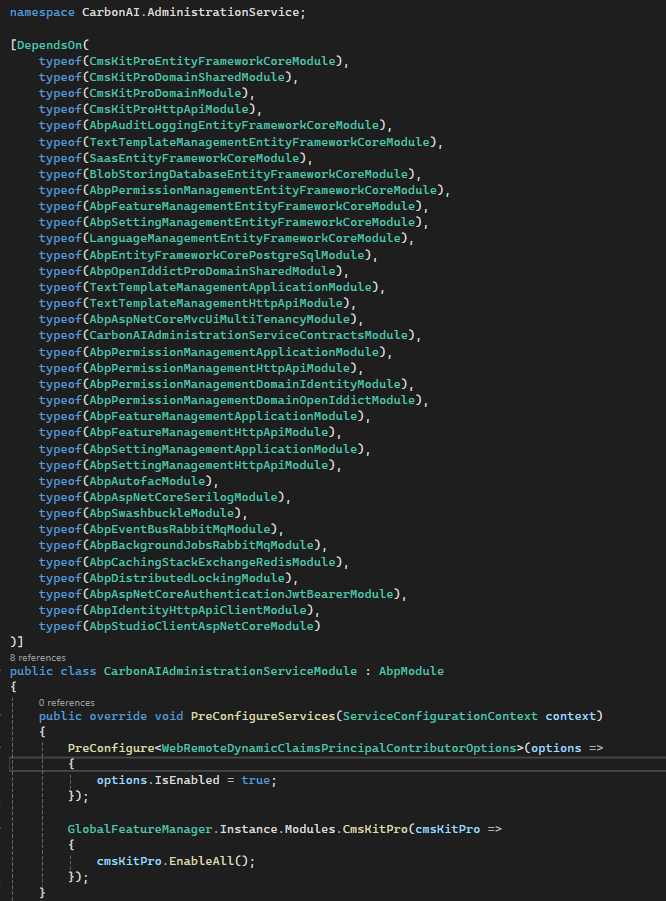
What we added manually to AdministrationService
Volo.CmsKit.Pro.Domain Volo.CmsKit.Pro.Domain.Shared Volo.CmsKit.Pro.EntityFrameworkCore Volo.CmsKit.Pro.HttpApi
We added the packages.
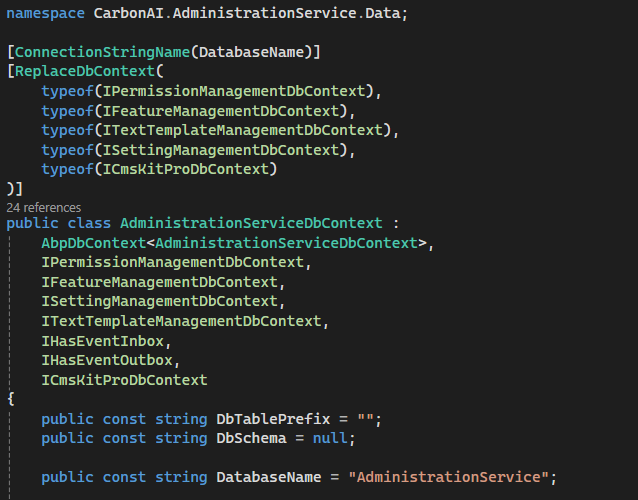
After setting up this structure, when we performed the migration, we saw that we could only access CmsKit.Pro's tables, but we noticed that the tables related to CmsKit were not included. There were explanations stating that CmsKit could be used within the scope of CmsKit.Pro's usage.
AdministrationService

Web.Public
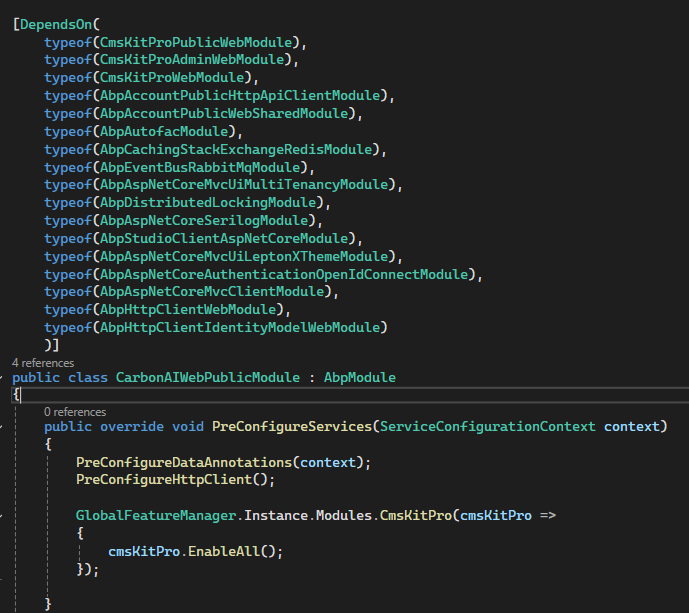
Here
GlobalFeatureManager.Instance.Modules.CmsKit(cmsKit =>
{
    cmsKit.EnableAll();
});
We get an error when we try to add it.
The menus that appear when we add CmsKit.Pro (Administration and CMS)
 )
)


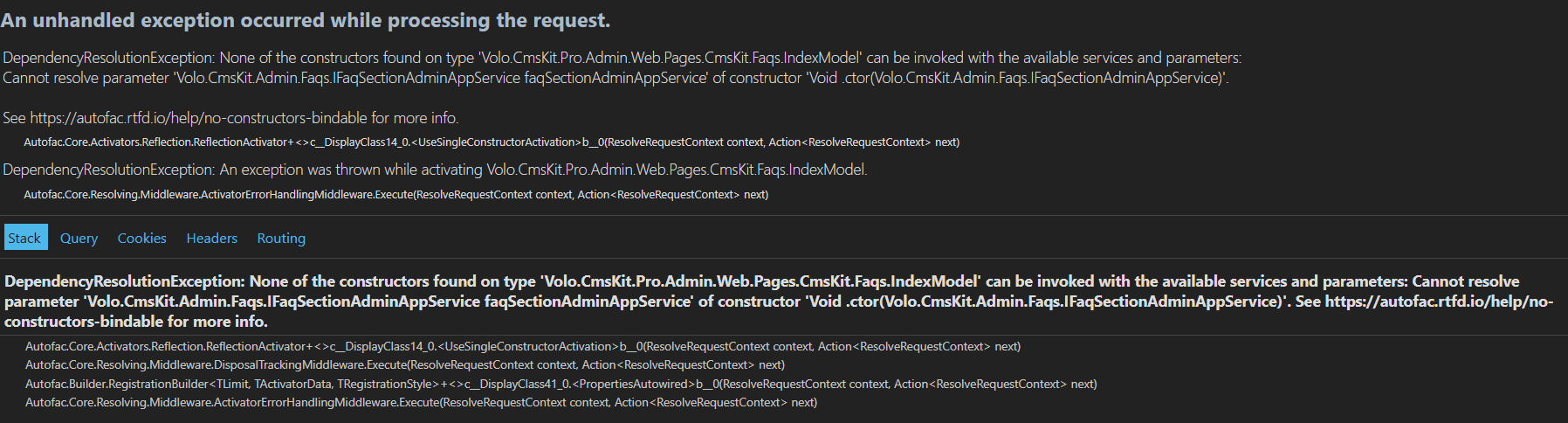
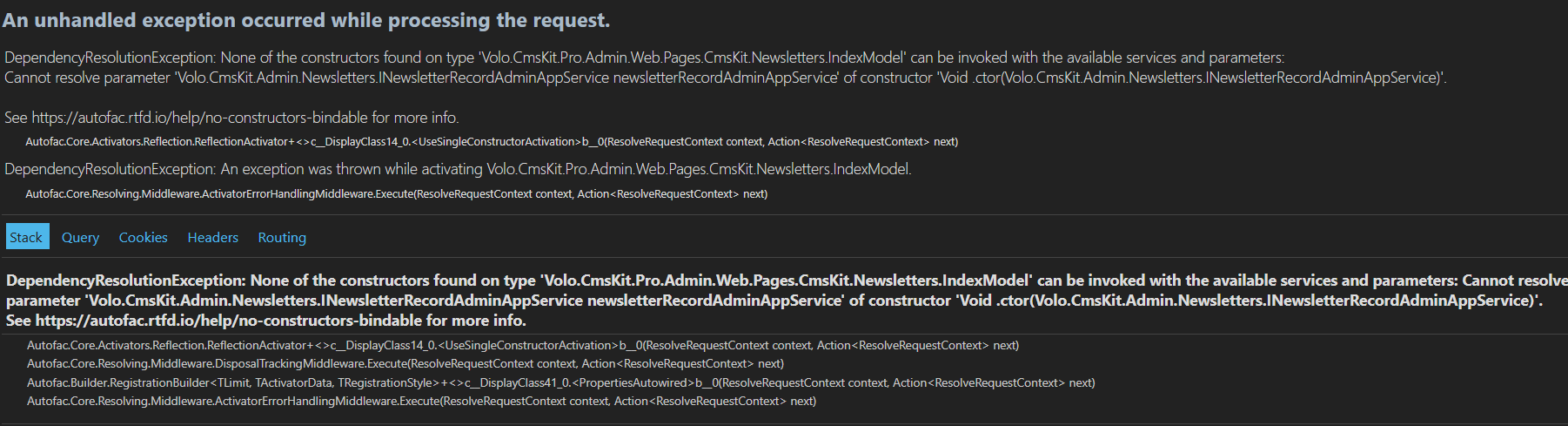
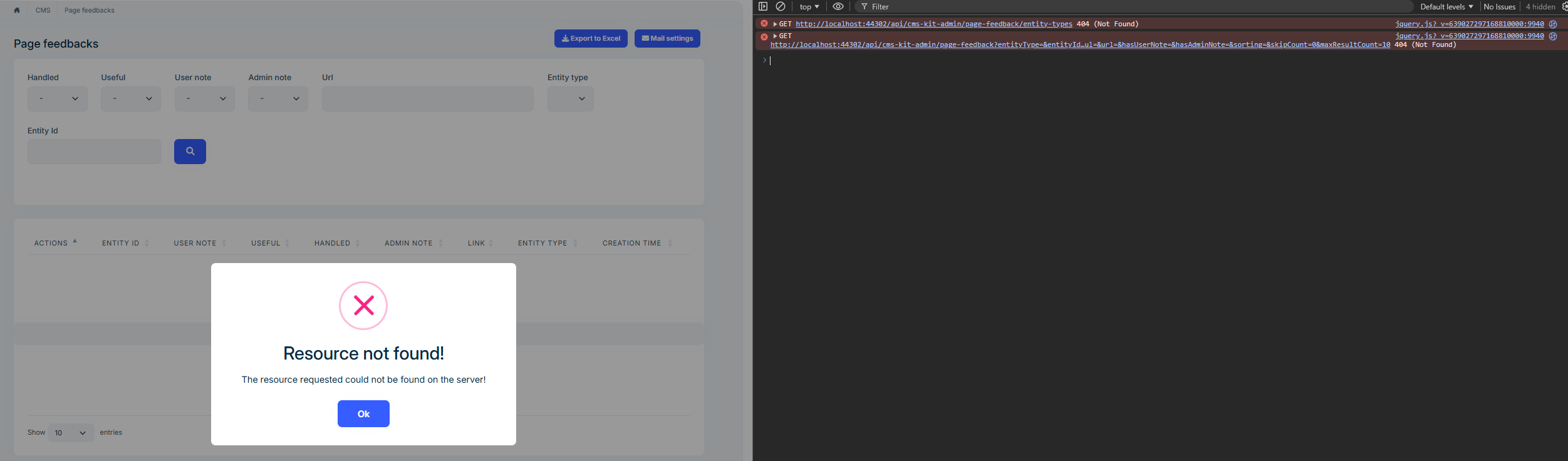
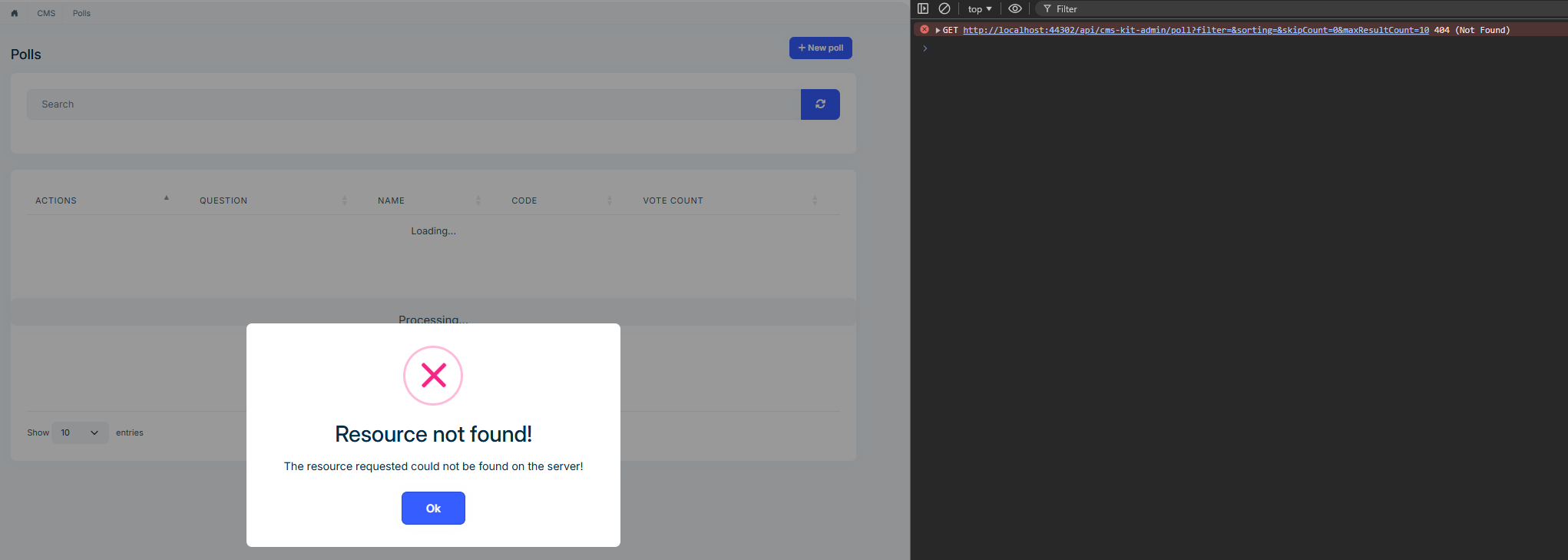
Errors we receive when trying to access menus and URL information
http://localhost:44302/Cms/Faqs
http://localhost:44302/CmsKit/Newsletters
http://localhost:44302/Cms/PageFeedbacks
http://localhost:44302/Cms/Polls
http://localhost:44302/Cms/UrlShorting
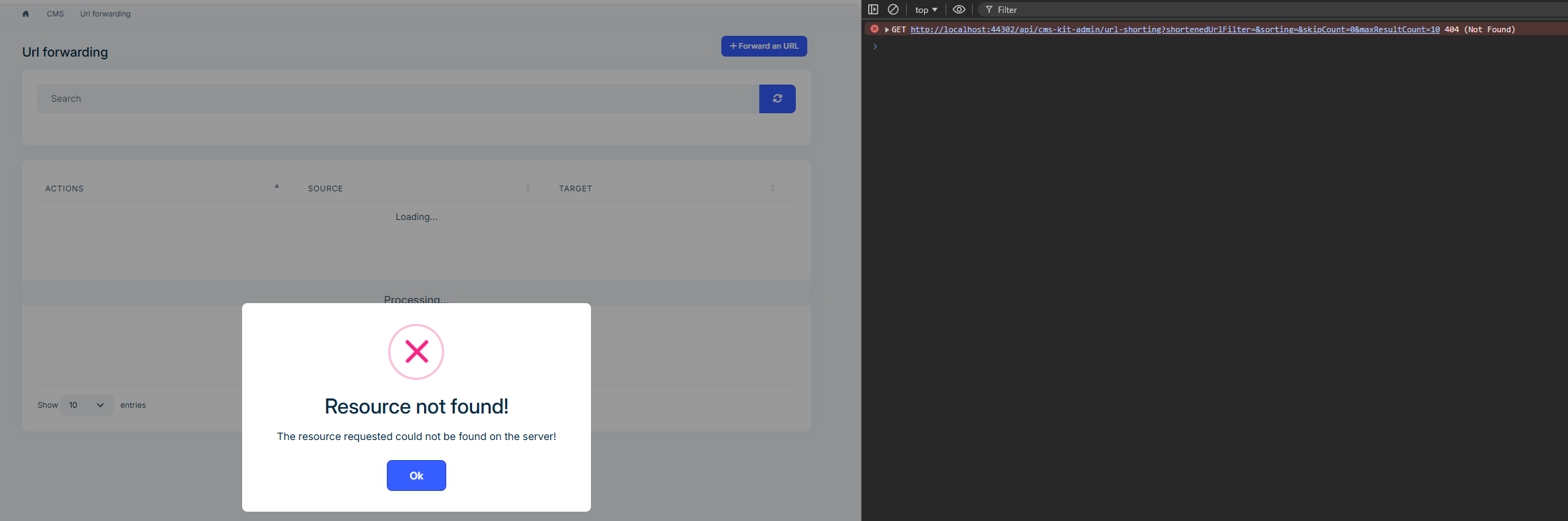
http://localhost:44302/SettingManagement

How can we resolve the issue we are experiencing here? Where should we add which package or module? In terms of routing, where should we configure it and how? Unfortunately, the current documentation is insufficient for us. Our priority right now is to resolve this issue.
Additionally, we are currently performing our operations through AdministrationService and Web.Public, but in the future, we will be running CmsKit.Pro control with a separate service, such as CmsKitService and Web.Public. In this case, when we add the CmsKit.Pro module to the new service we have opened, we would appreciate it if you could provide us with detailed configuration settings on which packages and modules need to be loaded to avoid any problems.
Thanks.
Hello,
When RequireFeatures is added to permissions;

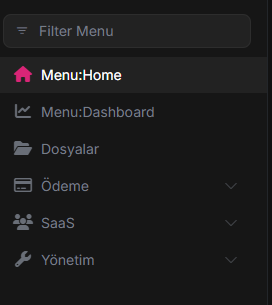 Host admin does not see the Management Service menu at all
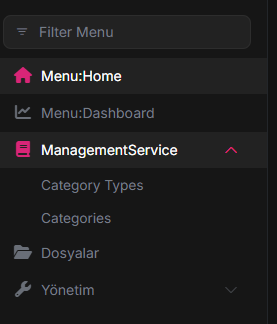 Management Service pages where the customer is included in the package and visible
Is there a way for the Host admin to view the Management Service section in this scenario?
When we tried our checks with StateCheckers instead of RequireFeatures;
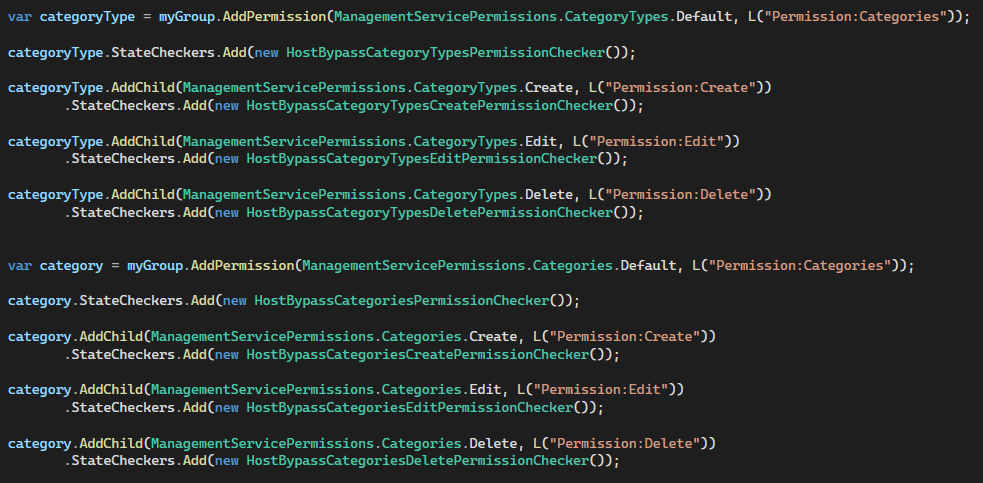
The code structure below appears to be for Categories, but it is managed with the same coding in the CategoryType structure, but the naming is different.
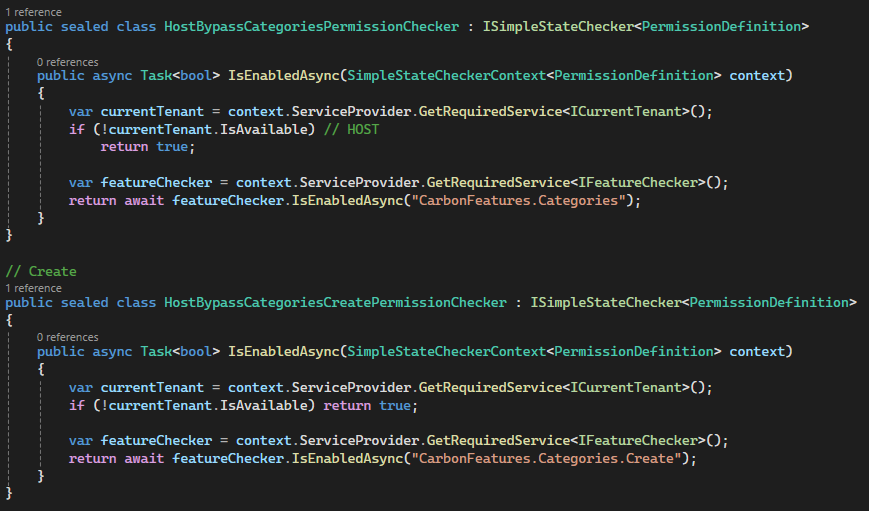
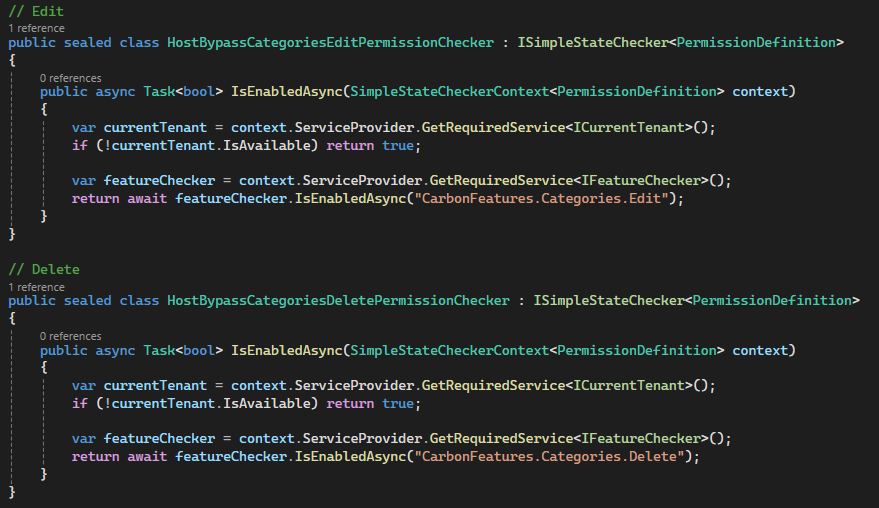
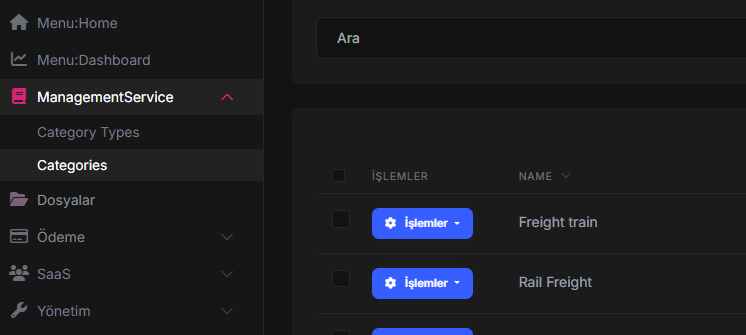
When we log in with Host Admin, we see two pages and can view data.
However, when we log in with a tenant;
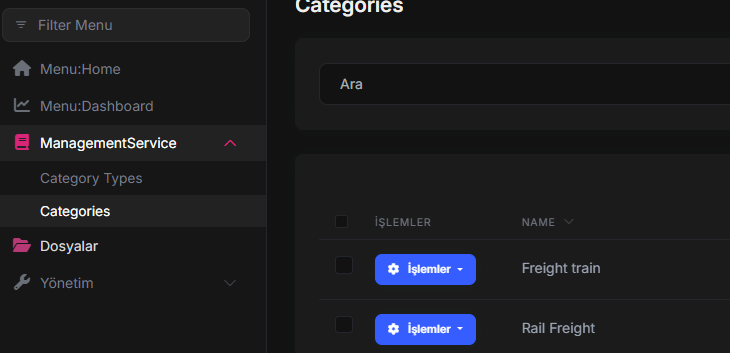
You can access the Category page included in the package without any problems, but when you click on it, the CategoryType page appears even though there is no CategoryType in the package assigned to the tenant.
 The page is visible, but we do not want this page, which is not included in the package, to appear in the menu at all.
In this scenario, it needs to be configured so that the Tenant cannot see pages that are not included in the package. Is there a way to do this?
AbpSuiteVersion: ABP Suite v9.3.5
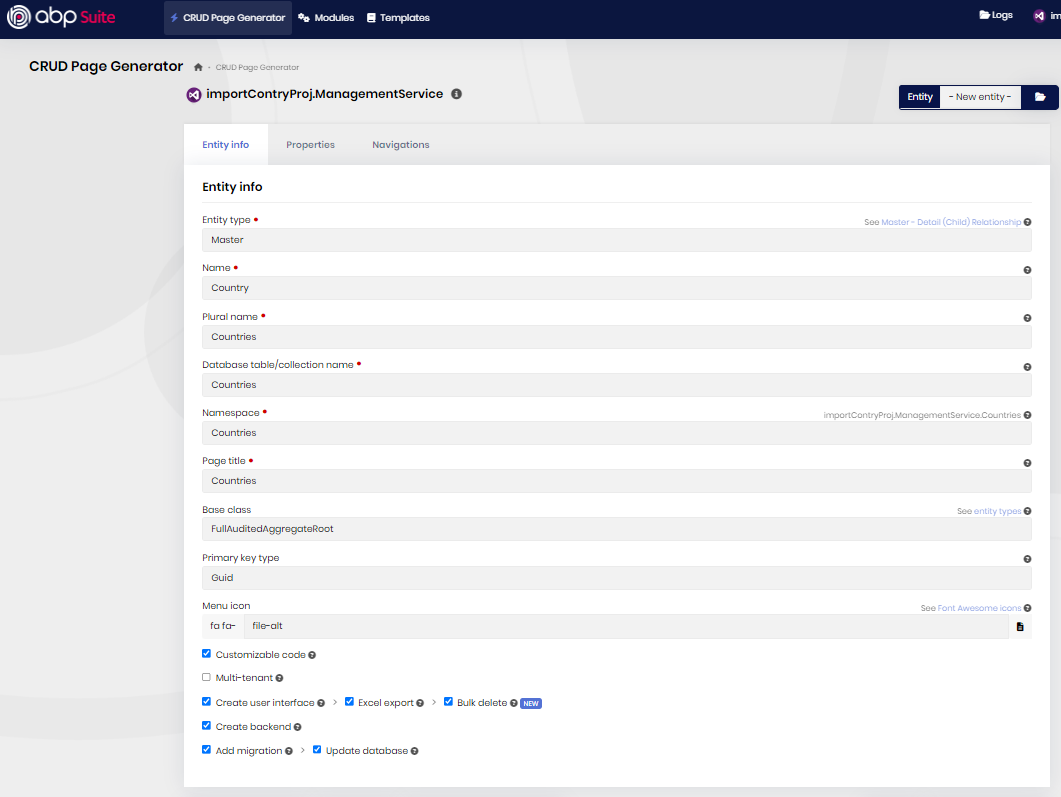
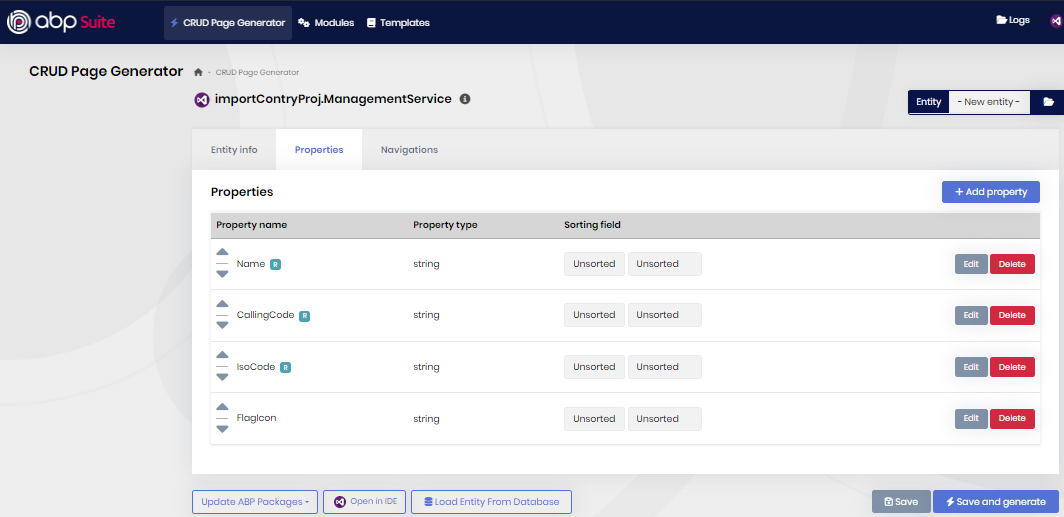
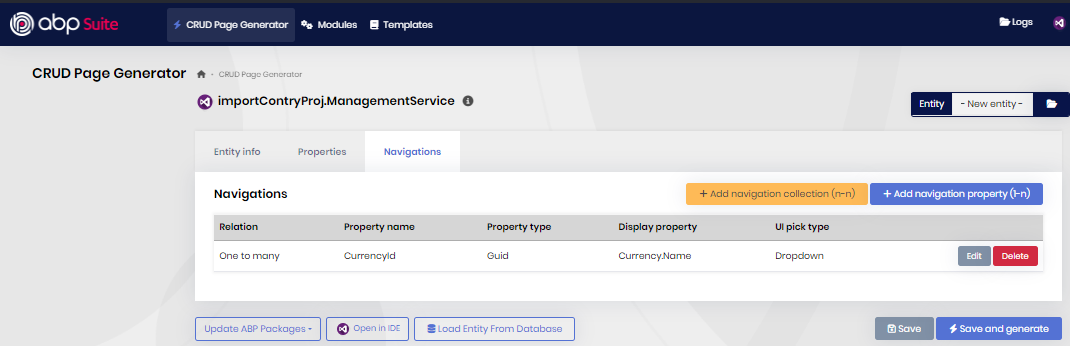
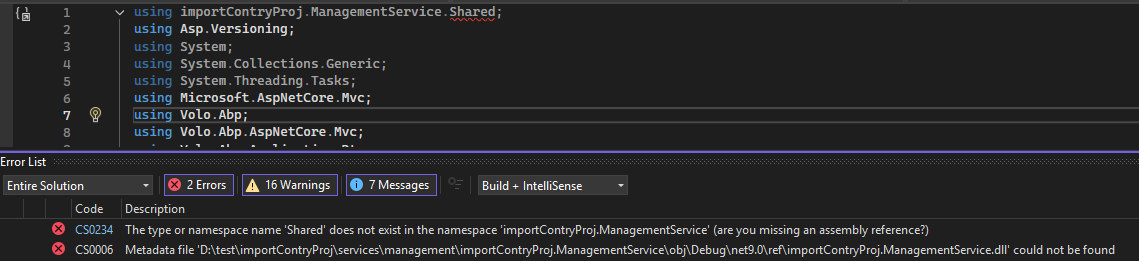
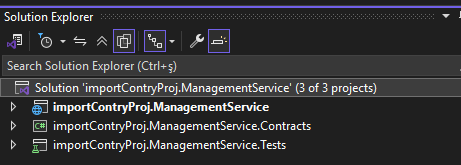
Hello, when we create an unrelation table in a sample microservice project, we do not have any problems, but when we want to add a relation table, using importContryProj.ManagementService.Shared; is added in our CountryControllerBase class, but since we have nothing related to shared, using also gives an error. Below, I am sharing the steps for creating an example. We kindly request your support
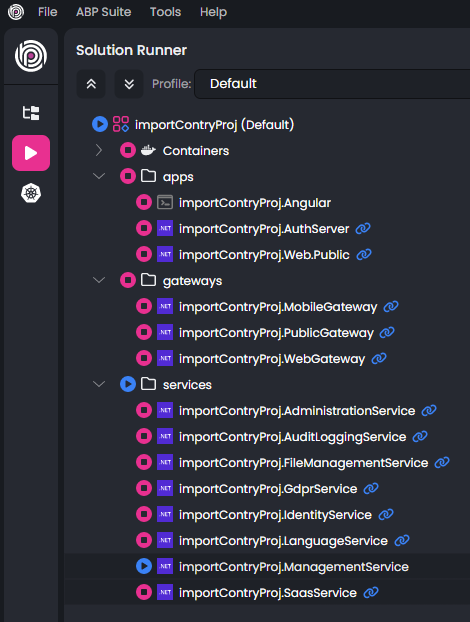
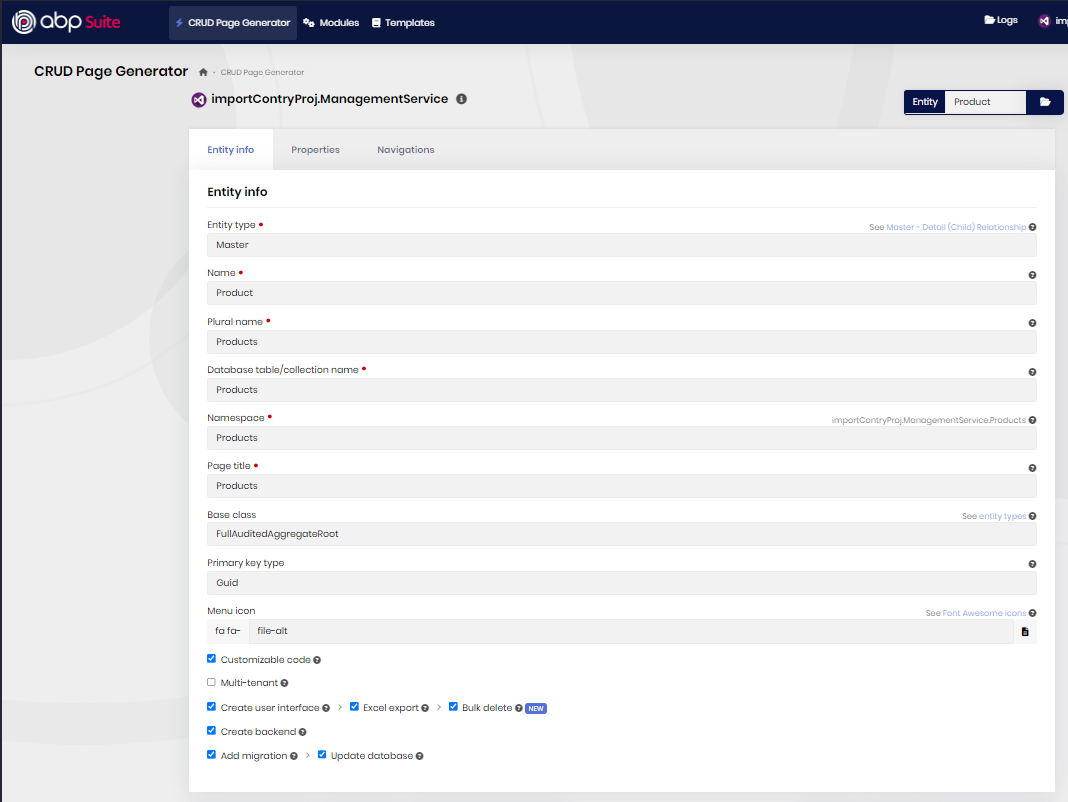
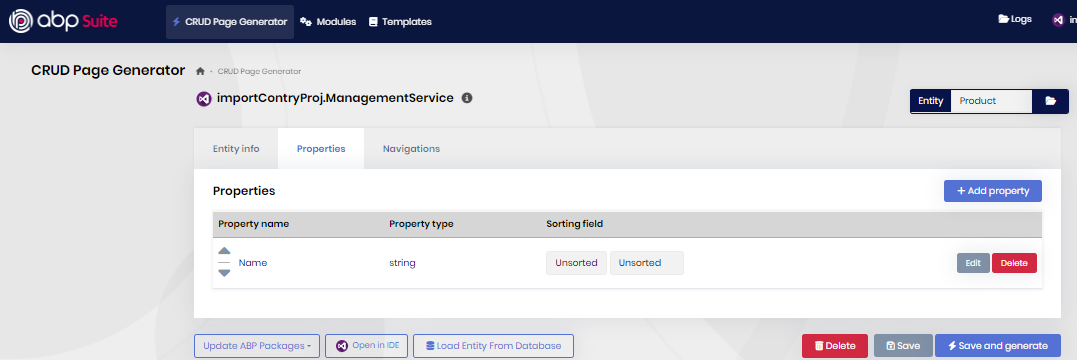
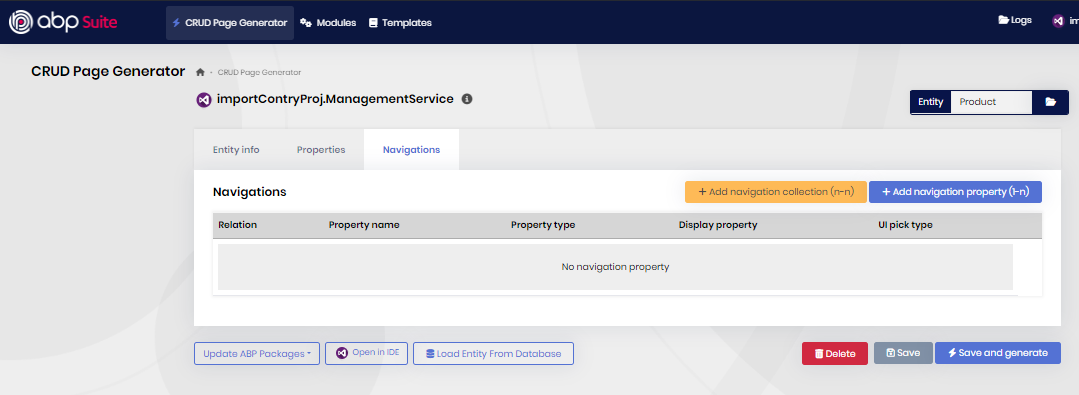
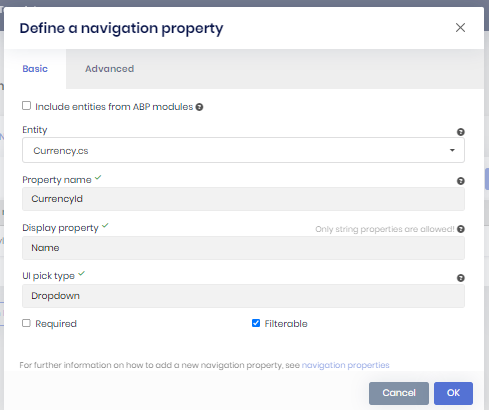
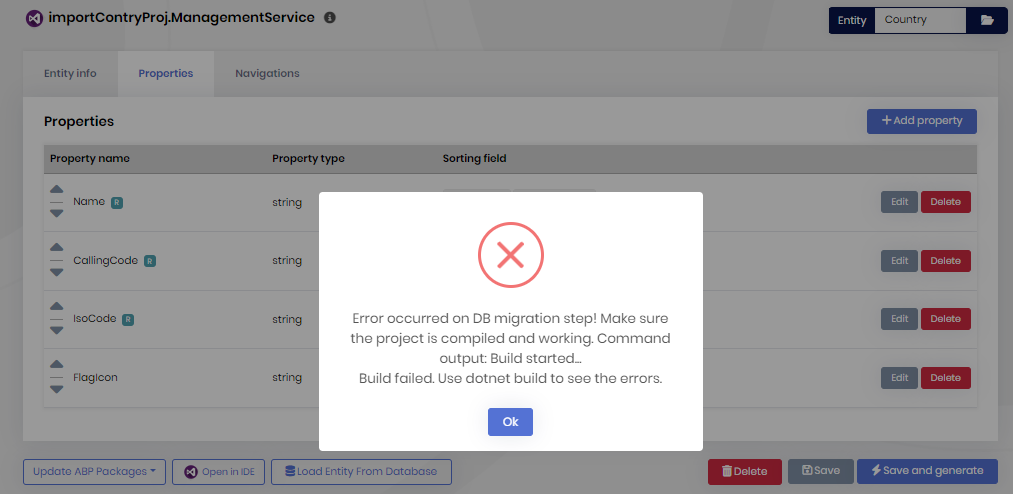
Hello
We are creating a new microservice project, then running it to ensure it works. Next, we add the ManagementService microservice to our project and build it to ensure it works. We then run our project to ensure it runs without errors. After that, we create the Products table in ManagementService via AbpSuite.
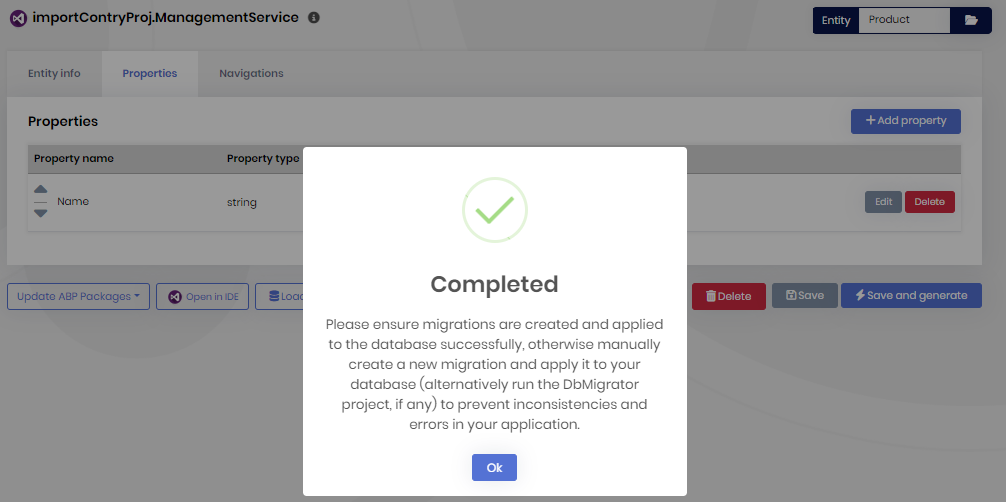
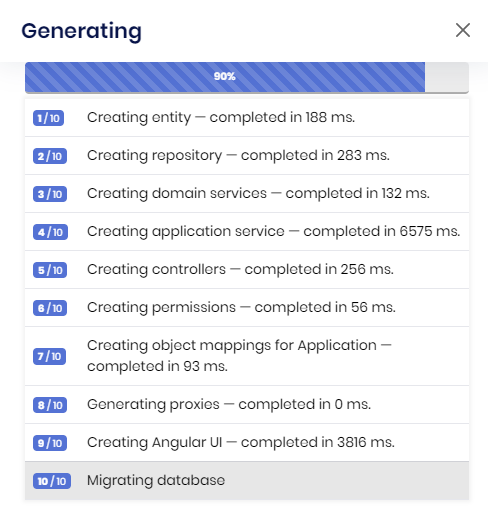
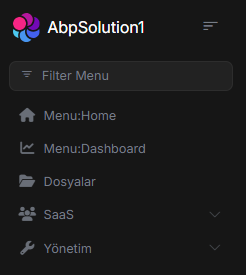
Here, we see that the Generating proxies section shows 0 ms. After checking, we see that files like entity appService have been created on the ManagementService backend side, but when we check the projects folder in Angular, we only see the abp -solution1 folder created during the project's initial stage. We did not see any folder or file related to management-service. Similarly, we did not see any files related to the products table we added via AbpSuite. Consequently, we have no access to any products table in the panel! I would like to mention that we also followed the steps in the readme files provided after creating the project, such as generate-proxy.
We did not encounter this issue in our samples a few updates ago. Could you please advise us on the areas we should check?
Thanks.
Hello again. I've checked new updates but I've taken different error from angular. I press login button and then I saw this page. Please review this error.
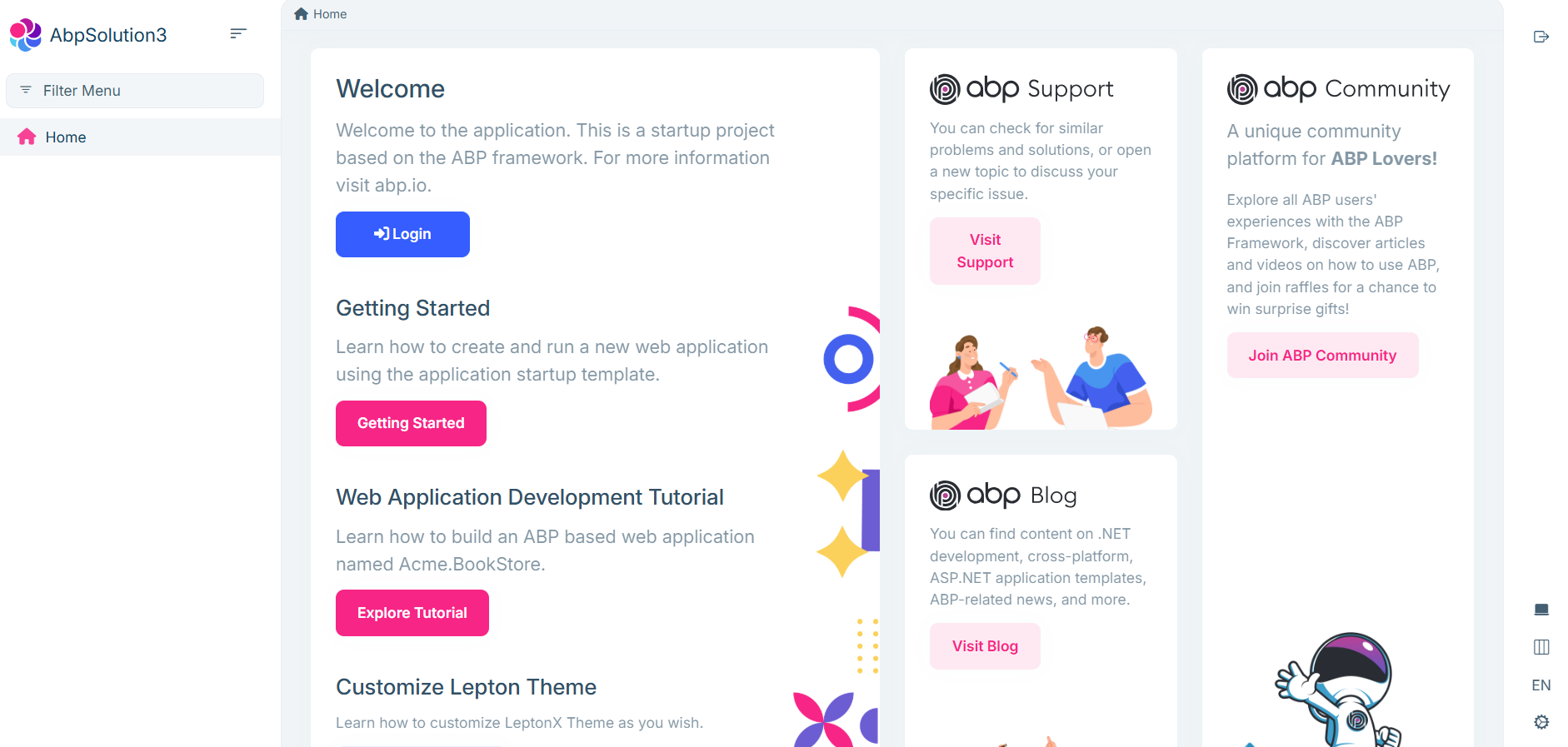
 Thanks.
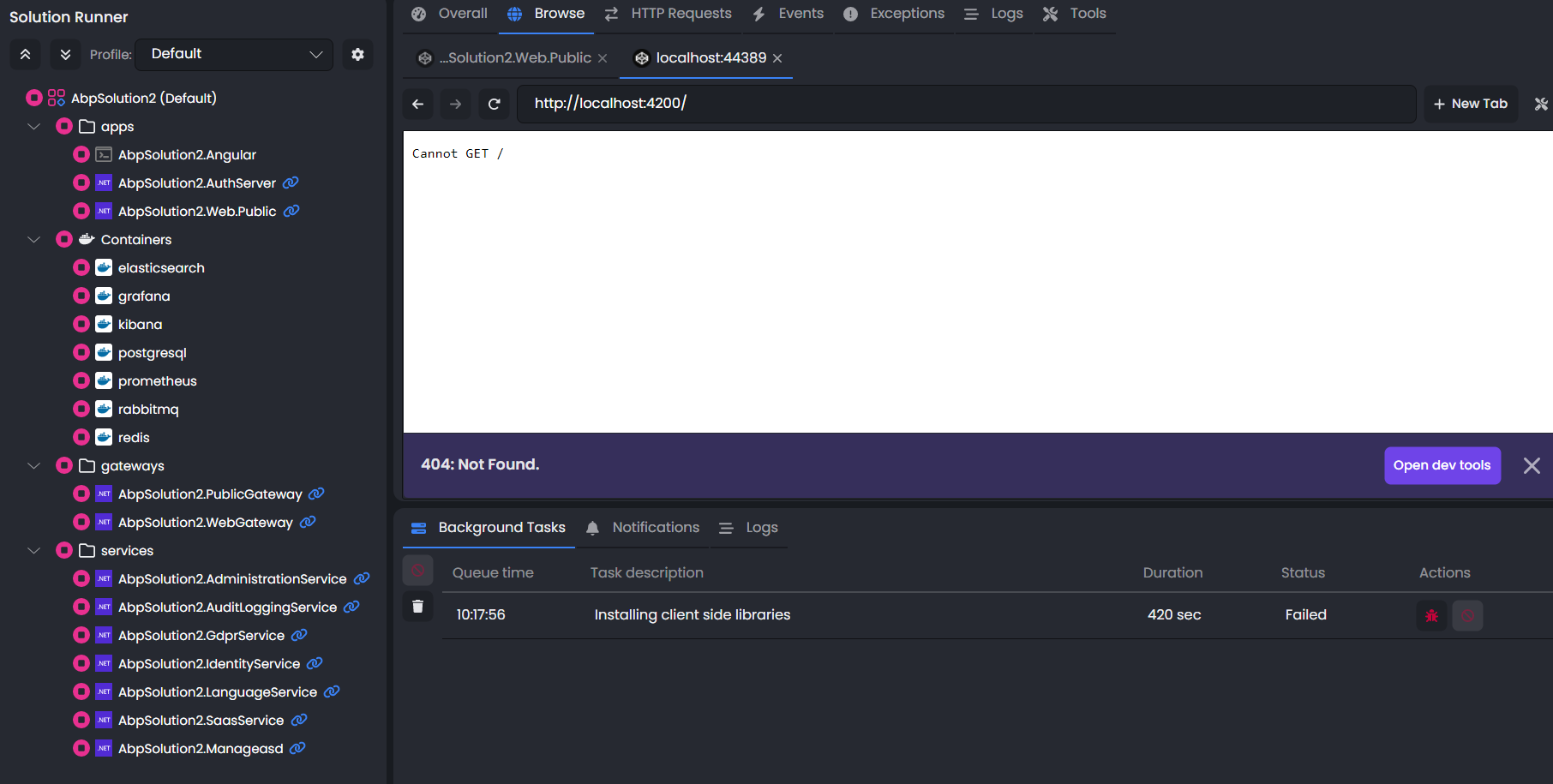
Hello, today I created a new project, but I got an error again. Please review this problem and fix the errors in this version. Best regards.
Hello, our tenant will be obtained from an external form for our project. When the tenant is included in the system, a default edition assignment will be made, and we will want to control the permission statuses of this tenant. In the current scenario, we are conducting our tests by adding a tenant through the admin panel without using an external form and assigning the edition we created to this tenant.
Regarding the problem we are experiencing;
When a tenant is added to the system, role assignments are made by default. When there is no distinction in permissions for these role assignments (MultiTenancySide or RequiredFeature), all permissions are assigned to this role. However, we only want to assign permissions that contain features valid for editions assigned to the tenant to that tenant. For this reason, we use the RequiredFeature property, which you mentioned is available for permissions, to establish the connection between permissions and features. However, in this case, we encounter the following situation. We assign the edition we created with the desired features to the tenant. Afterwards, when we log into the system with the tenant assigned to the edition, we cannot access the menus included in the edition. Upon checking, we see that no record has been added to the PermissionGrant table. However, we noticed that if, for example, the Category permission exists and the project runs without adding the RequiredFeature tag to the permission beforehand, the Category permission is recorded in the PermissionGrant table for the tenant. Afterwards, when we add the RequiredFeature tag to the Category permission, we see that it works. After adding the RequiredFeature tag, we see that it works. However, when a new tenant arrives after this process, the RequiredFeature tag is present, so no record is added to the PermissionGrant table again. In short, what we want here is to be able to control the tenant's permission status on a feature-specific basis.
we kindly request your support.
thanks









