

Open Closed

Phone verification is not working #2842


User avatar
0
safi created

Hi

Phone verification is not working so I explored and installed twilio settings in appsettings.json file but got success message like code sent to a phone number but not getting verification code. Please help me.

  • ABP Framework version: v4.4.3
  • UI type: Blazor
  • DB provider: EF Core
  • Tiered (MVC) or Identity Server Separated (Angular): no
Markdown supported.
Copy, paste, or drag & drop images and files (max 100 MB per file, 100 MB total per post)

35 Answer(s)
  • User Avatar
    0
    safi created

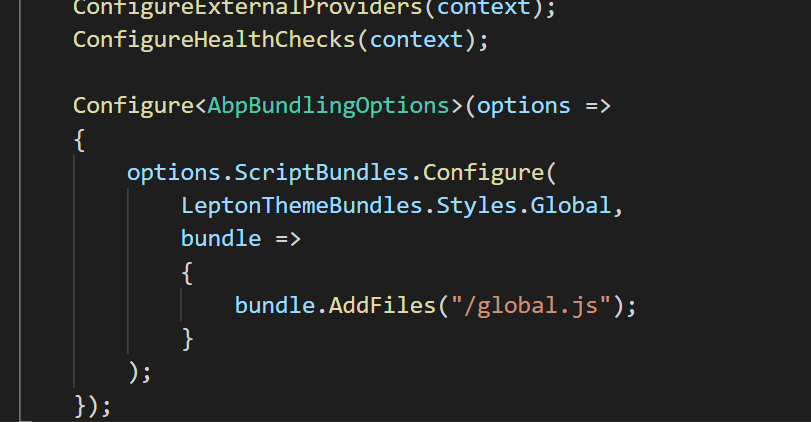
    Configure<AbpBundlingOptions>(options => {
    options.ScriptBundles.Configure( LeptonThemeBundles.Styles.Global, bundle => { bundle.AddFiles("/global.js"); } ) });

    I added code in global.js file but still showing phone number also pls let me know where I need to add this code Configure<AbpBundlingOptions>(options => {
    options.ScriptBundles.Configure( LeptonThemeBundles.Styles.Global, bundle => { bundle.AddFiles("/global.js"); } ) });

    Markdown supported.
    Copy, paste, or drag & drop images and files (max 100 MB per file, 100 MB total per post)
  • User Avatar
    0
    liangshiwei created
    Fullstack Developer

    What UI are you using? Blazor wasm or Blazor server?

    Markdown supported.
    Copy, paste, or drag & drop images and files (max 100 MB per file, 100 MB total per post)
  • User Avatar
    0
    safi created

    What UI are you using? Blazor wasm or Blazor server?

    blazor wasm

    Markdown supported.
    Copy, paste, or drag & drop images and files (max 100 MB per file, 100 MB total per post)
  • User Avatar
    0
    safi created

    What UI are you using? Blazor wasm or Blazor server?

    blazor wasm

    pls reply

    Markdown supported.
    Copy, paste, or drag & drop images and files (max 100 MB per file, 100 MB total per post)
  • User Avatar
    0
    safi created

    What UI are you using? Blazor wasm or Blazor server?

    blazor wasm

    This is very important and urgent for me.

    Markdown supported.
    Copy, paste, or drag & drop images and files (max 100 MB per file, 100 MB total per post)
  • User Avatar
    0
    liangshiwei created
    Fullstack Developer

    Add global.js to backend (.IdentityServer project for for tiered project)
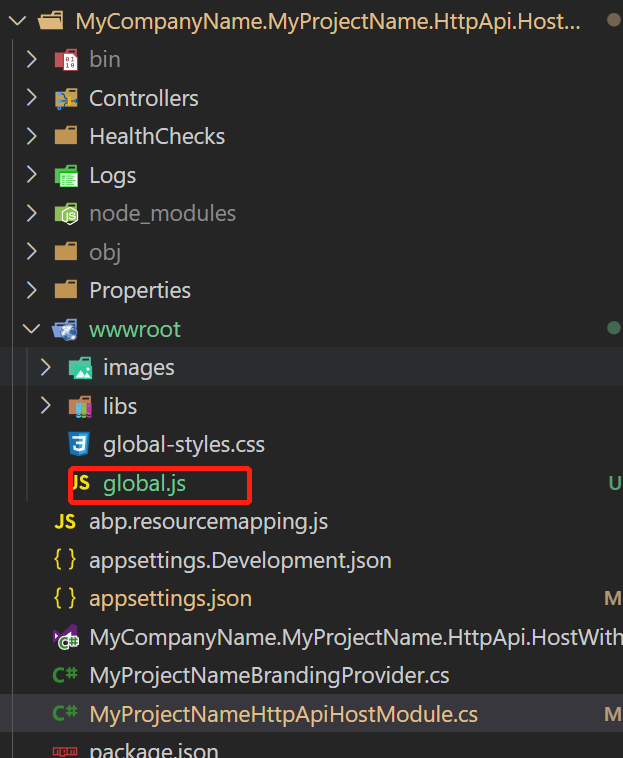
    Configure AbpBundlingOptions
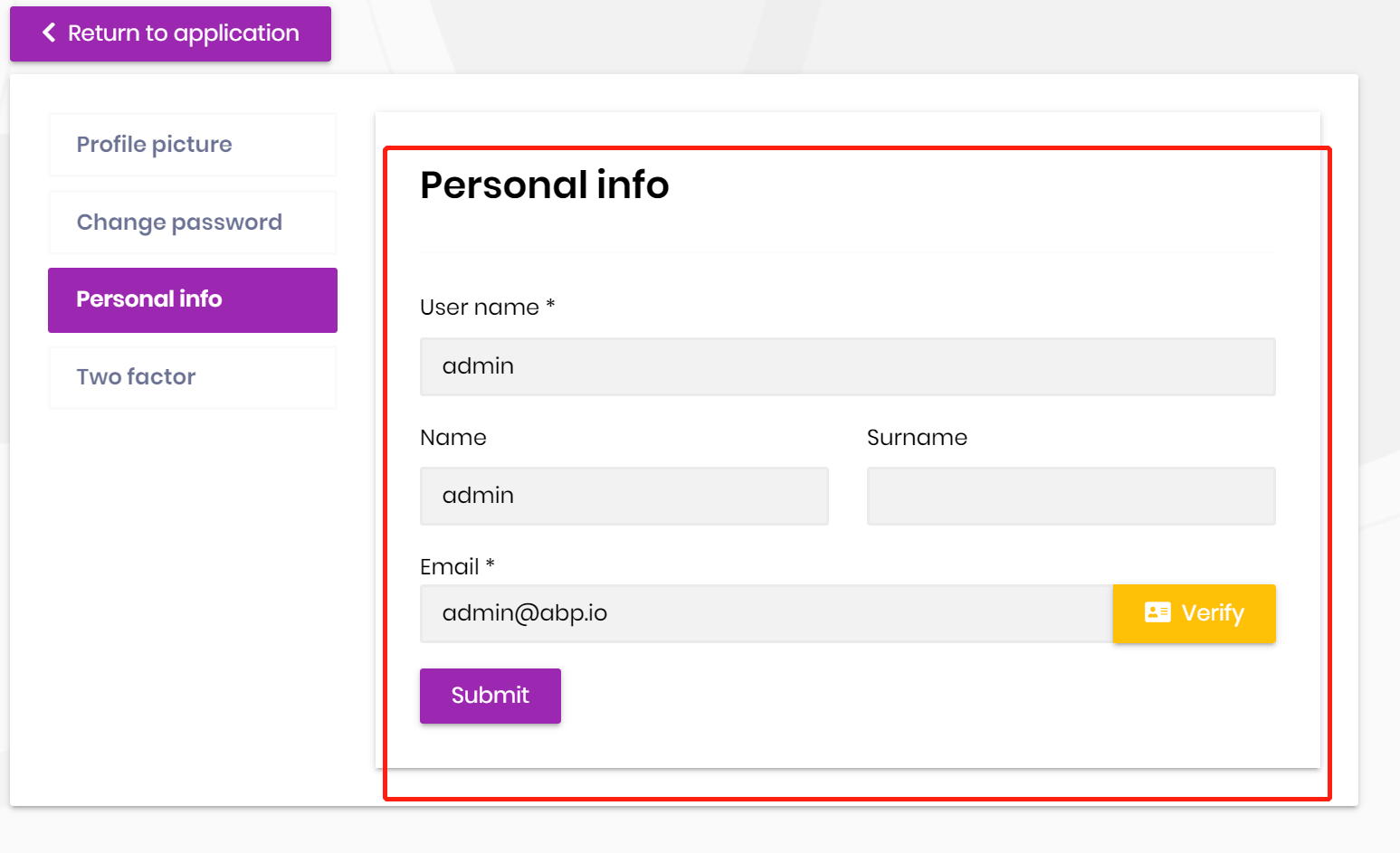
    It will work:
    Markdown supported.
    Copy, paste, or drag & drop images and files (max 100 MB per file, 100 MB total per post)
  • User Avatar
    0
    safi created

    Add global.js to backend (.IdentityServer project for for tiered project)

    Configure AbpBundlingOptions

    It will work:

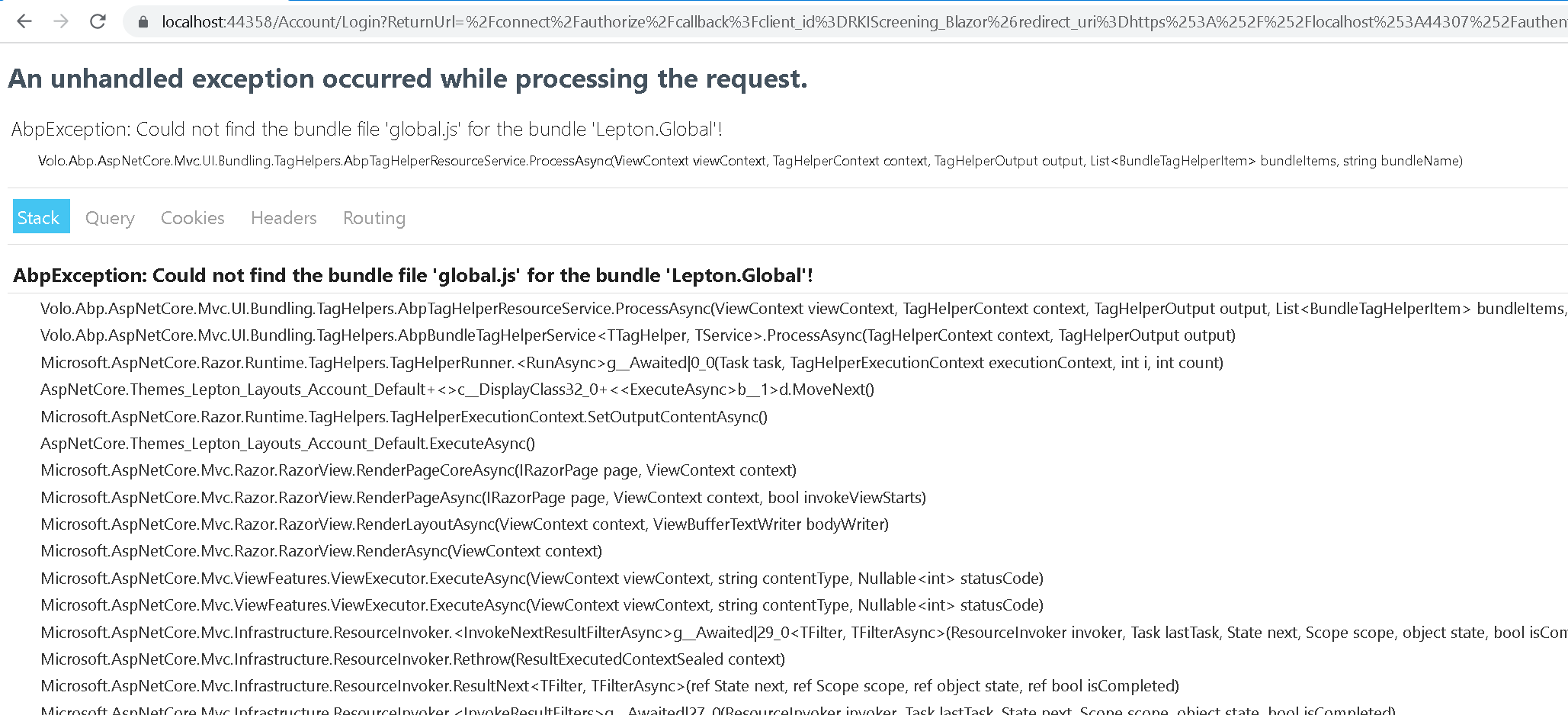
    Getting below error on login button click

    Markdown supported.
    Copy, paste, or drag & drop images and files (max 100 MB per file, 100 MB total per post)
  • User Avatar
    0
    liangshiwei created
    Fullstack Developer

    Make sure the global.js file is under the wwwroot folder

    Markdown supported.
    Copy, paste, or drag & drop images and files (max 100 MB per file, 100 MB total per post)
  • User Avatar
    0
    safi created

    Make sure the global.js file is under the wwwroot folder

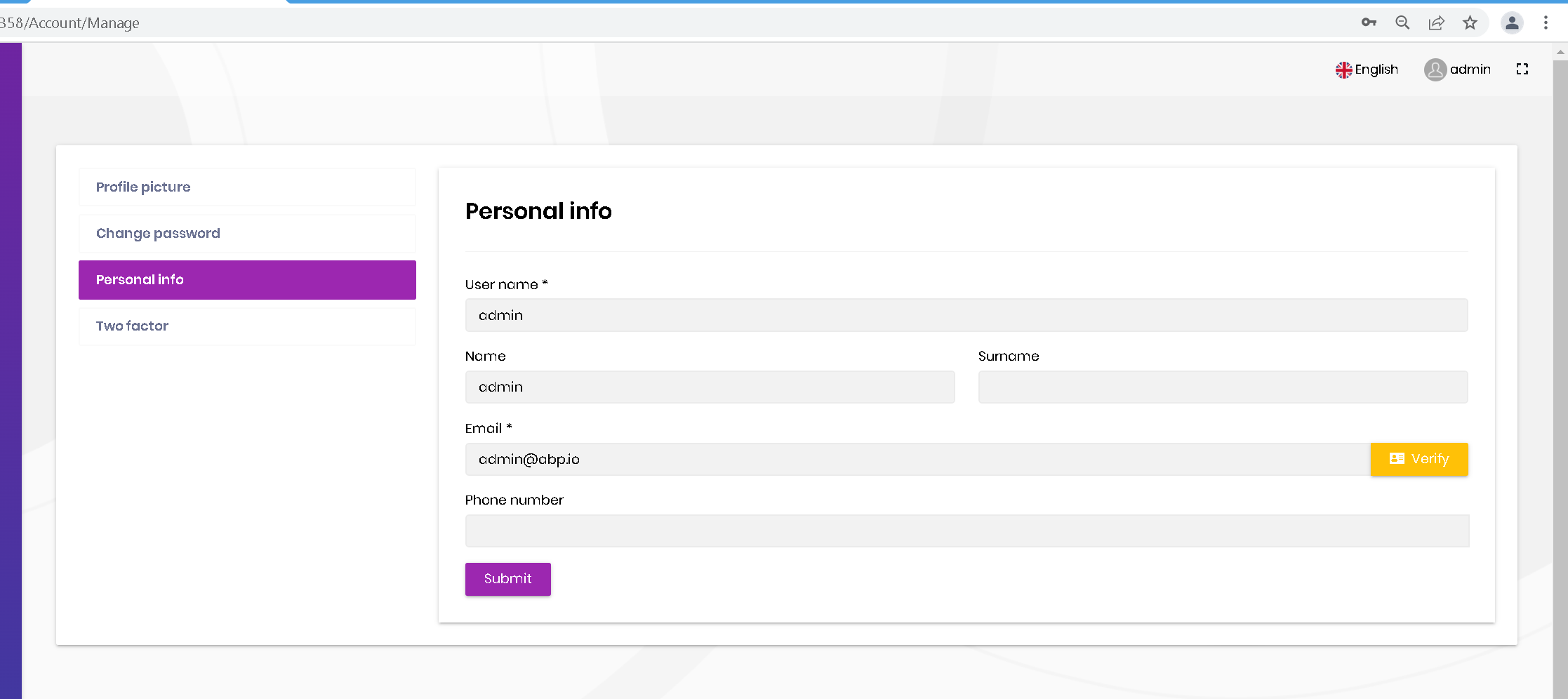
    Still able to see this

    Markdown supported.
    Copy, paste, or drag & drop images and files (max 100 MB per file, 100 MB total per post)

  • User Avatar
    0
    liangshiwei created
    Fullstack Developer

    Hi,

    Is this working for you? if not, please make a sample project to reproduce it and share it with me, shiwei.liang@volosoft.com

    global.js:

    $(function(){
        if($("#PhoneNumber").length === 1){
            $("#PhoneNumber").parent().hide()
            $("#PhoneNumber").parent().prev().hide()
        }
    })
    
    Markdown supported.
    Copy, paste, or drag & drop images and files (max 100 MB per file, 100 MB total per post)

Boost Your Development
ABP Live Training
Packages
See Trainings
Mastering ABP Framework Book
The Official Guide
Mastering
ABP Framework
Learn More
Mastering ABP Framework Book
Made with ❤️ on ABP v10.8.0-preview. Updated on September 16, 2026, 14:50
1
ABP Assistant
🔐 You need to be logged in to use the chatbot. Please log in first.