

Open Closed

Site redirecting to authserver 400 when deployed to IIS server #4638


User avatar
0
isteer created

Hello Team,

OUR ABP CONFIGURATION:

ABP Framework version: v7.0.0 UI type: MVC DB provider: EF Core Tiered (MVC) or Identity Server Separated (Angular): Tiered MVC Exception message and stack trace

We have deployed our ABP application on IIS server, we have tiered MVC application so we hosted all ports:

  1. Auth server (port - 44349) : hosted on https://authserver.stage.careermaps.co.uk/ on IIS
  2. Swagger (port- 44324) : hosted on https://host.stage.careermaps.co.uk/
  3. Web-App (port 44389) : hosted on https://web.stage.careermaps.co.uk/

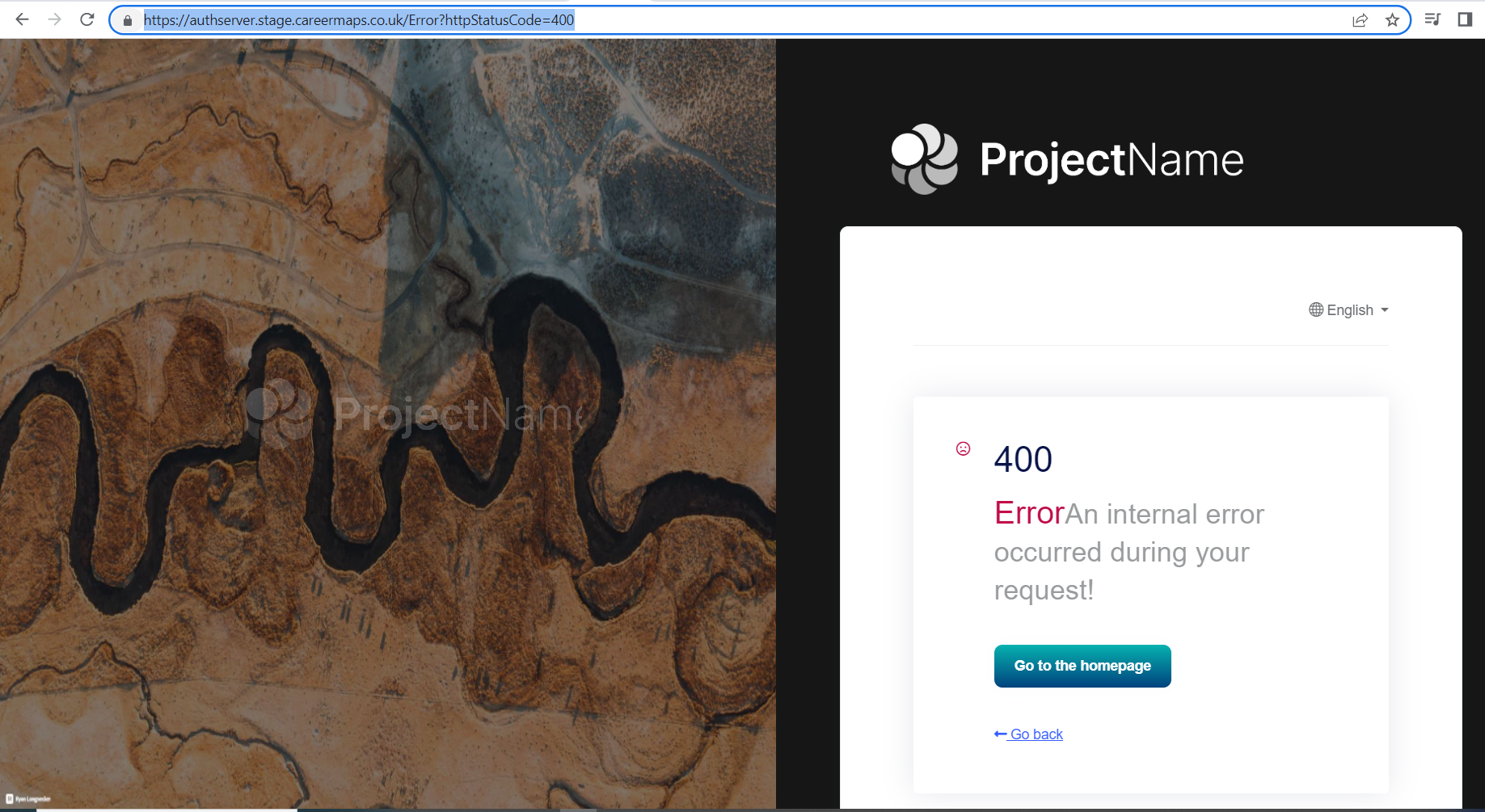
The issue is when we open https://web.stage.careermaps.co.uk/ this site it redirect us to on this URL : https://authserver.stage.careermaps.co.uk/Error?httpStatusCode=400

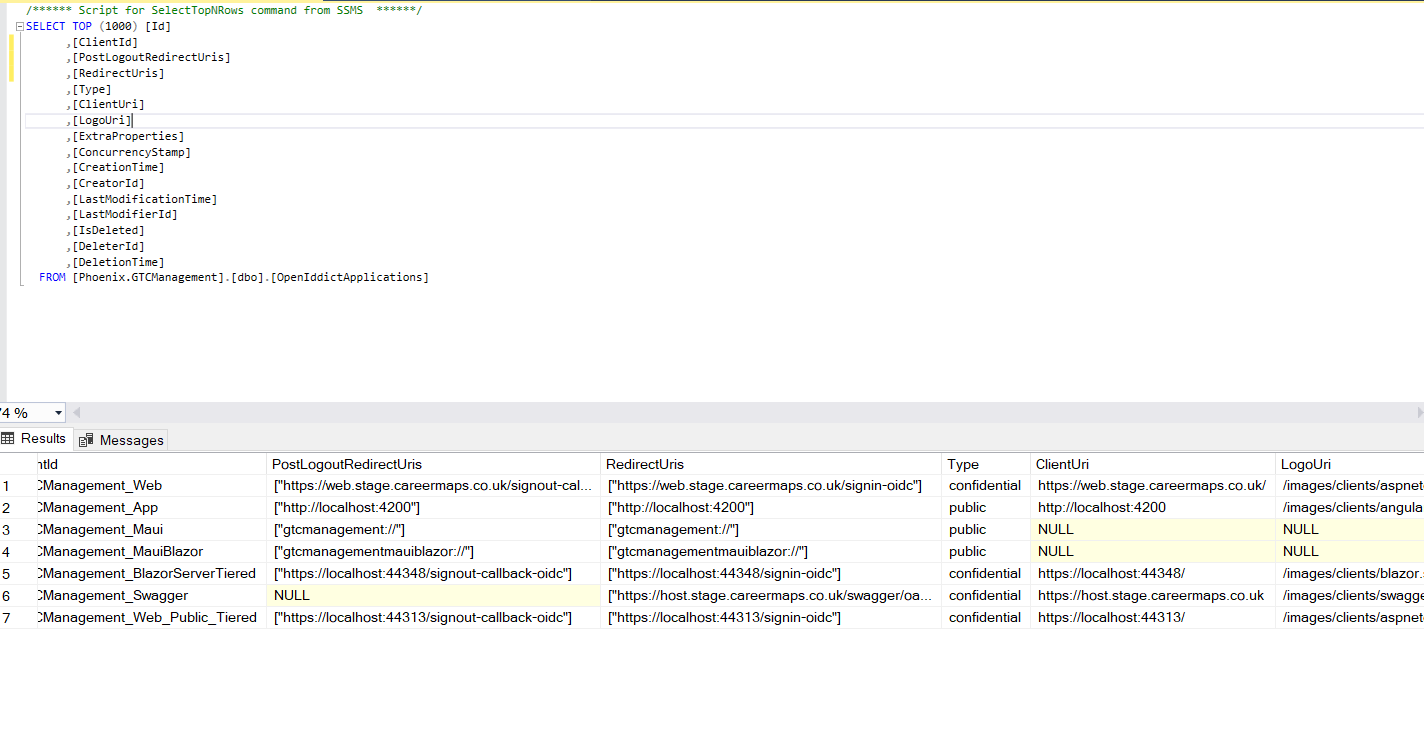
We have modified table [OpenIddictApplications] with live URLs as well :

For our web app :

GTCManagement_Web: PostLogoutRedirectUris : ["https://web.stage.careermaps.co.uk/signout-callback-oidc"] RedirectUris : ["https://web.stage.careermaps.co.uk/signin-oidc"] ClientUris : https://web.stage.careermaps.co.uk/

For our swagger app : GTCManagement_Swagger: PostLogoutRedirectUris :NULL RedirectUris : ["https://host.stage.careermaps.co.uk/swagger/oauth2-redirect.html"] ClientUris : https://host.stage.careermaps.co.uk

Don't know if anything needs to change for AUTH server.

Please help us or share some direction to resolve this, we are using redis cloud here.

Steps to reproduce:

  1. open https://web.stage.careermaps.co.uk/
  2. It will redirect to https://authserver.stage.careermaps.co.uk/Error?httpStatusCode=400

All URLs : https://authserver.stage.careermaps.co.uk/ https://web.stage.careermaps.co.uk/ https://host.stage.careermaps.co.uk
Markdown supported.
Copy, paste, or drag & drop images and files (max 100 MB per file, 100 MB total per post)

49 Answer(s)
  • User Avatar
    0
    maliming created
    Support Team Fullstack Developer

    hi

    You can send your project to liming.ma@volosoft.com

    Markdown supported.
    Copy, paste, or drag & drop images and files (max 100 MB per file, 100 MB total per post)
  • User Avatar
    0
    isteer created

    Hello, Project zip shared over email, Kindly have a look, And please help us today to resolve these issues, we need to deliver today, kind of very urgent. Will really appreciate your support and time

    Markdown supported.
    Copy, paste, or drag & drop images and files (max 100 MB per file, 100 MB total per post)
  • User Avatar
    0
    maliming created
    Support Team Fullstack Developer

    hi

    I will check it asap.

    Markdown supported.
    Copy, paste, or drag & drop images and files (max 100 MB per file, 100 MB total per post)
  • User Avatar
    0
    isteer created

    Hoep you were able to check project at your end. Let me know if any meeting/call required. And please update if you have any potential updates on this.

    Markdown supported.
    Copy, paste, or drag & drop images and files (max 100 MB per file, 100 MB total per post)
  • User Avatar
    0
    maliming created
    Support Team Fullstack Developer

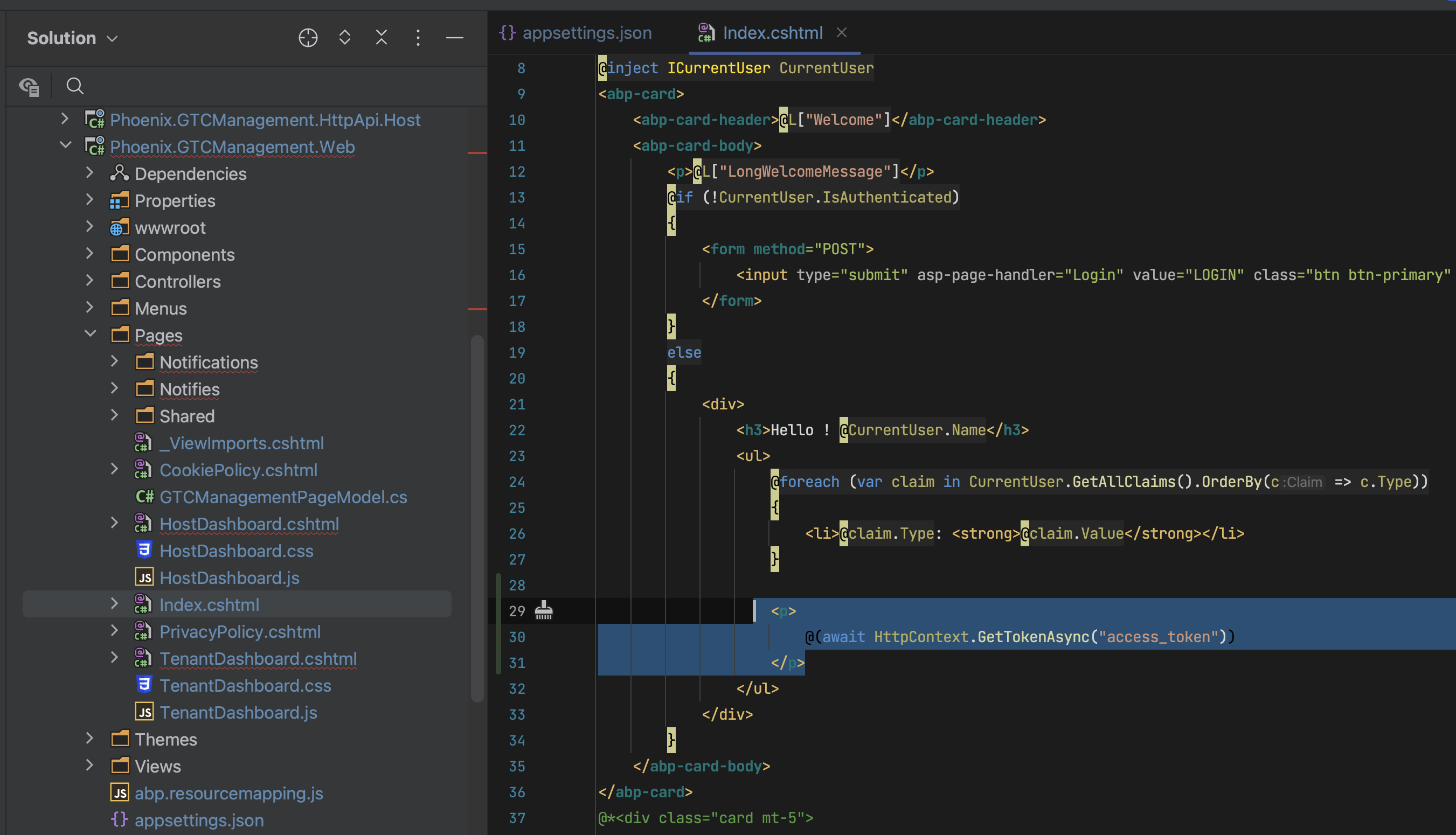
    hi It seems the token problem. please add the below code to index.cshtml your web project, then republish web website

    <p>
        @(await HttpContext.GetTokenAsync("access_token"))
    </p>
    

    Markdown supported.
    Copy, paste, or drag & drop images and files (max 100 MB per file, 100 MB total per post)
  • User Avatar
    0
    maliming created
    Support Team Fullstack Developer

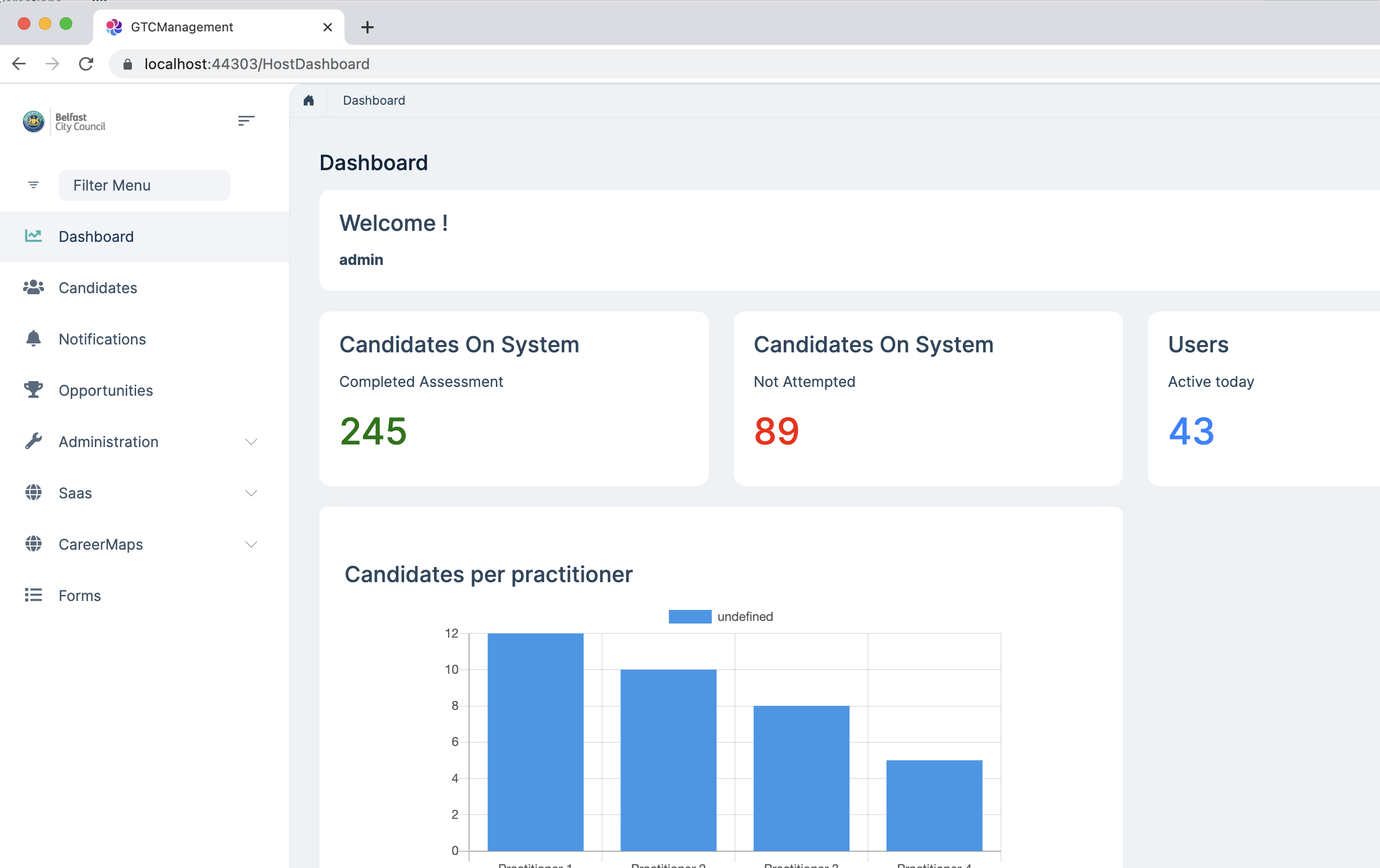
    btw, your application working on my local.

    Markdown supported.
    Copy, paste, or drag & drop images and files (max 100 MB per file, 100 MB total per post)
  • User Avatar
    0
    maliming created
    Support Team Fullstack Developer

    Please clear the Redis cache after published. Thanks

    Markdown supported.
    Copy, paste, or drag & drop images and files (max 100 MB per file, 100 MB total per post)

  • User Avatar
    0
    isteer created

    Okay, Just now I deployed the application and have the same thing as we had before. Do we need to clear the redis cache every time we deploy the application? I will update you once redis cache cleared. but right now same results.

    And yes working absolutely fine locally.

    Markdown supported.
    Copy, paste, or drag & drop images and files (max 100 MB per file, 100 MB total per post)

  • User Avatar
    0
    maliming created
    Support Team Fullstack Developer

    hi

    Please share logs(Logs.txt) of the three applications. liming.ma@volosoft.com

    Markdown supported.
    Copy, paste, or drag & drop images and files (max 100 MB per file, 100 MB total per post)
  • User Avatar
    0
    isteer created

    Logs shared over email

    Markdown supported.
    Copy, paste, or drag & drop images and files (max 100 MB per file, 100 MB total per post)
  • User Avatar
    0
    maliming created
    Support Team Fullstack Developer

    hi

    Can you share the logs of Authserver and web?

    The log that you shared seems incomplete.

    Markdown supported.
    Copy, paste, or drag & drop images and files (max 100 MB per file, 100 MB total per post)
  • User Avatar
    0
    isteer created

    I shared logs from staging site only, not incomplete. Yet I shared another copy again. Kindly check

    Markdown supported.
    Copy, paste, or drag & drop images and files (max 100 MB per file, 100 MB total per post)
  • User Avatar
    0
    maliming created
    Support Team Fullstack Developer

    hi https://us05web.zoom.us/j/89923264638?pwd=VDBUakd3ZXAxWGgvcmJVZjdiQ1Rldz09

    <p>
       @{
            var applicationConfigurationClient = HttpContext.RequestServices.GetRequiredService<ICachedApplicationConfigurationClient>();
            var applicationConfiguration = await applicationConfigurationClient.GetAsync();
            var json = JsonSerializer.Serialize(applicationConfiguration, new JsonSerializerOptions()
            {
                WriteIndented = true
            });
       }
    
       @json
    </p>
    
    Markdown supported.
    Copy, paste, or drag & drop images and files (max 100 MB per file, 100 MB total per post)
  • User Avatar
    0
    isteer created

    Please let me in the meeting, joined

    Markdown supported.
    Copy, paste, or drag & drop images and files (max 100 MB per file, 100 MB total per post)
  • User Avatar
    0
    maliming created
    Support Team Fullstack Developer

    The meeting was closed by zoom because of the time, I will study it for a while, and I will reply you asap.

    Markdown supported.
    Copy, paste, or drag & drop images and files (max 100 MB per file, 100 MB total per post)
  • User Avatar
    0
    isteer created

    Thank you so much for your time and support, Let us also know if we need to relook into some settings or configurations. I will be very thankful to you if we were able to close it today, as I have demo planned with another client later tonight.

    Markdown supported.
    Copy, paste, or drag & drop images and files (max 100 MB per file, 100 MB total per post)
  • User Avatar
    0
    maliming created
    Support Team Fullstack Developer

    I sent you a test class. Please reproduce the problem and share the log. I will continue to analyze the log.

    Markdown supported.
    Copy, paste, or drag & drop images and files (max 100 MB per file, 100 MB total per post)
  • User Avatar
    0
    isteer created

    Hello,

    Have added test class and redeployed to staging, now web site is not running getting 500 error and I sent copy of log error as well to you. Kindly check

    Markdown supported.
    Copy, paste, or drag & drop images and files (max 100 MB per file, 100 MB total per post)
  • User Avatar
    0
    maliming created
    Support Team Fullstack Developer

    hi

    I sent the new class.

    Markdown supported.
    Copy, paste, or drag & drop images and files (max 100 MB per file, 100 MB total per post)
  • User Avatar
    0
    isteer created

    okay deploying

    Markdown supported.
    Copy, paste, or drag & drop images and files (max 100 MB per file, 100 MB total per post)
  • User Avatar
    0
    isteer created

    Done deploying, and also sent you logs, site is running now but very slow.

    Markdown supported.
    Copy, paste, or drag & drop images and files (max 100 MB per file, 100 MB total per post)
  • User Avatar
    0
    isteer created

    Also the main issue of not displaying all our pages and menus still there

    Markdown supported.
    Copy, paste, or drag & drop images and files (max 100 MB per file, 100 MB total per post)
  • User Avatar
    0
    maliming created
    Support Team Fullstack Developer

    i think i got it.

    https://us05web.zoom.us/j/84760919308?pwd=NndUeVhmSlBJL3ZIdk91dWdsSkg3UT09

    Markdown supported.
    Copy, paste, or drag & drop images and files (max 100 MB per file, 100 MB total per post)
  • User Avatar
    0
    isteer created

    Maliming, thank you so much for your kind support and help us to resolve this issue, really appreciate it. You are genius :-)

    Markdown supported.
    Copy, paste, or drag & drop images and files (max 100 MB per file, 100 MB total per post)
Boost Your Development
ABP Live Training
Packages
See Trainings
Mastering ABP Framework Book
The Official Guide
Mastering
ABP Framework
Learn More
Mastering ABP Framework Book
Made with ❤️ on ABP v10.8.0-preview. Updated on September 09, 2026, 11:56
1
ABP Assistant
🔐 You need to be logged in to use the chatbot. Please log in first.