






When reloading the page at the route /file-management, the app in the browser crashes. This issue only occurs upon reloading the page; it functions correctly when navigating to /file-management using the navigation menu.
This is the browser console log:

The this.uppy was undefined.

The source code is the class UploadService at angular\projects\file-management\src\lib\services\upload.service.ts
It should be like this to avoid the exception:
ngOnDestroy() {
  this.uppy?.close();
  this.subscriptionService.closeAll();
}
Please fix this in the next version.
8 Answer(s)
-
0
- The error occurs because the code attempts to call
this.uppy.close()inngOnDestroy()without checking ifthis.uppyis defined. This results in a TypeError whenthis.uppyis undefined, which can happen on a page reload. - To prevent this exception, update the
ngOnDestroy()method in yourUploadServiceas follows:ngOnDestroy() { this.uppy?.close(); this.subscriptionService.closeAll(); } - This change uses optional chaining (
?.) to ensureclose()is only called ifthis.uppyis defined, preventing the crash.
This is a valid bug report and your suggested fix is correct. Please consider submitting this as an issue or pull request to the ABP Framework team if you have not already done so.
- Validated reference: ABP Support - File Management route issue
This response was generated by AI. If it didn’t solve your problem, feel free to post a new answer — our support team will jump in to help you soon.
Markdown supported.Copy, paste, or drag & drop images and files (max 100 MB per file, 100 MB total per post) - The error occurs because the code attempts to call
-
0
Hello, I’m unable to reproduce the issue on my end. Could you please provide the ABP version you’re using in your project, along with the theme you’ve applied?
Markdown supported.Copy, paste, or drag & drop images and files (max 100 MB per file, 100 MB total per post) -
0
Thank you for providing additional details about the versions. However, I'm still unable to reproduce the issue. Could you also clarify which build system option you're using in your application —
browserorapplication? This distinction can sometimes lead to issues due to differences in builder synchronization and prioritization.Markdown supported.Copy, paste, or drag & drop images and files (max 100 MB per file, 100 MB total per post) -
0
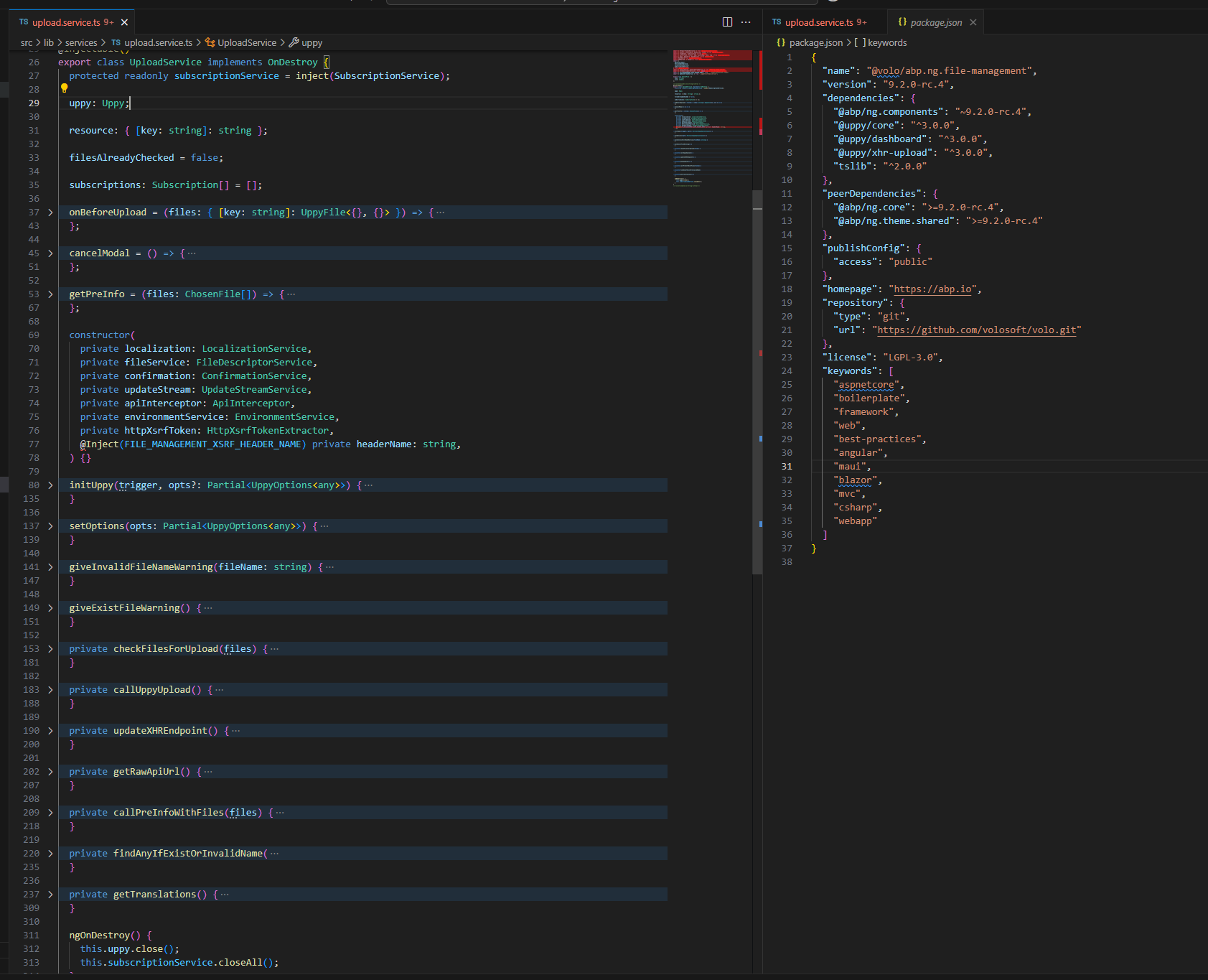
Hi, I'm reviewing the UploadService source code, and I noticed that
uppy: Uppy;is declared without a default value and isn't initialized in the constructor. This is considered bad practice. Even if the issue isn't immediately reproducible, such practices should be avoided. If you choose not to set a default value, you must ensure thatthis.uppyis not undefined before using it.Markdown supported.Copy, paste, or drag & drop images and files (max 100 MB per file, 100 MB total per post) -
0
Hi again, you are absolutely right — that's a valid point. We will address this issue in the next patch release. Please feel free to reach out if you have any further questions or need additional assistance.
Markdown supported.Copy, paste, or drag & drop images and files (max 100 MB per file, 100 MB total per post)



