






6 Answer(s)
-
0
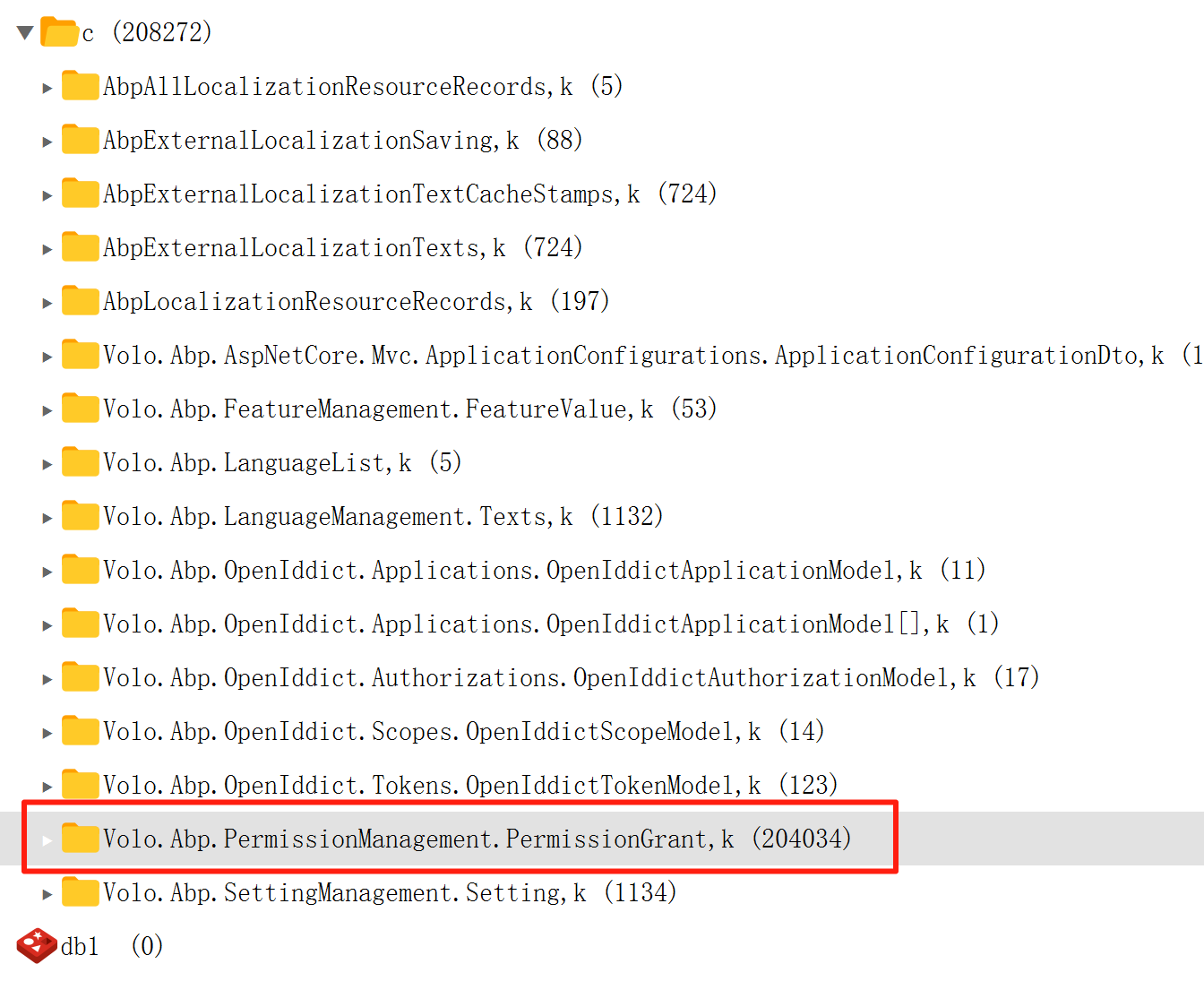
- The first login is slow because ABP loads all permission grants from the database and builds the permission cache (PermissionGrants). This is expected behavior, especially if you have a large number of permission grants (as shown in your screenshot: 204,034 entries).
- The second login is fast because the permission data is served from the cache, not the database.
- When you manually clear the permission cache, the next login is slow again because ABP must reload all permission grants from the database to rebuild the cache.
This behavior is typical for ABP's distributed permission cache. The initial load is expensive if you have a large number of permission grants, but subsequent requests are fast due to caching.
Recommendations:
- Reduce the number of permission grants if possible (e.g., avoid assigning permissions at the user level unless necessary; prefer role-based permissions).
- Ensure your cache (e.g., Redis) is properly configured and performant.
- If you must clear the cache, be aware that the first request after clearing will always be slower.
Sources:
- https://abp.io/support/questions/6533
- https://abp.io/support/questions/3386
This response was generated by AI. If it didn’t solve your problem, feel free to post a new answer — our support team will jump in to help you soon.
Markdown supported.Copy, paste, or drag & drop images and files (max 100 MB per file, 100 MB total per post) -
0
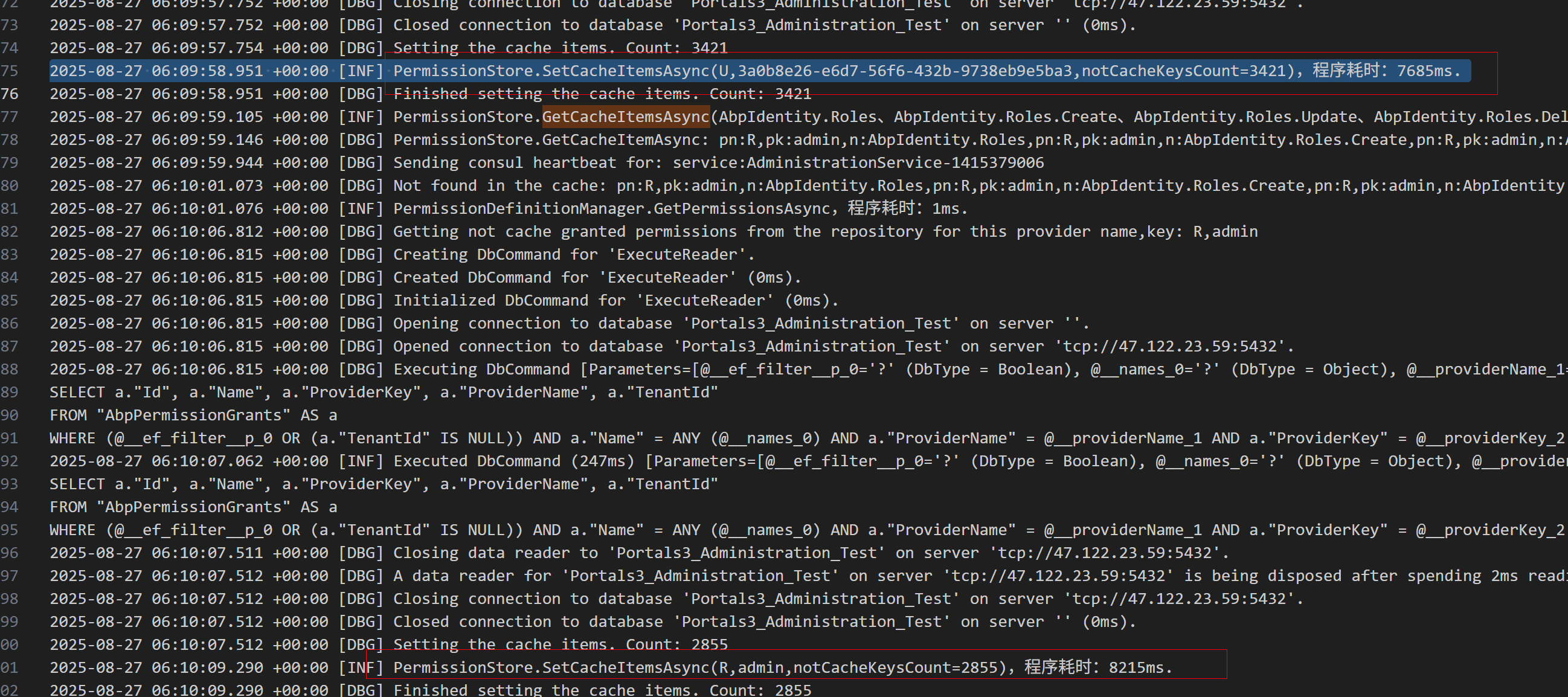
请打开Debug日志看看sql的查询, 我们在之后的版本中改成了批量查询缓存和数据库.
var loggerConfiguration = new LoggerConfiguration()
    .MinimumLevel.Debug()
    .Enrich.FromLogContext()
    .WriteTo.Async(c => c.File("Logs/logs.txt"))
https://abp.io/support/questions/8622/How-to-enable-Debug-logs-for-troubleshoot-problems
Markdown supported.Copy, paste, or drag & drop images and files (max 100 MB per file, 100 MB total per post)



