






Recently been getting the message along the bottom of my application saying I was using the free version, so went through the docs and found how to get the key from them. However there is no guidance on how to actually register it, I've tried the following 2 ways to register in my Blazor Server project but after cleaning and rebuilding I'm still getting the message saying I'm using the free version?

private void ConfigureBlazorise(ServiceConfigurationContext context)
{

    // tried adding this way
    context.Services
        .AddBlazorise(options =>
        {
            options.Immediate = true;
            options.ProductToken = "<token here>";
        })
        .AddBootstrap5Providers()
        .AddFontAwesomeIcons();

    // Also tried this
    Configure<BlazoriseOptions>(options =>
    {
        options.ProductToken = "<token here>";
        options.Immediate = true;
    });
}
9 Answer(s)
-
0
hi
Do you have Blazor WASM mode?
Can you ensure your token is correct?
Can you test your token in a new Blazor Server Project? If it still shows this, can you share the new template project?
liming.ma@volosoft.com
Thanks.
https://blazorise.com/docs/usage/licensing/register-product-token
Markdown supported.Copy, paste, or drag & drop images and files (max 100 MB per file, 100 MB total per post) -
0
Which out of the two above ways is the way that 'should' work
Markdown supported.Copy, paste, or drag & drop images and files (max 100 MB per file, 100 MB total per post) -
0
When I create a fresh solution there is no message about it being a free version (without adding the license key?)
Also I've been building my current solution for a couple of months and it only started to show the message a week ago?
Markdown supported.Copy, paste, or drag & drop images and files (max 100 MB per file, 100 MB total per post) -
0
Ah ha!
I updated everything except blazorise and it was all good. But when I updated the 2 blazorise packages the message shows up
Blazorise.Bootstrap5 1.8.1 --> 1.8.2 Blazorize.Icons.FontAwesome 1.8.1 --> 1.8.2
Ill downgrade it for now, but its an odd thing to happen?
Markdown supported.Copy, paste, or drag & drop images and files (max 100 MB per file, 100 MB total per post) -
0
No verified source available for this specific query.
This response was generated by AI. If it didn’t solve your problem, feel free to post a new answer — our support team will jump in to help you soon.
Markdown supported.Copy, paste, or drag & drop images and files (max 100 MB per file, 100 MB total per post) -
0
hi
The solution:
- Generate a Produce Token in https://blazorise.com/account/user/manage/license
- Use the Product Token in your Blazor project.
- The message will no longer be displayed.
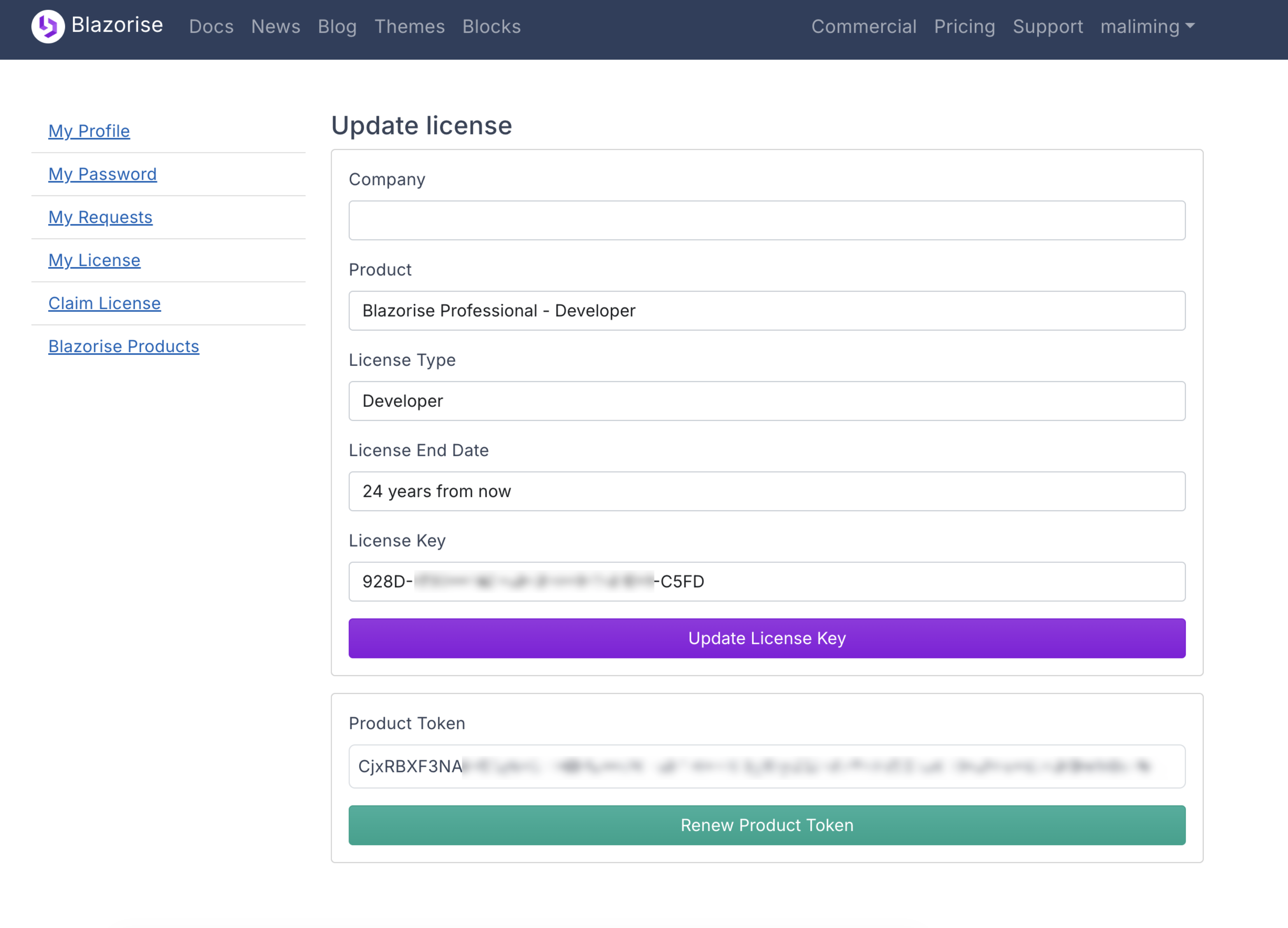
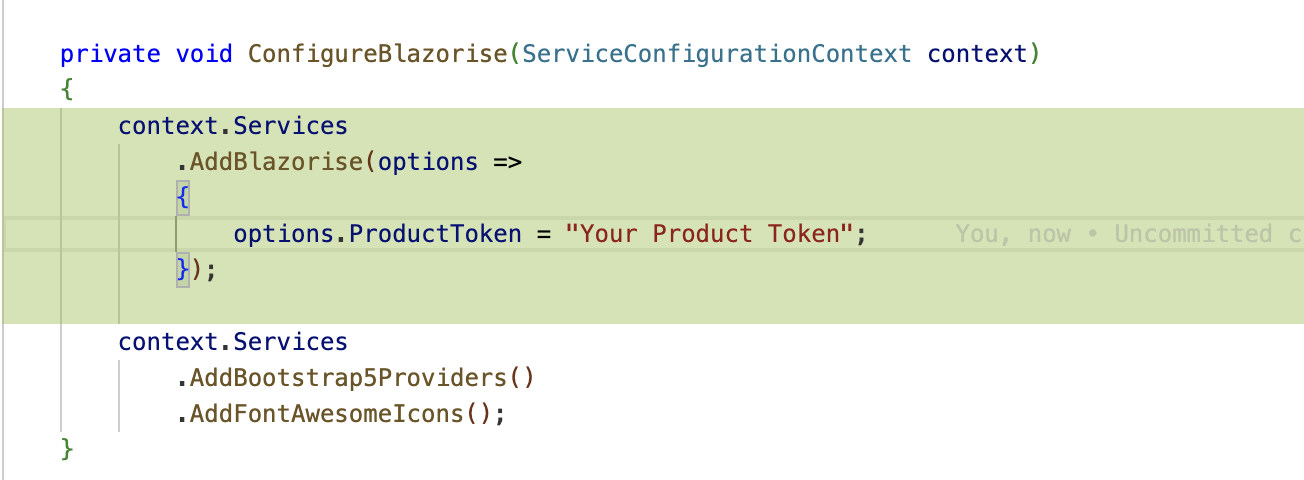
If you don't have a Blazorise account, you can see :
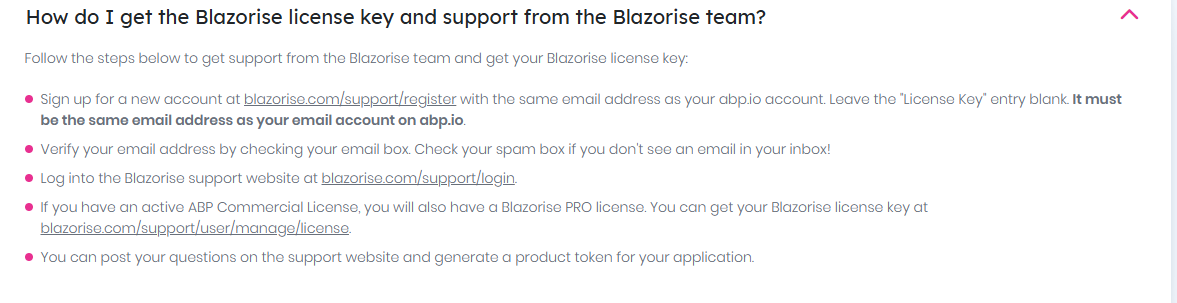
Thanks.
Markdown supported.Copy, paste, or drag & drop images and files (max 100 MB per file, 100 MB total per post)



