






- Exception message and full stack trace:
- Steps to reproduce the issue:
Good morning,
I’m using ABP 8.3.2 with Blazor WebAssembly. Currently, when I click on a menu item that points to the page I am already on, nothing happens — the page is not reloaded, and all components/data remain in the current state.
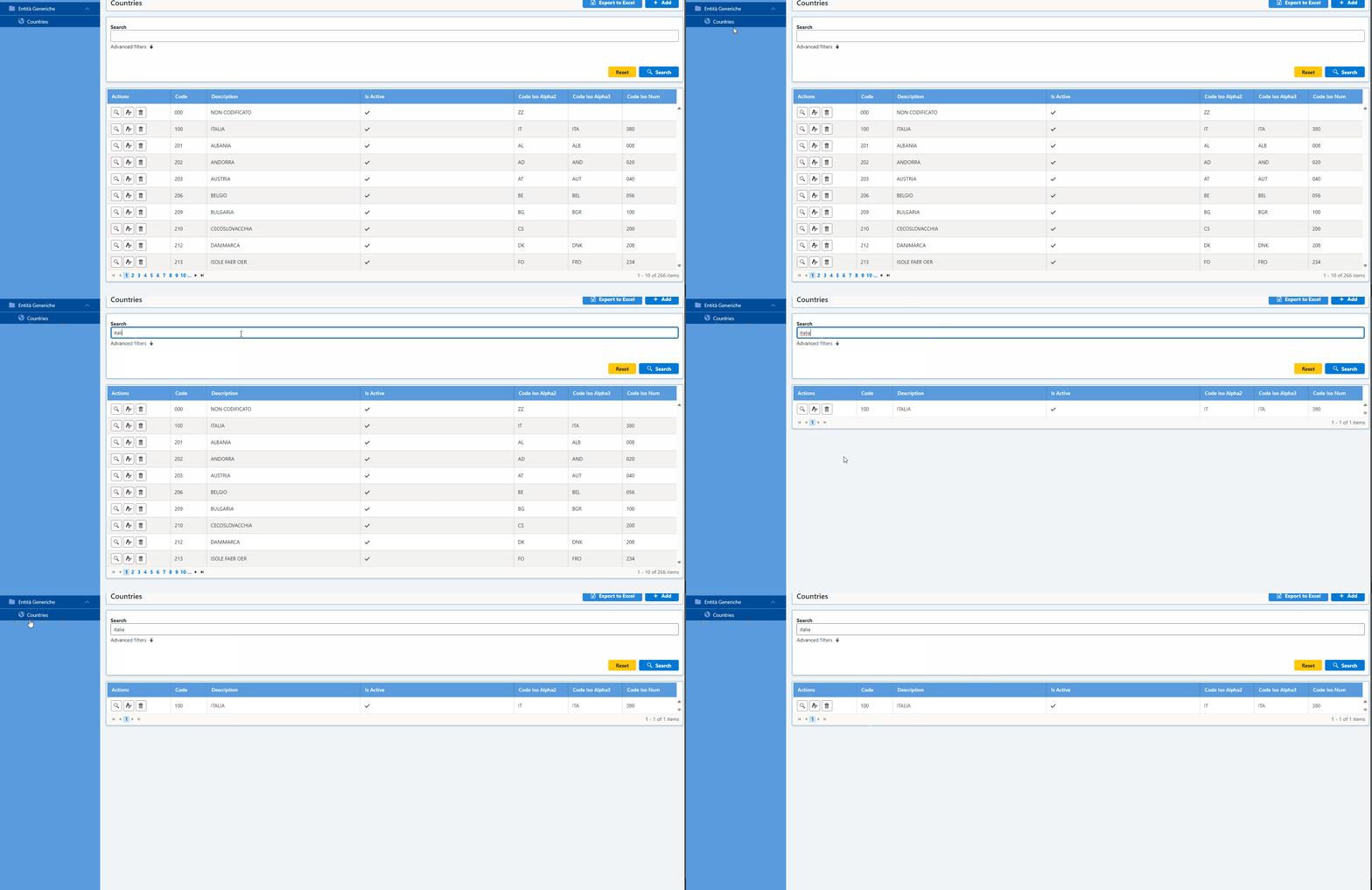
For my use case, I would need the page to be "reinitialized" completely even if the user clicks again on the same menu item.
Question: Is there a recommended way in ABP/LeptonX to achieve this behavior? how can I do it?
Thank You. Regards, Roberto.
4 Answer(s)
-
0
hi
Your app is single-page; it shouldn't reload the page when navigation changes.
You can add a button to your page
PageHeaderarea to force a reload of the current page.
Thanks.
Markdown supported.Copy, paste, or drag & drop images and files (max 100 MB per file, 100 MB total per post) -
0
To force a reload or re-initialization of a Blazor page when clicking the same menu item in ABP Blazor WASM (LeptonX), you need to work around the default Blazor navigation behavior. By default, Blazor does not reload a page if you navigate to the same route, so your components and data remain unchanged.
Solution: Force Page Reload on Same Menu Click
You can achieve this by customizing your menu item click logic to force a navigation with a "dummy" query string or by using the NavigationManager's
ForceLoadparameter.Option 1: Use NavigationManager with ForceLoad
You can override the menu item click event and use:
@inject NavigationManager Navigation <a href="#" @onclick="ReloadPage">Countries</a> @code { private void ReloadPage() { Navigation.NavigateTo(Navigation.Uri, forceLoad: true); } }- This will force a full page reload, including re-initializing all components.
Option 2: Add a Dummy Query Parameter
Alternatively, you can append a dummy query parameter to the URL to trick Blazor into thinking it's a new navigation:
@inject NavigationManager Navigation <a href="#" @onclick="ReloadPage">Countries</a> @code { private void ReloadPage() { var uri = Navigation.ToAbsoluteUri(Navigation.Uri); var newUri = uri.GetLeftPart(UriPartial.Path) + "?reload=" + Guid.NewGuid(); Navigation.NavigateTo(newUri, forceLoad: false); } }- This will cause Blazor to re-initialize the page/component.
Option 3: Custom Menu Component
If you want this behavior for all menu items, you can create a custom menu component that uses this logic for navigation.
References
- Official ABP Support: Menu item that has already been selected cannot be selected again
- Blazor Issue: Blazor does not reload the same page
This approach is a common workaround for Blazor's default navigation behavior and is compatible with ABP/LeptonX. You may need to adapt your menu rendering logic to use a custom click handler as shown above.
This response was generated by AI. If it didn’t solve your problem, feel free to post a new answer — our support team will jump in to help you soon.
Markdown supported.Copy, paste, or drag & drop images and files (max 100 MB per file, 100 MB total per post) -
0
Good evening,
Since I absolutely need to reload the page when navigating from the menu, I opted for the following workaround: I created an “intermediate page” and linked it in the menu. This page only redirects to the actual page by calling NavigationManager.NavigateTo([real_page]). In this way, I can ensure the real page is always reloaded, because it is not linked directly from the menu.
However, I would like to ask: As a future feature, do you plan to handle the reload scenario directly from the menu?
Thanks in advance, Best regards, Roberto
Markdown supported.Copy, paste, or drag & drop images and files (max 100 MB per file, 100 MB total per post) -
0
hi
As a future feature, do you plan to handle the reload scenario directly from the menu?
Almost no one needs to reload the page, you can customize it like that.
Thanks.
Markdown supported.Copy, paste, or drag & drop images and files (max 100 MB per file, 100 MB total per post)



