Hi EngincanV, i've sent you an email 2 days ago
Hi EngincanV
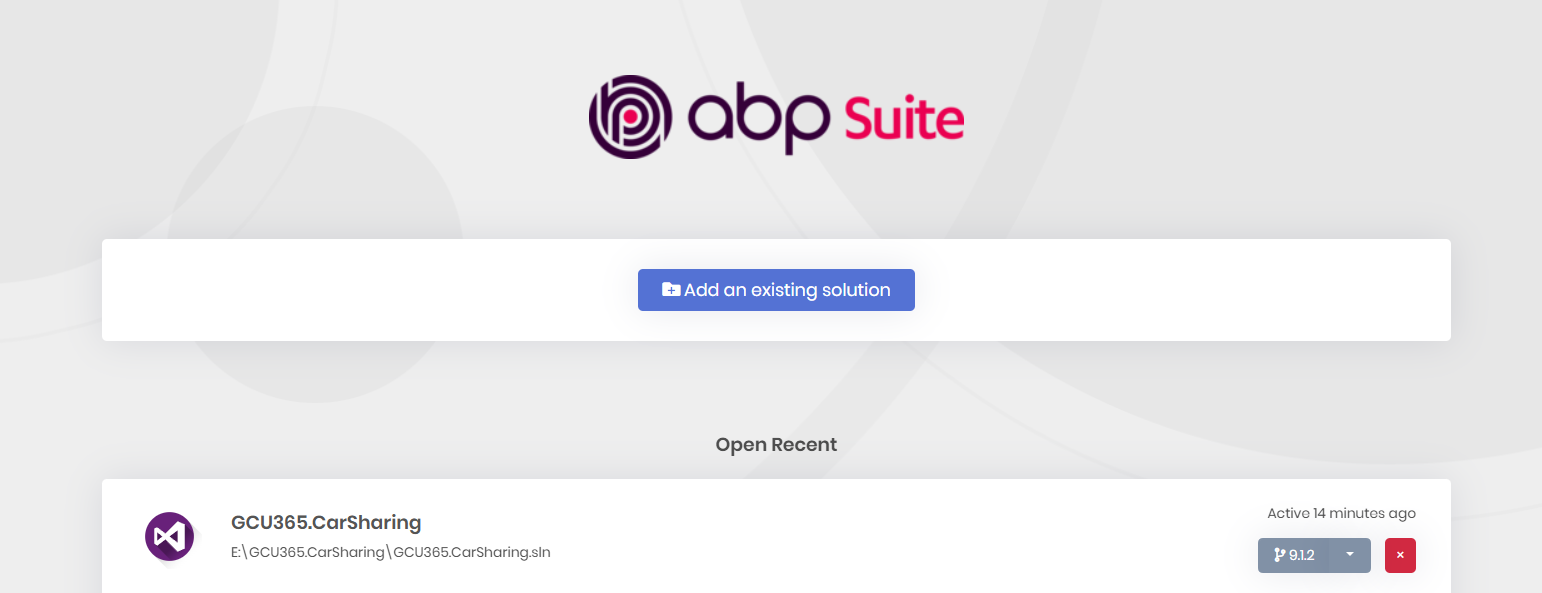
i cleaned the solution the restored it again and triple checked if there's any reference to any 5.3.4 package and there wasn't any I also removed my project from suite and added it again and as you can see it says its 9.1.2 but still the issue is not fixed
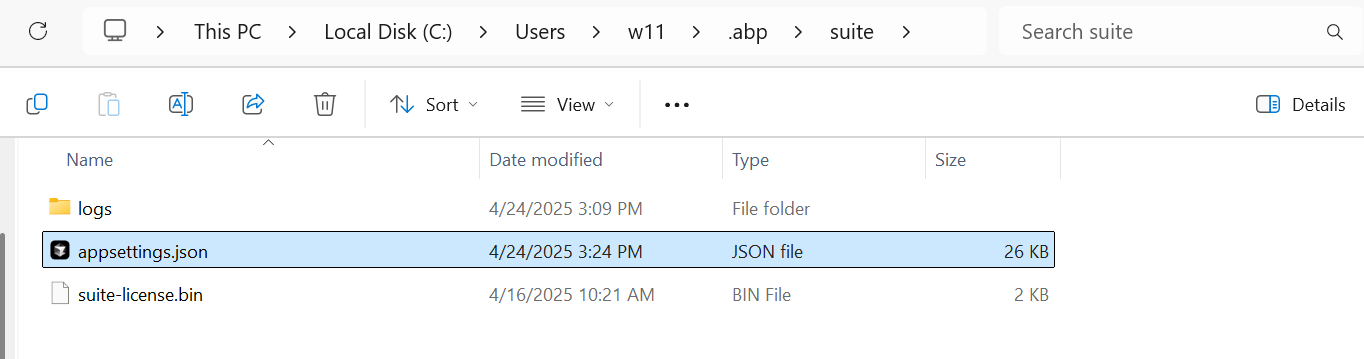
Hi, the problem seems to be related to ABP Suite. Probably your solution information is outdated in the
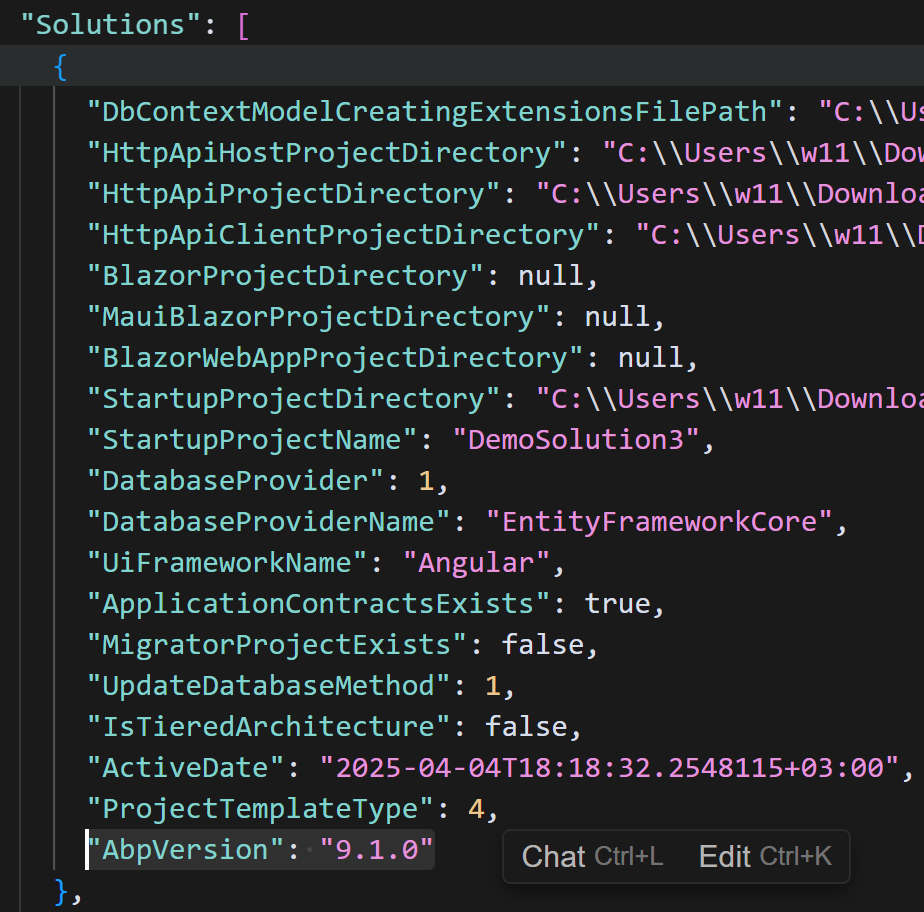
appsettings.jsonfile under thesuitefolder (%%user-profile%%\.abp\suite). Can you please open the file in the related directory and ensure the version is9.1.2in there?
You should check the related solution and its
AbpVersionproperty:
Hi EngincanV
I've already checked it and its 9.1.2
{
      "Id": "9322b26e-f21c-4cb4-a1bd-b26e8a75d5db",
      "Name": "GCU365.CarSharing",
      "UiFramework": 2,
      "ProjectNameWithCompanyName": "GCU365.CarSharing",
      "OnlyProjectName": "CarSharing",
      "Path": "E:\\GCU365.CarSharing\\GCU365.CarSharing.sln",
      "RootProjectDirectory": "E:\\GCU365.CarSharing",
      "SrcFolderDirectory": "E:\\GCU365.CarSharing\\src",
      "TestFolderDirectory": "E:\\GCU365.CarSharing\\test",
      "IsMicroserviceNolayerProject": false,
      "NolayerProjectDirectory": null,
      "NolayerContractsProjectDirectory": null,
      "WebProjectDirectory": "E:\\GCU365.CarSharing\\src\\GCU365.CarSharing.Web",
      "DomainProjectDirectory": "E:\\GCU365.CarSharing\\src\\GCU365.CarSharing.Domain",
      "DomainSharedProjectDirectory": "E:\\GCU365.CarSharing\\src\\GCU365.CarSharing.Domain.Shared",
      "ApplicationProjectDirectory": "E:\\GCU365.CarSharing\\src\\GCU365.CarSharing.Application",
      "ApplicationContractsProjectDirectory": "E:\\GCU365.CarSharing\\src\\GCU365.CarSharing.Application.Contracts",
      "EntityFrameworkCoreProjectDirectory": "E:\\GCU365.CarSharing\\src\\GCU365.CarSharing.EntityFrameworkCore",
      "MongoDbProjectDirectory": null,
      "EntityFrameworkCoreDbMigrationsProjectDirectory": "E:\\GCU365.CarSharing\\src\\GCU365.CarSharing.EntityFrameworkCore",
      "MongoDbTestsProjectDirectory": null,
      "EntityFrameworkCoreTestsProjectDirectory": "E:\\GCU365.CarSharing\\test\\GCU365.CarSharing.EntityFrameworkCore.Tests",
      "DomainTestsProjectDirectory": "E:\\GCU365.CarSharing\\test\\GCU365.CarSharing.Domain.Tests",
      "ApplicationTestsProjectDirectory": "E:\\GCU365.CarSharing\\test\\GCU365.CarSharing.Application.Tests",
      "TestBaseProjectDirectory": "E:\\GCU365.CarSharing\\test\\GCU365.CarSharing.TestBase",
      "MigratorProjectDirectory": "E:\\GCU365.CarSharing\\src\\GCU365.CarSharing.DbMigrator",
      "MigratorCsprojFileName": "GCU365.CarSharing.DbMigrator.csproj",
      "AngularSolutionRootPath": null,
      "DefaultNamespace": "GCU365.CarSharing",
      "DefaultNamespaceAsCamelCase": "gCU365.carSharing",
      "MigrationsMigrationsDbContext": "CarSharingDbContext",
      "TenantMigrationsMigrationsDbContext": "CarSharingTenantDbContext",
      "DbContextFilePath": "E:\\GCU365.CarSharing\\src\\GCU365.CarSharing.EntityFrameworkCore\\EntityFrameworkCore\\CarSharingDbContext.cs",
      "TenantDbContextFilePath": null,
      "DbContextModelCreatingExtensionsFilePath": "E:\\GCU365.CarSharing\\src\\GCU365.CarSharing.EntityFrameworkCore\\EntityFrameworkCore\\CarSharingDbContext.cs",
      "HttpApiHostProjectDirectory": "E:\\GCU365.CarSharing\\src\\GCU365.CarSharing.HttpApi.Host",
      "HttpApiProjectDirectory": "E:\\GCU365.CarSharing\\src\\GCU365.CarSharing.HttpApi",
      "HttpApiClientProjectDirectory": "E:\\GCU365.CarSharing\\src\\GCU365.CarSharing.HttpApi.Client",
      "BlazorProjectDirectory": null,
      "MauiBlazorProjectDirectory": null,
      "BlazorWebAppProjectDirectory": null,
      "StartupProjectDirectory": "E:\\GCU365.CarSharing\\src\\GCU365.CarSharing.HttpApi.Host",
      "StartupProjectName": "GCU365.CarSharing.HttpApi.Host",
      "DatabaseProvider": 1,
      "DatabaseProviderName": "EntityFrameworkCore",
      "UiFrameworkName": "Mvc",
      "ApplicationContractsExists": true,
      "MigratorProjectExists": true,
      "UpdateDatabaseMethod": 1,
      "IsTieredArchitecture": true,
      "ActiveDate": "2025-05-05T13:52:52.7116824+03:00",
      "ProjectTemplateType": 1,
      "AbpVersion": "9.1.2"
    }
I recently upgraded my ABP solution from v5.3.4 to v9.1.2 and am now attempting to replace the NuGet packages with source code via ABP Studio (v9.1.2). However, I receive the following error: There is no version found with given version: 5.3.4
Suite Logs
2025-05-06 11:09:27.179 +03:00 [INF] Request starting HTTP/1.1 POST http://localhost:3000/api/abpSuite/add-module - application/json 125
2025-05-06 11:09:27.192 +03:00 [INF] Executing endpoint 'Volo.Abp.Suite.Controllers.AbpSuiteController.AddModuleAsync (Volo.Abp.Suite)'
2025-05-06 11:09:27.195 +03:00 [INF] Route matched with {action = "AddModule", controller = "AbpSuite", area = "", page = ""}. Executing controller action with signature System.Threading.Tasks.Task`1[Volo.Abp.Suite.Controllers.Dtos.AddModuleOutput] AddModuleAsync(Volo.Abp.Suite.Controllers.Dtos.AddModuleInput) on controller Volo.Abp.Suite.Controllers.AbpSuiteController (Volo.Abp.Suite).
2025-05-06 11:09:28.695 +03:00 [INF] Start processing HTTP request GET https://abp.io/api/app/module/byNameWithDetails/?*
2025-05-06 11:09:28.695 +03:00 [INF] Sending HTTP request GET https://abp.io/api/app/module/byNameWithDetails/?*
2025-05-06 11:09:29.382 +03:00 [INF] Received HTTP response headers after 687.0723ms - 200
2025-05-06 11:09:29.383 +03:00 [INF] End processing HTTP request after 688.1743ms - 200
2025-05-06 11:09:29.389 +03:00 [INF] Installing module 'Volo.Saas' to the solution 'GCU365.CarSharing'
2025-05-06 11:09:29.496 +03:00 [INF] Package 'Volo.Saas.Domain' is already installed to the project 'GCU365.CarSharing.Domain'.
2025-05-06 11:09:29.496 +03:00 [INF] Package 'Volo.Saas.Domain.Shared' is already installed to the project 'GCU365.CarSharing.Domain.Shared'.
2025-05-06 11:09:29.496 +03:00 [INF] Package 'Volo.Saas.EntityFrameworkCore' is already installed to the project 'GCU365.CarSharing.EntityFrameworkCore'.
2025-05-06 11:09:29.497 +03:00 [INF] Package 'Volo.Saas.Host.Application' is already installed to the project 'GCU365.CarSharing.Application'.
2025-05-06 11:09:29.497 +03:00 [INF] Package 'Volo.Saas.Host.Application.Contracts' is already installed to the project 'GCU365.CarSharing.Application.Contracts'.
2025-05-06 11:09:29.498 +03:00 [INF] Package 'Volo.Saas.Host.HttpApi' is already installed to the project 'GCU365.CarSharing.HttpApi'.
2025-05-06 11:09:29.498 +03:00 [INF] Package 'Volo.Saas.Host.HttpApi.Client' is already installed to the project 'GCU365.CarSharing.HttpApi.Client'.
2025-05-06 11:09:29.498 +03:00 [INF] Package 'Volo.Saas.Host.Web' is already installed to the project 'GCU365.CarSharing.Web'.
2025-05-06 11:09:29.499 +03:00 [DBG] Target project is not available for this NuGet package 'Volo.Saas.MongoDB'
2025-05-06 11:09:29.499 +03:00 [INF] Package 'Volo.Saas.Tenant.Application' is already installed to the project 'GCU365.CarSharing.Application'.
2025-05-06 11:09:29.499 +03:00 [INF] Package 'Volo.Saas.Tenant.Application.Contracts' is already installed to the project 'GCU365.CarSharing.Application.Contracts'.
2025-05-06 11:09:29.499 +03:00 [INF] Package 'Volo.Saas.Tenant.HttpApi' is already installed to the project 'GCU365.CarSharing.HttpApi'.
2025-05-06 11:09:29.500 +03:00 [INF] Package 'Volo.Saas.Tenant.HttpApi.Client' is already installed to the project 'GCU365.CarSharing.HttpApi.Client'.
2025-05-06 11:09:29.500 +03:00 [INF] Package 'Volo.Saas.Tenant.Web' is already installed to the project 'GCU365.CarSharing.Web'.
2025-05-06 11:09:29.500 +03:00 [DBG] Target project is not available for this NuGet package 'Volo.Saas.Host.Blazor.Server'
2025-05-06 11:09:29.500 +03:00 [DBG] Target project is not available for this NuGet package 'Volo.Saas.Tenant.Blazor.Server'
2025-05-06 11:09:29.500 +03:00 [DBG] Target project is not available for this NuGet package 'Volo.Saas.Host.Blazor.WebAssembly'
2025-05-06 11:09:29.500 +03:00 [DBG] Target project is not available for this NuGet package 'Volo.Saas.Tenant.Blazor.WebAssembly'
2025-05-06 11:09:29.500 +03:00 [DBG] Target project is not available for this NuGet package 'Volo.Saas.Installer'
2025-05-06 11:09:29.500 +03:00 [DBG] Target project is not available for this NuGet package 'Volo.Saas.SourceCode'
2025-05-06 11:09:29.500 +03:00 [INF] Checking installed npm global packages...
2025-05-06 11:09:32.101 +03:00 [INF] Downloading source code of Volo.Saas (v5.3.4)
2025-05-06 11:09:32.101 +03:00 [INF] Output folder: E:\GCU365.CarSharing\modules\Volo.Saas
2025-05-06 11:09:32.102 +03:00 [INF] Start processing HTTP request GET https://abp.io/api/download/modules/
2025-05-06 11:09:32.102 +03:00 [INF] Sending HTTP request GET https://abp.io/api/download/modules/
2025-05-06 11:09:32.360 +03:00 [INF] Received HTTP response headers after 257.606ms - 200
2025-05-06 11:09:32.360 +03:00 [INF] End processing HTTP request after 257.8167ms - 200
2025-05-06 11:09:32.370 +03:00 [INF] Start processing HTTP request GET https://abp.io/api/download/all-versions?*
2025-05-06 11:09:32.370 +03:00 [INF] Sending HTTP request GET https://abp.io/api/download/all-versions?*
2025-05-06 11:09:32.616 +03:00 [INF] Received HTTP response headers after 246.056ms - 200
2025-05-06 11:09:32.616 +03:00 [INF] End processing HTTP request after 246.3479ms - 200
2025-05-06 11:09:32.625 +03:00 [ERR] Error occured while adding the module Volo.Saaswith source-code to the solution "9322b26e-f21c-4cb4-a1bd-b26e8a75d5db".. System.Exception: There is no version found with given version: 5.3.4
   at Volo.Abp.Cli.ProjectBuilding.AbpIoSourceCodeStore.GetAsync(String name, String type, String version, String templateSource, Boolean includePreReleases, Boolean skipCache, Boolean trustUserVersion) in D:\ci\Jenkins\workspace\abp-volo-release\abp\framework\src\Volo.Abp.Cli.Core\Volo\Abp\Cli\ProjectBuilding\AbpIoSourceCodeStore.cs:line 163
   at Volo.Abp.Cli.ProjectBuilding.ModuleProjectBuilder.BuildAsync(ProjectBuildArgs args) in D:\ci\Jenkins\workspace\abp-volo-release\abp\framework\src\Volo.Abp.Cli.Core\Volo\Abp\Cli\ProjectBuilding\ModuleProjectBuilder.cs:line 48
   at Volo.Abp.Cli.Commands.Services.SourceCodeDownloadService.DownloadModuleAsync(String moduleName, String outputFolder, String version, String gitHubAbpLocalRepositoryPath, String gitHubVoloLocalRepositoryPath, AbpCommandLineOptions options) in D:\ci\Jenkins\workspace\abp-volo-release\abp\framework\src\Volo.Abp.Cli.Core\Volo\Abp\Cli\Commands\Services\SourceCodeDownloadService.cs:line 36
   at Volo.Abp.Cli.ProjectModification.SolutionModuleAdder.DownloadSourceCodesToSolutionFolder(ModuleWithMastersInfo module, String modulesFolderInSolution, String version, Boolean newTemplate, Boolean newProTemplate) in D:\ci\Jenkins\workspace\abp-volo-release\abp\framework\src\Volo.Abp.Cli.Core\Volo\Abp\Cli\ProjectModification\SolutionModuleAdder.cs:line 567
   at Volo.Abp.Cli.ProjectModification.SolutionModuleAdder.AddAsync(String solutionFile, String moduleName, String version, Boolean skipDbMigrations, Boolean withSourceCode, Boolean addSourceCodeToSolutionFile, Boolean newTemplate, Boolean newProTemplate) in D:\ci\Jenkins\workspace\abp-volo-release\abp\framework\src\Volo.Abp.Cli.Core\Volo\Abp\Cli\ProjectModification\SolutionModuleAdder.cs:line 123
   at Volo.Abp.Cli.Commands.AddModuleCommand.ExecuteAsync(CommandLineArgs commandLineArgs) in D:\ci\Jenkins\workspace\abp-volo-release\abp\framework\src\Volo.Abp.Cli.Core\Volo\Abp\Cli\Commands\AddModuleCommand.cs:line 93
   at Volo.Abp.Suite.Controllers.AbpSuiteController.AddModuleAsync(AddModuleInput input)
2025-05-06 11:09:32.639 +03:00 [WRN] ---------- RemoteServiceErrorInfo ----------
{
  "code": null,
  "message": "There is no version found with given version: 5.3.4",
  "details": null,
  "data": {},
  "validationErrors": null
}

2025-05-06 11:09:32.639 +03:00 [WRN] There is no version found with given version: 5.3.4
Volo.Abp.UserFriendlyException: There is no version found with given version: 5.3.4
   at Volo.Abp.Suite.Controllers.AbpSuiteController.AddModuleAsync(AddModuleInput input)
   at lambda_method2186(Closure, Object)
   at Microsoft.AspNetCore.Mvc.Infrastructure.ActionMethodExecutor.AwaitableObjectResultExecutor.Execute(ActionContext actionContext, IActionResultTypeMapper mapper, ObjectMethodExecutor executor, Object controller, Object[] arguments)
   at Microsoft.AspNetCore.Mvc.Infrastructure.ControllerActionInvoker.<InvokeActionMethodAsync>g__Awaited|12_0(ControllerActionInvoker invoker, ValueTask`1 actionResultValueTask)
   at Microsoft.AspNetCore.Mvc.Infrastructure.ControllerActionInvoker.<InvokeNextActionFilterAsync>g__Awaited|10_0(ControllerActionInvoker invoker, Task lastTask, State next, Scope scope, Object state, Boolean isCompleted)
   at Microsoft.AspNetCore.Mvc.Infrastructure.ControllerActionInvoker.Rethrow(ActionExecutedContextSealed context)
   at Microsoft.AspNetCore.Mvc.Infrastructure.ControllerActionInvoker.Next(State& next, Scope& scope, Object& state, Boolean& isCompleted)
   at Microsoft.AspNetCore.Mvc.Infrastructure.ControllerActionInvoker.<InvokeInnerFilterAsync>g__Awaited|13_0(ControllerActionInvoker invoker, Task lastTask, State next, Scope scope, Object state, Boolean isCompleted)
   at Microsoft.AspNetCore.Mvc.Infrastructure.ResourceInvoker.<InvokeNextExceptionFilterAsync>g__Awaited|26_0(ResourceInvoker invoker, Task lastTask, State next, Scope scope, Object state, Boolean isCompleted)
2025-05-06 11:09:32.643 +03:00 [WRN] Code:
2025-05-06 11:09:32.643 +03:00 [WRN] Details:
2025-05-06 11:09:32.645 +03:00 [INF] Executing ObjectResult, writing value of type 'Volo.Abp.Http.RemoteServiceErrorResponse'.
2025-05-06 11:09:32.645 +03:00 [INF] Executed action Volo.Abp.Suite.Controllers.AbpSuiteController.AddModuleAsync (Volo.Abp.Suite) in 5450.1425ms
2025-05-06 11:09:32.645 +03:00 [INF] Executed endpoint 'Volo.Abp.Suite.Controllers.AbpSuiteController.AddModuleAsync (Volo.Abp.Suite)'
2025-05-06 11:09:32.645 +03:00 [INF] Request finished HTTP/1.1 POST http://localhost:3000/api/abpSuite/add-module - 403 null application/json; charset=utf-8 5466.5056ms
Additionally, when opening ABP Suite through Studio, I get this message:
A version inconsistency is detected.
Your solution is using ABP v5.3.4 but you have ABP Suite v9.1.2 installed.
This inconsistency may badly affect your ABP Suite experience.
Would you want to auto-install the correct version and continue?
Things I’ve tried: *
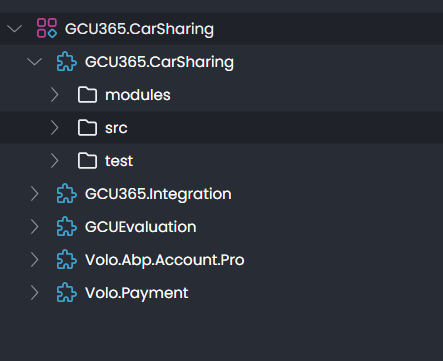
It seems ABP Studio still detects the old version somewhere, preventing me from replacing packages with source code. Can you help identify what might still be referencing v5.3.4 or how to fully align Studio and the solution?
We are currently using ABP version 5.4.3 with the MVC UI, and downloaded the source code for all the modules. We are planning to upgrade our application to the latest version of ABP. We have made modifications in several modules (Payment, Account, Identity) and added custom payment gateways and we want to remove most of the module source code.
Before starting the upgrade process, I have a couple of questions:
Upgrade Steps: Do we need to follow the step-by-step migration process—i.e., upgrading from 5.x to 6.0, then 6.0 to 7.0, then 7.0 to 8.0, and finally to 9.1—or is it possible to upgrade directly from 5.x to 9.1?
Custom Module Changes: Given our modifications in the Payment, Account, and Identity modules, are there any best practices or tips you would recommend for transferring our custom changes to the new version’s modules?
Any advice or documentation pointers on handling these aspects during the upgrade would be greatly appreciated.