Alright, you can reopen the question if you have a problem with this.
Great, now that the problem is solved, I'll close this question,
You can open a new question at any time.
Hello,
Try to delete node_modules folder and yarn.lock json file from Angular project.
Run command: yarn
and then try to run again
thanks
Somehow it cannot pull from Nuget. Can you run the following code and send the output to understand the problem:
nuget install Volo.Abp.Studio.Extensions.StandardSolutionTemplates -version 0.9.23
If you do not have nuget.exe installed, you can install it from this link.
Hi,
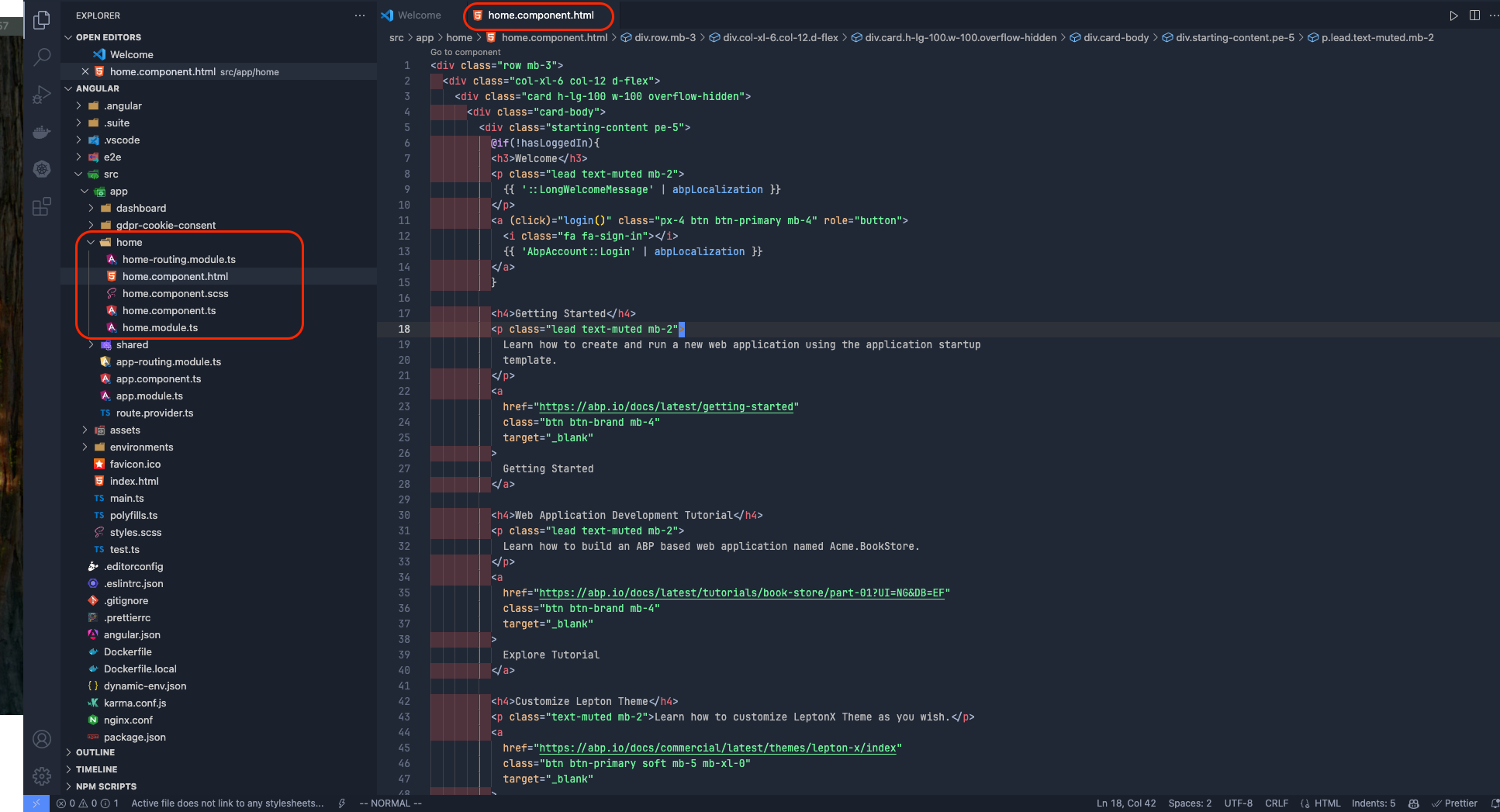
You can change home.component.html as you like as in the picture below:
Can you try the following code block?
        if (AbpAspNetCoreComponentsWebOptions.Value.IsBlazorWebApp)
        {
            Navigation.NavigateTo(AuthenticationOptions.Value.LogoutUrl, forceLoad: true);
        }
        else
        {
            Navigation.NavigateToLogout(AuthenticationOptions.Value.LogoutUrl);
        }
Hello again,
I intuitively had a few ideas after reviewing your code. Since I can't be completely sure, we will proceed with a little trial and error, sorry for that, but I think we will succeed as a result.
I see that you put the client application behind Nginx as below. Actually there is no need for that.

When I create a Blazor Wasm project from scratch, appsettings.json is mapped as follows:

Obviously this seemed like it could be a problem.
Also, could you try my suggestions regarding from-ingress and the custom middleware I mentioned in my previous message, not in Blazor but in the AuthServer application instead? I somehow suspect that the following code is not working.
  if (!configuration.GetValue<bool>("AuthServer:RequireHttpsMetadata"))
        {
            Configure<OpenIddictServerAspNetCoreOptions>(options =>
            {
                options.DisableTransportSecurityRequirement = true;
            });

            Configure<ForwardedHeadersOptions>(options =>
            {
                options.ForwardedHeaders = ForwardedHeaders.XForwardedProto; // this line
            });
        }

        context.Services.ForwardIdentityAuthenticationForBearer(OpenIddictValidationAspNetCoreDefaults.AuthenticationScheme);
But my issue is after I login seem the authService can not callback then access to the homepage when I using 2 URL like I mentioned.
As far as I understand from below picture, I see that you are redirected to the Angular application. Isn't that right? Where exactly are you redirected after logging in?

I have received your e-mail now and I will review it as soon as possible and get back to you.
hi,
Here is the reason: https://github.com/abpframework/abp/issues/3487#issuecomment-1820454025









