Note: we are compiling on the mac with VS Code. Is Visual Studio a requirement?
Are you talking about these settings?
"When developing on the iOS simulator, enable the Keychain entitlement and add a keychain access group for the application's bundle identifier.
Create or open the Entitlements.plist in the project and find the Keychain entitlement and enable it. This will automatically add the application's identifier as a group. For more information about editing the Entitlements.plist file, see Entitlements.
In the project properties, under iOS Bundle Signing set the Custom Entitlements to Entitlements.plist."
These are already included in the apb sample project.
Just to be clear, the sample apb.io .net maui base project ONLY works in debug mode when deploying to a device or the simulator. But it does NOT work in release mode. It crashes immediately on load. We didnt add any custom code.
Would you like the project zipped up so you can try and deploy it to a device? You could generate the code and get the exact code that we have. The only difference is the URL for the server we deployed too.
We have gone through all the suggestions listed above without any success. Our experiment is just the sample project created through abp studio with no additional code added.
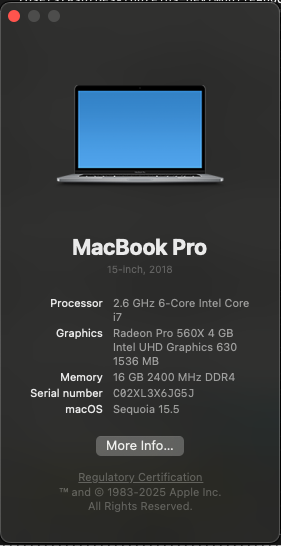
We are trying to build in release the NET Maui Sample and it crashes on physical device while loading the splash screen. We are using net maui 9.0.51/9.0.1 with SDK 9.0.300 on Mac book pro with Xcode 16.4 and iOS SDK 18.5
The device we are deploying to is an iPad running 17.7.8
Originally we were having this problem using abp 8.1.1 with net maui and decided to create a brand new ABP sample project to test and noticed it was also having the same issue. We tried turning UseInterpreter to true and MTouchLink to None without any success. As a comparison, we create another project using Microsoft net maui template and it worked in release with the same provisioning profile.









