Hi
If my previous answer will not help you then please try this link
https://github.com/abpframework/abp/blob/1863a619f172634b2eb4842f0c241c40a9642c91/docs/en/Modules/OpenIddict.md?plain=1#L425
Hi,
This one is the solution for my issue. Thanks.
Hi,
OK, let me try and monitor.
Hi,
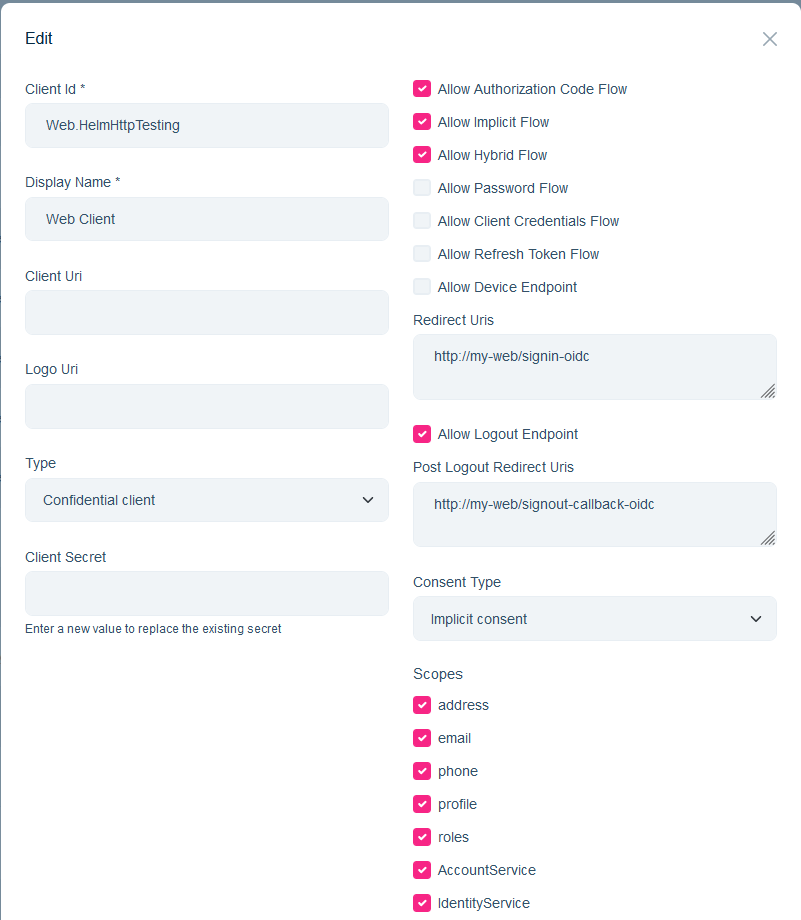
Hi,
Unauthorized after 60 mins automatically.
CB button is very strange: I copy and paste, it auto remove <SecurityStampValidatorOptions> part
context.Services.ConfigureApplicationCookie(options =>
        {
            options.ExpireTimeSpan = TimeSpan.FromDays(1);
        });
        context.Services.Configure<SecurityStampValidatorOptions>(options =>
        {
            options.ValidationInterval = TimeSpan.FromDays(1);
        });
context.Services.ConfigureApplicationCookie(options =>
{
options.ExpireTimeSpan = TimeSpan.FromDays(1);
});
context.Services.Configure<SecurityStampValidatorOptions>(options =>
{
options.ValidationInterval = TimeSpan.FromDays(1);
});
I tried to add above code to both AuthServerModule and WebModule but it doesn't fix the issue.
Hi,
In which module should I try that code?
Hi,
Thank you so much for your prompt support. It works now.
I use HTTP not HTTPS. In AdministrationService, it has the same setting and work fine (no need HTTPS).
"AuthServer": {
    "Authority": "http://authserver:7000",
    "RequireHttpsMetadata": "false",
    "SwaggerClientId": "WebGateway_Swagger.DockerHttp"
  },
  "RemoteServices": {
    "AbpIdentity": {
      "BaseUrl": "http://identityservice.httpapi.host:7002/",
      "UseCurrentAccessToken": "false"
    }
  },
  "IdentityClients": {
    "Default": {
      "GrantType": "client_credentials",
      "ClientId": "AdministrationService.DockerHttp",
      "ClientSecret": "1q2w3e*",
      "Authority": "http://authserver:7000",
      "Scope": "IdentityService"
    }
  },









