Description
We have integrated our shop application with Angular SSR (Server-Side Rendering). In this setup, certain API requests are executed on the server (Node.js) during the rendering phase, and the data is transferred to the client.
If a server-side request fails, the application falls back to client-side execution, and the data (e.g., categories) loads successfully in the browser.
Backend Configuration
The backend gateway is implemented using the ABP Framework with OpenIddict but end point is opened.
Observations SSR runs in a Node.js environment, not in the browser Browser requests automatically include authentication (cookies or tokens) SSR requests may not include the same authentication context If SSR fails, the client-side fallback works correctly and loads the data
Suspected Causes
We are not certain about the exact root cause, but possible reasons include:
Authentication not being forwarded during SSR Missing cookies or access tokens in server-side requests Differences in request context SSR requests may not include required headers (Authorization / cookies) CORS or origin-related differences Requests originating from Node.js instead of browser (Possibly) SSL / certificate-related configuration Only if backend enforces stricter validation for non-browser clients
Steps to Reproduce Configure Angular application with SSR Connect it to an ABP backend secured with OpenIddict Call a API during SSR rendering Observe failure in SSR Access the same API via browser/Postman → works successfully
Expected Behavior
SSR should be able to call secured APIs when properly authenticated or should have a recommended pattern for handling such scenarios.
Actual Behavior SSR API call fails with an exception Client-side fallback successfully retrieves and displays data
Error in node.js
UNABLE_TO_VERIFY_LEAF_SIGNATURE
We recently upgraded our Angular application from Angular 17 to Angular 20, and we are encountering a runtime dependency injection error related to ABP Angular packages.
The error occurs during application startup and seems to be related to RestService from abp-ng.core.
Error Details RuntimeError: NG0201 at R3Injector.get (root_effect_scheduler.mjs:2081:27) at R3Injector.get (root_effect_scheduler.mjs:2052:33) at R3Injector.retrieve (root_effect_scheduler.mjs:1936:25) at injectInjectorOnly (root_effect_scheduler.mjs:1049:39) at ɵɵinject (root_effect_scheduler.mjs:1061:42) at inject2 (root_effect_scheduler.mjs:1149:12) at new _RestService (abp-ng.core.mjs:2213:20)
Current Setup Angular Version: 20 Using custom AbpModule to group all ABP-related modules Using NgModule-based architecture (not standalone)
AppModule Configuration
@NgModule({
  imports: [
    AbpModule,
    BrowserModule,
    BrowserAnimationsModule,
    AppRoutingModule,
    HttpClientModule,
    // other modules...
  ],
  providers: [
    ....,
    {
      provide: AuthService,
      useClass: NxPAuthServiceService,
    }
  ],
})
export class AppModule {}
@NgModule({
    imports: [
                CoreModule.forRoot({ environment, registerLocaleFn: registerLocale(), }),
                AbpOAuthModule.forRoot(),
                ThemeSharedModule.forRoot(),
                // multiple ABP config modules...
            ],
    exports: [
                CoreModule,
                AbpOAuthModule,
                ThemeSharedModule, // same modules exported...
             ]
    })
export class AbpModule {}
Actual Behavior Application fails at startup with NG0201 (No provider found) related to RestService.
Is there a recommended way to structure AbpModule in newer Angular versions? Do we need to migrate to standalone APIs (bootstrapApplication) for compatibility?
Any guidance or recommended migration steps would be greatly appreciated.
Thanks Imrankhan
I’m facing a permission/authorization issue while calling an AppService of one microservice from another in an ABP-based microservice architecture.
Scenario MS1Service contains ProductsAppService Permission required: MS1Service.Products
MS2Service calls ProductsAppService of MS1Service using client credentials flow
I created an Application Client with the following details:
ClientId: DAS Client Type: Confidential Grant Type: Client Credentials Allowed Scope: MS1Service Granted Permission: MS1Service.Products
**MS2Service **appsettings.json
"RemoteServices": {
  "MS1Service": {
    "BaseUrl": "https://localhost:44388/",
    "UseCurrentAccessToken": "false"
  }
},
"IdentityClients": {
  "Default": {
    "GrantType": "client_credentials",
    "ClientId": "DAS",
    "ClientSecret": "1q2w3e*",
    "Authority": "https://localhost:44322",
    "Scope": "MS1Service"
  }
}
When **MS2Service **calls the AppService of MS1Service, I receive the following authorization error:
[INF] Authorization failed. These requirements were not met:
PermissionRequirement: MS1Service.Products

[WRN] ---------- RemoteServiceErrorInfo ----------
{
  "code": "Volo.Authorization:010001",
  "message": "Authorization failed! Given policy has not granted."
}
Is granting permission to the Application Client (DAS) sufficient for client-to-service calls? Is any additional configuration required in UseCurrentAccessToken or AbpAuthorizationOptions.
I’m trying to understand the correct and recommended way to authorize service-to-service AppService calls in ABP using client credentials.
Any pointers, examples, or documentation references would be greatly appreciated.
Thanks in advance!
I have one .net core web api project which is not abp solution but I want to use the blob storing module with this project. I have created one module in the project as below.
[DependsOn(typeof(NxPBlobStoringAwsModule))]
 public class NxPAipModule : AbpModule
 {
     public override void PreConfigureServices(ServiceConfigurationContext context)
     {
         //context.Services.AddAutoMapperObjectMapper<>();
         base.PreConfigureServices(context);

         Configure<AbpBlobStoringOptions>(options =>
         {
             options.Containers.Configure<DocumentBlobContainer>(container =>
             {
                 container.UseAws(Aws =>
                 {
                     Aws.Region = "eu-west-2";
                     Aws.CreateContainerIfNotExists = true;
                     Aws.UseClientSideEncryption = false;
                     Aws.AccessKeyId = "";
                     Aws.SecretAccessKey= "";
                     Aws.ContainerName = "nxp-staging-1";
                 });
             });
         });
     }
 }
and create the intance of NxPApiModule in program.cs file as below.
using (var application = AbpApplicationFactory.Create<ChurchAipModule>(options =>
 {
     options.UseAutofac();
 }))
This is my NxPBlobStoringAwsModule
[DependsOn(typeof(AbpBlobStoringModule),
 typeof(AbpCachingModule),
     typeof(AbpAutofacModule))]
 public class NxPBlobStoringAwsModule : AbpModule
 {
 }
When I run the project, I am getting below exception on application build.
1[Church.Api.DocumentBlobContainer]': Unable to resolve service for type 'Volo.Abp.BlobStoring.IBlobContainerFactory' while attempting to activate 'Volo.Abp.BlobStoring.BlobContainer1[Church.Api.DocumentBlobContainer]'.) (Error while validating the service descriptor 'ServiceType: Church.Api.Services.IShipmentAppService Lifetime: Transient ImplementationType: Church.Api.Services.ShipmentAppService':I am using the azure blob storage module and when I upload image on blob, it creates the host name folder on the blob container. I don't want to create the host folder and want to use my path without the host folder. I set multi tenancy false but still it is pointing to host folder.
Here is my configuration in module
var configuration = context.Services.GetConfiguration();
 Configure<AbpBlobStoringOptions>(options =>
 {
     options.Containers.Configure<CategoryBlobContainer>(container =>
     {
         container.IsMultiTenant = false;
         container.UseAzure(azure =>
         {
             azure.ConnectionString = configuration["BlobStoring:Containers:AzureContainer:Configuration:ConnectionString"];
             azure.ContainerName = configuration["BlobStoring:Containers:AzureContainer:Configuration:ContainerName"];
             azure.CreateContainerIfNotExists = true;

         });
     });
 });
When we add permission or remove permission from the Roles or Users, It takes too much time to apply that permission. I have to restart the application to apply permission changes so how we can resolve the permission issues and update the caching data on permission change. I am using the modular architecture and I have several applications as modules.
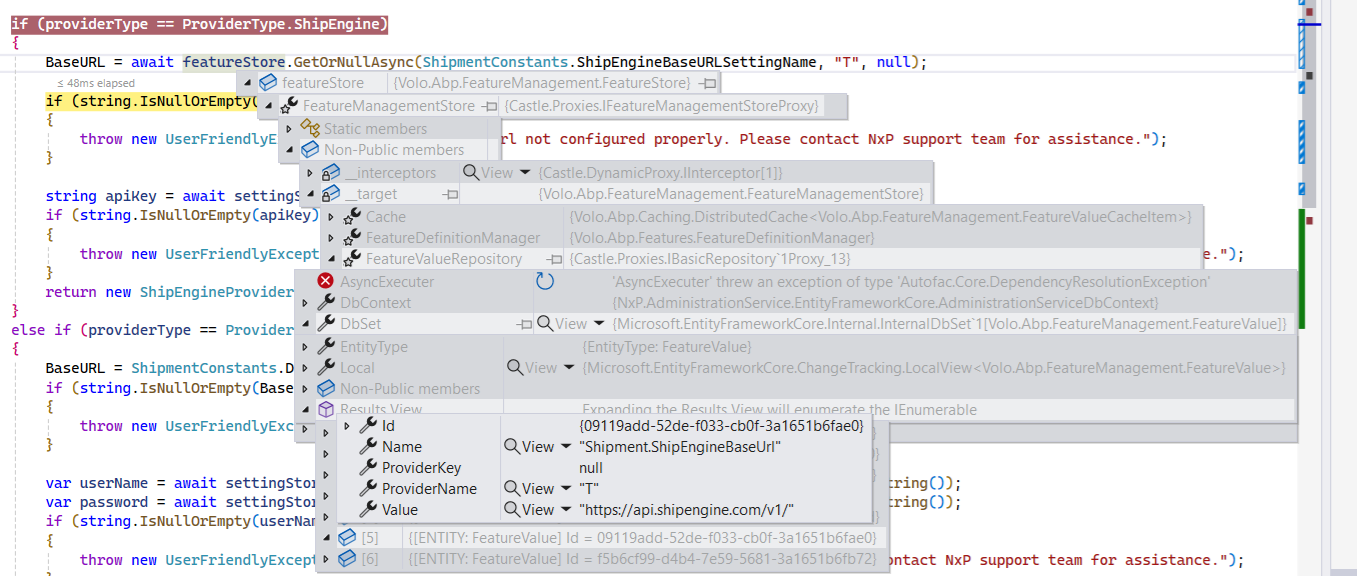
I have one library and I am using the Feature Store GetOrNullAsync but it returning the null value and when I debug the code and check the Results View, the data is there.
I have created new module and add each project references to main application project like application into application, ef into ef module. When I add migration with module dbContext then It throws error that no dbContext was found. The startup project is main host application and selected project is main entity framework module.
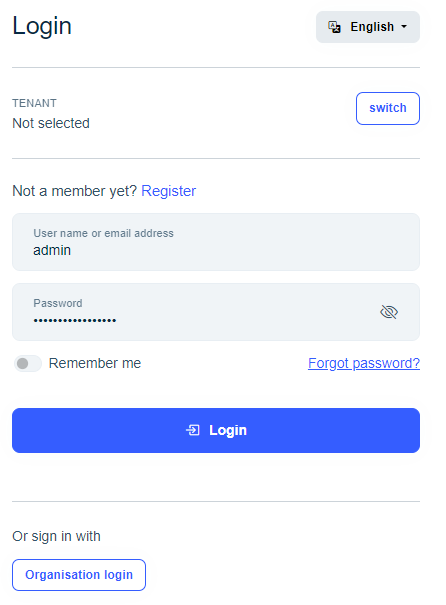
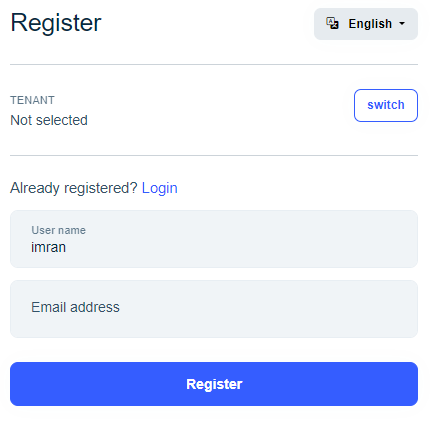
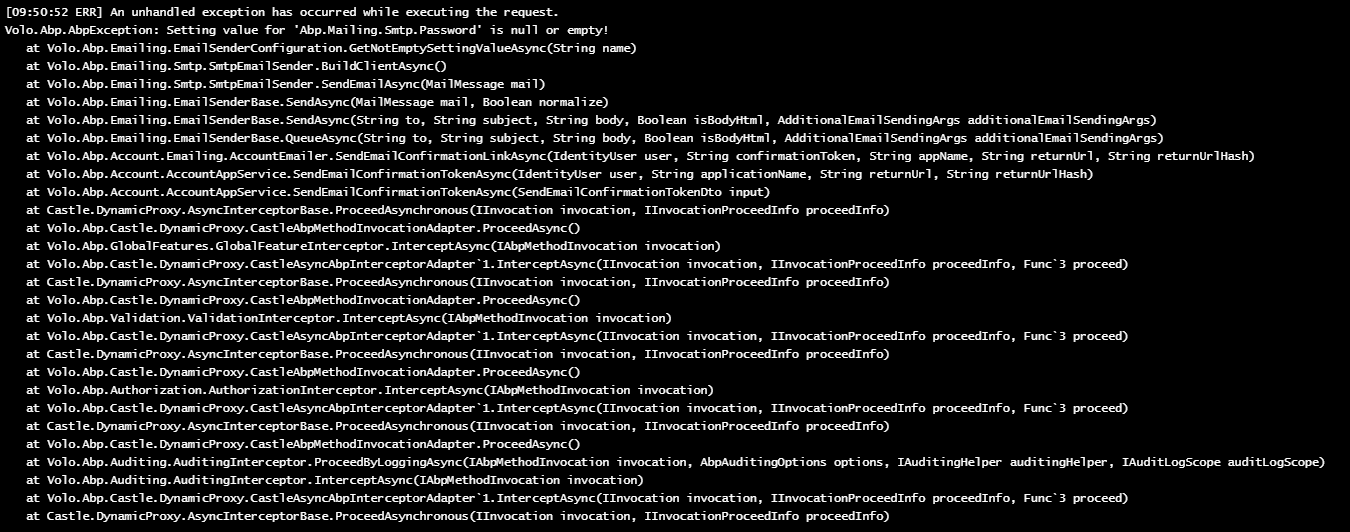
I have configured the Azure OpenId but when I use organization login and try to register the user, auth server throwing exception of Setting value for 'Abp.Mailing.Smtp.Password' is null or empty!
.AddOpenIdConnect("AzureOpenId", "Organisation login", options =>
           {
               options.Authority = configuration["Azure:AzureAd:Instance"] + configuration["Azure:AzureAd:TenantId"] + configuration["Azure:AzureAd:Version"];
               options.ClientId = configuration["Azure:AzureAd:ClientId"];
               options.ResponseType = OpenIdConnectResponseType.CodeIdToken;
               options.CallbackPath = configuration["Azure:AzureAd:CallbackPath"];
               options.ClientSecret = configuration["Azure:AzureAd:ClientSecret"];
               options.RequireHttpsMetadata = false;
               options.SaveTokens = true;
               options.GetClaimsFromUserInfoEndpoint = true;
               options.Scope.Add("email");
           });
If I create user from users management then there is no error and its working fine.
I want to add one property passcode for user in create user and my account personal info section. I have followed below article and extra property is added in database.
https://abp.io/community/articles/identityuser-relationship-and-extending-it-xtv79mpx#:~:text=Extending%20the%20User%20Entity%20With,entity%20of%20the%20Identity%20Module.
private static void ConfigureExtraProperties()
{
    ObjectExtensionManager.Instance.Modules()
          .ConfigureIdentity(identity =>
          {
              identity.ConfigureUser(user =>
              {
                  user.AddOrUpdateProperty<string>(
                      "Passcode",
                      property =>
                      {
                          property.Attributes.Add(new StringLengthAttribute(12) { MinimumLength = 6 });
                          property.DisplayName = new FixedLocalizableString("Passcode");
                          property.Configuration[IdentityModuleExtensionConsts.ConfigurationNames.AllowUserToEdit] = true;
                      }
                  );

              });
          });
 }
But that property is not displaying in UI, I have angular application. Is there any configuration that I need to apply in angular application?









