Hi,
I will check it out
Can you share your code or steps? thanks.
Because redirect will return a 302 HTTP code and told Brower to make a new request, the alert system is not working.
You can try this:
Alerts.Danger(GetLocalizeExceptionMessage(e));
var errorMessage = WebUtility.UrlEncode(GetLocalizeExceptionMessage(e));
return Redirect("/account/login?Type=register&errorMessage=" + errorMessage);
public class LoginModel:..
{
    [BindProperty(SupportsGet = true)]
    public string ErrorMessage { get; set; }

    public async override Task<IActionResult> OnGetAsync()
    {

        if (!ErrorMessage.IsNullOrWhiteSpace())
        {
            Alerts.Danger(ErrorMessage);
        }
        ......
    }
}
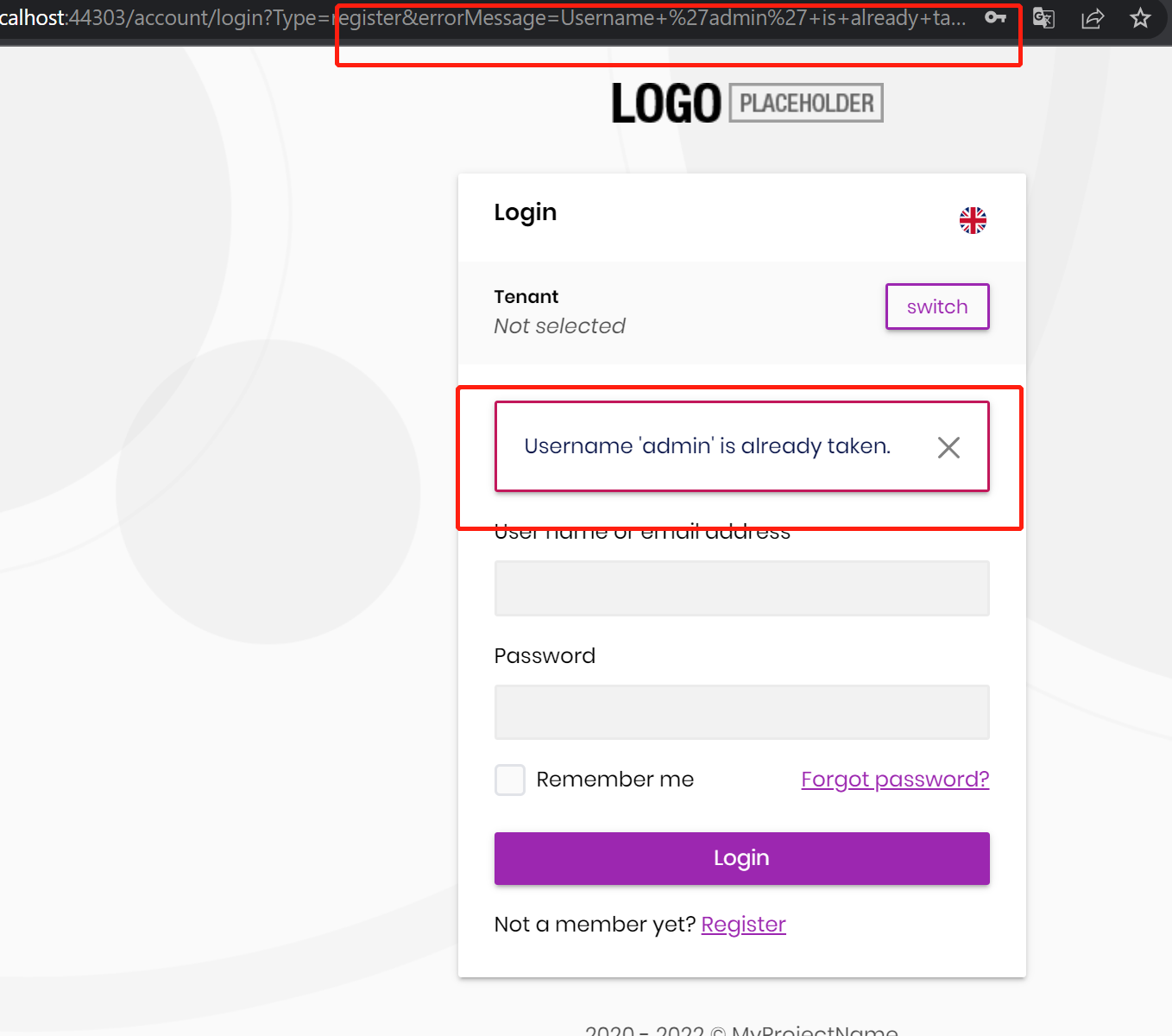
It can solve your problem, but it is not perfect, you better use multiple methods in the Login mode.
See: https://www.learnrazorpages.com/razor-pages/handler-methods#named-handler-methods
It will look like this:
public class LoginModel: ...
{
     public virtual async Task<IActionResult> OnPostAsync()
     {
         // login...
     }

     public virtual async Task<IActionResult> OnPostRegisterAsync()
     {
         // register...
     }

     public virtual async Task<IActionResult> OnPost....Async()
     {
         // ...
     }
}
//....
public virtual async Task<IActionResult> OnPostAsync()
{
    try
    {
        var existsUser = await UserManager.FindByEmailAsync(Input.EmailAddress) ?? await UserManager.FindByNameAsync(Input.UserName);

        if (existsUser != null)
        {
            return Redirect("......The Url");
        }


        //......

      }
  }
I think the problem is resolved, you can check the code to do the same thing.
Remove ?returnUrl=@Model.ReturnUrl.
I will close the question, If you have other questions, please open a new question : )
Solved
https://zoom.us/j/95048339717?pwd=cWcxVGhpREZYT2RKdGl0YjcwT2hGZz09
you needed change it, replace <the URL what you want to redirect> with the URL you want.
// this line
return Redirect("<the URL what you want to redirect>");
Can you share your code?
Hi,
You can change the permission scope in your PermissionDefinitionProvider
For example:
var group = context.GetGroup(SaasHostPermissions.GroupName);
group.MultiTenancySide = MultiTenancySides.Both;
var createPermission = group.GetPermissionOrNull(SaasHostPermissions.Tenants.Create);
createPermission.MultiTenancySide = MultiTenancySides.Both;









